Epson SureColor F170 Review
The cheapest printer Epson actually sells as a sublimation printer. Everything you pay over a converted EcoTank buys you the absence of a workaround — and one year of warranty to go with it.
Heads up: Mat & Blade earns a commission from qualifying purchases made through the links on this page, at no extra cost to you. It never changes which products we recommend or how we rank them. Read the full disclosure.
The SureColor F170 is a letter-width dye-sublimation printer, and what you are paying for is that Epson sells it as one. Epson publishes an 8.5 inch maximum media width — the same width you get by converting a cheap EcoTank — up to 1200 x 600 dpi, four-color refillable T49M ink bottles, a 150-sheet input tray, USB, Wi-Fi, Wi-Fi Direct and Ethernet, a 10.2 lb body, and a one-year unit exchange warranty. Nothing about owning it involves a forum thread, a third-party ICC profile or a decision you cannot reverse. That is the whole proposition, and whether it is worth roughly double a convertible EcoTank depends entirely on how much the absence of a workaround is worth to you.
Quick picks
| # | Product | Best for | Price |
|---|---|---|---|
| 1 | 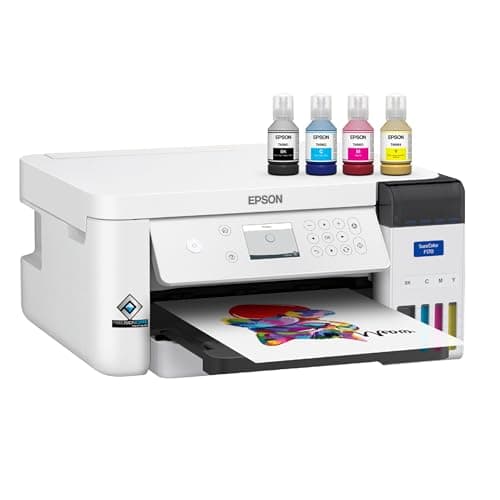 Epson SureColor F170The lowest-priced printer sold as a dye-sublimation machine rather than converted into one — the honest ans... | Sublimation with nothing to undo | $399.00 · View on Amazon Price as of November 12, 2026 #ad · affiliate link · we never show a price we cannot verify |
| 2 | 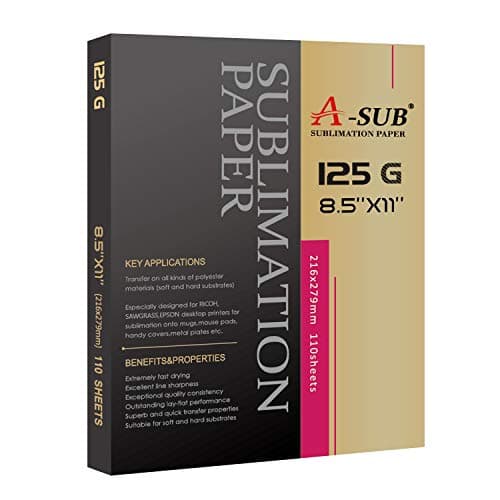 A-SUB Sublimation PaperThe paper most beginners land on, and a sensible default: high transfer rate, dries fast enough to handle, ... | The consumable that limits every sublimation printer | $19.99 · View on Amazon Price as of November 12, 2026 #ad · affiliate link · we never show a price we cannot verify |
| 3 | 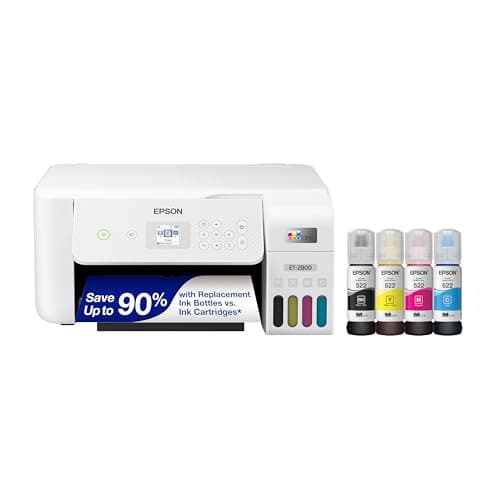 Epson EcoTank ET-2800The printer most people convert — cheap, refillable, and widely documented. Read the warranty section befor... | The question to answer before you buy the F170 | Check price on Amazon #ad · affiliate link · we never show a price we cannot verify |
| 4 | 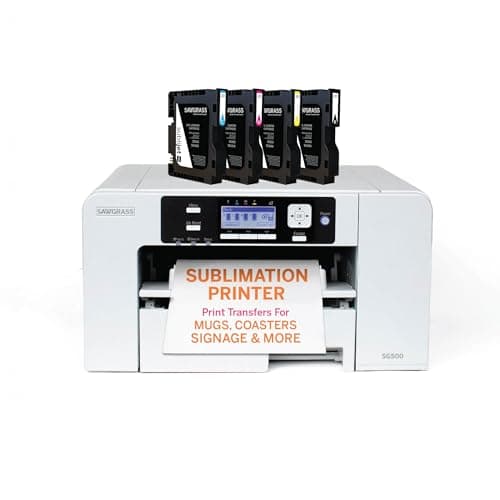 Sawgrass SG500A real sublimation printer sold as one — you pay more up front and in ink, and in exchange nothing about it... | If the warranty is the thing you are buying | $599.95 · View on Amazon Price as of November 12, 2026 #ad · affiliate link · we never show a price we cannot verify |
| 5 | 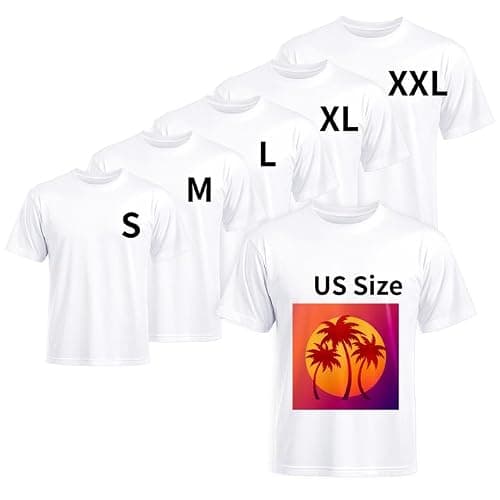 Polyester Blank ShirtsSublimation bonds to polyester and only polyester — the blank matters more than the printer, and this is th... | What this printer can and cannot decorate | $19.99 · View on Amazon Price as of November 12, 2026 #ad · affiliate link · we never show a price we cannot verify |
| 6 | 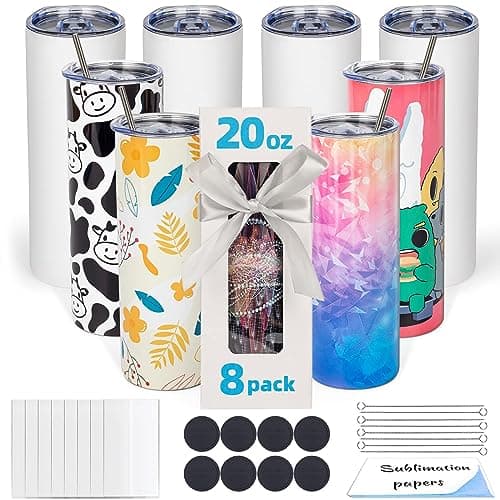 Sublimation Tumbler BlanksPolymer-coated tumblers are the most forgiving sublimation blank there is — the coating does the work, so a... | The blank that suits 8.5 inches best | $33.99 · View on Amazon Price as of November 12, 2026 #ad · affiliate link · we never show a price we cannot verify |
Tap any row to jump to the full write-up. Prices come from Amazon on the date stamped on each button and can change after that — check the listing before you buy.
What Epson publishes
Everything in the table below is Epson's own published figure from its specification sheet for this model, not a reseller's summary. Two rows are deliberately marked as not published, because Epson does not publish them and we are not going to invent them.
| Specification | Epson's published figure |
|---|---|
| Type | Dedicated dye-sublimation printer — no conversion involved |
| Max media width | 8.5 in (minimum sheet width 3.5 in) |
| Max sheet size | 8.5 x 47.2 in |
| Max printable length | Limited by the application, OS and driver or RIP used |
| Max print resolution | 1200 x 600 dpi |
| Printhead | PrecisionCore microTFP, 784 nozzles (400 black, 128 each cyan, magenta, yellow) |
| Print speed | Not published |
| Ink | Epson T49M dye-sublimation bottles, CMYK — 140 mL per color |
| Ink part numbers | T49M120 black, T49M220 cyan, T49M320 magenta, T49M420 yellow |
| Ink shelf life | 2 years from printed production date, or 6 months after opening |
| Ink yield | Not published as a page count — Epson states yields vary considerably |
| Input tray | Up to 150 sheets |
| Named media | Epson DS Multi Use transfer paper |
| Margins | 3 mm left and right |
| Connectivity | Hi-Speed USB, Wi-Fi 802.11 b/g/n, Wi-Fi Direct, 10/100 Ethernet |
| Control panel | 2.4 in color LCD with buttons |
| Size in use | 14.8 x 19.8 x 7.4 in (13.7 x 13.7 x 7.4 in stored) |
| Weight | 10.2 lb |
| Operating environment | 50-95°F, 20-80% humidity |
| Warranty | Standard 1-year unit exchange with toll-free phone support, Monday to Friday |
| In the box | Genuine Epson dye-sublimation ink, 150-sheet auto-feed tray, Mac and Windows print software |
Three rows in that table deserve a second look before anything else. The 140 mL refillable bottles are the running-cost story and the main reason to prefer this over a cartridge machine. The 1200 x 600 dpi looks alarming next to the four-figure numbers printed on photo printer boxes, and it is less alarming than it looks, for a reason worth explaining properly below. And the one-year unit exchange is the row that will decide this purchase for anyone selling, because it is a third of what Sawgrass publishes on a printer in the next bracket up.
The resolution number, and why it matters less than it reads
A converted photo EcoTank will claim a resolution several times higher than 1200 x 600 dpi, and people reasonably conclude from that the cheap route produces better prints. It is the wrong conclusion, because of what happens between the paper and the shirt. Sublimation does not put ink on your product. It puts ink on coated transfer paper, then heat turns that ink into a gas that diffuses into polyester fibers or a polymer coating. Diffusion blurs a boundary. The fiber structure of a knit blurs it further. By the time an image has gassed through a cover sheet and spread into the surface of a tumbler, the dot structure your printer laid down has been softened well past the point where its headline dpi is the limiting factor.
That does not make resolution irrelevant — it makes it one of the weaker inputs. The things that visibly decide sublimation print quality, roughly in order, are the ink itself, the color profile, the paper coating, and the press time and temperature. Epson supplies the first two for this printer and names the third. On a converted EcoTank you supply all four and the first two are someone else's best guess. If you have been following the truth about EcoTank sublimation conversion, that is the trade in one sentence: a higher number on the box, with every variable behind it moved onto you.
1. Best for sublimation with nothing to undo
Epson SureColor F170
Epson · Currently sold · Verified 2026-10-29
The reason to buy this printer is that no part of owning it is a workaround. Epson sells it as a dye-sublimation printer, ships it with its own dye-sublimation ink and print software, publishes an 8.5 inch maximum media width and up to 1200 x 600 dpi from a PrecisionCore microTFP printhead, and warrants it for a year of sublimation use. Ink arrives in refillable 140 mL T49M bottles rather than cartridges, which is the single biggest running-cost advantage it holds over the Sawgrass machines above it. Honest cons: Epson's published resolution is far lower than a photo EcoTank's on paper, the one-year unit exchange is a third of what Sawgrass publishes on the SG500, the usable width is the same 8.5 inches the cheap converted route gives you, and stock genuinely comes and goes — Epson's own store was showing it out of stock on the day this page was written.
What works
- Sold and warranted as a sublimation printer, so nothing about it is a workaround
- Refillable ink bottles rather than cartridges, so ink cost per page stays low
- Epson supplies the sublimation print software and profiles itself
- Costs substantially less than the Sawgrass machines it competes with
What does not
- Epson's own published resolution is lower than a converted photo EcoTank's
- Same 8.5 in width limit as the cheap convertible route
- One year of warranty, where Sawgrass publishes three on the SG500
- Stock comes and goes — Epson's own store has shown it out of stock
Not for you if
Your budget genuinely stops at $200. This is not a sub-$200 printer, and pretending otherwise is how people end up disappointed.
Key specs
- Type
- Dedicated dye-sublimation printer
- Max paper width
- Epson states 8.5 in; printable length limited by the application and driver
- Resolution
- Epson states a maximum of 1200 x 600 dpi
- Ink
- Four-color C/M/Y/K Epson T49M dye-sublimation ink bottles into a reservoir
- Connectivity
- Hi-Speed USB, Wi-Fi 802.11 b/g/n, Wi-Fi Direct and 10/100 Ethernet
- Warranty
- Epson lists a standard one-year unit exchange with phone support
Price as of November 12, 2026
#ad · affiliate link · we never show a price we cannot verify
2. Best for the consumable that limits every sublimation printer
A-SUB Sublimation Paper
A-SUB · Currently sold · Verified 2026-09-27
Buy paper with the printer, not after it. A sublimation transfer is only as good as the coating holding the ink on the surface until it gasses off, and a dedicated printer does not exempt you from that. This is the widely used budget coated paper at letter size, which is the size this printer feeds from its tray. Getting a known-decent paper in the box with the machine means your first disappointing print is a settings problem you can fix rather than a two-variable mystery. Honest cons: it is not the brightest coated paper sold, the common pack is letter only, and you will burn through more than you budgeted for while you dial in color.
What works
- Consistent results across shirts, mugs and hard blanks
- Dries quickly enough that sheets do not smudge when stacked
- Cheap enough to practice with
What does not
- Only works with sublimation ink — regular ink will not transfer
- Printing on the wrong side wastes the sheet and the ink
Not for you if
You are printing on dark fabric. Sublimation does not work on dark fabric at all, whatever paper you use.
Key specs
- Type
- Dye-sublimation transfer paper
- Weight
- Commonly 125 gsm
- Sizes
- Letter and larger sheets
- Transfer rate
- High — most of the ink releases to the blank
- Printed side
- One side only — the coated side
Price as of November 12, 2026
#ad · affiliate link · we never show a price we cannot verify
3. Best for the question to answer before you buy the f170
Epson EcoTank ET-2800
Epson · Currently sold · Verified 2026-09-27
Named honestly because it prints the same 8.5 inches wide for a small fraction of the money. The entire case for the F170 collapses if you are still finding out whether you like sublimation, because a converted EcoTank answers that question for far less. What you give up by converting is real and permanent: no warranty coverage for ink-related damage, no manufacturer color profile, no support line that will help you, and a printer you can never use for documents again. Honest cons: clogs end cheap printers, color management becomes entirely your problem, and the conversion is one-way.
What works
- By far the cheapest way to start sublimating
- Refillable tanks mean low running cost once converted
- Very widely documented by the crafting community
What does not
- Converting it with third-party sublimation ink voids Epson's coverage for ink-related damage
- A converted printer cannot go back to regular ink
- 8.5 in width limits you to letter-size transfers
Not for you if
You want a supported, warrantied sublimation setup you can call for help on. Buy a dedicated sublimation printer instead.
Key specs
- Type
- Refillable-tank inkjet — sold as a regular printer
- Sublimation
- Not a sublimation printer as sold; people convert it
- Max print width
- 8.5 in (letter)
- Ink system
- Four refillable tanks
- Warranty note
- Epson's warranty covers damage from genuine ink, not third-party ink
#ad · affiliate link · we never show a price we cannot verify
4. Best for if the warranty is the thing you are buying
Sawgrass SG500
Sawgrass · Currently sold · Verified 2026-09-27
The F170's real competition one step up, and the better buy if support is what you actually want. Sawgrass publishes three years or 100,000 prints plus lifetime technical support against Epson's one-year unit exchange, up to 4880 x 1200 dpi against Epson's 1200 x 600, and a bypass tray that takes media up to 8.5 x 51 inches. If a dead printer would mean refunding customers, that is the machine. Honest cons: it costs substantially more, SubliJet UHD cartridges are non-refillable so ink costs considerably more per page than the F170's bottles, and the usable width is the same 8.5 inches again.
What works
- No conversion, no warranty question, no community workaround
- Color profiles supplied and supported by the manufacturer
- Manufacturer support when something goes wrong
What does not
- Much higher purchase price than a converted EcoTank
- Cartridge ink costs considerably more per page than tank ink
- Same 8.5 in width limit as the cheap option
Not for you if
You are experimenting to see whether you like sublimation at all. That is a lot of money to spend on a maybe.
Key specs
- Type
- Dedicated sublimation printer
- Sold as
- A sublimation printer — no conversion involved
- Max print size
- 8.5 x 14 in from the main tray; up to 8.5 x 51 in via the bypass tray
- Resolution
- Published at up to 4880 x 1200 dpi
- Ink
- Sawgrass SubliJet UHD sublimation ink cartridges (non-refillable)
- Connectivity
- Ethernet, USB and 2.4GHz Wi-Fi
- Support
- 3-year or 100,000-print warranty with lifetime tech support
Price as of November 12, 2026
#ad · affiliate link · we never show a price we cannot verify
5. Best for what this printer can and cannot decorate
Polyester Blank Shirts
Joyclub · Currently sold · Verified 2026-09-27
Included because the most common disappointment with any sublimation printer has nothing to do with the printer. Sublimation ink bonds into polyester and polymer coatings and does essentially nothing on cotton, so the blanks decide what you can sell. A white or very light polyester blank is the honest starting point and the fastest way to see what the F170 can really do. Honest cons: polyester handles and feels different from cotton and not everyone likes it, white and pale colors only because there is no white ink, and multipack blank weights vary between batches.
What works
- The only fabric sublimation genuinely bonds to
- Result has no hand feel at all — the design is in the fabric
- Will not crack or peel the way a vinyl transfer can
What does not
- White or near-white only — this is a hard physical limit
- 100% polyester feels different from a cotton tee
- Blends fade the design, which you may or may not want
Not for you if
You want a soft cotton shirt or a dark shirt. Use heat transfer vinyl instead — it works on both.
Key specs
- Fabric
- 100% polyester, or a high-polyester blend
- Color
- White or very light — dark fabric will not work
- Why polyester
- Sublimation ink bonds to polymer, not to cotton fiber
- Blend behavior
- A 65/35 blend gives a faded, vintage-looking result
Price as of November 12, 2026
#ad · affiliate link · we never show a price we cannot verify
6. Best for the blank that suits 8.5 inches best
Sublimation Tumbler Blanks
UIRZOTN · Currently sold · Verified 2026-09-27
Worth the line because hard goods are where letter-width sublimation is least compromised. A skinny tumbler wrap, a mug wrap and a coaster all fit inside 8.5 inches with room to spare, so the F170's width limit never comes up. If you are buying this printer to make things to sell rather than to print shirt graphics, drinkware is the obvious first product. Honest cons: tumblers need a press that closes around a curve rather than a flat platen, coatings vary in quality between sellers, and a wrap that is a millimeter short shows a seam line forever.
What works
- The coating makes color come out bright and sharp
- Very forgiving of small timing errors
- Sold in cheap multi-packs so practice costs little
What does not
- Must be sublimation-specific — an ordinary tumbler will not take the ink
- Needs a tumbler press or an oven; a flat press cannot do it
- Not dishwasher-proof in practice, whatever the listing says
Not for you if
You only have a flat heat press. A flat plate cannot wrap a tumbler evenly.
Key specs
- Coating
- Polymer coating — required for sublimation to bond
- Common size
- 20 oz skinny tumbler
- Heat source
- Tumbler press, convection oven, or shrink wrap plus oven
- Color
- White or very light — sublimation ink is translucent
Price as of November 12, 2026
#ad · affiliate link · we never show a price we cannot verify
Bottles versus cartridges, which is the real money
This is where the F170 earns its keep against the machines immediately above it. Epson supplies its dye-sublimation ink in 140 mL T49M bottles that you pour into a reservoir. Sawgrass supplies SubliJet UHD in cartridges that are not refillable. Across a year of sublimation that difference compounds harder than most people expect, because sublimation is a hobby of test prints — you will print the same design two or three times to get the color right before you commit it to a blank, and on cartridge ink you feel every one of those prints.
Two honest caveats on the bottles, both from Epson's own sheet. The first is shelf life: Epson states two years from the printed production date, or six months after a bottle is opened. That is a real constraint on a hobby printer used in bursts, and it means a set of four bottles bought for a Christmas run is not necessarily still good next Christmas. The second is the lock-in: Epson states the printer is designed for use with Epson ink bottles only. You are buying a consumable relationship, not an open tank you can fill with anything — which is, of course, exactly the relationship that makes the warranty mean something.
Epson does not publish an ink yield as a page count for this printer, and says only that yields vary considerably with images, settings, paper, frequency of use and temperature. That is a fair statement rather than evasion — a full-bleed tumbler wrap and a left-chest logo are not remotely the same amount of ink — but it does mean nobody can honestly tell you your cost per print before you have run a batch of your own designs.
The warranty, and the gap that matters
Epson publishes a standard one-year unit exchange with toll-free phone support Monday to Friday, with extended plans sold separately. Read that carefully: unit exchange means that in the covered year a failure is Epson's problem and they send you a printer, which is meaningfully better than a repair queue. It also means the cover runs out after twelve months on a machine whose most likely failure is a print head, and print heads do not fail politely on schedule.
Against that, Sawgrass publishes three years or 100,000 prints on the SG500 plus lifetime technical support. That is the F170's biggest exposed flank and it is worth being blunt about. If sublimation is a hobby, one year is fine and the price difference buys a lot of blanks. If people are paying you, the question changes shape entirely: a dead printer in month fourteen is not an inconvenience, it is refunds and a reputation. Sawgrass versus Epson EcoTank walks the wider version of that decision, and our SG500 review covers what the premium actually buys.
Who this printer is wrong for
Two buyers specifically, and both of them are common. The first is anyone whose budget genuinely stops short of this bracket. This is not a cheap printer in absolute terms, and the honest route at a lower number is a converted EcoTank with all the compromises that implies. We looked at that bracket properly in the best sublimation printer under $200 and the finding stands: nothing is sold as a sublimation printer at that price, so the only honest answer below this one involves a conversion.
The second is anyone who has not yet established that they like sublimation. It is a genuinely demanding craft with a narrow material window — polyester and polymer coatings only, no cotton, no dark garments without switching technique entirely — and a meaningful proportion of people who buy into it discover that heat transfer vinyl was what they actually wanted. Finding that out on a converted EcoTank costs a fraction of finding it out here. Is sublimation worth it is the page to read before this one if that describes you at all.
What else you need on day one
A sublimation printer alone makes nothing. Budget from the start for coated sublimation paper, heat-resistant tape, a cover sheet or butcher paper, polyester or polymer-coated blanks, and a heat source that holds a stated temperature across a whole platen — a household iron will not do this job, because sublimation needs even heat held for a full dwell time rather than passes. If you are pressing drinkware, that means an attachment press rather than a flat one.
None of that is unique to the F170, and it is the single most underestimated part of starting sublimation. Sublimation startup costs has the full basket with nothing left out, and the sublimation printer and heat press pairing guide covers matching a press to what you intend to decorate.
The verdict
The SureColor F170 is the printer to buy when you have decided you want sublimation and you do not want a workaround in the middle of it. Everything it does well follows from being sold as a sublimation printer: Epson's own ink, Epson's own print software, Epson's own profiles, refillable bottles that keep running costs sane, and a warranty that does not evaporate the first time you put dye-sublimation ink through the head. Against a converted EcoTank that is a genuine upgrade in everything except print width, which is identical.
Where it is beaten is on the warranty, and only there. One year of unit exchange is reasonable cover for a hobby and thin cover for a business, and the machine one bracket up publishes three years on the same 8.5 inch width. So the decision comes down to one question that has nothing to do with specifications: is anyone paying you yet? If not, this is the right printer and the money saved over a Sawgrass buys a lot of blanks to learn on. If so, price the SG500 before you commit — and if your designs are already wider than 8.5 inches, neither machine is your answer and the best sublimation printer for large prints is where to look instead.
Common questions
Is the Epson SureColor F170 a real sublimation printer?
How wide can the Epson F170 print?
What ink does the Epson SureColor F170 use?
Is the F170 better than a converted Epson EcoTank?
What is the warranty on the Epson SureColor F170?
Is 1200 x 600 dpi enough for sublimation?
Can the Epson F170 print on cotton shirts?
Does the Epson SureColor F170 work with Wi-Fi?
Sources
- Epson SureColor F170 — Epson's own product and specification page — Every published figure on this page — 8.5 in max media width, 3.5 in min sheet width, 8.5 x 47.2 in max sheet, 1200 x 600 dpi, PrecisionCore microTFP with 784 nozzles, T49M bottles at 140 mL with part numbers and shelf life, 150-sheet tray, 3 mm margins, USB/Wi-Fi/Wi-Fi Direct/Ethernet, 2.4 in LCD, 14.8 x 19.8 x 7.4 in, 10.2 lb, 1-year unit exchange, and the Windows 7-10 / macOS 10.6-10.15.x compatibility list. Print speed and ink page yield are not published there and are reported as not published - checked 5 November 2026
- Epson SureColor F170 — current retail listing — Listing confirmed live, title-checked against the Epson model name, and reported in stock on 5 November 2026. Epson's own store showed the printer out of stock the same day
How we picked
We verify every product is currently sold by reading the manufacturer's own catalog, compare published specifications rather than marketing copy, and rank on what a first-time buyer has to decide. We do not run lab tests and we do not claim to, and commission never affects the order.
Read this next
The Best Sublimation Printer Under $200
What a $200 budget actually buys in sublimation, why the complete setup costs more than the printer, and the cheapest printer that is genuinely sold as a sublimation machine.
Sawgrass SG500 Review
The published specification, what the three-year warranty and lifetime support are really worth, the cartridge ink trade, and the point at which a converted EcoTank wins.
Sawgrass vs Epson EcoTank
Dedicated printer or converted EcoTank — cost, warranty, support and which suits which user.
Epson EcoTank ET-2800 Review
The published specification, the three things conversion permanently costs you, and the point at which a supported printer is the cheaper answer.
The EcoTank Conversion, Honestly
What converting an EcoTank actually costs you in warranty and reversibility, stated up front.
The Best Sublimation Printer for Beginners
Convert an EcoTank or buy a dedicated printer — the honest trade-off between cost and support.
Sublimation Startup Costs
Every purchase a working sublimation setup needs, which ones are optional, and the four running costs that surprise people after the printer arrives.
Back to Sublimation.