Epson EcoTank ET-2800 Review
Epson does not sell this as a sublimation printer. Almost every beginner in this hobby turns it into one anyway — here is what that trade really costs.
Heads up: Mat & Blade earns a commission from qualifying purchases made through the links on this page, at no extra cost to you. It never changes which products we recommend or how we rank them. Read the full disclosure.
The ET-2800 is the cheapest working route into sublimation, and it is not a sublimation printer. Epson sells it as an ordinary refillable-tank home printer: four tanks, letter width, a flatbed scanner, wireless printing. The crafting world buys it for one reason — those tanks can be filled with anything, including third-party dye-sublimation ink, which turns a cheap document printer into a machine that prints heat transfers. That conversion works. It is also irreversible, it puts the printer outside Epson's coverage for ink-related damage, and nobody at Epson will help you with it. Whether that is a good deal depends entirely on how much you mind owning a tool with no safety net.
What the published specification actually says
Worth separating the printer from the hobby for a moment, because a lot of what gets said about this machine is really about sublimation. As a printer, Epson's own listing and the retail specification sheets give it four high-capacity refillable tanks in black, cyan, magenta and yellow, a maximum print resolution quoted at 5760 dpi, print speeds quoted at up to 10 ISO ppm in black and 5 ISO ppm in color, a 100-sheet plain paper input, a high-resolution flatbed scanner, a small color LCD, and wireless printing with AirPrint and Epson's phone app.
| Specification | Published figure |
|---|---|
| Ink system | Four refillable tanks — cartridge-free |
| In the box | One 65 mL bottle each of 522 black, cyan, magenta and yellow |
| Max print resolution | 5760 dpi |
| Print speed | Up to 10 ISO ppm black, 5 ISO ppm color |
| Max paper width | 8.5 in — letter |
| Paper input | 100 sheets plain paper |
| Two-sided printing | Manual only — the ET-2850 is the model with automatic duplex |
| Scanner | Flatbed, with copy |
| Connectivity | Wireless, AirPrint, Epson Smart Panel app |
Two lines in that table matter more than the rest for this hobby. The 8.5 inch width is a hard ceiling on transfer size, and it is the single most common regret among people who converted one. The manual two-sided printing is irrelevant to sublimation but worth knowing if you had half-planned to keep using it for documents — which, as the next section explains, you cannot.
Why this printer and not another cheap one
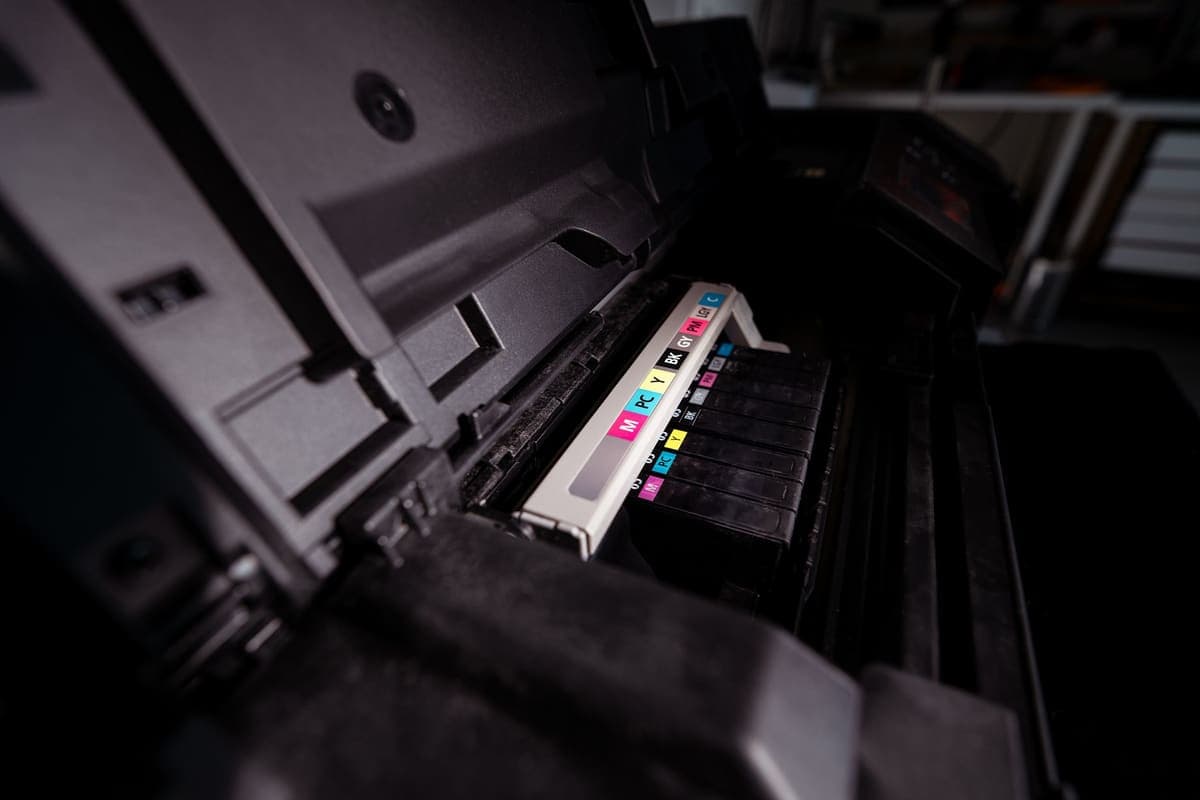
Because of the tanks. A cartridge printer fights you: the chips in the cartridges authenticate, and refillable cartridges for sublimation ink are a second workaround stacked on the first. A tank printer simply has four reservoirs with caps on them, and the printer has no opinion about what is in them. That is the entire technical reason the EcoTank line became the default, and the ET-2800 is the cheapest member of it with a full four-color tank set.
The second reason is running cost. Sublimation is a hobby of test prints — you will print the same design three times to get the color right before you press anything. Bottled ink at EcoTank volumes makes that affordable in a way cartridge ink does not. Epson quotes replacement bottle yields of around 4,500 pages black and 7,500 pages color, which for a craft workload is effectively a very long time between refills.
The third reason is simply that everyone else did it. There are more tutorials, more ICC profiles, more troubleshooting threads and more people who have hit your exact problem with this printer than any other. For a beginner, that is worth real money. The truth about EcoTank sublimation conversion goes through the warranty position in detail.
What converting it actually costs you
1. The warranty position on ink damage
Epson's coverage is written around genuine Epson ink. Fill the tanks with third-party sublimation ink and any damage traceable to that ink is yours to deal with. This is not a scare story and it is not a conspiracy — it is the ordinary consequence of putting a fluid the manufacturer did not specify into a precision print head. Clogs are the realistic failure mode, and a clogged head on a cheap printer is usually the end of the printer.
2. It is a one-way door
Once sublimation ink is in the lines and the head, this is not a document printer any more. You cannot flush it back to genuine ink with any reliability, and you should not plan to. If the printer in question is also the one that prints the kids' homework, buy a second printer — the conversion is not a mode you switch between.
The practical corollary, and the thing most first-timers get wrong: convert a brand new printer, before it has ever printed with Epson ink. This is the standard guidance in every community walkthrough, and the logic is simple — the less dye ink that has been through the lines, the less there is to contaminate your sublimation color. It also means the unused Epson bottles in the box are a waste you should budget for rather than a bonus.
3. Color is on you
A dedicated sublimation printer ships with color profiles the manufacturer built and supports. A converted one does not. What comes out of the press will not match what is on your screen until you are using an ICC profile for your specific ink, and the quality of that profile varies enormously between ink sellers. Budget an evening for this, and judge an ink seller on whether they publish a profile at all.
Where it falls short
- 8.5 inch width. Letter is the ceiling. A full adult shirt front, a large tumbler wrap and most door signs are out, permanently.
- No support for what you are using it for. The printer works; nobody will help you make it work for sublimation.
- Clogging is the real risk. Sublimation ink in a printer that sits idle for three weeks is how heads clog. It wants to be used, or at least run weekly.
- No sublimation color profile. You are sourcing and installing one yourself, from whoever sold you the ink.
- Slow by office standards. Up to 10 ISO ppm black and 5 in color is fine for craft work and unimpressive for anything else.
- The included Epson ink is dead weight. You should not use it, which makes four 65 mL bottles in the box part of the price of nothing.
Who it is for
Someone who wants to find out whether they actually like sublimation. That is the honest framing, and it is a good reason to buy this printer rather than a bad one. The whole category is easy to romanticize and genuinely fiddly in practice: light polyester or coated blanks only, a press that holds a real temperature, paper that costs money, and color that needs managing. Finding out on the cheapest viable hardware is sensible, and if you discover the hobby is not for you, you have lost the price of a budget printer rather than the price of a bench installation.
It also suits someone whose output is genuinely small — mugs, coasters, tumblers, pocket-sized shirt designs, name plaques. Letter width is not a compromise on any of those. What you need to start with sublimation covers the rest of the kit, and sublimation startup costs adds the numbers up honestly.
Who it is not for
Anyone who needs this to be reliable. Anyone whose designs are wider than letter — go to a wide-format body before you convert, not after, because there is no upgrade path from a converted printer. And anyone who was hoping to keep printing documents on it. If any of those three apply, the cheap option is not cheap, it is just the first of two purchases. The best sublimation printer for beginners and the best Epson printer for sublimation lay out the alternatives at each width, and the best sublimation printer under $200 prices the whole basket this printer sits inside.
Setting one up without wasting ink
- Buy it new and do not run the Epson ink. Unbox it, set the hardware up, and fill the tanks with sublimation ink from the start. Keep the sealed Epson bottles in case you ever sell the printer on with full disclosure.
- Fill all four tanks properly and run the initial charge. A half-filled tank starves the head, and a starved head is how a brand new conversion clogs in week one.
- Install the ICC profile your ink seller publishes, then print a test chart. Do this before any blank goes near a press. Screen color and pressed color are different things and the profile is what connects them.
- Print on coated sublimation paper, ink side to the blank, mirrored. Everything about sublimation is reversed. The first wasted sheet is almost always an unmirrored one.
- Press at the published setting for the blank, not the paper. The sublimation temperature guide collects the figures by blank type.
- Print something every week. Idle sublimation ink is the main cause of clogs. A small test chart once a week is cheaper than a new printer.
The verdict
Judged as a sublimation printer, the ET-2800 is a hack — unsupported, unprofiled, letter-width and one clog away from being landfill. Judged as what it really is, which is the cheapest honest way to find out whether you want to do this hobby at all, it is the right purchase and has been for years. The tanks are the reason, the community documentation is the multiplier, and the 8.5 inch width is the limit you must accept going in rather than discover going out.
Buy it new, convert it immediately, source a profile with your ink, print weekly, and treat it as consumable rather than capital. If that sentence makes you uneasy, the honest answer is that you want a supported printer, and you should price one before you spend anything — Sawgrass SG500 vs SG1000 is where that decision goes next, and it turns out to be a question about width rather than quality.
1. Best for the cheapest honest route into sublimation
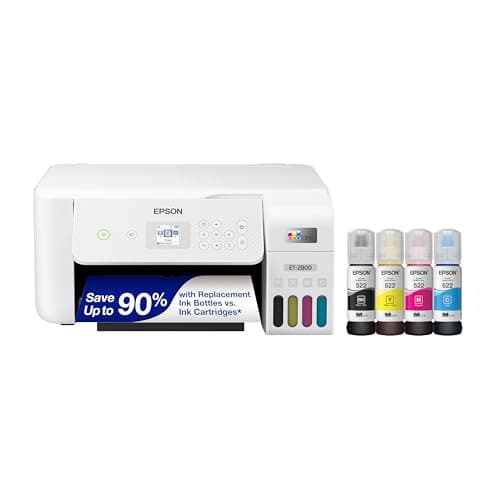
Epson EcoTank ET-2800
Epson · Currently sold · Verified 2026-09-27
As a printer it is unremarkable and that is fine — four refillable tanks, letter width, a flatbed scanner, a small color screen, wireless. What makes it the default sublimation starter is the tank system: there is nowhere for a cartridge chip to object to what you pour in, and refilling four bottles costs a fraction of cartridge ink. Buy it knowing you are buying a chassis, not a sublimation printer, and that the conversion is one-way.
What works
- By far the cheapest way to start sublimating
- Refillable tanks mean low running cost once converted
- Very widely documented by the crafting community
What does not
- Converting it with third-party sublimation ink voids Epson's coverage for ink-related damage
- A converted printer cannot go back to regular ink
- 8.5 in width limits you to letter-size transfers
Not for you if
You want a supported, warrantied sublimation setup you can call for help on. Buy a dedicated sublimation printer instead.
Key specs
- Type
- Refillable-tank inkjet — sold as a regular printer
- Sublimation
- Not a sublimation printer as sold; people convert it
- Max print width
- 8.5 in (letter)
- Ink system
- Four refillable tanks
- Warranty note
- Epson's warranty covers damage from genuine ink, not third-party ink
#ad · affiliate link · we never show a price we cannot verify
2. Best for what actually makes it a sublimation printer
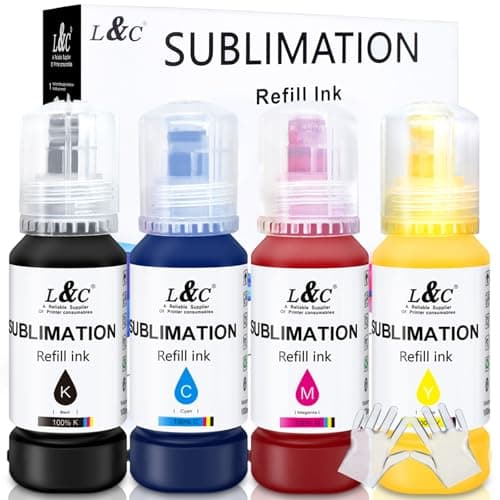
Third-Party Sublimation Ink
MERRYWORK · Currently sold · Verified 2026-09-27
The printer does nothing for this hobby until you fill it with dye-sublimation ink, and that single act is the whole decision. It is also the thing that puts the printer outside Epson's coverage for ink-related damage, and it cannot be undone — a converted printer stays converted. Buy from a seller that publishes an ICC profile for the ink, because color accuracy on a converted machine depends far more on the profile than on the printer.
What works
- Turns a cheap printer into a working sublimation printer
- Far cheaper per page than cartridge sublimation ink
- Most sellers supply an ICC profile for color accuracy
What does not
- Voids Epson's coverage for damage caused by non-genuine ink
- Color accuracy varies a lot by brand without a good profile
- There is no going back to regular printing
Not for you if
The printer is also your household document printer. Once it is converted, that is over.
Key specs
- Type
- Dye-sublimation ink in refill bottles
- Used with
- Refillable-tank inkjets, most commonly Epson EcoTank
- Color profile
- An ICC profile from the ink maker matters more than the ink brand
- Reversible
- No — a converted printer stays converted
Price as of November 12, 2026
#ad · affiliate link · we never show a price we cannot verify
3. Best for the other half of a working setup
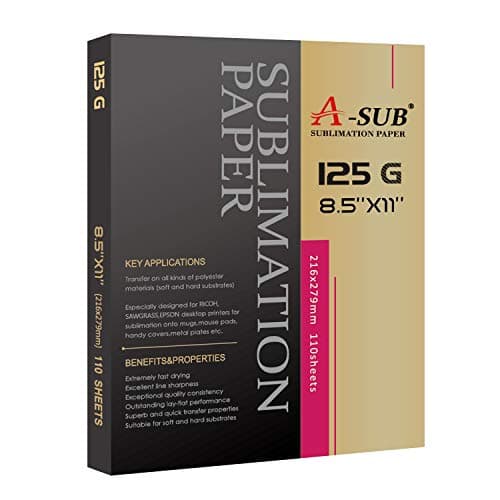
A-SUB Sublimation Paper
A-SUB · Currently sold · Verified 2026-09-27
Sublimation ink needs paper with a coating that holds the ink on the surface and releases it under heat. Regular copy paper absorbs it and you get a pale, blotchy transfer that people then blame on the printer. This is the cheap, widely used answer, it feeds fine through a letter-width tray, and buying it at the same time as the ink saves the first disappointing press.
What works
- Consistent results across shirts, mugs and hard blanks
- Dries quickly enough that sheets do not smudge when stacked
- Cheap enough to practice with
What does not
- Only works with sublimation ink — regular ink will not transfer
- Printing on the wrong side wastes the sheet and the ink
Not for you if
You are printing on dark fabric. Sublimation does not work on dark fabric at all, whatever paper you use.
Key specs
- Type
- Dye-sublimation transfer paper
- Weight
- Commonly 125 gsm
- Sizes
- Letter and larger sheets
- Transfer rate
- High — most of the ink releases to the blank
- Printed side
- One side only — the coated side
Price as of November 12, 2026
#ad · affiliate link · we never show a price we cannot verify
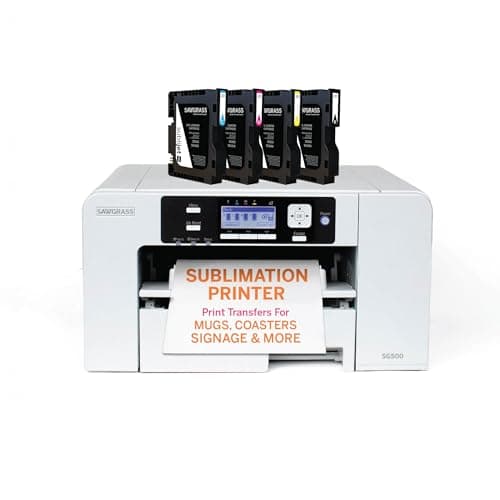
4. Best for anyone who wants support rather than a workaround
Sawgrass SG500
Sawgrass · Currently sold · Verified 2026-09-27
The honest alternative, and the one to take seriously if a failed printer would cost you orders. It is sold as a sublimation printer, so the ink, the profiles and the warranty all assume sublimation use, and there is a manufacturer to call. You pay several times the ET-2800's price up front and considerably more per page for cartridge ink. The print width is the same letter size, so you are buying support, not capability.
What works
- No conversion, no warranty question, no community workaround
- Color profiles supplied and supported by the manufacturer
- Manufacturer support when something goes wrong
What does not
- Much higher purchase price than a converted EcoTank
- Cartridge ink costs considerably more per page than tank ink
- Same 8.5 in width limit as the cheap option
Not for you if
You are experimenting to see whether you like sublimation at all. That is a lot of money to spend on a maybe.
Key specs
- Type
- Dedicated sublimation printer
- Sold as
- A sublimation printer — no conversion involved
- Max print size
- 8.5 x 14 in from the main tray; up to 8.5 x 51 in via the bypass tray
- Resolution
- Published at up to 4880 x 1200 dpi
- Ink
- Sawgrass SubliJet UHD sublimation ink cartridges (non-refillable)
- Connectivity
- Ethernet, USB and 2.4GHz Wi-Fi
- Support
- 3-year or 100,000-print warranty with lifetime tech support
Price as of November 12, 2026
#ad · affiliate link · we never show a price we cannot verify
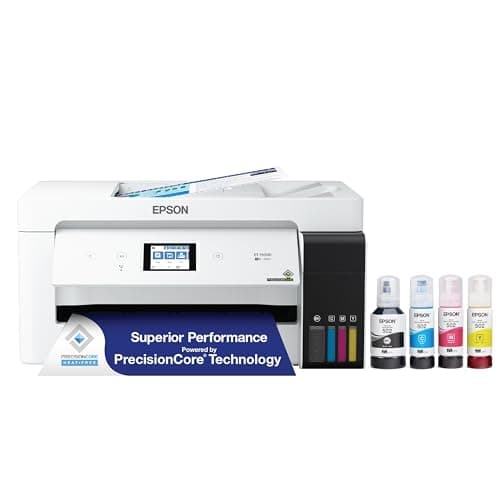
5. Best for if letter width is already the problem
Epson EcoTank ET-15000
Epson · Currently sold · Verified 2026-09-29
The same conversion logic in a wide-format body, for anyone whose designs are bigger than 8.5 inches before they have even started. Worth knowing about now rather than discovering after you have converted a letter-width printer, because there is no upgrade path — a converted printer cannot be traded up, and you end up owning two. If your plan is adult shirt fronts edge to edge, start here instead.
What works
- Prints far wider than the letter-size printers most beginners start on
- Refillable tanks keep the running cost low once converted
- Much cheaper than a dedicated wide-format sublimation printer
What does not
- Converting it with third-party ink voids Epson's coverage for ink-related damage
- The conversion is one-way — it will not go back to regular printing
- A wide transfer needs a press big enough to use it, which is a second purchase
Not for you if
Your press tops out at 15 by 15 inches. A 13 by 19 transfer you cannot press in one pass is not much use.
Key specs
- Type
- Refillable-tank inkjet — sold as a regular printer
- Max print size
- Up to 13 x 19 in through the rear-feed tray
- Borderless
- Up to 11 x 17 in
- Sublimation
- Not a sublimation printer as sold; people convert it
- Warranty note
- Epson's warranty excludes damage from non-genuine ink
Price as of November 12, 2026
#ad · affiliate link · we never show a price we cannot verify
For what else that money buys, Epson EcoTank alternatives sets out the purpose-built, fully supported and no-printer routes side by side.
Common questions
Is the Epson ET-2800 good for sublimation?
Does converting an ET-2800 to sublimation void the warranty?
Can you switch an ET-2800 back to regular printing after converting it?
Should I print with the Epson ink first before converting?
How big can the ET-2800 print for sublimation?
ET-2800 or ET-2850 for sublimation?
ET-2800 or a Sawgrass SG500?
Sources
- Epson EcoTank ET-2800 — Epson product page — Epson's own listing: four high-capacity refillable tanks, one 65 mL bottle each of 522 black, cyan, magenta and yellow in the box, replacement yields quoted at 4,500 pages black and 7,500 color, high-resolution flatbed scanner, wireless with AirPrint and the Epson Smart Panel app. Epson still lists the model; its own store showed it out of stock when checked 22 October 2026
- Epson EcoTank ET-2800 — retail specification listing — Retail specification sheet corroborating 5760 dpi maximum print resolution, up to 10 ISO ppm black and 5 ISO ppm color, 8.5 in maximum paper width, 100-sheet plain paper input and manual two-sided printing - checked 22 October 2026
- Epson EcoTank ET-2800 — Micro Center specification page — Second retail source for the same figures, and confirmation that automatic two-sided printing belongs to the ET-2850 rather than the ET-2800 - checked 22 October 2026
How we picked
We verify every product is currently sold by reading the manufacturer's own catalog, compare published specifications rather than marketing copy, and rank on what a first-time buyer has to decide. We do not run lab tests and we do not claim to, and commission never affects the order.
Read this next
The Best Sublimation Printer Under $200
What a $200 budget actually buys in sublimation, why the complete setup costs more than the printer, and the cheapest printer that is genuinely sold as a sublimation machine.
The EcoTank Conversion, Honestly
What converting an EcoTank actually costs you in warranty and reversibility, stated up front.
The Best Epson Printer for Sublimation
Which Epson EcoTank crafters convert for sublimation, the warranty and one-way-conversion reality, and when a supported printer is the better buy.
Sawgrass vs Epson EcoTank
Dedicated printer or converted EcoTank — cost, warranty, support and which suits which user.
Sawgrass SG500 Review
The published specification, what the three-year warranty and lifetime support are really worth, the cartridge ink trade, and the point at which a converted EcoTank wins.
Sawgrass SG500 vs SG1000
Letter versus wide format in the Sawgrass line: what each width covers, what the extra money buys, and the bench space nobody mentions.
The Best Sublimation Printer for Beginners
Convert an EcoTank or buy a dedicated printer — the honest trade-off between cost and support.
Sublimation Printer and Ink
Convert an EcoTank or buy a dedicated sublimation printer: what each route really costs, and the paper and blanks both still need.
Back to Sublimation.