What You Need to Start
Five categories, not fourteen. Here is the list, and what the bundles add that you do not need yet.
Heads up: Mat & Blade earns a commission from qualifying purchases made through the links on this page, at no extra cost to you. It never changes which products we recommend or how we rank them. Read the full disclosure.
You need a machine, material, a weeding hook, and — only if you are working on fabric — a heat source. That is it for a first project. Transfer tape joins the list for decals, and a mat unless you are exclusively using matless materials. Everything else in a starter bundle is an upgrade you can buy later.
The list, by project type
What you need depends entirely on whether your first project is fabric or a hard surface, and the difference is a significant amount of money.
| Item | Decal project | Shirt project |
|---|---|---|
| Cutting machine | Yes | Yes |
| Cutting mat | Yes (unless matless) | Yes (unless matless) |
| Weeding hook | Yes | Yes |
| Adhesive vinyl | Yes | No |
| Heat transfer vinyl | No | Yes |
| Transfer tape | Yes | No — HTV has a carrier sheet |
| Heat source | No | Yes |
| Heat press mat | No | Yes with a handheld press |
| Blanks | Whatever you are decorating | Shirts |
Notice the heat source only appears in one column. It is the largest single accessory cost, and decal projects skip it entirely — which is why they are the cheaper way to find out whether you enjoy this. The honest version of that decision.
Buying in the right order
1Decide what your first project is
Not a category — an actual item. A decal for a specific tumbler, or a shirt with a specific design. Everything below follows from this, and the most common way to overspend is buying for projects you have only vaguely imagined.
2Buy the machine that fits it
Cut width is what rules machines out. An adult shirt front needs around 11 inches; a tumbler decal needs far less. Which Cricut should I buy is a four-question flow that lands on one model.
3Buy the right family of vinyl
Heat transfer vinyl for fabric, adhesive vinyl for hard surfaces. They are not interchangeable in either direction, and mixing them up is the most common first-project failure. The full distinction.
4Buy the small things
A weeding hook, a standard grip mat, and transfer tape if you are doing decals. Together they cost very little and each one is needed on the first project rather than the fifth.
5Buy a heat source only if fabric is involved
And only then. Options here, or test the waters with an iron first if you want to be sure before committing.
What can wait
All genuinely useful, none needed on day one.
- A brayer. Rolls material flat onto the mat. A scraper does most of the same job initially.
- Multiple mat grips. Standard grip covers vinyl and cardstock. Add strong grip when you start cutting glitter or chipboard.
- Specialty vinyl. Glitter, holographic, patterned. All harder to weed and press than standard material — learn on plain first.
- A second blade. The one in the machine is fine until it dulls. When that is.
- Storage systems. Buy them when you have enough material to need them, not in anticipation.
- A subscription. The machine works fully without one. What it actually buys.
What it all costs
Plan for roughly twice the machine price to get a complete working setup. We do not publish prices — they move constantly and a figure typed into a page goes stale within weeks — but the component list above does not go stale, and checking each item's live listing gives you a real number rather than someone's outdated one.
The full cost breakdown covers the recurring costs too, which are the part beginners genuinely do not anticipate: mats wear out, blades dull, and a surprising amount of vinyl gets wasted while you learn to weed.
Then make something
The single best thing you can do in week one is finish a project, however simple. Your first decal and your first shirt walk through both, start to finish, with the mistakes flagged before you make them.
1. Best for the machine
Cricut Explore 5
Cricut · Currently sold · Verified 2026-09-27
The one purchase you cannot easily undo, so it is worth getting right. Full-width cutting covers adult shirt designs and larger decals, it cuts every everyday material, and the tutorial library behind it is the largest in the category — which matters most in week one.
What works
- Cuts every material a beginner's first ten projects will use
- Matless Smart Material cutting means long banners and decals without a mat
- Cheapest current machine that still handles full 12 in wide vinyl
- Huge community of tutorials aimed at exactly this machine
What does not
- No rotary blade, so unbacked fabric is out
- No knife blade for basswood or thick leather
- Still needs Design Space, which needs an internet connection to set up
Not for you if
You already know you want to cut quilting fabric or thick leather. That is the Maker line's rotary and knife blades, and no accessory adds them to an Explore.
Key specs
- Cuts
- Vinyl, heat transfer vinyl, cardstock, paper, iron-on, faux leather
- Max material width
- 12 in (11.5 in cut width)
- Matless cutting
- Yes, with Smart Materials
- Tool slots
- Two — blade plus pen or scoring tool
- Rotary / knife blade
- No — Maker line only
#ad · affiliate link · we never show a price we cannot verify
2. Best for if your first project is a decal
Oracal 651 Permanent Vinyl
Oracal · Currently sold · Verified 2026-09-27
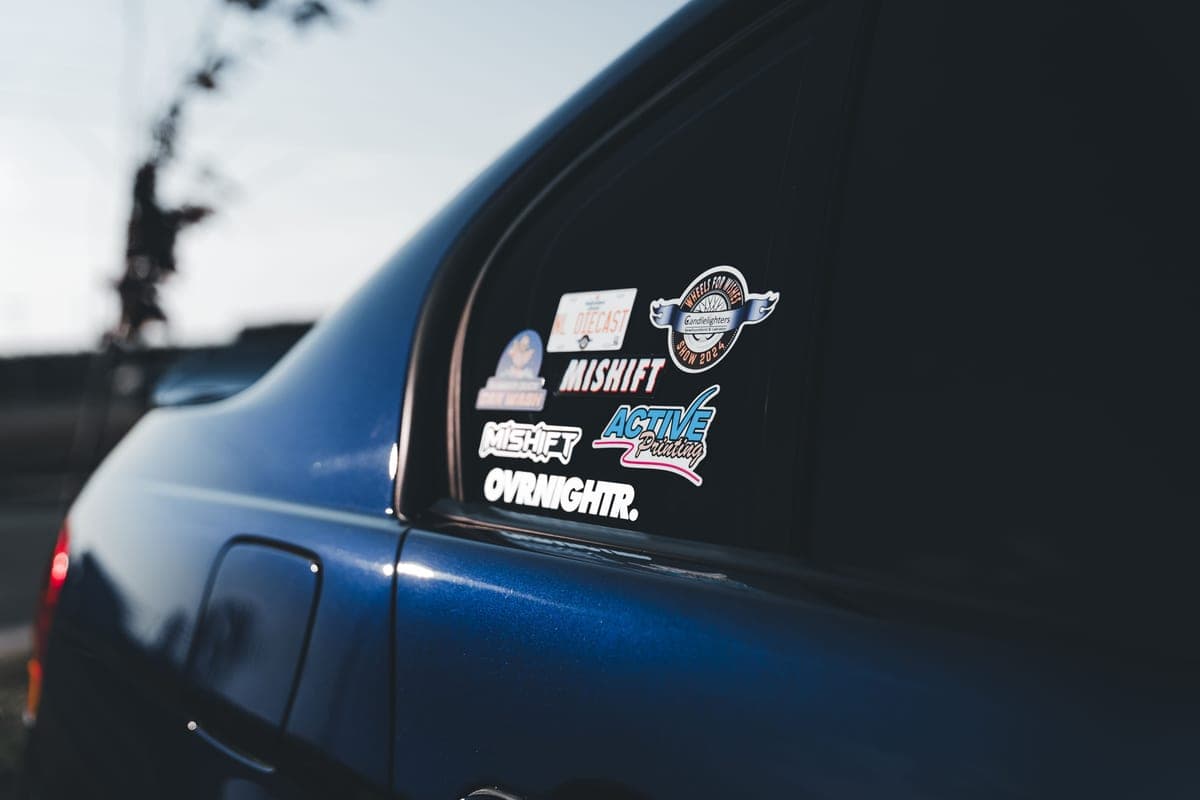
Permanent adhesive vinyl for hard surfaces — tumblers, cars, laptops, glass. Decal projects need no heat source at all, which removes the single largest accessory cost and makes them the cheaper place to start.
What works
- The reference permanent vinyl — settings and behavior are documented everywhere
- Genuinely weather-resistant, which most craft-store vinyl is not
- Wide color range and readily available by the roll
What does not
- Permanent means permanent — removing it from paint or a wall can take finish with it
- Gloss finish is not what you want on a wall quote
- Not for fabric under any circumstances
Not for you if
You are decorating a rented wall. Use removable 631 instead and keep your deposit.
Key specs
- Type
- Adhesive vinyl — for hard surfaces, not fabric
- Adhesive
- Permanent, solvent-based
- Outdoor durability
- Oracal rates 651 for up to six years outdoors
- Finish
- Gloss (matte available in some colors)
- Typical use
- Car decals, window signs, tumblers, outdoor labels
#ad · affiliate link · we never show a price we cannot verify
3. Best for if your first project is a shirt
Siser EasyWeed HTV
Siser · Currently sold · Verified 2026-09-27
Heat transfer vinyl for fabric. Start with something that weeds cleanly rather than something cheap — while you are learning, a torn design costs more than the price difference on a sheet.
What works
- Weeds more cleanly than almost anything else at this price
- Thin enough that a layered design does not feel like a plastic patch
- Siser publishes clear time and temperature guidance for it
- Sold in single sheets, so you can try three colors without buying three rolls
What does not
- Matte only — no gloss, glitter or specialty finish in the base line
- Sheets cost more per square inch than buying a roll
- Still needs real heat and pressure; a household iron gives mixed results
Not for you if
You want a glitter or holographic finish. That is a different Siser product line, not EasyWeed.
Key specs
- Type
- Heat transfer vinyl (HTV) — for fabric
- Fabric compatibility
- Siser rates it for cotton, polyester and cotton/poly blends
- Thickness
- Thin — around 90 microns
- Carrier
- Pressure-sensitive clear carrier sheet
- Finish
- Matte
#ad · affiliate link · we never show a price we cannot verify
4. Best for non-negotiable
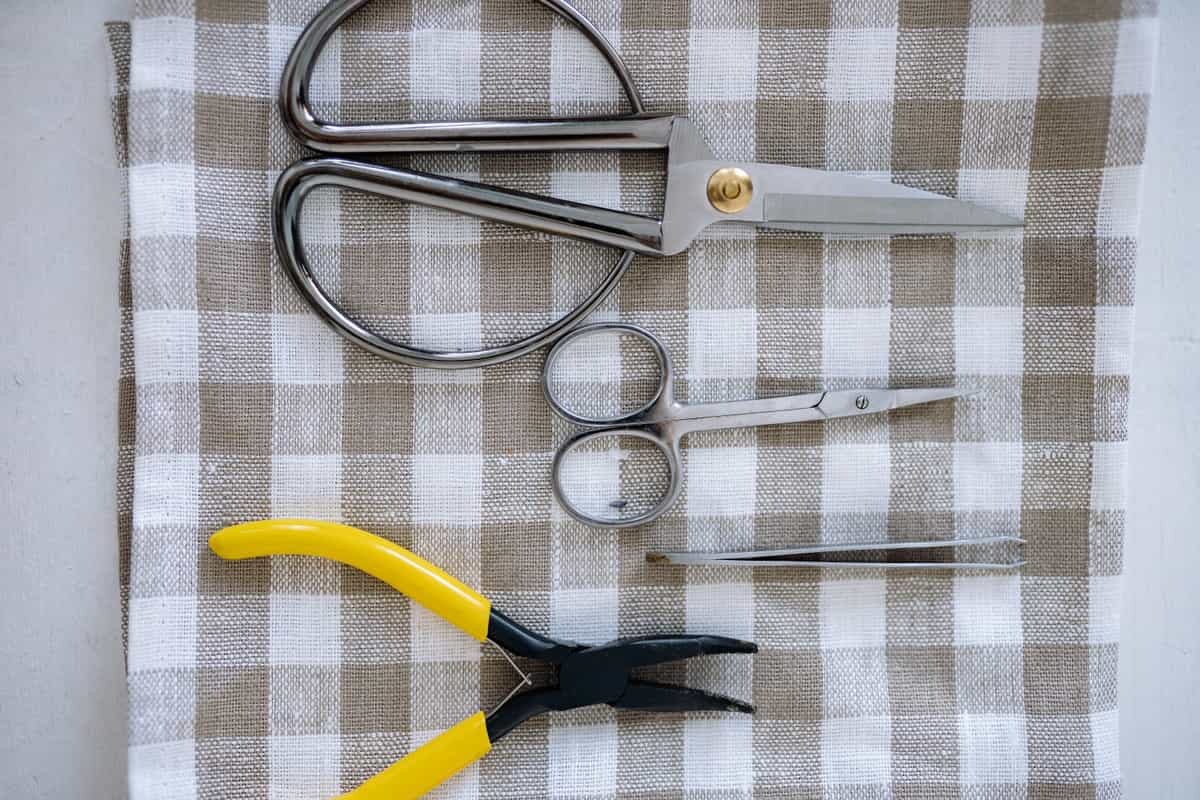
Vinyl Weeding Tool Set
Various · Currently sold · Verified 2026-09-27
Every cut needs weeding, and weeding with a pin is genuinely miserable. A hook set costs very little and is the single best value purchase in the hobby relative to frustration removed.
What works
- Turns the most tedious step into a manageable one
- The scraper doubles as your transfer-tape burnishing tool
- Cheap, and a set lasts years
What does not
- Cheap sets have soft points that dull quickly
- More pieces than you will actually use
Not for you if
Nothing — if you cut vinyl, you need at least a hook.
Key specs
- Typical set
- Weeding hook, fine tweezers, scraper, spatula, scissors
- Used for
- Removing the vinyl you did not cut out of the design
- Also fits
- Every brand of machine — nothing here is Cricut-specific
#ad · affiliate link · we never show a price we cannot verify
5. Best for decals only
Vinyl Transfer Tape
Various · Currently sold · Verified 2026-09-27
The only way to move a weeded multi-piece decal onto a surface with the letter spacing intact. Needed for adhesive vinyl and not for heat transfer vinyl, which has its own carrier sheet. Beginners routinely forget it and need it immediately.
What works
- Turns an impossible alignment job into a single motion
- Gridded versions make straight application genuinely easy
- Cheap relative to how much frustration it removes
What does not
- High-tack tape can pull thin vinyl off its backing and tear it
- Not used for heat transfer vinyl, which has its own carrier sheet
Not for you if
You are only making shirts. HTV comes with its own carrier and needs no transfer tape.
Key specs
- Purpose
- Lifts a weeded decal off its backing and places it as one piece
- Tack
- Medium tack suits most craft vinyl
- Format
- Rolls, usually 12 in wide; gridded versions help alignment
- Reusable
- A sheet can usually be reused several times
#ad · affiliate link · we never show a price we cannot verify
6. Best for unless you only use smart materials
Cutting Machine Mats
Various · Currently sold · Verified 2026-09-27
A standard grip mat covers vinyl, heat transfer vinyl and cardstock. Even if you plan to cut matless with Smart Materials, keep one for the day you buy ordinary vinyl — which will be sooner than you expect, because ordinary vinyl is cheaper.
What works
- Correct grip prevents both torn material and material sliding mid-cut
- Third-party mats cost noticeably less than brand mats
- Tack can be partly restored with gentle washing
What does not
- They wear out, and a tired mat causes cuts people blame on the machine
- Strong grip can shred thin paper
Not for you if
You only ever cut Smart Materials matless. Even then, keep one standard mat for the day you buy ordinary vinyl.
Key specs
- Grip levels
- Light, standard, strong, and fabric-specific
- Standard grip
- Vinyl, iron-on, cardstock — the everyday mat
- Strong grip
- Thick cardstock, chipboard, glitter materials
- Light grip
- Thin paper and vellum that would tear on a standard mat
- Lifespan
- Consumable — tack declines with use and is partly restorable
#ad · affiliate link · we never show a price we cannot verify
Common questions
What do I need to start with a Cricut?
Do I need a heat press to start?
What supplies do I need for my first Cricut project?
Are Cricut starter bundles worth buying?
How much does it cost to get started?
Sources
- Cricut official product catalog — Machine lineup, mat types and Smart Material formats, verified 27 September 2026
- Siser product and application guidance — HTV application requirements, verified 27 September 2026
How we picked
We verify every product is currently sold by reading the manufacturer's own catalog, compare published specifications rather than marketing copy, and rank on what a first-time buyer has to decide. We do not run lab tests and we do not claim to, and commission never affects the order.
Read this next
The Cricut Starter Kit Worth Buying
A starter kit built from components worth owning, and why most bundles are not the value they look.
The Cricut Accessories You Actually Need
The short list that genuinely earns its space, the longer list that does not, and the buying order.

What a Cricut Really Costs
Every component a working setup needs, what recurs, and the costs people meet one at a time.
Your First Vinyl Decal
The cheapest first project — a complete decal walkthrough with no heat source required.
Your First Cricut Shirt
A complete first-shirt walkthrough, with the three common mistakes flagged before you make them.

Which Cricut Should I Buy?
A four-question decision flow that ends on one specific model — no hedging, no feature lists.
Back to Start Here.