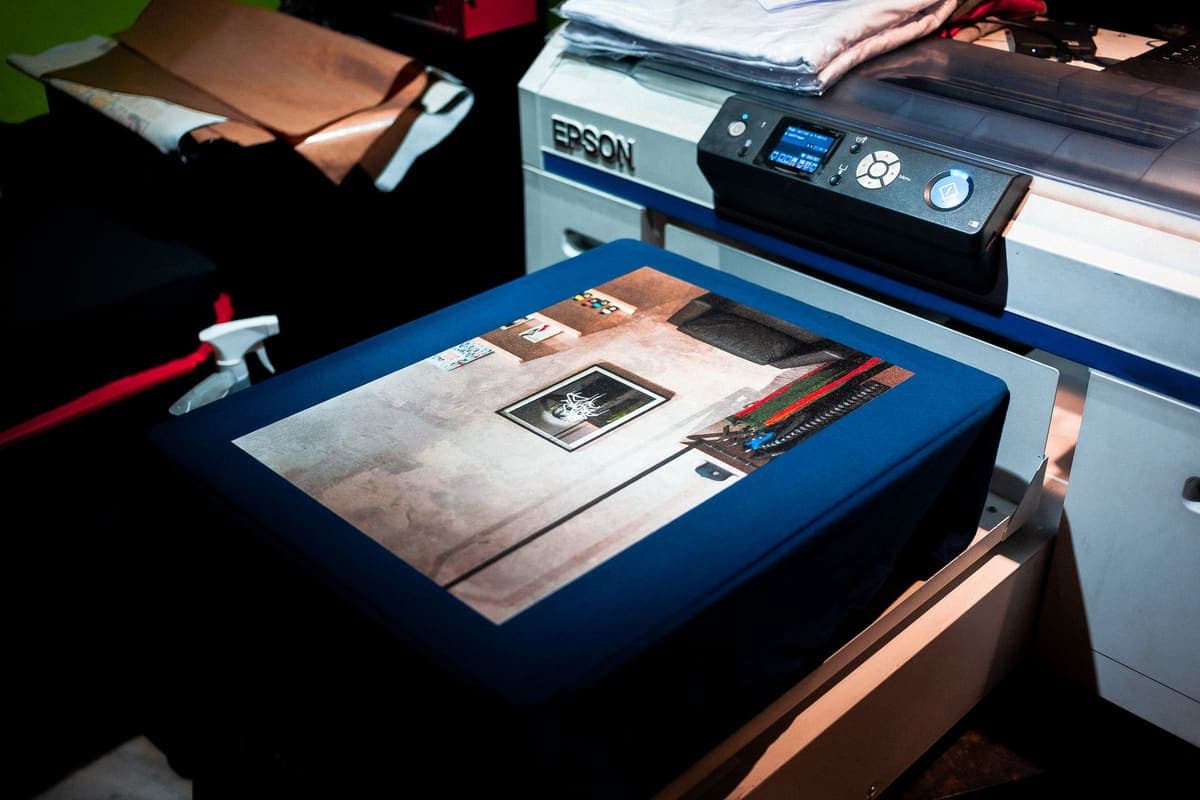
The Best Sublimation Printer Under $200
Nobody sells a sublimation printer at this price. What exists under $200 is a document printer you convert — and the conversion is the part worth understanding before you spend anything.
Heads up: Mat & Blade earns a commission from qualifying purchases made through the links on this page, at no extra cost to you. It never changes which products we recommend or how we rank them. Read the full disclosure.
There is no sublimation printer under $200. The honest answer to this search is a converted Epson EcoTank ET-2800 — and the complete setup still costs more than $200 by the time ink, paper and a blank are in the basket. That is not a dodge, it is the shape of the market. Every printer sold and warranted as a dye-sublimation machine starts at roughly double this budget, and the cheapest of those is the Epson SureColor F170. Under $200 you are buying a cheap refillable-tank document printer and turning it into something its manufacturer never sold it as. That works, thousands of people do it, and it is worth knowing exactly what you are trading before you click.
Quick picks
| # | Product | Best for | Price |
|---|---|---|---|
| 1 | 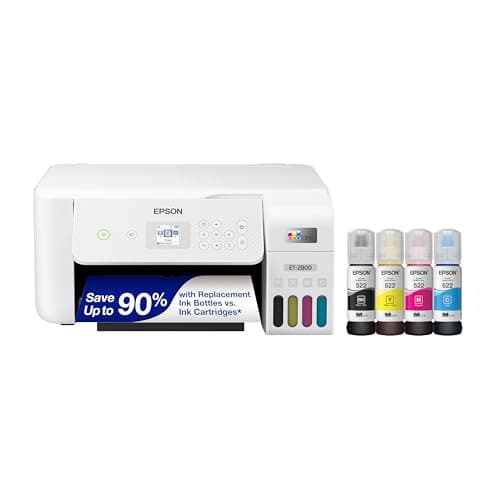 Epson EcoTank ET-2800The printer most people convert — cheap, refillable, and widely documented. Read the warranty section befor... | The only realistic printer at this budget | Check price on Amazon #ad · affiliate link · we never show a price we cannot verify |
| 2 | 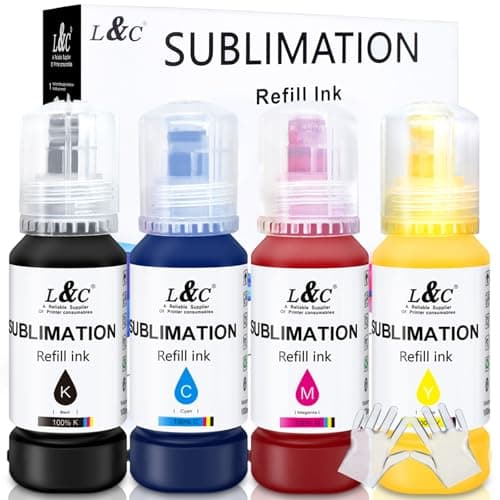 Third-Party Sublimation InkThe ink that makes an EcoTank conversion work, and the exact thing that puts the printer outside Epson's in... | The purchase that actually turns it into a sublimation printer | $22.99 · View on Amazon Price as of November 12, 2026 #ad · affiliate link · we never show a price we cannot verify |
| 3 | 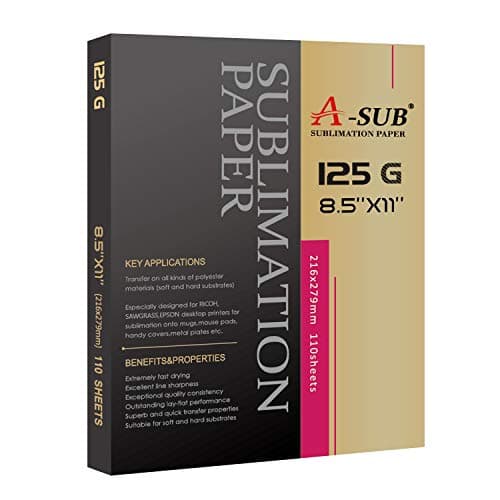 A-SUB Sublimation PaperThe paper most beginners land on, and a sensible default: high transfer rate, dries fast enough to handle, ... | The cheap consumable that makes or breaks the first press | $19.99 · View on Amazon Price as of November 12, 2026 #ad · affiliate link · we never show a price we cannot verify |
| 4 | 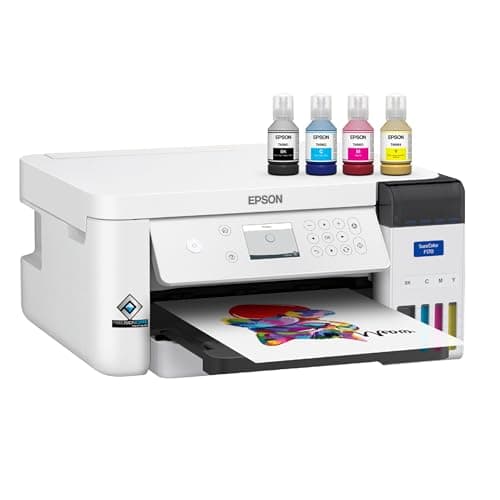 Epson SureColor F170The lowest-priced printer sold as a dye-sublimation machine rather than converted into one — the honest ans... | The cheapest printer actually sold as a sublimation printer | $399.00 · View on Amazon Price as of November 12, 2026 #ad · affiliate link · we never show a price we cannot verify |
| 5 | 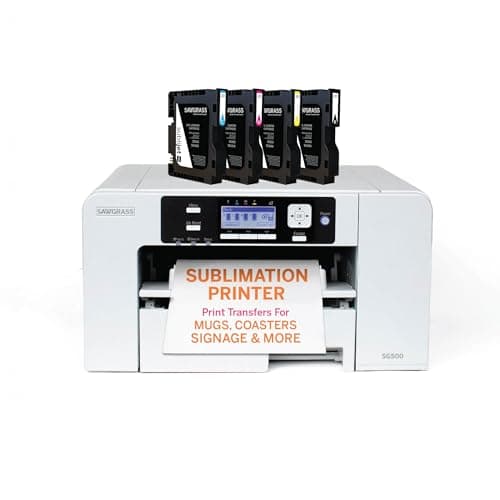 Sawgrass SG500A real sublimation printer sold as one — you pay more up front and in ink, and in exchange nothing about it... | When a dead printer would stop paid orders | $599.95 · View on Amazon Price as of November 12, 2026 #ad · affiliate link · we never show a price we cannot verify |
| 6 | 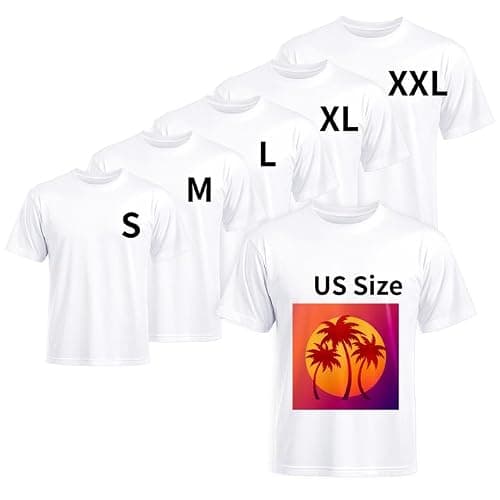 Polyester Blank ShirtsSublimation bonds to polyester and only polyester — the blank matters more than the printer, and this is th... | The constraint nobody budgets for | $19.99 · View on Amazon Price as of November 12, 2026 #ad · affiliate link · we never show a price we cannot verify |
Tap any row to jump to the full write-up. Prices come from Amazon on the date stamped on each button and can change after that — check the listing before you buy.
How we picked
A price bracket is a bad way to choose a printer, so the first job of this page is to turn "$200" into criteria that actually tell you something. These are in the order that matters, and the first one disqualifies almost everything that gets recommended for this budget.
11. Is it sold as a sublimation printer, or converted into one?
This is the whole decision, and it is binary. A dedicated machine comes with manufacturer ink, manufacturer color profiles, software built for sublimation and a warranty that assumes sublimation use. A converted machine has none of those. Nothing under $200 is in the first category, so if you are shopping at this budget, you are choosing a conversion — knowingly, we hope.
22. Refillable tanks, not cartridges
A conversion only works cleanly on a tank printer. Cartridge printers authenticate their cartridges, so sublimation ink means refillable cartridges — a second workaround stacked on the first. A tank printer has four reservoirs with caps and no opinion about what is in them. That single mechanical fact is why the EcoTank line became the default and why the sub-$200 answer is an EcoTank rather than whatever else is on sale.
33. The width you can print, which is the ceiling on what you can sell
Letter width — 8.5 inches — is the hard limit at this end of the market, and it is the most common regret among people who converted a cheap printer. It covers mugs, tumblers, coasters, mouse mats, plaques and centered or left-chest shirt designs. It does not cover an edge-to-edge adult shirt front. There is no upgrade path from a converted printer, so if you already know you need width, this budget is the wrong starting point.
44. The cost of the whole basket, not the printer
The printer is the cheapest part of a first sublimation setup and the only part people price. Sublimation ink, coated transfer paper and polyester blanks are all required, not optional, and a heat press is required too unless you already own one. A $200 printer inside a setup that costs considerably more is still a sensible purchase — it is just not a $200 purchase, and pretending otherwise is how people end up annoyed.
55. What happens when it breaks
This is where the price gap actually lives. Converted printers clog, clogged heads usually end cheap printers, and no manufacturer will help with damage traceable to ink they did not specify. On a hobby that is an acceptable risk; on a business with customers waiting it is a bad one. A warranty written for sublimation use is most of what the expensive machines are selling.
66. Whether somebody publishes a color profile for your ink
A dedicated printer arrives color-managed. A converted one does not, and what comes out of the press will not match your screen until you install an ICC profile built for your specific ink. The quality of those profiles varies enormously between ink sellers, and whether a seller publishes one at all is the single most useful signal of whether they are worth buying from.
1. Best for the only realistic printer at this budget
Epson EcoTank ET-2800
Epson · Currently sold · Verified 2026-09-27
This is the answer to the question, with one correction built in: it is not a sublimation printer, it is a cheap refillable-tank document printer that becomes one when you fill the tanks with sublimation ink instead of Epson ink. The tanks are what make it work — four reservoirs with caps, no cartridge chip to argue with what you pour in. It has been listed just under $200 while this page was written, and the buy button carries the live figure because this is a printer whose price moves. Honest cons: conversion is irreversible, it puts the printer outside Epson's coverage for ink-related damage, nobody at Epson will help you with it, and the 8.5 inch width is a hard ceiling on transfer size.
What works
- By far the cheapest way to start sublimating
- Refillable tanks mean low running cost once converted
- Very widely documented by the crafting community
What does not
- Converting it with third-party sublimation ink voids Epson's coverage for ink-related damage
- A converted printer cannot go back to regular ink
- 8.5 in width limits you to letter-size transfers
Not for you if
You want a supported, warrantied sublimation setup you can call for help on. Buy a dedicated sublimation printer instead.
Key specs
- Type
- Refillable-tank inkjet — sold as a regular printer
- Sublimation
- Not a sublimation printer as sold; people convert it
- Max print width
- 8.5 in (letter)
- Ink system
- Four refillable tanks
- Warranty note
- Epson's warranty covers damage from genuine ink, not third-party ink
#ad · affiliate link · we never show a price we cannot verify
2. Best for the purchase that actually turns it into a sublimation printer
Third-Party Sublimation Ink
MERRYWORK · Currently sold · Verified 2026-09-27
Worth naming as its own line item, because the printer on its own does nothing for this hobby. Dye-sublimation ink is what makes the conversion, and it is also the thing that voids your ink-damage coverage — buying the printer and the ink are the same decision taken twice. Choose a seller that publishes an ICC profile for the specific ink, because on a converted printer the profile matters more to your color than the printer does. Honest cons: quality varies a lot between sellers, a bad profile produces washed-out transfers people then blame on the printer, and once it is in the lines there is no going back.
What works
- Turns a cheap printer into a working sublimation printer
- Far cheaper per page than cartridge sublimation ink
- Most sellers supply an ICC profile for color accuracy
What does not
- Voids Epson's coverage for damage caused by non-genuine ink
- Color accuracy varies a lot by brand without a good profile
- There is no going back to regular printing
Not for you if
The printer is also your household document printer. Once it is converted, that is over.
Key specs
- Type
- Dye-sublimation ink in refill bottles
- Used with
- Refillable-tank inkjets, most commonly Epson EcoTank
- Color profile
- An ICC profile from the ink maker matters more than the ink brand
- Reversible
- No — a converted printer stays converted
Price as of November 12, 2026
#ad · affiliate link · we never show a price we cannot verify
3. Best for the cheap consumable that makes or breaks the first press
A-SUB Sublimation Paper
A-SUB · Currently sold · Verified 2026-09-27
Sublimation ink needs paper with a coating that holds the ink on the surface and releases it under heat. Plain copy paper absorbs it and the transfer comes out pale and blotchy, which is the single most common first-attempt failure. This is the widely used budget answer, it feeds fine through a letter-width tray, and it is cheap enough to be generous with while you are learning color. Honest cons: it is not the brightest paper available, letter size only in the common pack, and you will use more of it than you expect on test prints.
What works
- Consistent results across shirts, mugs and hard blanks
- Dries quickly enough that sheets do not smudge when stacked
- Cheap enough to practice with
What does not
- Only works with sublimation ink — regular ink will not transfer
- Printing on the wrong side wastes the sheet and the ink
Not for you if
You are printing on dark fabric. Sublimation does not work on dark fabric at all, whatever paper you use.
Key specs
- Type
- Dye-sublimation transfer paper
- Weight
- Commonly 125 gsm
- Sizes
- Letter and larger sheets
- Transfer rate
- High — most of the ink releases to the blank
- Printed side
- One side only — the coated side
Price as of November 12, 2026
#ad · affiliate link · we never show a price we cannot verify
4. Best for the cheapest printer actually sold as a sublimation printer
Epson SureColor F170
Epson · Currently sold · Verified 2026-10-29
The honest answer to the other half of the question. If you want sublimation without a workaround, this is the lowest-priced way to get it: Epson sells it as a dye-sublimation printer, supplies the print software, and warrants it for the job. Epson's published figures are an 8.5 inch maximum paper width, up to 1200 x 600 dpi, and a standard one-year unit exchange. Honest cons: it costs roughly double a convertible EcoTank, so it is not a sub-$200 printer and this page will not pretend otherwise; its published resolution is lower than the EcoTank's; it is the same 8.5 inch width; and stock comes and goes — Epson's own store has shown it out of stock.
What works
- Sold and warranted as a sublimation printer, so nothing about it is a workaround
- Refillable ink bottles rather than cartridges, so ink cost per page stays low
- Epson supplies the sublimation print software and profiles itself
- Costs substantially less than the Sawgrass machines it competes with
What does not
- Epson's own published resolution is lower than a converted photo EcoTank's
- Same 8.5 in width limit as the cheap convertible route
- One year of warranty, where Sawgrass publishes three on the SG500
- Stock comes and goes — Epson's own store has shown it out of stock
Not for you if
Your budget genuinely stops at $200. This is not a sub-$200 printer, and pretending otherwise is how people end up disappointed.
Key specs
- Type
- Dedicated dye-sublimation printer
- Max paper width
- Epson states 8.5 in; printable length limited by the application and driver
- Resolution
- Epson states a maximum of 1200 x 600 dpi
- Ink
- Four-color C/M/Y/K Epson T49M dye-sublimation ink bottles into a reservoir
- Connectivity
- Hi-Speed USB, Wi-Fi 802.11 b/g/n, Wi-Fi Direct and 10/100 Ethernet
- Warranty
- Epson lists a standard one-year unit exchange with phone support
Price as of November 12, 2026
#ad · affiliate link · we never show a price we cannot verify
5. Best for when a dead printer would stop paid orders
Sawgrass SG500
Sawgrass · Currently sold · Verified 2026-09-27
The supported end of letter-width sublimation, and worth knowing about even on a tight budget so you can see what the money buys. Sawgrass publishes 8.5 x 14 inches from the main tray, up to 8.5 x 51 inches through the bypass tray, up to 4880 x 1200 dpi, and a three-year or 100,000-print warranty with lifetime tech support. Honest cons: it costs several times a converted EcoTank, the SubliJet UHD cartridges are non-refillable and cost considerably more per page than bottled tank ink, and the usable width is the same 8.5 inches as the cheap route.
What works
- No conversion, no warranty question, no community workaround
- Color profiles supplied and supported by the manufacturer
- Manufacturer support when something goes wrong
What does not
- Much higher purchase price than a converted EcoTank
- Cartridge ink costs considerably more per page than tank ink
- Same 8.5 in width limit as the cheap option
Not for you if
You are experimenting to see whether you like sublimation at all. That is a lot of money to spend on a maybe.
Key specs
- Type
- Dedicated sublimation printer
- Sold as
- A sublimation printer — no conversion involved
- Max print size
- 8.5 x 14 in from the main tray; up to 8.5 x 51 in via the bypass tray
- Resolution
- Published at up to 4880 x 1200 dpi
- Ink
- Sawgrass SubliJet UHD sublimation ink cartridges (non-refillable)
- Connectivity
- Ethernet, USB and 2.4GHz Wi-Fi
- Support
- 3-year or 100,000-print warranty with lifetime tech support
Price as of November 12, 2026
#ad · affiliate link · we never show a price we cannot verify
6. Best for the constraint nobody budgets for
Polyester Blank Shirts
Joyclub · Currently sold · Verified 2026-09-27
Included because a printer under $200 is only a bargain if you can actually print on something. Sublimation bonds into polyester, so a 100% polyester white blank is the shirt that works — not the cotton tee in your drawer. Buying a multipack at the same time as the printer means your first press is a fair test of the printer rather than a test of a fabric that was never going to take the ink. Honest cons: polyester feels different from cotton and some people dislike it, white or very light colors only, and the finish varies between batches of cheap blanks.
What works
- The only fabric sublimation genuinely bonds to
- Result has no hand feel at all — the design is in the fabric
- Will not crack or peel the way a vinyl transfer can
What does not
- White or near-white only — this is a hard physical limit
- 100% polyester feels different from a cotton tee
- Blends fade the design, which you may or may not want
Not for you if
You want a soft cotton shirt or a dark shirt. Use heat transfer vinyl instead — it works on both.
Key specs
- Fabric
- 100% polyester, or a high-polyester blend
- Color
- White or very light — dark fabric will not work
- Why polyester
- Sublimation ink bonds to polymer, not to cotton fiber
- Blend behavior
- A 65/35 blend gives a faded, vintage-looking result
Price as of November 12, 2026
#ad · affiliate link · we never show a price we cannot verify
What $200 actually buys, line by line
The useful way to look at this budget is as a basket rather than a printer. Below is what a working letter-width sublimation setup needs, with the two things people forget separated out. No figures are printed here deliberately — every buy button on this site carries the live price read from the retailer, and a number typed into prose would be wrong within days.
| What you need | Why it is not optional | Rough share of the budget |
|---|---|---|
| A convertible tank printer | Nothing under $200 is sold as a sublimation printer; the tanks are what allow a conversion | The largest single line |
| Dye-sublimation ink | The printer does nothing for this hobby until the tanks are filled with it | A modest but unavoidable line |
| Coated sublimation paper | Plain paper absorbs the ink and gives a pale, blotchy transfer | Small, and you will reorder it |
| Polyester or coated blanks | Sublimation bonds into polyester; it will not stay on a cotton tee | Small per item, ongoing |
| A heat press | A household iron cannot hold the temperature evenly enough for sublimation | Often more than the printer |
| An ICC profile for your ink | Free, but it is the difference between accurate color and guessing | No cost, one evening |
Read the heat press row again, because it is the one that upsets budgets. If you do not already own one, the press is frequently the most expensive item on this list, and it is not something sublimation can be done without — the dye has to be driven into the polyester at a held temperature across the whole design. Our heat press cost guide sets out what the different formats really cost, and sublimation startup costs adds the whole basket up without flattery.
Why the ET-2800 and not another cheap printer
Three reasons, and only the first is technical. The tanks: four reservoirs with caps, no cartridge chip to authenticate what you pour in, which is the entire mechanical reason the EcoTank line became the default conversion target. The running cost: sublimation is a hobby of test prints, you will print the same design three times before you press anything, and bottled ink at tank volumes makes that affordable in a way cartridge ink does not. And the community: there are more walkthroughs, more published profiles and more people who have already hit your exact problem with this printer than with any other cheap machine, which is worth real money when you are stuck at 11pm with a magenta cast.
What the ET-2800 is not is a bargain version of a sublimation printer. Epson's published specification is a four-tank cartridge-free home printer with a flatbed scanner, letter maximum paper width and a quoted maximum resolution of 5760 dpi. Everything that makes it a sublimation printer is something you do to it afterwards. Our full ET-2800 review goes through the published specification and the conversion in detail, and the truth about EcoTank sublimation conversion covers exactly where the warranty position lands.
What you give up by staying under $200
- Coverage for ink-related damage. Epson's warranty is written around genuine Epson ink. Put a third-party fluid through a precision print head and any damage traceable to it is yours. Clogs are the realistic failure mode and a clogged head usually ends a cheap printer.
- Anyone to call. No manufacturer supports a conversion. Your support channel is a community forum, which is often excellent and is never accountable.
- Color management out of the box. You will install a third-party ICC profile and spend an evening getting your screen and your press to agree. A dedicated printer arrives already doing this.
- The option to print documents. The conversion is permanent. If this was going to be the family printer too, it cannot be.
- Any upgrade path. A converted printer cannot be widened. If your designs outgrow 8.5 inches, you buy another printer; you do not upgrade this one.
- Resale value. A converted printer is worth very little to anyone who is not also doing sublimation, and most buyers are rightly suspicious of a used converted machine.
When to stop looking at this budget
There are three clear signals, and if any of them applies to you then the sub-$200 route is not the cheap option — it is the first of two purchases. The first is width: if you can already name a product you intend to sell whose design is wider than 8.5 inches, buy a wide body now, because there is no path from here to there. The second is reliability: if a dead printer would stop paid orders, price a supported machine properly before you convert anything. The third is simply that this is also your document printer, in which case the conversion costs you a second printer.
If any of those apply, the ladder above this budget is short and worth knowing. The cheapest printer genuinely sold as a dye-sublimation machine is the Epson SureColor F170 at roughly double this budget, with Epson's own print software and a one-year unit-exchange warranty — our F170 review has Epson's full published specification. Above that sits the Sawgrass SG500, which buys a three-year or 100,000-print warranty, lifetime tech support and manufacturer color profiles — our SG500 review covers whether that is worth the jump. Sawgrass versus an Epson EcoTank is the direct head-to-head if you want the supported-versus-converted argument on one page.
What people get wrong at this budget
- Buying a printer described on a marketplace as a "sublimation printer" for under $200. Those are almost always EcoTanks that somebody else has already converted and marked up. You are paying a premium for a conversion you could do yourself, on a machine with no warranty and an unknown history.
- Converting a printer that has already printed with Epson ink. Residual dye ink contaminates your sublimation color. Convert new, every time.
- Buying cotton blanks. Sublimation needs polyester or a coated surface. A cotton tee will look superb for exactly one wash.
- Skipping the coated paper. Plain paper is the single most common reason a first transfer comes out pale, and the cheapest problem on this list to avoid.
- Budgeting the printer and forgetting the press. The press is frequently the biggest line item in a first sublimation setup.
- Assuming an iron will do. It will not hold an even temperature across a design, and uneven heat is visible on every sublimated print.
The verdict
If your budget is genuinely $200 for the printer, buy a brand new Epson EcoTank ET-2800, convert it with sublimation ink from a seller who publishes an ICC profile, and buy coated paper and polyester blanks in the same order so your first press is a fair test. That is the real answer to this search, and it is a sensible purchase — it is how most people in this hobby started and how most of them found out whether they enjoyed it.
What we will not do is tell you a $200 printer is a sublimation printer, because that is the misunderstanding this whole category runs on. You are buying a document printer and a workaround. The workaround is well documented and widely used, and it costs you the warranty, the support line, the color management and the option of ever printing a document again. If that trade sounds fine, this is the cheapest honest way in. If it does not, the ladder starts at the Epson SureColor F170 and the honest advice is to save rather than compromise. Is sublimation worth it is the page to read before any of this, and sublimation for beginners is the order to buy things in.
The next bracket up is where purpose-built sublimation hardware appears: the best sublimation printer under $1000 covers it, with a live price on every pick.
Common questions
Is there a real sublimation printer under $200?
What is the cheapest printer you can use for sublimation?
How much does a complete sublimation setup cost under $200?
Does converting an EcoTank void the warranty?
Can I print sublimation on a regular inkjet printer?
Are the cheap "sublimation printers" on Amazon worth it?
What else do I need besides the printer?
Sources
- Epson SureColor F170 — Epson product page — Epson's own published specification — 8.5 in maximum paper width, up to 1200 x 600 dpi maximum resolution, four-color C/M/Y/K T49M ink bottles, standard one-year unit exchange with phone support, and the published MSRP - checked 29 October 2026
- Epson SureColor F170 — current retail listing — Listing confirmed live and in stock at Epson's published MSRP on 29 October 2026, title-checked against the model before it was added to this site's product registry
- Epson EcoTank ET-2800 — current retail listing — Listing confirmed live and priced below $200 on 29 October 2026. Prices on this site are read from the retailer daily rather than typed into the page
- Sawgrass SG500 — reseller specification sheet — Published figures used for the comparison above — 8.5 x 14 in maximum media from the main tray, 8.5 x 51 in via the bypass tray, up to 4880 x 1200 dpi, Ethernet / USB / 2.4GHz Wi-Fi, three-year or 100,000-print warranty with lifetime tech support - checked 29 October 2026
How we picked
We verify every product is currently sold by reading the manufacturer's own catalog, compare published specifications rather than marketing copy, and rank on what a first-time buyer has to decide. We do not run lab tests and we do not claim to, and commission never affects the order.
Read this next
Sawgrass SG500 Review
The published specification, what the three-year warranty and lifetime support are really worth, the cartridge ink trade, and the point at which a converted EcoTank wins.
Epson SureColor F170 Review
Epson's published specification for the F170, what refillable bottles save against cartridges, where the one-year warranty sits against Sawgrass, and the two buyers it is wrong for.
Epson EcoTank ET-2800 Review
The published specification, the three things conversion permanently costs you, and the point at which a supported printer is the cheaper answer.
The Best Sublimation Printer for Beginners
Convert an EcoTank or buy a dedicated printer — the honest trade-off between cost and support.
The Best Sublimation Printer for the Money
Where the real value sits once ink, warranty and downtime are counted alongside the purchase price.
The EcoTank Conversion, Honestly
What converting an EcoTank actually costs you in warranty and reversibility, stated up front.
Sublimation Startup Costs
Every purchase a working sublimation setup needs, which ones are optional, and the four running costs that surprise people after the printer arrives.
Back to Sublimation.