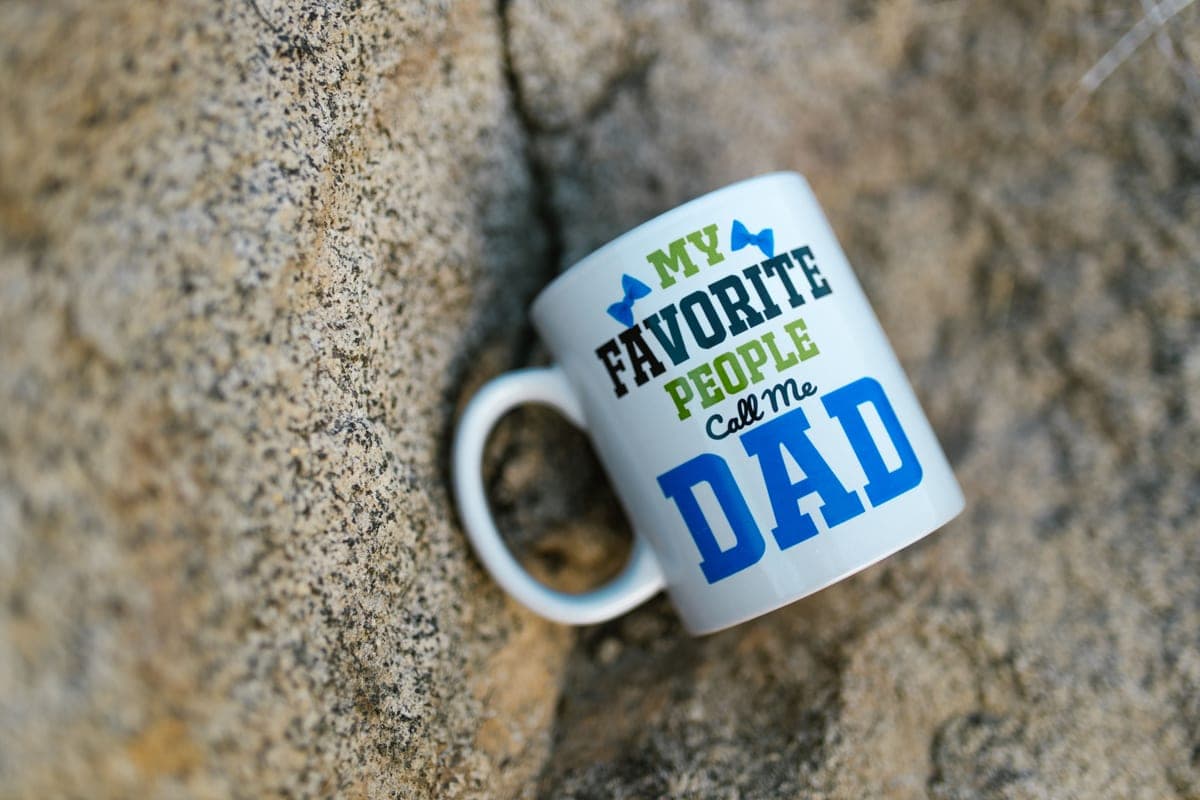
Epson EcoTank Alternatives for Sublimation
If you have read what converting an EcoTank actually involves and decided against it, these are the routes that do not require converting anything.
Heads up: Mat & Blade earns a commission from qualifying purchases made through the links on this page, at no extra cost to you. It never changes which products we recommend or how we rank them. Read the full disclosure.
If you want the cheap route without the conversion, the Epson SureColor F170 is the alternative — the same manufacturer, but a printer actually sold for sublimation, with its own ink and profiles. If you want somebody to call when a print comes out wrong, buy the Sawgrass SG500 instead. And the budget pick is not a printer at all: Cricut Infusible Ink sheets give you sublimation-style results with no printer, no ink and nothing converted. First, be fair to the printer you are looking past.
Quick picks
| # | Product | Best for | Price |
|---|---|---|---|
| 1 | 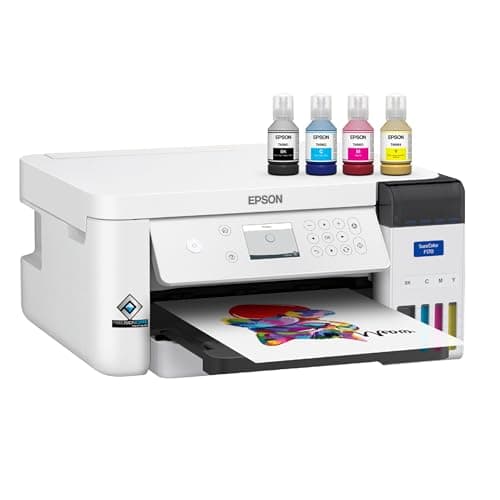 Epson SureColor F170The lowest-priced printer sold as a dye-sublimation machine rather than converted into one — the honest ans... | The closest alternative — a real sublimation printer, same brand | $399.00 · View on Amazon Price as of November 12, 2026 #ad · affiliate link · we never show a price we cannot verify |
| 2 | 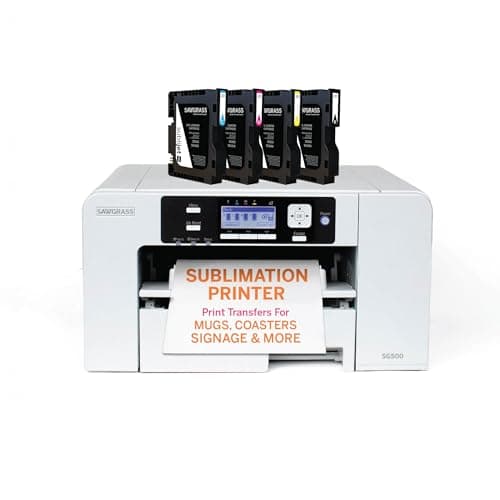 Sawgrass SG500A real sublimation printer sold as one — you pay more up front and in ink, and in exchange nothing about it... | Buying a whole workflow rather than a printer | $599.95 · View on Amazon Price as of November 12, 2026 #ad · affiliate link · we never show a price we cannot verify |
| 3 | 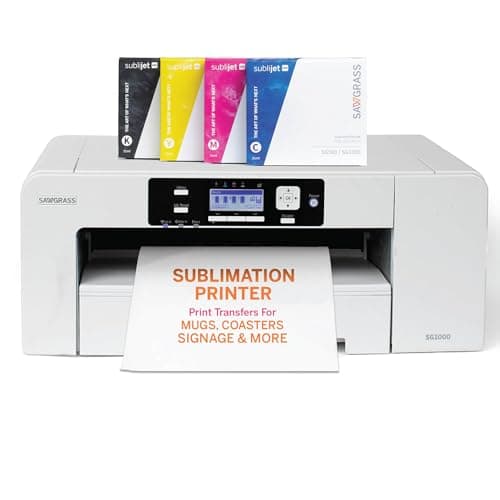 Sawgrass SG1000A purpose-built wide-format sublimation printer with no conversion involved — the supported answer for anyo... | Bigger prints without converting anything | $1,699.95 · View on Amazon Price as of November 12, 2026 #ad · affiliate link · we never show a price we cannot verify |
| 4 | 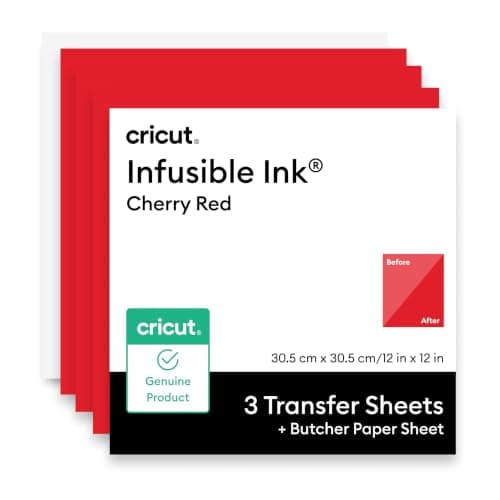 Cricut Infusible Ink Transfer SheetsPre-printed sublimation in sheet form — you cut it on the machine you already own, press it, and the design... | The budget pick — sublimation results with no printer at all | $14.05 · View on Amazon Price as of November 12, 2026 #ad · affiliate link · we never show a price we cannot verify |
| 5 | 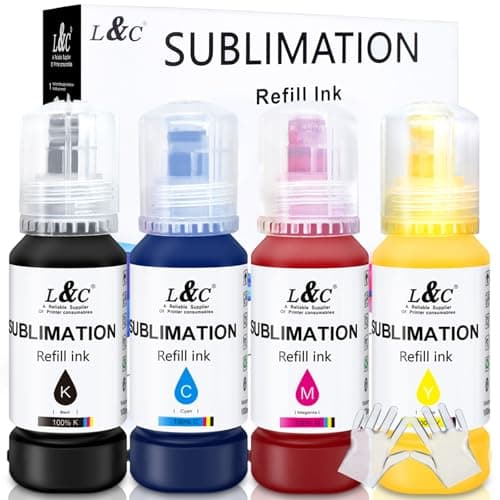 Third-Party Sublimation InkThe ink that makes an EcoTank conversion work, and the exact thing that puts the printer outside Epson's in... | If you keep the refillable printer anyway | $22.99 · View on Amazon Price as of November 12, 2026 #ad · affiliate link · we never show a price we cannot verify |
| 6 | 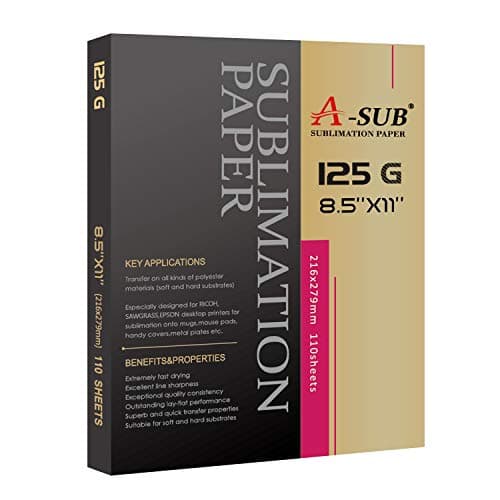 A-SUB Sublimation PaperThe paper most beginners land on, and a sensible default: high transfer rate, dries fast enough to handle, ... | The component that is the same whichever route you take | $19.99 · View on Amazon Price as of November 12, 2026 #ad · affiliate link · we never show a price we cannot verify |
Tap any row to jump to the full write-up. Prices come from Amazon on the date stamped on each button and can change after that — check the listing before you buy.
Pick your alternative by your reason for looking
Four reasons send people to this search, and they lead to genuinely different purchases. The expensive mistake is answering a support problem with a bigger printer, or a print-size problem with better ink.
| Your reason | The alternative | What you give up |
|---|---|---|
| I do not want to convert a printer or void anything | Epson SureColor F170 | Print size — it is small format — and cheap third-party ink |
| I want supplied color profiles and someone to call | Sawgrass SG500 | Price, and any choice of ink supplier |
| I need transfers bigger than letter size | Sawgrass SG1000 | A lot of money and a lot of desk space |
| I only want a few sublimation-style projects | Infusible Ink transfer sheets | Custom artwork — you get the patterns that are sold |
| My prints look dull and I blame the printer | Better ink, and check the paper and the press first | Possibly nothing at all |
1. Best for the closest alternative — a real sublimation printer, same brand
Epson SureColor F170
Epson · Currently sold · Verified 2026-10-29
The alternative to buy if you want the EcoTank's maker without the EcoTank's compromise. This is a printer built and sold as a sublimation printer, filled with the manufacturer's own sublimation ink, with the manufacturer's own color profiles behind it. Nothing is converted, nothing is voided, and when a print comes out the wrong color you have a supported baseline to compare against instead of four unknowns. For a beginner that single difference is worth more than any specification on the box, because color troubleshooting with no reference point is where most people give up. It is also the cheapest purpose-built sublimation printer we carry. Honest cons: it is small format, so full back prints and large panels are out and that limit is hard; the running cost sits in the manufacturer's ink rather than in cheap third-party bottles, which is the trade for being supported; and it is a single-purpose machine — it will not be your household document printer.
What works
- Sold and warranted as a sublimation printer, so nothing about it is a workaround
- Refillable ink bottles rather than cartridges, so ink cost per page stays low
- Epson supplies the sublimation print software and profiles itself
- Costs substantially less than the Sawgrass machines it competes with
What does not
- Epson's own published resolution is lower than a converted photo EcoTank's
- Same 8.5 in width limit as the cheap convertible route
- One year of warranty, where Sawgrass publishes three on the SG500
- Stock comes and goes — Epson's own store has shown it out of stock
Not for you if
Your budget genuinely stops at $200. This is not a sub-$200 printer, and pretending otherwise is how people end up disappointed.
Key specs
- Type
- Dedicated dye-sublimation printer
- Max paper width
- Epson states 8.5 in; printable length limited by the application and driver
- Resolution
- Epson states a maximum of 1200 x 600 dpi
- Ink
- Four-color C/M/Y/K Epson T49M dye-sublimation ink bottles into a reservoir
- Connectivity
- Hi-Speed USB, Wi-Fi 802.11 b/g/n, Wi-Fi Direct and 10/100 Ethernet
- Warranty
- Epson lists a standard one-year unit exchange with phone support
Price as of November 12, 2026
#ad · affiliate link · we never show a price we cannot verify
2. Best for buying a whole workflow rather than a printer
Sawgrass SG500
Sawgrass · Currently sold · Verified 2026-09-27
The pick if what you actually want is for somebody else to have made the decisions. Printer, ink, color management software and support are designed together, which matters most in exactly the situation beginners find hardest: a transfer comes out dull or shifted and you cannot tell whether the fault is the file, the profile, the paper, the press or the blank. With a matched system you can eliminate four of those five in one phone call. Honest cons: it is more expensive than the dedicated Epson above and considerably more than any conversion; the ink is proprietary, so you are committed to one supply chain for the life of the machine; and the print size is comparable to the cheaper dedicated printer rather than better, so you are paying for support and color management, not for capability.
What works
- No conversion, no warranty question, no community workaround
- Color profiles supplied and supported by the manufacturer
- Manufacturer support when something goes wrong
What does not
- Much higher purchase price than a converted EcoTank
- Cartridge ink costs considerably more per page than tank ink
- Same 8.5 in width limit as the cheap option
Not for you if
You are experimenting to see whether you like sublimation at all. That is a lot of money to spend on a maybe.
Key specs
- Type
- Dedicated sublimation printer
- Sold as
- A sublimation printer — no conversion involved
- Max print size
- 8.5 x 14 in from the main tray; up to 8.5 x 51 in via the bypass tray
- Resolution
- Published at up to 4880 x 1200 dpi
- Ink
- Sawgrass SubliJet UHD sublimation ink cartridges (non-refillable)
- Connectivity
- Ethernet, USB and 2.4GHz Wi-Fi
- Support
- 3-year or 100,000-print warranty with lifetime tech support
Price as of November 12, 2026
#ad · affiliate link · we never show a price we cannot verify
3. Best for bigger prints without converting anything
Sawgrass SG1000
Sawgrass · Currently sold · Verified 2026-09-29
Here because it answers the one thing the entry-level dedicated printers cannot: print size, on supported hardware. If you need transfers larger than letter size and you have ruled out converting a wide-format photo printer, this is the route that stays inside a sanctioned system — the same matched ink, profiles and support, at a larger format. Honest cons: it is by far the most expensive option on this page and a serious commitment for a first setup; it takes real desk space; and the running cost is proprietary ink at volume. For most readers this is the machine to grow into once orders justify it, not the machine to start on — and we would rather say that plainly than sell it as a beginner pick.
What works
- Wide format without a conversion or a warranty question
- Color profiles supplied and supported by the manufacturer
- Manufacturer support when something goes wrong, which matters once orders depend on it
What does not
- Substantially more expensive to buy than a converted wide-format EcoTank
- Cartridge ink costs more per page than refillable tank ink
- Large footprint — this is a permanent bench installation
Not for you if
You are still finding out whether you enjoy sublimation. Start letter-size and convert; come back when the width is genuinely the constraint.
Key specs
- Type
- Dedicated sublimation printer
- Sold as
- A sublimation printer — Sawgrass states no conversion is needed
- Max print size
- Up to 11 x 17 in, or 13 x 19 in with the bypass tray
- Ink
- Sawgrass sublimation ink
- Support
- Manufacturer support and warranty for sublimation use
Price as of November 12, 2026
#ad · affiliate link · we never show a price we cannot verify
4. Best for the budget pick — sublimation results with no printer at all
Cricut Infusible Ink Transfer Sheets
Cricut · Currently sold · Verified 2026-10-15
The cheapest route on this page by a wide margin, and the one most people shopping for an EcoTank alternative have not considered: pre-printed transfer sheets that work by the same dye-into-polymer mechanism as sublimation, applied with a heat press, with no printer, no ink and no conversion anywhere in the process. The result is the same permanent, no-hand-feel finish on polyester and coated blanks that sublimation gives you. If what you want is sublimation-style output on a handful of shirts, tumblers or tote panels, this gets you there for a fraction of any printer here. Honest cons: you are limited to the patterns and colors sold on the sheets, so custom artwork is out, which is the whole reason to own a printer; cost per project is higher than printing your own once you are making any volume; and it inherits sublimation's material rules exactly — polyester and coated blanks only, no cotton, no dark garments.
What works
- No printer, no ink, no conversion — the cheapest route to a genuinely sublimated shirt
- Cuts on an Explore, Maker or Joy like any other material
- The design infuses into the fiber, so there is nothing to peel or crack
- Cricut publishes a named time and temperature per blank type
What does not
- You get the colours and patterns Cricut sells — no custom artwork and no photographs
- Costs far more per design than printing your own sublimation transfers
- Same hard limits as sublimation: light polyester or coated blanks only
- Needs a press that genuinely reaches 400°F, which rules out a household iron
Not for you if
You want to print your own full-color artwork, or you are making more than a handful of items. At that point a sublimation printer is cheaper per design and far less limiting.
Key specs
- What it is
- Sheets of solid-color or patterned sublimation ink on a carrier
- Sheet size
- 12 in x 12 in — Cricut sells solid colours in 3-sheet packs and patterns in 2- to 5-sheet packs
- Blank requirement
- Cricut specifies at least 65% polyester, or a sublimation-coated blank
- Heat requirement
- A press that reaches 400°F / 205°C; Cricut publishes 385°F for 15 seconds on fabric
- Printer needed
- None — the ink is already on the sheet
Price as of November 12, 2026
#ad · affiliate link · we never show a price we cannot verify
5. Best for if you keep the refillable printer anyway
Third-Party Sublimation Ink
MERRYWORK · Currently sold · Verified 2026-09-27
On the list because a fair number of people searching this are not really shopping for a printer — they already own a refillable one and want to know whether the ink is the problem. It usually is: third-party sublimation ink is where both the savings and the variability live, and ink quality differs between sellers more than any other item in this category. Buying better ink is a far cheaper experiment than buying another printer, and if your prints are dull or color-shifted it is the first thing to change. Honest cons: quality and color consistency are not guaranteed between batches; color profiles are rarely supplied with it, so you are managing color yourself; and putting third-party ink into any printer is a one-way decision that no manufacturer supports.
What works
- Turns a cheap printer into a working sublimation printer
- Far cheaper per page than cartridge sublimation ink
- Most sellers supply an ICC profile for color accuracy
What does not
- Voids Epson's coverage for damage caused by non-genuine ink
- Color accuracy varies a lot by brand without a good profile
- There is no going back to regular printing
Not for you if
The printer is also your household document printer. Once it is converted, that is over.
Key specs
- Type
- Dye-sublimation ink in refill bottles
- Used with
- Refillable-tank inkjets, most commonly Epson EcoTank
- Color profile
- An ICC profile from the ink maker matters more than the ink brand
- Reversible
- No — a converted printer stays converted
Price as of November 12, 2026
#ad · affiliate link · we never show a price we cannot verify
6. Best for the component that is the same whichever route you take
A-SUB Sublimation Paper
A-SUB · Currently sold · Verified 2026-09-27
Included to take one variable off the table. Transfer paper is not locked to a printer brand: a well-reviewed general-purpose sublimation paper works across dedicated printers and converted ones alike, so this is not a decision you have to revisit when you change hardware. It is also worth checking before you blame your printer — pale, patchy or ghosted transfers are caused by the paper or the pressing at least as often as by the ink, and printing on the wrong side of the sheet is the single most common first-week mistake in sublimation. Honest cons: paper weight and coating suit some blanks better than others, so a single paper is a compromise across shirts and hard blanks; and no paper rescues an under-heated or under-pressed transfer.
What works
- Consistent results across shirts, mugs and hard blanks
- Dries quickly enough that sheets do not smudge when stacked
- Cheap enough to practice with
What does not
- Only works with sublimation ink — regular ink will not transfer
- Printing on the wrong side wastes the sheet and the ink
Not for you if
You are printing on dark fabric. Sublimation does not work on dark fabric at all, whatever paper you use.
Key specs
- Type
- Dye-sublimation transfer paper
- Weight
- Commonly 125 gsm
- Sizes
- Letter and larger sheets
- Transfer rate
- High — most of the ink releases to the blank
- Printed side
- One side only — the coated side
Price as of November 12, 2026
#ad · affiliate link · we never show a price we cannot verify
The three things a conversion really costs you
Worth being precise here, because "it works fine" and "it is a bad idea" are both true depending on what you are optimizing for. A converted refillable printer costs you three specific things, and whether they matter is personal.
- A baseline to troubleshoot against. With matched hardware, ink and profiles, a wrong-looking print has a small number of possible causes. With a converted printer and unprofiled third-party ink, it has many — and you cannot rule any of them out by asking the manufacturer.
- Reversibility. Sublimation ink does not come back out of a printer's lines and head. Whatever else the printer was for, it is now a sublimation printer, and that decision is made the moment you fill it.
- Maintenance help. Sublimation ink is more prone to settling in a head that sits unused, so regular printing becomes part of owning it. On a converted printer there is nobody to call when a nozzle check comes back patchy.
What a conversion does NOT cost you is output quality in absolute terms — plenty of good work comes off converted printers. The honest framing is that you are trading support and certainty for a much lower entry price, and the cheaper the printer the better that trade looks. Our printer under $1000 bracket shows where the dedicated machines start, and sublimation startup costs adds up both routes end to end.
What does not change whichever alternative you pick
Changing printer brand solves cost, size and support problems. It does not touch the two rules that frustrate beginners most, and no hardware on this page escapes them.
- Sublimation only bonds to polyester and polymer coatings. Cotton is out — permanently, not with the right settings — and we explain the chemistry in can you sublimate on cotton. This is why a sublimation printer does not replace heat transfer vinyl for natural fibres.
- Sublimation ink cannot print white. The blank supplies the white, so dark garments stay out of reach whatever you spend — can you sublimate on dark shirts is the full version.
- You still need a press that holds a high temperature for a long dwell. The printer makes a transfer; the press makes the product. If your budget forces a choice, a cheaper printer with a real press beats the reverse — see sublimation printer and heat press.
- Paper and pressing cause more bad prints than printers do. Printing on the wrong side of the paper, under-pressing, or too short a dwell produce exactly the dull, patchy results people blame on hardware.
The honest case for staying with the EcoTank route
If you are not yet sure sublimation is for you, risking the least money is a perfectly rational strategy, and a cheap refillable printer plus third-party ink is the least money. The sunk cost of finding out you prefer heat transfer vinyl is much smaller, and you have not committed to a proprietary ink supply for years. That is a real argument, and our printer for beginners roundup and is sublimation worth it both take it seriously. The case against is simply that the troubleshooting falls to you — and if that prospect is what brought you to this page, the dedicated printer is the alternative.
Prices in the table are read from Amazon automatically with the date each was read beneath the button, which is the only sensible way to compare routes whose relative cost moves month to month. For the mirror-image question — leaving a proprietary system rather than a converted one — see Sawgrass alternatives.
Common questions
What is the best alternative to an Epson EcoTank for sublimation?
Can I do sublimation without converting a printer?
Is converting an EcoTank a bad idea?
Will a dedicated sublimation printer give better color than a converted one?
My sublimation prints look dull — do I need a different printer?
How we picked
We verify every product is currently sold by reading the manufacturer's own catalog, compare published specifications rather than marketing copy, and rank on what a first-time buyer has to decide. We do not run lab tests and we do not claim to, and commission never affects the order.
Read this next
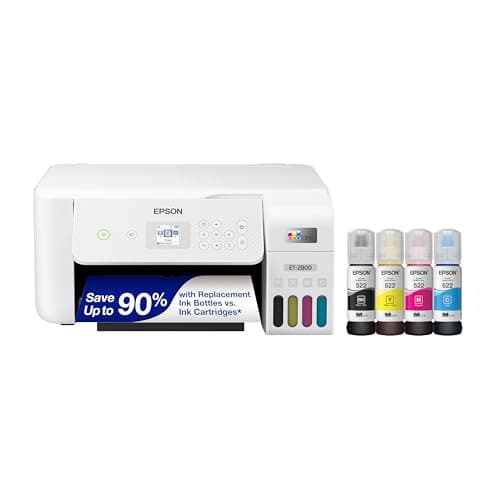
The EcoTank Conversion, Honestly
What converting an EcoTank actually costs you in warranty and reversibility, stated up front.
Sawgrass Alternatives
What Sawgrass is known for, and four registry alternatives ranked by the reason people leave: price, print size, or not wanting a proprietary system.
The Best Sublimation Printer Under $1000
Three registry printers currently priced under $1000, ranked by what the budget buys: purpose-built hardware, supported colour, or tabloid-size prints.
Sawgrass vs Epson EcoTank
Dedicated printer or converted EcoTank — cost, warranty, support and which suits which user.
The Best Sublimation Printer for Beginners
Convert an EcoTank or buy a dedicated printer — the honest trade-off between cost and support.
Back to Sublimation.