Is a Cricut a Printer?
No. It is a cutting machine with a blade. The confusion is understandable, and clearing it up saves people a lot of money.
Heads up: Mat & Blade earns a commission from qualifying purchases made through the links on this page, at no extra cost to you. It never changes which products we recommend or how we rank them. Read the full disclosure.
No — a Cricut is not a printer. It is a cutting machine. It holds a blade and cuts shapes out of material you feed it: vinyl, heat transfer vinyl, cardstock, paper, iron-on, faux leather. It can also hold a pen and draw lines, and a tool that scores fold lines. What it never does is put ink onto a page. If you want a full-color printed image, you need an actual printer alongside it.
What a Cricut actually does
- Cuts. A blade follows a path from your design. Shapes, letters, outlines, intricate detail out of sheet material.
- Draws. A pen in the second tool slot writes or outlines in pen ink on paper or card. Useful for cards and envelopes, not a substitute for printing.
- Scores. A scoring tool creases card so a fold is clean. Boxes, cards, gift bags.
- Cuts around printed artwork. Print-then-cut, using marks it reads off a sheet you printed elsewhere.
- Embosses and engraves on some models, with the right tool. Shallow surface work on metal or acrylic — not laser engraving.
Color on a Cricut project comes from the material, not from ink. A two-color design is two cuts in two colors of vinyl, layered. A three-color design is three. This is why vinyl layering is a skill in this hobby at all, and why photographic designs are not practical with a cutting machine alone — the best HTV for layering covers the materials that stack without turning stiff.
What you need instead, by what you wanted
| What you want to make | Cricut alone? | What you actually need |
|---|---|---|
| Vinyl decal, single color | Yes | Cutting machine + adhesive vinyl + transfer tape |
| Shirt with a cut design | Yes | Cutting machine + heat transfer vinyl + a heat press |
| Printed sticker sheet | No | Inkjet printer + printable sticker sheets + print-then-cut machine |
| Full-color photo on a shirt | No | Sublimation printer + polyester blank + heat press |
| Full-color design on a mug or tumbler | No | Sublimation printer + coated blank + tumbler press |
| Full-color design on dark cotton | No | DTF transfers, or screen printing — not sublimation |
| Engraved wood or slate | No | A laser engraver |
Is a Cricut a sublimation printer?
No, and this is the more expensive version of the same misunderstanding. Sublimation puts dye into polyester using heat; it needs a printer loaded with sublimation ink, sublimation paper, a polyester or polymer-coated blank, and a heat source. A Cricut supplies none of that. What it can do is cut Cricut Infusible Ink sheets, which are a pre-printed sublimation material — a real but much more limited route to the same effect. Infusible Ink versus sublimation is the honest comparison.
If full-color printing on fabric is the actual goal, read sublimation for beginners before buying anything, because the constraints are strict: polyester or polymer-coated surfaces only, light colors only, and a separate press for anything curved. Is sublimation worth it is the cost-and-reality check.
Does a Cricut need a printer?
Only for printed stickers and print-then-cut projects, and then any ordinary inkjet does the job. There is no Cricut-specific printer requirement and no reason to buy a new printer to use a cutting machine. Print quality on your stickers is set by your printer and by the sticker sheets, which is worth knowing before you blame the cutter.
One real limit: print-then-cut needs the machine to see registration marks around your artwork, so the usable artwork area is smaller than the sheet, and the Cricut Joy 2 does not have print-then-cut at all. The best cutting machine for stickers sorts out which models do.
1. Best for what a cricut is actually for
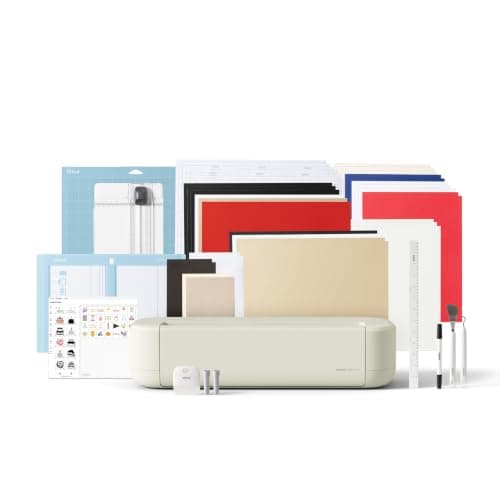
Cricut Explore 5
Cricut · Currently sold · Verified 2026-09-27
This is what you are buying when you buy a Cricut: a machine that cuts shapes out of material you supply. Vinyl, heat transfer vinyl, cardstock, paper, iron-on and faux leather at 12 inch width, with a second tool slot for a pen that draws and a tool that scores. It also has print-then-cut, which is the feature people mistake for printing — it cuts around artwork your own printer put on the page.
What works
- Cuts every material a beginner's first ten projects will use
- Matless Smart Material cutting means long banners and decals without a mat
- Cheapest current machine that still handles full 12 in wide vinyl
- Huge community of tutorials aimed at exactly this machine
What does not
- No rotary blade, so unbacked fabric is out
- No knife blade for basswood or thick leather
- Still needs Design Space, which needs an internet connection to set up
Not for you if
You already know you want to cut quilting fabric or thick leather. That is the Maker line's rotary and knife blades, and no accessory adds them to an Explore.
Key specs
- Cuts
- Vinyl, heat transfer vinyl, cardstock, paper, iron-on, faux leather
- Max material width
- 12 in (11.5 in cut width)
- Matless cutting
- Yes, with Smart Materials
- Tool slots
- Two — blade plus pen or scoring tool
- Rotary / knife blade
- No — Maker line only
Price as of November 12, 2026
#ad · affiliate link · we never show a price we cannot verify
2. Best for printing stickers with a printer you already own
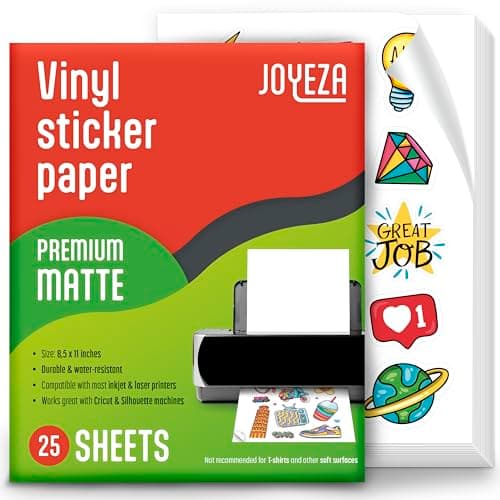
JOYEZA Printable Vinyl Sticker Paper
JOYEZA · Currently sold · Verified 2026-09-27
If what you actually want is full-color printed stickers, this is the missing piece and it costs very little. Printable adhesive sheets go through a normal inkjet printer, then the cutting machine's print-then-cut reads registration marks and cuts the outlines. Buy printable vinyl rather than paper if the stickers will meet water. Check the sheets are rated for your printer type — inkjet sheets in a laser printer is an expensive mistake.
What works
- The only way to make full-color stickers on a craft machine
- Waterproof printable vinyl holds up to real use
- Cheap per sheet once you gang designs up
What does not
- Paper-based sticker sheets run when wet unless sealed
- Print-then-cut registration needs decent lighting to scan reliably
- The Joy 2 cannot do print-then-cut at all
Not for you if
Your machine has no print-then-cut. Cut solid-color vinyl decals instead.
Key specs
- Type
- Printable adhesive sheets for an inkjet printer
- Requires
- A machine with print-then-cut — not every model has it
- Waterproof versions
- Printable vinyl rather than paper; survive handling
- Finish
- Matte and gloss
Price as of November 12, 2026
#ad · affiliate link · we never show a price we cannot verify
3. Best for if what you wanted was full-color printing on shirts and mugs
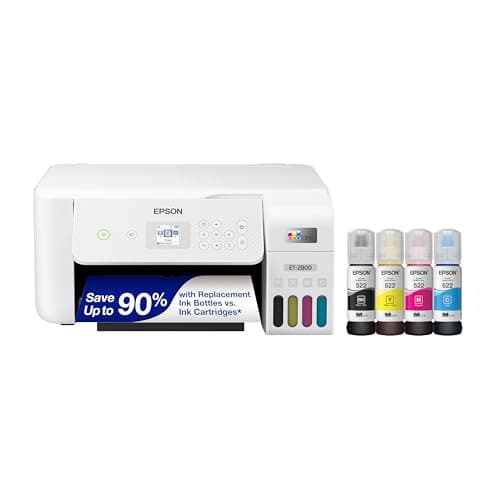
Epson EcoTank ET-2800
Epson · Currently sold · Verified 2026-09-27
A Cricut cannot put a photograph on a shirt. Sublimation can, and the cheapest route in is a refillable-tank inkjet like the ET-2800, which people convert by filling the tanks with sublimation ink. Be clear on the trade-offs before you buy: it is sold as a regular printer, not a sublimation printer, the conversion is one-way, and Epson's warranty covers damage from genuine ink rather than third-party ink. Sublimation also only works on polyester and on light colors.
What works
- By far the cheapest way to start sublimating
- Refillable tanks mean low running cost once converted
- Very widely documented by the crafting community
What does not
- Converting it with third-party sublimation ink voids Epson's coverage for ink-related damage
- A converted printer cannot go back to regular ink
- 8.5 in width limits you to letter-size transfers
Not for you if
You want a supported, warrantied sublimation setup you can call for help on. Buy a dedicated sublimation printer instead.
Key specs
- Type
- Refillable-tank inkjet — sold as a regular printer
- Sublimation
- Not a sublimation printer as sold; people convert it
- Max print width
- 8.5 in (letter)
- Ink system
- Four refillable tanks
- Warranty note
- Epson's warranty covers damage from genuine ink, not third-party ink
#ad · affiliate link · we never show a price we cannot verify
Common questions
Is a Cricut a printer?
What is Print Then Cut if the Cricut does not print?
Do I need a printer to use a Cricut?
Can a Cricut print on t-shirts?
Is a Cricut a sublimation printer?
Can a Cricut engrave?
Sources
- Google Autocomplete — 'is a cricut' — 'is a cricut a printer' and 'is a cricut a sublimation printer' both returned as live completions - checked 17 October 2026
- Cricut Print Then Cut — manufacturer documentation — Confirms the user prints on their own printer and the machine reads registration marks to cut around the artwork - checked 17 October 2026
How we picked
We verify every product is currently sold by reading the manufacturer's own catalog, compare published specifications rather than marketing copy, and rank on what a first-time buyer has to decide. We do not run lab tests and we do not claim to, and commission never affects the order.
Read this next
Best Cutting Machine for Stickers
Brand-neutral ranking of the machines that cut printed stickers — Cricut, Silhouette and Brother — and what print-then-cut actually needs from your printer.
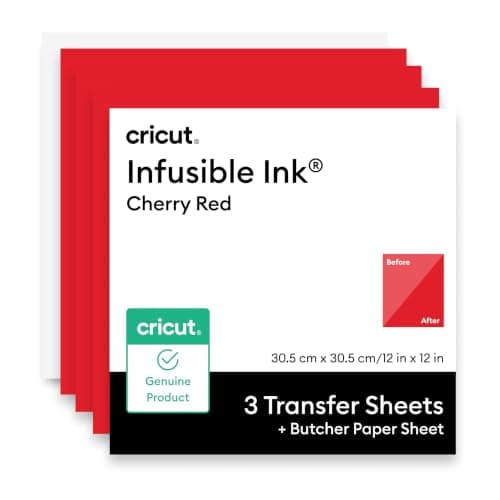
Infusible Ink vs Sublimation
Cricut Infusible Ink is sublimation sold by the sheet. Where that is the smarter buy, where a printer wins, and the limits both of them share.
Sublimation for Beginners
The complete beginner walkthrough: how it works, what it needs, and the first-transfer process.
The Best Cricut for Making Stickers
Which machines can make printed stickers, which cannot, and the material that decides whether they survive.
Is a Cricut Easy to Use?
Where the Cricut learning curve actually is — software, material settings and weeding — and what makes the first week easier or harder.
What You Need to Start
The genuine beginner checklist — what you need for a first project and what can wait.
Back to Cutting Machines.