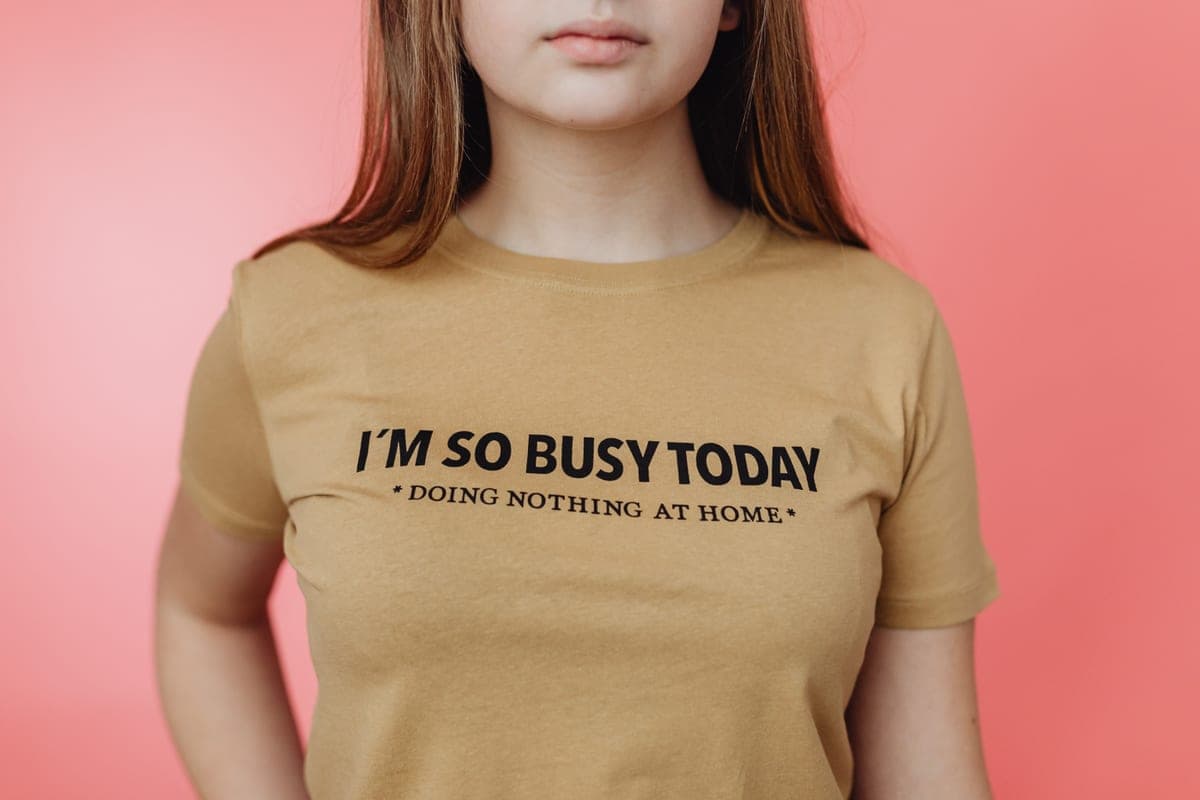
Infusible Ink vs Sublimation
They are the same chemistry. One comes pre-printed in a pack of two sheets, the other needs a printer — and that is the whole decision.
Heads up: Mat & Blade earns a commission from qualifying purchases made through the links on this page, at no extra cost to you. It never changes which products we recommend or how we rank them. Read the full disclosure.
Infusible Ink is sublimation. Buy the sheets if you want a handful of items and no printer; buy a printer once you want your own artwork or more than a handful. The chemistry is identical — solid ink turns to gas under heat and bonds into a polymer, so the design ends up inside the blank instead of on it. The difference is only where the printing happened. Cricut printed the sheet for you, which costs more per design and limits you to the colors and patterns it sells. A sublimation printer makes you responsible for ink, paper and a conversion decision, and in exchange gives you photographs, gradients and pennies per transfer.
What each one actually is
Infusible Ink: sublimation sold by the sheet
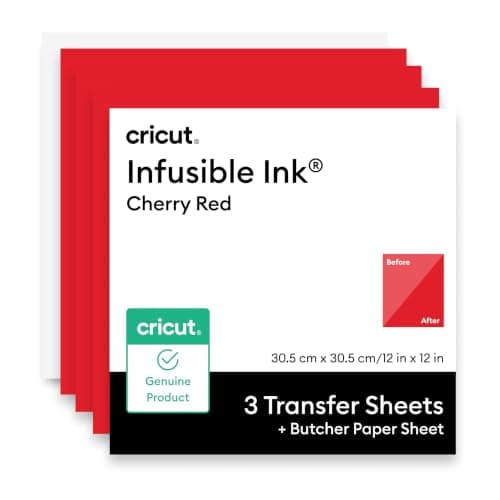
Cricut Infusible Ink Transfer Sheets are sheets of sublimation ink already laid down on a carrier, in solid colors and patterns, listed at 12 in by 12 in and two sheets per pack. You cut the design on a Cricut like any other material, weed it, lay it on a compatible blank and press it. Under heat the ink gasses and bonds into the blank, which is why the finished design has no hand feel at all — run a finger over it and you feel fabric, not film. Cricut also sells Infusible Ink pens and markers, which let you draw a design that then infuses the same way.
Sublimation: the same chemistry, printed by you
The printer route means a sublimation printer, or a refillable-tank inkjet filled with sublimation ink, plus coated sublimation paper. You print a mirrored design, press it onto a compatible blank, and the ink gasses and bonds exactly as the sheet does. The whole difference is that you decide what is on the paper. That is a much bigger creative range and a much longer shopping list — sublimation for beginners walks the full setup, and the best sublimation printer for beginners covers the two routes into it.
How we compared them
These are not competing technologies, they are two ways to buy the same one, so the useful criteria are about cost, range and what has to go right rather than about quality of result. The result is essentially identical when both are done correctly.
- Cost to get started. What you have to buy before a single finished item exists, assuming you already own a cutting machine.
- Cost per design after that. What the tenth item costs, which is where these two diverge sharply.
- Artwork range. Solid colors and patterns from a catalog, versus anything you can print.
- Number of things that can go wrong. Each extra consumable and decision is another failure point for a beginner.
- Equipment commitment. Whether a purchase is reversible, and what it ties you to.
- Shared limits. The constraints that apply to both, because a reader choosing between them deserves to know neither one solves them.
Side by side
| Infusible Ink | Sublimation printer | |
|---|---|---|
| What you buy first | A pack of transfer sheets | A printer, sublimation ink and coated paper |
| Printer needed | No | Yes — dedicated, or a converted refillable-tank inkjet |
| Artwork | Cricut's colors and patterns, cut to your shape | Anything you can print, including photographs |
| Cost per design | High — a share of a two-sheet pack | Low — ink plus one sheet of paper |
| Heat requirement | A press reaching 400°F / 205°C | A press reaching sublimation temperature, typically 385-400°F |
| Blank requirement | 65%+ polyester, or a sublimation-coated blank | Identical — the limit is the chemistry, not the brand |
| Reversible? | Yes — it is a consumable | Converting a new inkjet to sublimation ink is one-way |
| Where it fails | Cost and creative range at volume | More consumables, more steps, more to learn |
Where Infusible Ink genuinely wins
The honest case for the sheets is that they remove every variable except pressing. There is no printer to buy, no ink to decide about, no warranty question, no paper to print on the correct side, and no heads to dry out if you do not use it for two months. For someone who owns a Cricut and a press, wants four matching tote bags for a family event, and would like them to work the first time, that is a genuinely better product — not a compromise.
It is also the only route that costs nothing to abandon. If you try sublimation this way and decide it is not for you, you are out the price of one pack of sheets. If you convert a new printer and then stop, you own a printer full of third-party ink that nobody will service. That asymmetry matters more than most comparisons admit.
Where a sublimation printer wins
Two things, and both are decisive once they apply. The first is artwork: Infusible Ink cannot print a photograph, a gradient, a logo in your exact brand color or a design with twelve colors in it. A printer can, and for anything commercial that is not optional. The second is cost per design, which collapses once volume arrives — a printed transfer is ink and a sheet of coated paper, where an Infusible Ink design is a share of a two-sheet pack.
The cost crossover is not a number we can publish honestly, because it depends on how large your designs are and what you pay for ink. What we can say is the shape of it: for a handful of items the sheets are cheaper all-in, and somewhere in the low tens of items the printer wins and then keeps winning. If the plan involves selling anything, assume you will end up with a printer. Sublimation startup costs sets out the full shopping list, and EcoTank conversion, honestly covers the warranty question nobody else answers straight.
The limits both of them share
This is the part that matters most, because choosing between them changes nothing about either limit. Both are sublimation, and sublimation has two hard constraints.
- Polyester or a coating, nothing else. Cricut specifies at least 65% polyester for fabric, or a blank sold as sublimation ready. There is no technique that bonds sublimation ink to cotton fiber, and a cotton shirt pressed either way fades badly in the first wash.
- Light blanks only. The ink is translucent and contains no white. On a dark blank the design effectively disappears. Sublimation on dark shirts is the longer answer, and it is the same for both routes.
- Real temperature, not an iron. Both need a press that holds 400°F. An iron's thermostat cycles and its soleplate has steam holes, so pressure and heat are both uneven.
- Mirrored, and taped down. Both are heat-released transfers. A shifted transfer ghosts, and a loose one blurs at the edges.
Our picks in full
1. Best for getting a genuinely sublimated shirt without buying a printer
Cricut Infusible Ink Transfer Sheets
Cricut · Currently sold · Verified 2026-10-15
This is the cheapest honest route into sublimation, and the only one that needs no printer, no ink and no conversion. You cut the sheet on the machine you already own, press it at the temperature Cricut publishes, and the design infuses into the blank rather than sitting on top of it — so there is nothing to peel, crack or lift in the wash. What you are buying is convenience and a guaranteed result, and what you are giving up is custom artwork: you get the colors and patterns Cricut sells, in 12 in by 12 in sheets, and the cost per design is high compared with printing your own.
What works
- No printer, no ink, no conversion — the cheapest route to a genuinely sublimated shirt
- Cuts on an Explore, Maker or Joy like any other material
- The design infuses into the fiber, so there is nothing to peel or crack
- Cricut publishes a named time and temperature per blank type
What does not
- You get the colours and patterns Cricut sells — no custom artwork and no photographs
- Costs far more per design than printing your own sublimation transfers
- Same hard limits as sublimation: light polyester or coated blanks only
- Needs a press that genuinely reaches 400°F, which rules out a household iron
Not for you if
You want to print your own full-color artwork, or you are making more than a handful of items. At that point a sublimation printer is cheaper per design and far less limiting.
Key specs
- What it is
- Sheets of solid-color or patterned sublimation ink on a carrier
- Sheet size
- 12 in x 12 in — Cricut sells solid colours in 3-sheet packs and patterns in 2- to 5-sheet packs
- Blank requirement
- Cricut specifies at least 65% polyester, or a sublimation-coated blank
- Heat requirement
- A press that reaches 400°F / 205°C; Cricut publishes 385°F for 15 seconds on fabric
- Printer needed
- None — the ink is already on the sheet
Price as of November 12, 2026
#ad · affiliate link · we never show a price we cannot verify
2. Best for the heat requirement both routes share
Cricut EasyPress SE
Cricut · Currently sold · Verified 2026-09-27
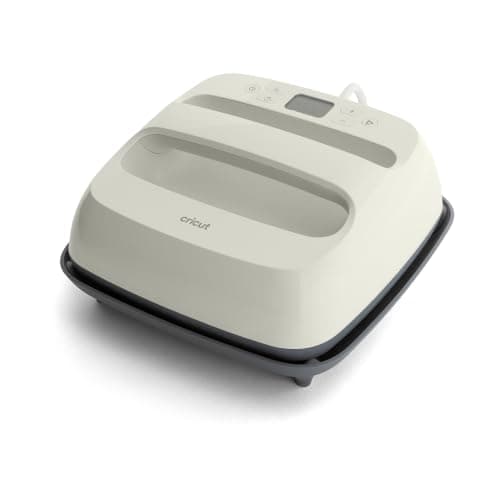
Sublimation chemistry needs real temperature — Cricut specifies a press that reaches 400°F for Infusible Ink, and publishes 385°F for 15 seconds for fabric blanks. That rules out a household iron, whose thermostat cycles tens of degrees either side of its setting, and it is the reason first Infusible Ink attempts fail more often than first HTV attempts. A press with a set temperature and a timer removes the variable entirely. If you already own any press that genuinely holds 400°F, you do not need this one.
What works
- Holds a set temperature, which a household iron does not
- Even plate contact across the whole design
- Cricut's Heat Guide gives exact settings for it by material
- Stores away, which matters more than people expect
What does not
- You supply the pressure by leaning on it, so results depend on your technique
- Costs more than a comparably sized clamshell press
- Small plates mean multi-press passes on a big design
Not for you if
You are pressing more than a handful of shirts a week. Leaning on a handheld press twenty times an evening gets old fast — buy a clamshell.
Key specs
- Type
- Handheld heat press
- Plate sizes
- 12 x 10 in and 9 x 9 in in the SE line
- Temperature
- Set precisely; holds it, unlike a household iron
- Timer
- Built in, with an audible finish
- Storage
- Shelf or drawer — no permanent bench space
Price as of November 12, 2026
#ad · affiliate link · we never show a price we cannot verify
3. Best for the blank requirement both routes share
Polyester Blank Shirts
Joyclub · Currently sold · Verified 2026-09-27
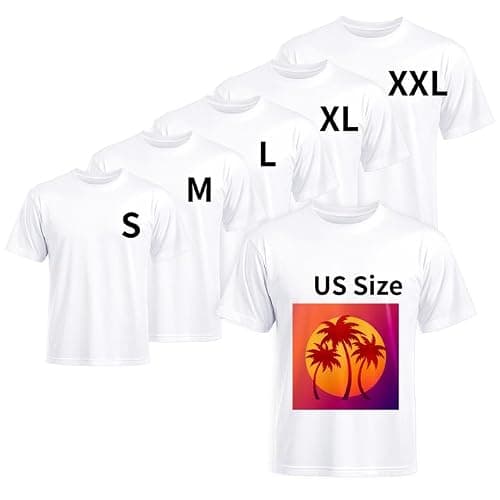
Cricut specifies at least 65% polyester for fabric, or a blank sold as sublimation ready — and that is the same limit a sublimation printer works under, because it is physics rather than a product decision. The ink bonds into polymer and cotton fiber has none. A 100% polyester white blank gives the most vivid result; a 65/35 blend gives a deliberately faded, vintage look. Buying blanks that state their fiber content is what makes your results repeatable, and it is the single most common reason an Infusible Ink press comes out washed out.
What works
- The only fabric sublimation genuinely bonds to
- Result has no hand feel at all — the design is in the fabric
- Will not crack or peel the way a vinyl transfer can
What does not
- White or near-white only — this is a hard physical limit
- 100% polyester feels different from a cotton tee
- Blends fade the design, which you may or may not want
Not for you if
You want a soft cotton shirt or a dark shirt. Use heat transfer vinyl instead — it works on both.
Key specs
- Fabric
- 100% polyester, or a high-polyester blend
- Color
- White or very light — dark fabric will not work
- Why polyester
- Sublimation ink bonds to polymer, not to cotton fiber
- Blend behavior
- A 65/35 blend gives a faded, vintage-looking result
Price as of November 12, 2026
#ad · affiliate link · we never show a price we cannot verify
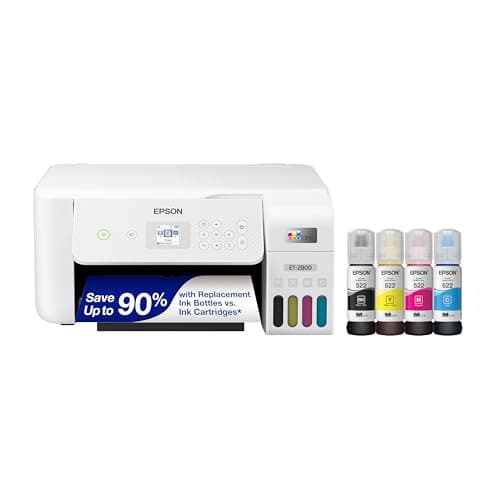
4. Best for the moment printing your own becomes cheaper
Epson EcoTank ET-2800
Epson · Currently sold · Verified 2026-09-27
A refillable-tank inkjet converted to sublimation ink is the standard beginner route to printing your own transfers, and it is where the economics flip: once you are making more than a handful of items, cost per design drops to pennies of ink and a sheet of paper instead of a share of a two-sheet pack. You also get photographs, gradients and your own artwork, none of which Infusible Ink can do. The honest costs are that filling a new printer with third-party sublimation ink is a one-way decision, it voids the warranty for printer faults, and the machine has to be used regularly or the heads dry out.
What works
- By far the cheapest way to start sublimating
- Refillable tanks mean low running cost once converted
- Very widely documented by the crafting community
What does not
- Converting it with third-party sublimation ink voids Epson's coverage for ink-related damage
- A converted printer cannot go back to regular ink
- 8.5 in width limits you to letter-size transfers
Not for you if
You want a supported, warrantied sublimation setup you can call for help on. Buy a dedicated sublimation printer instead.
Key specs
- Type
- Refillable-tank inkjet — sold as a regular printer
- Sublimation
- Not a sublimation printer as sold; people convert it
- Max print width
- 8.5 in (letter)
- Ink system
- Four refillable tanks
- Warranty note
- Epson's warranty covers damage from genuine ink, not third-party ink
#ad · affiliate link · we never show a price we cannot verify
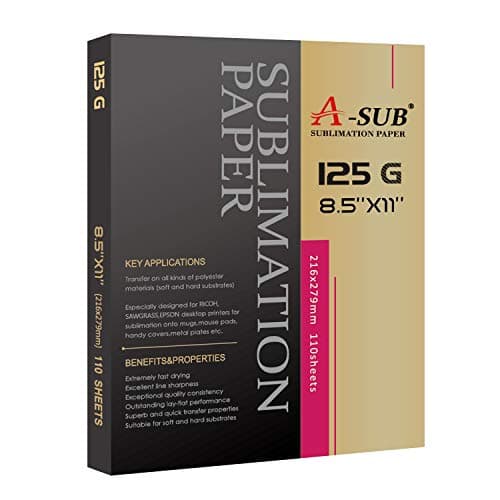
5. Best for the consumable the printer route adds
A-SUB Sublimation Paper
A-SUB · Currently sold · Verified 2026-09-27
If you print your own transfers you need coated sublimation paper, and this is the part people forget to budget for. It holds the ink on a coated side until heat releases it, and printing on the wrong side wastes the sheet and the ink. It is cheap per sheet, which is exactly why the printer route wins on cost per design once volume arrives. Infusible Ink needs none of this — the ink is already on the carrier, which is the convenience you are paying for.
What works
- Consistent results across shirts, mugs and hard blanks
- Dries quickly enough that sheets do not smudge when stacked
- Cheap enough to practice with
What does not
- Only works with sublimation ink — regular ink will not transfer
- Printing on the wrong side wastes the sheet and the ink
Not for you if
You are printing on dark fabric. Sublimation does not work on dark fabric at all, whatever paper you use.
Key specs
- Type
- Dye-sublimation transfer paper
- Weight
- Commonly 125 gsm
- Sizes
- Letter and larger sheets
- Transfer rate
- High — most of the ink releases to the blank
- Printed side
- One side only — the coated side
Price as of November 12, 2026
#ad · affiliate link · we never show a price we cannot verify
Which one you should buy
Start with Infusible Ink if you own a Cricut and a press that reaches 400°F, your project list is short, and you want the first attempt to work. You will learn the pressing discipline — mirrored design, taped transfer, polyester or coated blank, full temperature — on a consumable that costs the price of a takeaway, and that discipline is the whole skill. Nothing you learn is wasted if you move on.
Go straight to a printer if you already know you need your own artwork, or if there is any plan to sell. Paying twice is the expensive version of this decision, and the sheets will not stretch to a logo or a photograph however much you like them. For the drinkware end of the same question, the best tumblers for sublimation covers the blanks and the curved heat source both routes need, and the best sublimation blanks covers the rest of the catalog.
If you came to this comparison expecting the cutting machine itself to print, is a Cricut a printer sets out exactly what a Cricut does instead and what you need alongside it for full-color work.
If you own a Cricut and are weighing a printer to go with it, the best sublimation printer for Cricut covers that pairing specifically.
Common questions
Is Cricut Infusible Ink the same as sublimation?
Is Infusible Ink cheaper than a sublimation printer?
Can you use Infusible Ink on cotton?
Do you need an EasyPress for Infusible Ink?
Can you print your own designs with Infusible Ink?
Which should a complete beginner start with?
Sources
- Cricut — Infusible Ink Transfer Sheets — Confirmed Infusible Ink Transfer Sheets are a current Cricut product, sold as 12 in x 12 in sheets, two per pack - checked 15 October 2026
- Cricut — Infusible Ink blank and heat requirements — Confirmed Cricut specifies compatible blanks as at least 65% polyester or sublimation-ready blanks, and a press reaching 400°F / 205°C, with 385°F for 15 seconds published for fabric - checked 15 October 2026
- Cricut Heat Guide — Cricut's published time, temperature and pressure settings by material and press - checked 15 October 2026
How we picked
We verify every product is currently sold by reading the manufacturer's own catalog, compare published specifications rather than marketing copy, and rank on what a first-time buyer has to decide. We do not run lab tests and we do not claim to, and commission never affects the order.
Read this next
Sublimation vs HTV
The category-defining comparison: what each technology can and cannot do, and which to start with.
Sublimation for Beginners
The complete beginner walkthrough: how it works, what it needs, and the first-transfer process.
The Best Sublimation Printer for Beginners
Convert an EcoTank or buy a dedicated printer — the honest trade-off between cost and support.
The EcoTank Conversion, Honestly
What converting an EcoTank actually costs you in warranty and reversibility, stated up front.
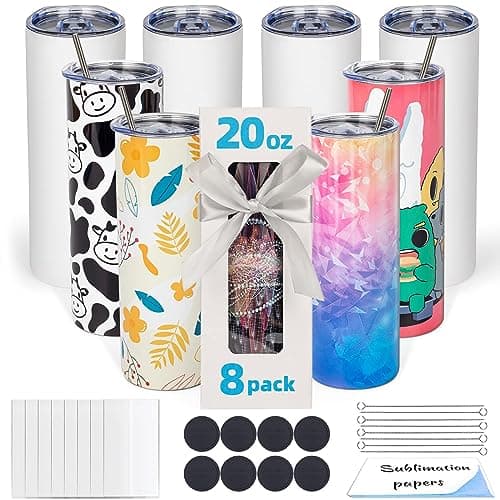
The Best Sublimation Blanks
Which blanks genuinely take sublimation, which are most forgiving, and what to check before buying.
The Best Tumblers for Sublimation
The drinkware blanks that genuinely take sublimation, how the coating and the wall shape decide the result, and whether you need a tumbler press or an oven.
Back to Sublimation.