Best Cutting Machine for a Small Business
A hobby machine that makes one shirt beautifully can still be the wrong machine for forty. This is what changes when you start selling.
Heads up: Mat & Blade earns a commission from qualifying purchases made through the links on this page, at no extra cost to you. It never changes which products we recommend or how we rank them. Read the full disclosure.
For a small business running a mixed product line, the Cricut Maker 5 is the best single machine — 12 inch material, 300+ materials, and the rotary and knife blades that let shirts, leather and wood come off one bench. If your bottleneck is quantity rather than variety, the Cricut Venture's 25 inch width and 75 foot cut length is the upgrade that actually changes throughput. And if you already own a working machine, a second copy of it usually beats a bigger one.
Quick picks
| # | Product | Best for | Price |
|---|---|---|---|
| 1 | 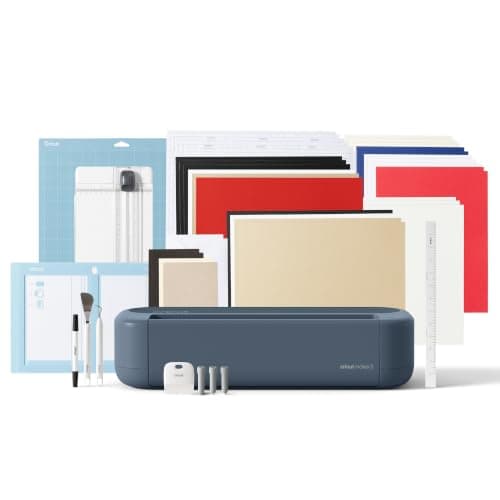 Cricut Maker 5The machine to buy only if you have a specific material in mind that an Explore cannot cut — rotary-blade f... | The best single machine for a mixed product line | $399.00 · View on Amazon Price as of November 12, 2026 #ad · affiliate link · we never show a price we cannot verify |
| 2 |  Cricut VentureA production machine, not a beginner machine — the width and speed only pay for themselves if you are cutti... | Volume and wide work | Check price on Amazon #ad · affiliate link · we never show a price we cannot verify |
| 3 | 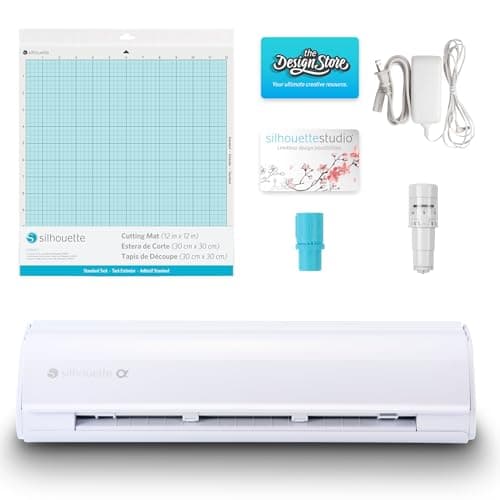 Silhouette CAMEO 5The real alternative to a Cricut, and the better pick if the idea of a cloud-only design app with a subscri... | Local software and file ownership | $299.00 · View on Amazon Price as of November 12, 2026 #ad · affiliate link · we never show a price we cannot verify |
| 4 | 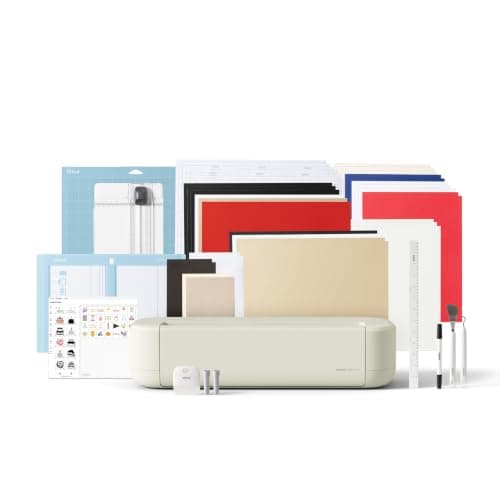 Cricut Explore 5The sensible default for a first machine: it cuts everything a beginner actually uses, and the money you sa... | A second machine for parallel cutting | $249.00 · View on Amazon Price as of November 12, 2026 #ad · affiliate link · we never show a price we cannot verify |
Tap any row to jump to the full write-up. Prices come from Amazon on the date stamped on each button and can change after that — check the listing before you buy.
What changes when you start selling
Three things, and none of them are cut quality. First, downtime costs money — a blade change mid-order or a machine out of action stops the business, not the hobby. Second, handling time dominates: loading mats, weeding and pressing take far longer than cutting, so the machine spec that matters is the one that reduces the number of loads. Third, width becomes a hard commercial limit, because a 12 inch machine cannot quote on a 20 inch window decal at all.
That reframes the spec sheet. Matless cutting from a roll is worth more than top speed. A second machine is worth more than a faster one. And consumables planning — blades, mats, transfer tape — becomes part of the cost of goods rather than an occasional purchase. Cricut business startup costs runs the numbers on that properly.
What to look for
- Matless roll cutting. Smart Materials on the Cricut line and the roll feeder on Silhouette's side both remove the mat from the loop. On repeat work that is the single biggest time saving available.
- Material width against your actual orders. 12 inches covers shirts and small decals. Car and window graphics, banners and sign work start at widths only the Venture reaches.
- Blade and consumable availability. Fine-point blades, mats and housings should be a next-day purchase, not a special order. Every machine here passes this; off-brand imports often do not.
- Software you can rely on under deadline. Cloud-first software is fine until it is not. Weigh that honestly rather than ideologically.
- Redundancy. Two machines at half the price each is usually a better business decision than one at full price.
- Capability you will actually bill for. A rotary blade is worth paying for if you sell fabric goods and worth nothing if you do not.
Machine comparison for selling
| Machine | Material width | Matless roll cutting | Fabric / leather / wood | Best business fit |
|---|---|---|---|---|
| Cricut Maker 5 | 12 in | Yes (Smart Materials) | Yes — rotary + knife blade | Mixed product line |
| Cricut Venture | 25 in | Yes, up to 75 ft | No rotary blade | Volume runs and wide signage |
| Silhouette CAMEO 5 | 12 in | Yes, with roll feeder materials | Fabric with backing | Offline software, file ownership |
| Cricut Explore 5 | 12 in | Yes (Smart Materials) | No | Second machine, parallel cutting |
1. Best for the best single machine for a mixed product line
Cricut Maker 5
Cricut · Currently sold · Verified 2026-09-27
Most craft businesses do not sell one thing, and the Maker 5 is the machine that says yes to the widest range of them. 12 inch material, 300+ materials including unbacked fabric, leather and basswood, a rotary blade and a knife blade mount. That means shirts, decals, keyrings, leather patches, wooden signs and quilted goods come off one machine rather than three. If your line-up is still forming, buy capability before you buy speed.
What works
- Rotary blade cuts quilting cotton with no backing, which no Explore can do
- Knife blade opens basswood, chipboard and thick leather
- Adaptive tool system takes every Cricut blade and tip
- Same matless Smart Material workflow as the Explore line
What does not
- Materially more expensive than an Explore for capability most beginners never use
- The knife blade is a separate purchase on top of the machine
- Knife-blade cuts are slow — a thick basswood cut can run well over an hour
Not for you if
Your project list is shirts, decals, stickers and cards. Every one of those cuts identically on an Explore 5, and the difference in price is roughly a full starter set of materials.
Key specs
- Cuts
- 300+ materials including unbacked fabric, leather, basswood
- Max material width
- 12 in (11.5 in cut width)
- Matless cutting
- Yes, with Smart Materials
- Rotary blade
- Yes — cuts fabric without a stabilizer backing
- Knife blade
- Yes — sold separately
Price as of November 12, 2026
#ad · affiliate link · we never show a price we cannot verify
2. Best for volume and wide work
Cricut Venture
Cricut · Currently sold · Verified 2026-09-27
25 inch material width, cuts up to 75 feet long with Smart Materials, and the fastest machine in the Cricut line. For a business, those three numbers are the whole case: you cut a long roll of the same decal in one job instead of twenty mat loads, and you can take on window graphics and banners that a 12 inch machine cannot physically produce. It has no rotary blade, so it is wider and faster rather than more capable, and it needs a dedicated table. Buy it when a specific order type is being turned away.
What works
- 25 in width handles full-size signs and large-format decals in one pass
- Fast enough to batch production runs without babysitting
- Long matless cuts are a genuine time-saver at volume
What does not
- By far the most expensive machine in the line
- Takes a permanent table's worth of space
- No rotary blade, so it is not a fabric machine despite the price
Not for you if
This is your first machine. Nothing about the Venture makes a beginner's first shirt easier, and it costs several times an Explore.
Key specs
- Max material width
- 25 in
- Max cut length
- Up to 75 ft with Smart Materials
- Speed
- The fastest machine in the Cricut line
- Footprint
- Large — needs a dedicated table
- Rotary blade
- No
#ad · affiliate link · we never show a price we cannot verify
3. Best for local software and file ownership
Silhouette CAMEO 5
Silhouette · Currently sold · Verified 2026-09-27
Silhouette Studio installs on your computer and works offline, which is a business argument rather than a craft one: your cut files and your customer artwork live on your drive, and a connectivity problem on a deadline is an inconvenience rather than a stoppage. 12 inch cut width, dual carriage with auto tool detection, and SVG import in the paid Studio tiers. It is also the sensible second machine for a Cricut shop that wants redundancy on a different platform.
What works
- Silhouette Studio runs on your computer and does not need to be online to cut
- No subscription is required to use the machine
- Cuts the same everyday materials a beginner uses
- Strong choice if you already own or buy SVG files from third parties
What does not
- Studio is more capable but noticeably harder to learn than Design Space
- SVG import is gated behind a paid Studio upgrade on the basic edition
- Smaller tutorial ecosystem than Cricut for absolute beginners
Not for you if
You want the shortest possible path from unboxing to a finished shirt. Design Space is the friendlier first app, even with its downsides.
Key specs
- Cuts
- Vinyl, heat transfer vinyl, cardstock, paper, fabric with backing
- Max cut width
- 12 in
- Software
- Silhouette Studio — installs locally, works offline
- File handling
- Imports SVG in the paid Studio tiers; basic edition is more limited
- Tool system
- Dual carriage with auto tool detection
Price as of November 12, 2026
#ad · affiliate link · we never show a price we cannot verify
4. Best for a second machine for parallel cutting
Cricut Explore 5
Cricut · Currently sold · Verified 2026-09-27
The most underrated purchase in a small craft business is a second cheap machine rather than one expensive one. Two Explore 5s cut two jobs at once, and when one needs a blade change or a firmware sulk you are at half speed instead of stopped. At 12 inch material width it handles vinyl, heat transfer vinyl, cardstock and faux leather, which covers the overwhelming majority of what sells. Redundancy is worth more than specification once people are waiting.
What works
- Cuts every material a beginner's first ten projects will use
- Matless Smart Material cutting means long banners and decals without a mat
- Cheapest current machine that still handles full 12 in wide vinyl
- Huge community of tutorials aimed at exactly this machine
What does not
- No rotary blade, so unbacked fabric is out
- No knife blade for basswood or thick leather
- Still needs Design Space, which needs an internet connection to set up
Not for you if
You already know you want to cut quilting fabric or thick leather. That is the Maker line's rotary and knife blades, and no accessory adds them to an Explore.
Key specs
- Cuts
- Vinyl, heat transfer vinyl, cardstock, paper, iron-on, faux leather
- Max material width
- 12 in (11.5 in cut width)
- Matless cutting
- Yes, with Smart Materials
- Tool slots
- Two — blade plus pen or scoring tool
- Rotary / knife blade
- No — Maker line only
Price as of November 12, 2026
#ad · affiliate link · we never show a price we cannot verify
The machine is rarely the bottleneck
On a shirt business, cutting takes seconds and pressing takes a timed cycle you cannot shorten. That means the heat press is usually the constraint, not the cutter — and a clamshell with adjustable pressure and an auto-open beats a handheld press on every batch run. The best heat press for small business covers that side, and it is often the better place to spend the next few hundred dollars.
Material cost is the other quiet lever. Cost per square inch differences between HTV brands are small on one shirt and decisive on two hundred. The cheapest vinyl for Cricut and what to make and sell are the two pages to read next if margin rather than capacity is the problem.
Common questions
What is the best cutting machine for a small business?
Is a Cricut good enough for a business?
Should I buy one expensive machine or two cheap ones?
Do I need a Cricut Venture to sell vinyl decals?
What else do I need to buy to run a craft business?
Sources
- Google Autocomplete — 'best cutting machine for' and 'best vinyl cutter for' — 'best cutting machine for small business' and 'best vinyl cutter for small business' both returned as live completions - checked 17 October 2026
- Cricut Venture — product specification — Confirmed 25 in material width, cut length up to 75 ft with Smart Materials and the absence of rotary blade support - checked 17 October 2026
How we picked
We verify every product is currently sold by reading the manufacturer's own catalog, compare published specifications rather than marketing copy, and rank on what a first-time buyer has to decide. We do not run lab tests and we do not claim to, and commission never affects the order.
Read this next
The Cricut Machine That Does Everything
The Maker 5 is the only Cricut rated for the full material list — here is exactly what that adds, and when it is wasted.
Cricut Business Startup Costs
The equipment, materials and overlooked costs of starting a Cricut business, and the buying order that avoids idle kit.
The Best Heat Press for a Small Business
Presses built for repeatability and batch work, for anyone selling rather than making for themselves.
What to Make and Sell
Which product categories hold up commercially, which are crowded, and what to check before listing.
Cricut Venture Review
Wide-format, fast, and built for filling orders — what it buys you and who should not be looking at it.
Best Cricut Machine 2026
The full Cricut line as it stands in 2026 — Joy 2, Joy Xtra, Explore 5, Maker 5 and Venture — ranked by the buyer each one is actually for.
Back to Cutting Machines.