Best Cricut Machine 2026
Five machines, one line, and a price spread of several hundred dollars. This is which one to buy in 2026 and the exact reason to spend more.
Heads up: Mat & Blade earns a commission from qualifying purchases made through the links on this page, at no extra cost to you. It never changes which products we recommend or how we rank them. Read the full disclosure.
For most people buying a Cricut in 2026, the Explore 5 is the right machine. It cuts the materials beginners actually use — vinyl, heat transfer vinyl, cardstock, paper, iron-on, faux leather — takes 12 inch material, holds two tools, and cuts without a mat when you use Smart Materials. Spend more on the Maker 5 only if you cut unbacked fabric, leather or basswood. Spend less on a Joy Xtra only if bench space, not money, is what is stopping you.
Quick picks
| # | Product | Best for | Price |
|---|---|---|---|
| 1 | 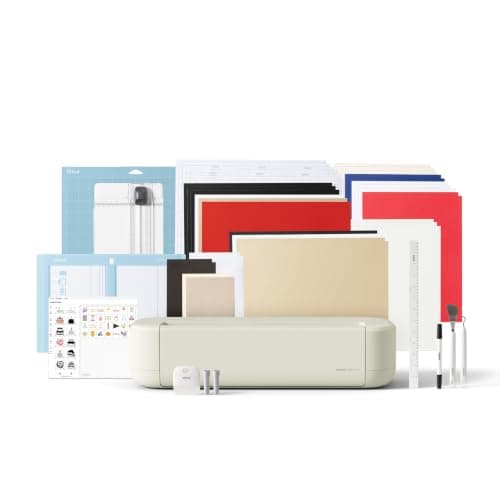 Cricut Explore 5The sensible default for a first machine: it cuts everything a beginner actually uses, and the money you sa... | The right Cricut for most people buying in 2026 | $249.00 · View on Amazon Price as of November 12, 2026 #ad · affiliate link · we never show a price we cannot verify |
| 2 | 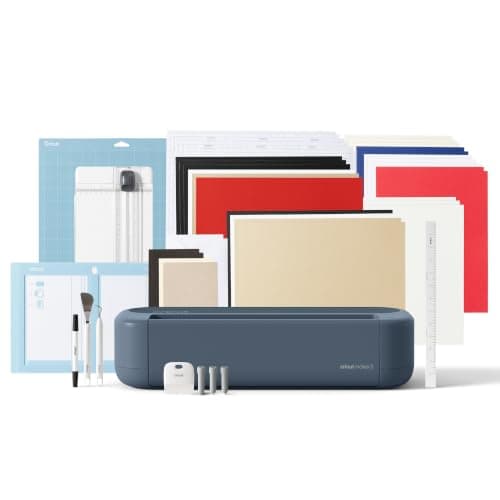 Cricut Maker 5The machine to buy only if you have a specific material in mind that an Explore cannot cut — rotary-blade f... | Fabric, leather and wood | $399.00 · View on Amazon Price as of November 12, 2026 #ad · affiliate link · we never show a price we cannot verify |
| 3 | 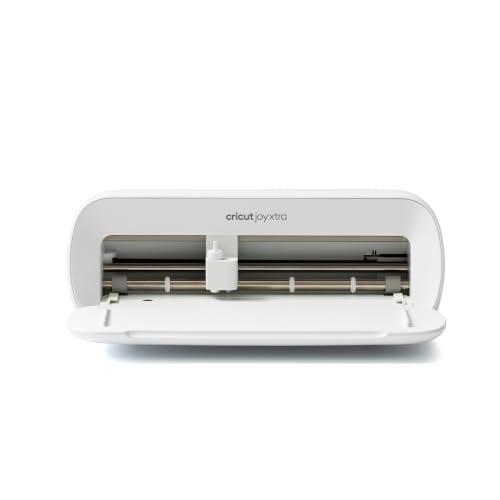 Cricut Joy XtraThe Joy that fixes the Joy's biggest limitation — a wider cut and print-then-cut — without growing into a f... | A small machine that still makes shirts | $149.00 · View on Amazon Price as of November 12, 2026 #ad · affiliate link · we never show a price we cannot verify |
| 4 | 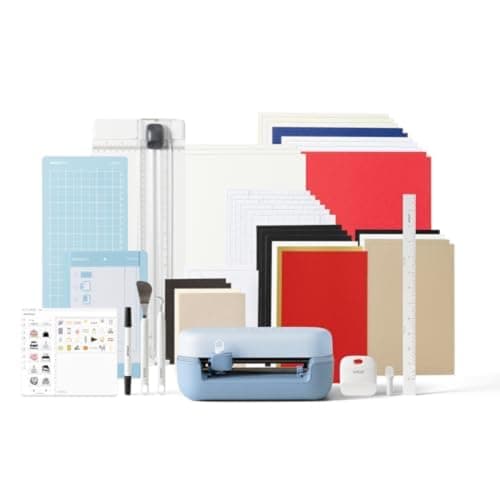 Cricut Joy 2The cheapest way into the hobby and a genuinely good little machine — as long as you accept that its narrow... | Labels, cards and tiny spaces | $109.00 · View on Amazon Price as of November 12, 2026 #ad · affiliate link · we never show a price we cannot verify |
| 5 | 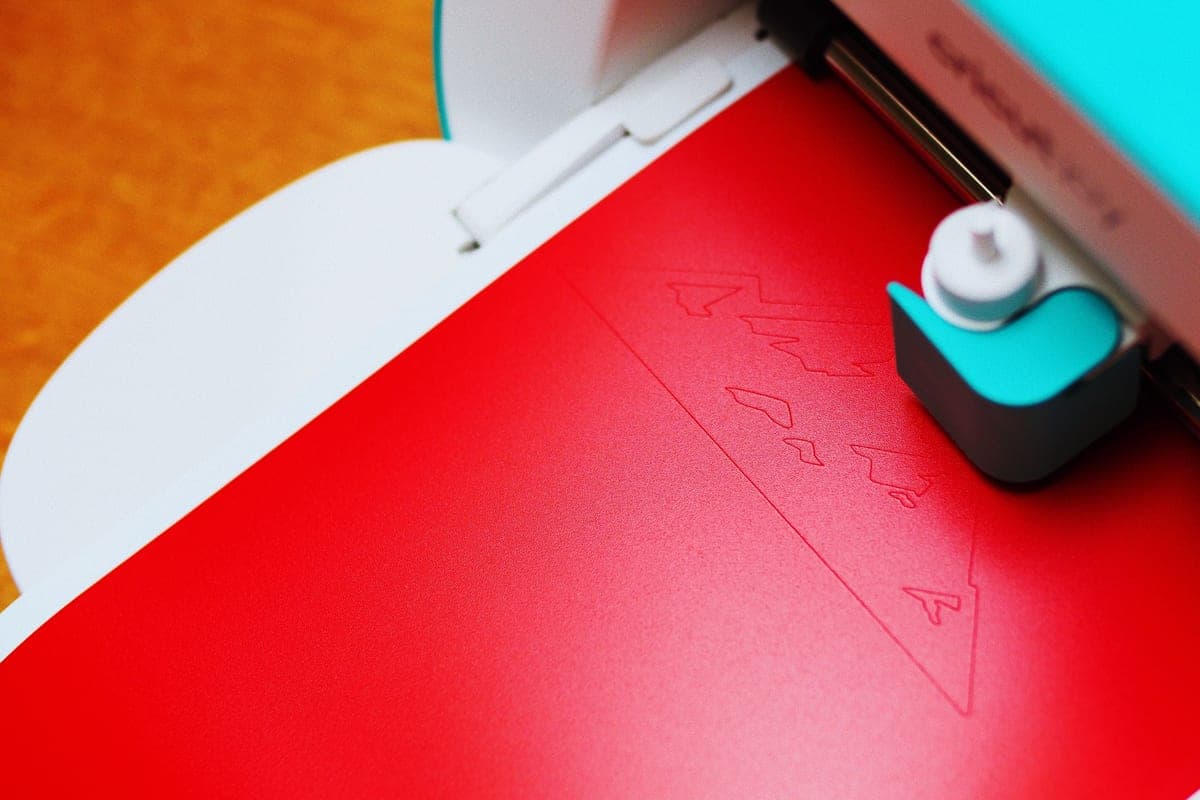 Cricut VentureA production machine, not a beginner machine — the width and speed only pay for themselves if you are cutti... | Selling at volume | Check price on Amazon #ad · affiliate link · we never show a price we cannot verify |
Tap any row to jump to the full write-up. Prices come from Amazon on the date stamped on each button and can change after that — check the listing before you buy.
What actually changed by 2026
Less than the model numbers suggest. The current generation moved the line forward on speed, on matless cutting and on the app, and it did not change the one thing that separates the two 12 inch machines: the Maker has a rotary blade and a knife blade mount, and the Explore does not. That single split has decided which Cricut to buy for several generations now, and it still decides it in 2026.
The second thing worth knowing before you compare prices is that Cricut sells two generations side by side. The Maker 4 is still a current product sold alongside the Maker 5, and it has the same rotary and knife blade capability. If the price gap is meaningful on the day you buy, it is a genuine saving rather than a compromise — the Maker 4 versus Maker 5 comparison is the detail.
How to choose in under a minute
- Do you want to cut unbacked fabric, leather or thin wood? Yes — Maker 5 (or Maker 4). No — carry on.
- Is an adult shirt design or a printed sticker sheet on your list? Yes — you need at least 8.5 inches, so Explore 5 or Joy Xtra. No — the Joy 2 is enough.
- Do you have permanent space for a 12 inch machine? Yes — Explore 5. No — Joy Xtra.
- Are you cutting the same decal dozens of times to sell? Yes — Venture. No — stop at the answer above.
That order matters. Most buying mistakes in this category are not someone buying the wrong brand, they are someone buying a machine whose cut width is smaller than the project they bought it for. Width is a hard limit; speed and software are not.
What you also have to buy
The machine is not the project. On day one you also need material, something to apply it with, and the tools to get waste vinyl off a design. A realistic first-shirt total is the machine plus heat transfer vinyl, a blank shirt, a weeding set and a heat source — and the heat source is the part people underestimate, because a household iron does not hold a temperature. What you need to start is the honest list, and the Cricut cost guide puts numbers against it.
Cricut Design Space is free to use with your own images and SVG files. The Cricut Access subscription buys the image and font library, not the ability to cut — which is a distinction worth understanding before you treat the subscription as compulsory. Is Cricut Access worth it answers that one directly.
Who should not buy a Cricut in 2026
- You want to engrave wood, slate or metal. A blade cannot do it. That is a laser, and a laser cannot cut vinyl — Cricut versus a laser cutter covers the boundary.
- You want full-color photographic prints on shirts. A cutting machine cuts shapes from colored material. Color photographs are sublimation, DTF or print-then-cut on sticker paper.
- You want to work entirely offline and own your files locally. Design Space is cloud-first. Silhouette Studio installs locally — Cricut versus Silhouette is the comparison to read.
- You are buying it to see if you like crafting. The machine is the cheap part of a habit. Be reasonably sure first — is a Cricut worth it is deliberately blunt about that.
Line-up detail
| Machine | Max material width | Rotary / knife blade | Print then cut | Who it is for |
|---|---|---|---|---|
| Cricut Joy 2 | 4.5 in cut width | No | No | Labels, cards, narrow decals, a drawer-sized machine |
| Cricut Joy Xtra | 8.5 in cut width | No | Yes | Shirts and printed stickers in a small footprint |
| Cricut Explore 5 | 12 in material, 11.5 in cut | No | Yes | Most first-time buyers |
| Cricut Maker 5 | 12 in material, 11.5 in cut | Yes (knife blade sold separately) | Yes | Fabric, leather and basswood |
| Cricut Venture | 25 in material | No | Yes | Volume production and wide signage |
1. Best for the right cricut for most people buying in 2026
Cricut Explore 5
Cricut · Currently sold · Verified 2026-09-27
The Explore 5 is the machine the rest of the line is measured against. It takes 12 inch material, cuts vinyl, heat transfer vinyl, cardstock, paper, iron-on and faux leather, holds two tools so it can cut and draw in one pass, and cuts without a mat when you feed it Smart Materials. That list covers shirts, decals, stickers, cards, labels and signs — which is very close to the complete list of things beginners actually make. The only capability it withholds is the rotary and knife blade, and you only miss those if you cut unbacked fabric or basswood.
What works
- Cuts every material a beginner's first ten projects will use
- Matless Smart Material cutting means long banners and decals without a mat
- Cheapest current machine that still handles full 12 in wide vinyl
- Huge community of tutorials aimed at exactly this machine
What does not
- No rotary blade, so unbacked fabric is out
- No knife blade for basswood or thick leather
- Still needs Design Space, which needs an internet connection to set up
Not for you if
You already know you want to cut quilting fabric or thick leather. That is the Maker line's rotary and knife blades, and no accessory adds them to an Explore.
Key specs
- Cuts
- Vinyl, heat transfer vinyl, cardstock, paper, iron-on, faux leather
- Max material width
- 12 in (11.5 in cut width)
- Matless cutting
- Yes, with Smart Materials
- Tool slots
- Two — blade plus pen or scoring tool
- Rotary / knife blade
- No — Maker line only
Price as of November 12, 2026
#ad · affiliate link · we never show a price we cannot verify
2. Best for fabric, leather and wood
Cricut Maker 5
Cricut · Currently sold · Verified 2026-09-27
The Maker 5 is the top of the 12 inch line and the only current Cricut with the rotary blade, which cuts unbacked fabric without a stabilizer ironed to the back of it. Cricut lists it for 300+ materials including leather and basswood, and the knife blade (sold separately) is what makes the wood claim real. If you quilt, sew, or cut leather, this is the machine and the Explore is a compromise. If you do not, you are paying for a blade you will not fit.
What works
- Rotary blade cuts quilting cotton with no backing, which no Explore can do
- Knife blade opens basswood, chipboard and thick leather
- Adaptive tool system takes every Cricut blade and tip
- Same matless Smart Material workflow as the Explore line
What does not
- Materially more expensive than an Explore for capability most beginners never use
- The knife blade is a separate purchase on top of the machine
- Knife-blade cuts are slow — a thick basswood cut can run well over an hour
Not for you if
Your project list is shirts, decals, stickers and cards. Every one of those cuts identically on an Explore 5, and the difference in price is roughly a full starter set of materials.
Key specs
- Cuts
- 300+ materials including unbacked fabric, leather, basswood
- Max material width
- 12 in (11.5 in cut width)
- Matless cutting
- Yes, with Smart Materials
- Rotary blade
- Yes — cuts fabric without a stabilizer backing
- Knife blade
- Yes — sold separately
Price as of November 12, 2026
#ad · affiliate link · we never show a price we cannot verify
3. Best for a small machine that still makes shirts
Cricut Joy Xtra
Cricut · Currently sold · Verified 2026-09-27
The Joy Xtra is the interesting middle of the line: an 8.5 inch cut width, print-then-cut, matless cutting with Smart Materials, and a footprint noticeably smaller than an Explore. 8.5 inches is enough for a normal adult chest design and for printed sticker sheets, which is the pair of jobs that makes a small machine feel limiting. Buy it if bench space is the binding constraint rather than money.
What works
- 8.5 in cut width handles most youth and many adult shirt designs
- Print-then-cut means printed sticker sheets, which the Joy 2 cannot do
- Still small and light enough to put away between projects
- Uses the same Design Space workflow as the bigger machines
What does not
- Still narrower than the 11.5 in the Explore and Maker lines cut
- Costs enough that the Explore 5 becomes a fair comparison
- Smaller mat sizes limit how much you can gang up on one cut
Not for you if
You want full-width 12 in vinyl for large signs or full-front shirt prints. Step up to an Explore 5 instead.
Key specs
- Cuts
- Vinyl, heat transfer vinyl, cardstock, sticker paper, faux leather
- Max cut width
- 8.5 in
- Print then cut
- Yes — printed stickers work
- Matless cutting
- Yes, with Smart Materials
- Footprint
- Noticeably smaller than an Explore
Price as of November 12, 2026
#ad · affiliate link · we never show a price we cannot verify
4. Best for labels, cards and tiny spaces
Cricut Joy 2
Cricut · Currently sold · Verified 2026-09-27
A 4.5 inch cut width is the whole story. The Joy 2 cuts vinyl, heat transfer vinyl, cardstock, paper and Smart Label material, stores in a drawer, and will cut up to 20 feet long with Smart Materials — so it is excellent at labels, organizing projects, card inserts and narrow decals. It cannot do an adult shirt design, and no technique gets around that. Buy it as a second machine or as a deliberate narrow-use machine, not as the one machine you own.
What works
- The lowest cost of entry in the current Cricut line
- Genuinely portable and storable, which matters if you have no dedicated craft space
- Long matless cuts make it excellent for labels and long decals
- Simple enough that the learning curve is close to flat
What does not
- 4.5 in cut width is the hard limit — most adult shirt designs will not fit
- No print-then-cut, so printed stickers are out
- Takes the narrow Joy-format materials, which are less widely stocked
Not for you if
You want to make shirts. A 4.5 in design reads as a small chest logo, not a front print, and there is no workaround.
Key specs
- Cuts
- Vinyl, heat transfer vinyl, cardstock, paper, Smart Label material
- Max cut width
- 4.5 in
- Max cut length
- Up to 20 ft with Smart Materials
- Footprint
- Small enough to store in a drawer
- Mat required
- Optional — cuts matless with Smart Materials
Price as of November 12, 2026
#ad · affiliate link · we never show a price we cannot verify
5. Best for selling at volume
Cricut Venture
Cricut · Currently sold · Verified 2026-09-27
25 inch material width, cuts up to 75 feet long with Smart Materials, and the fastest machine Cricut makes. The Venture exists for people cutting sheet after sheet of the same decal or printing banners and window graphics — it is a production machine that happens to be sold to crafters. It needs a dedicated table and it has no rotary blade, so it is wider rather than more capable. Do not buy it as a first machine.
What works
- 25 in width handles full-size signs and large-format decals in one pass
- Fast enough to batch production runs without babysitting
- Long matless cuts are a genuine time-saver at volume
What does not
- By far the most expensive machine in the line
- Takes a permanent table's worth of space
- No rotary blade, so it is not a fabric machine despite the price
Not for you if
This is your first machine. Nothing about the Venture makes a beginner's first shirt easier, and it costs several times an Explore.
Key specs
- Max material width
- 25 in
- Max cut length
- Up to 75 ft with Smart Materials
- Speed
- The fastest machine in the Cricut line
- Footprint
- Large — needs a dedicated table
- Rotary blade
- No
#ad · affiliate link · we never show a price we cannot verify
The verdict
Buy the Explore 5 unless you can name the material that needs the Maker. That is not a hedge — it is the single most useful sentence in this category, because the rotary blade is a real capability that most beginners never use, and the money it costs is money that would otherwise buy a proper heat press. If space is tight, the Joy Xtra does shirts and stickers at 8.5 inches and loses very little. If you are already selling, the Venture is a different kind of purchase and you will know whether you need it.
For the same lineup sorted by budget instead of by model year, the best cutting machine under $500 covers all three brands inside that ceiling.
Common questions
What is the best Cricut machine in 2026?
Is the Cricut Maker 5 worth the extra money over the Explore 5?
Can the Cricut Joy 2 make t-shirts?
Which Cricut is cheapest?
Do I need Cricut Access to use a Cricut in 2026?
Is the Cricut Venture worth it for a beginner?
Sources
- Google Autocomplete — 'best cricut machine 2026' — Live autocomplete returned 'best cricut machine 2026' and 'best cricut machine for beginners 2026' - checked 17 October 2026
- Cricut machine comparison — manufacturer — Current machine line-up, cut widths and blade compatibility as published by Cricut - checked 17 October 2026
How we picked
We verify every product is currently sold by reading the manufacturer's own catalog, compare published specifications rather than marketing copy, and rank on what a first-time buyer has to decide. We do not run lab tests and we do not claim to, and commission never affects the order.
Read this next
The Best Cricut for Beginners
One safe default pick, plus the specific cases where a different Cricut — or no Cricut — is the better buy.
Which Cricut Should I Buy?
A four-question decision flow that ends on one specific model — no hedging, no feature lists.
Cricut Maker 4 vs Maker 5
Two current Makers compared: identical capability, different speed, usually a meaningful price gap.
The Cheapest Cricut, Honestly
The lowest-cost route into the hobby, and the cases where spending a little more costs less overall.
Cricut Joy vs Explore vs Maker
How the three Cricut families actually differ, and the two questions that put you in the right one first time.
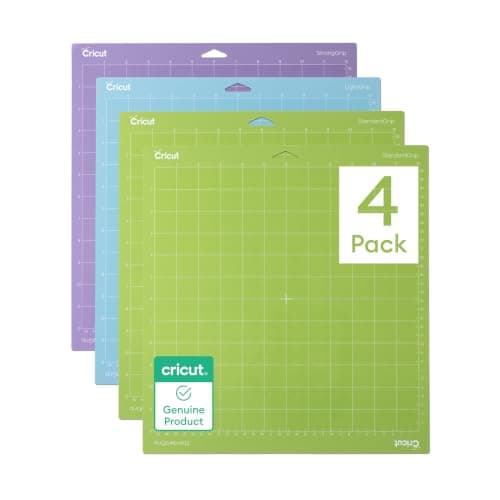
What a Cricut Really Costs
Every component a working setup needs, what recurs, and the costs people meet one at a time.
Back to Cutting Machines.