The Best Cutting Machine Under $500
This is the bracket where you stop choosing by width and start choosing by what you want to cut — and where the non-Cricut options become genuinely competitive.
Heads up: Mat & Blade earns a commission from qualifying purchases made through the links on this page, at no extra cost to you. It never changes which products we recommend or how we rank them. Read the full disclosure.
The Cricut Maker 5 is the most capable machine under $500 and the one to buy if fabric or leather is in the plan. For most people the Cricut Explore 5 is the better value — it does the common jobs at the full width and leaves money for a press. The budget pick is the Cricut Joy 2, which is genuinely enough for cards and small decals. If offline software matters more than width, the Silhouette Portrait 4 is the one that respects that. Under $500 the question changes shape.
Quick picks
| # | Product | Best for | Price |
|---|---|---|---|
| 1 | 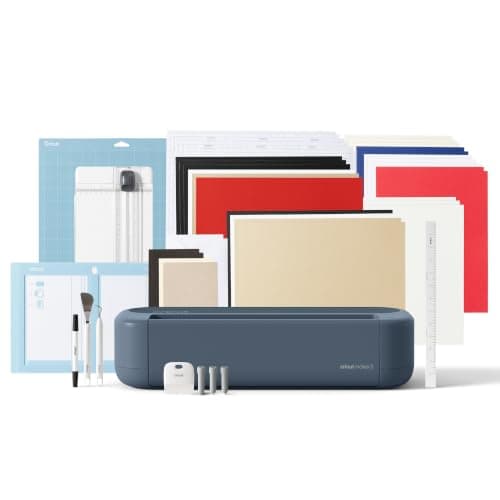 Cricut Maker 5The machine to buy only if you have a specific material in mind that an Explore cannot cut — rotary-blade f... | The most capable machine in the bracket | $399.00 · View on Amazon Price as of November 12, 2026 #ad · affiliate link · we never show a price we cannot verify |
| 2 | 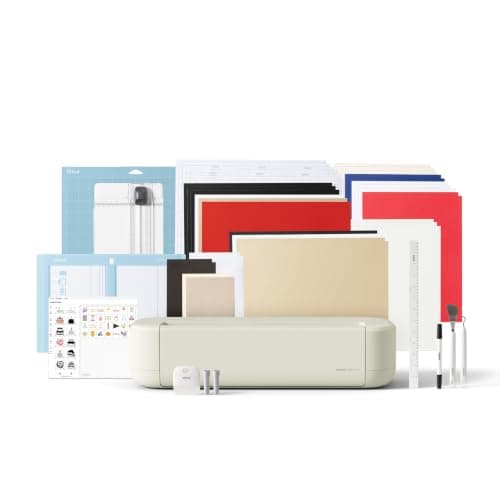 Cricut Explore 5The sensible default for a first machine: it cuts everything a beginner actually uses, and the money you sa... | Most people — the best value in the bracket | $249.00 · View on Amazon Price as of November 12, 2026 #ad · affiliate link · we never show a price we cannot verify |
| 3 | 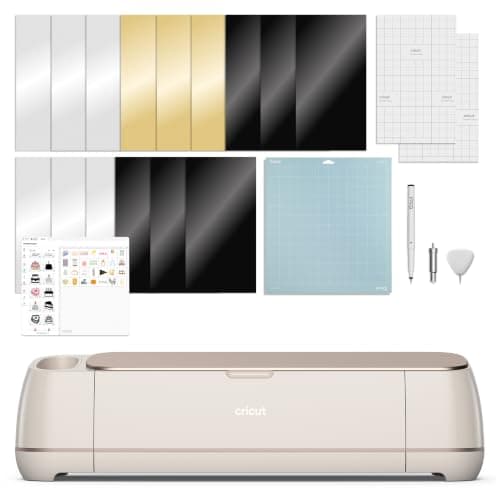 Cricut Maker 4Still sold alongside the Maker 5 and still fully supported — worth a look purely because the older model in... | Maker capability at whatever the current gap is | $379.00 · View on Amazon Price as of November 12, 2026 #ad · affiliate link · we never show a price we cannot verify |
| 4 | 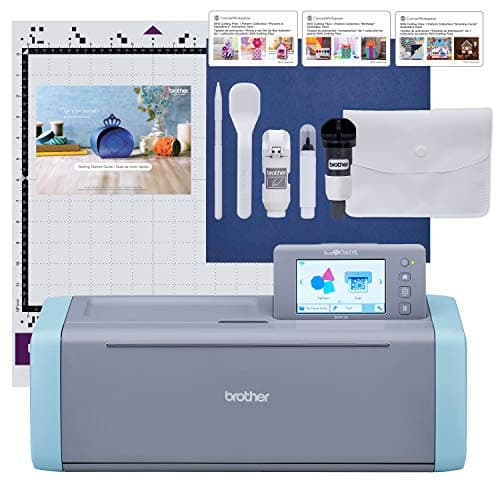 Brother ScanNCut DX SDX125EThe machine for people who do not want to design on a laptop — it has a built-in scanner and touchscreen, s... | Working standalone, without a computer | $449.99 · View on Amazon Price as of November 12, 2026 #ad · affiliate link · we never show a price we cannot verify |
| 5 | 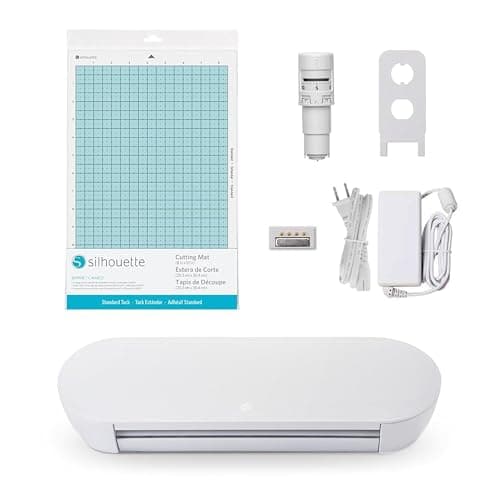 Silhouette Portrait 4Silhouette's answer to the Joy Xtra — a narrower, cheaper machine that still runs the full offline Studio s... | Offline software and no subscription | $199.99 · View on Amazon Price as of November 12, 2026 #ad · affiliate link · we never show a price we cannot verify |
| 6 | 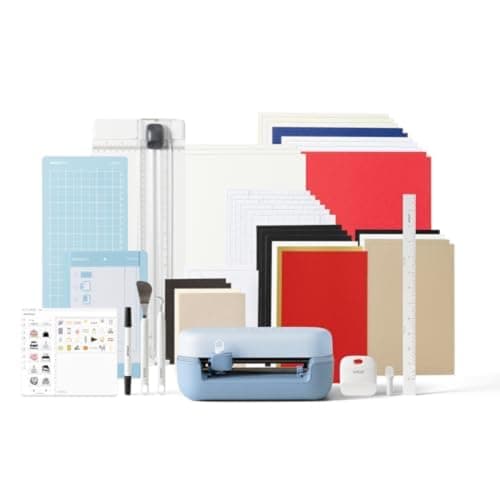 Cricut Joy 2The cheapest way into the hobby and a genuinely good little machine — as long as you accept that its narrow... | The budget pick — the cheapest machine that does a real job | $109.00 · View on Amazon Price as of November 12, 2026 #ad · affiliate link · we never show a price we cannot verify |
Tap any row to jump to the full write-up. Prices come from Amazon on the date stamped on each button and can change after that — check the listing before you buy.
What $500 unlocks
- The fabric and leather tool system. A Maker-class machine takes rotary and knife blades. This is the only upgrade in the category that adds material categories rather than convenience.
- Cross-brand choice. Below this bracket the sensible options are all Cricut. Here, offline software and standalone scanning become real alternatives.
- Prior-generation value. Last year's flagship and this year's often sit within the same bracket, doing the same cutting job. That gap is a live price question, not a spec question.
- What it does not unlock: wide-format cutting and commercial-duty build. Those are above this ceiling and are a business decision rather than a first-machine one.
1. Best for the most capable machine in the bracket
Cricut Maker 5
Cricut · Currently sold · Verified 2026-09-27
The top pick because this is the bracket where the Maker tool system becomes affordable, and that system is the only thing in the category that genuinely widens what you can make. Rotary blade for fabric without backing, knife blade for thick board and thin leather, full 12-inch width, and the same Design Space app as every other Cricut. Honest cons: it is cloud-dependent software, it is the biggest desk commitment here, and if your projects are vinyl and iron-on you will never touch the tools you paid for.
What works
- Rotary blade cuts quilting cotton with no backing, which no Explore can do
- Knife blade opens basswood, chipboard and thick leather
- Adaptive tool system takes every Cricut blade and tip
- Same matless Smart Material workflow as the Explore line
What does not
- Materially more expensive than an Explore for capability most beginners never use
- The knife blade is a separate purchase on top of the machine
- Knife-blade cuts are slow — a thick basswood cut can run well over an hour
Not for you if
Your project list is shirts, decals, stickers and cards. Every one of those cuts identically on an Explore 5, and the difference in price is roughly a full starter set of materials.
Key specs
- Cuts
- 300+ materials including unbacked fabric, leather, basswood
- Max material width
- 12 in (11.5 in cut width)
- Matless cutting
- Yes, with Smart Materials
- Rotary blade
- Yes — cuts fabric without a stabilizer backing
- Knife blade
- Yes — sold separately
Price as of November 12, 2026
#ad · affiliate link · we never show a price we cannot verify
2. Best for most people — the best value in the bracket
Cricut Explore 5
Cricut · Currently sold · Verified 2026-09-27
Still the machine we would hand to most beginners even with more budget available, because it does the common jobs — vinyl, iron-on, paper, stickers — at the full 12-inch width with nothing to learn beyond the app. Choosing it over the Maker is a deliberate decision not to pay for a fabric tool system you may never use, and the difference buys a heat press or a very large pile of material.
What works
- Cuts every material a beginner's first ten projects will use
- Matless Smart Material cutting means long banners and decals without a mat
- Cheapest current machine that still handles full 12 in wide vinyl
- Huge community of tutorials aimed at exactly this machine
What does not
- No rotary blade, so unbacked fabric is out
- No knife blade for basswood or thick leather
- Still needs Design Space, which needs an internet connection to set up
Not for you if
You already know you want to cut quilting fabric or thick leather. That is the Maker line's rotary and knife blades, and no accessory adds them to an Explore.
Key specs
- Cuts
- Vinyl, heat transfer vinyl, cardstock, paper, iron-on, faux leather
- Max material width
- 12 in (11.5 in cut width)
- Matless cutting
- Yes, with Smart Materials
- Tool slots
- Two — blade plus pen or scoring tool
- Rotary / knife blade
- No — Maker line only
Price as of November 12, 2026
#ad · affiliate link · we never show a price we cannot verify
3. Best for maker capability at whatever the current gap is
Cricut Maker 4
Cricut · Currently sold · Verified 2026-09-27
The prior-generation Maker runs the same tool system, so for cutting purposes it does the same job as the current model. Whether it belongs above or below its successor in your shortlist is entirely a price question on the day — which is exactly what the live prices in the table are for. Worth checking before you pay full price for the newer badge.
What works
- Rotary and knife blade capability, the same reason anyone buys a Maker
- Frequently the cheaper route into the Maker line
- Fully supported in Design Space — this is not a discontinued model
What does not
- Slower than the Maker 5 on long cuts
- Being the older model in the line, stock can be patchy
- Same caveat as every Maker: most beginners never use the rotary blade
Not for you if
You are buying your first machine and have no fabric or wood project in mind. The Explore 5 does your projects for less.
Key specs
- Cuts
- 300+ materials including unbacked fabric, leather, basswood
- Max material width
- 12 in (11.5 in cut width)
- Rotary blade
- Yes
- Knife blade
- Yes — sold separately
- Status
- Current line, sold alongside the Maker 5
Price as of November 12, 2026
#ad · affiliate link · we never show a price we cannot verify
4. Best for working standalone, without a computer
Brother ScanNCut DX SDX125E
Brother · Currently sold · Verified 2026-10-16
The genuinely different machine in the bracket. It cuts without a computer or an account, and its built-in scanner reads a drawn or printed pattern straight into a cuttable shape, which no Cricut does. Its blade system adjusts to material thickness automatically. Honest cons: the design software is weaker than the alternatives, the beginner tutorial ecosystem is much smaller, and it is not a high-force machine, so fabric and leather are not its strength.
What works
- The only mainstream machine that genuinely works without a computer or tablet
- The scanner turns a hand-drawn shape into a cut file directly
- No subscription anywhere in the workflow
What does not
- Canvas Workspace is the weakest of the three design apps
- Much smaller beginner tutorial ecosystem
- Accessory and blade availability is thinner than Cricut's
Not for you if
You are comfortable designing on a computer. The scanner is the main reason to choose this, and you will not use it.
Key specs
- Built-in scanner
- Yes — scans a drawing or printed image and cuts it out
- Standalone operation
- Yes — on-machine touchscreen, no computer required
- Max cut width
- 12 in on the mat
- Software
- Canvas Workspace, plus on-machine editing
- Wireless
- Yes on current models
Price as of November 12, 2026
#ad · affiliate link · we never show a price we cannot verify
5. Best for offline software and no subscription
Silhouette Portrait 4
Silhouette · Currently sold · Verified 2026-09-27
In the bracket for readers whose real objection is the cloud. Silhouette Studio installs locally and works offline, no subscription is required, and the machine cuts the everyday materials a beginner uses. It is compact, so you trade cutting width for the independence — and the Studio learning curve is real, as is the paid tier for SVG import on the basic edition.
What works
- Cheapest route into the Silhouette ecosystem
- Offline software with no subscription requirement
- Small footprint for a machine that still cuts 8 in wide
What does not
- 8 in width limits large shirt designs
- Same Studio learning curve as the CAMEO
- Fewer beginner tutorials than the equivalent Cricut
Not for you if
You need 12 in wide cuts. The CAMEO 5 is the Silhouette that does that.
Key specs
- Max cut width
- 8 in
- Software
- Silhouette Studio — local, offline capable
- Matless cutting
- Yes, with Silhouette's roll feeder materials
- Footprint
- Compact
- Tool system
- Auto blade
Price as of November 12, 2026
#ad · affiliate link · we never show a price we cannot verify
6. Best for the budget pick — the cheapest machine that does a real job
Cricut Joy 2
Cricut · Currently sold · Verified 2026-09-27
The honest low end of the bracket. If your projects are cards, labels, tags and small decals, this cuts them as cleanly as anything above it and leaves most of the budget for a press and materials — which, for someone making shirts, is a better allocation than a bigger cutter. The limit is cutting width, and it arrives the first time you try a shirt front.
What works
- The lowest cost of entry in the current Cricut line
- Genuinely portable and storable, which matters if you have no dedicated craft space
- Long matless cuts make it excellent for labels and long decals
- Simple enough that the learning curve is close to flat
What does not
- 4.5 in cut width is the hard limit — most adult shirt designs will not fit
- No print-then-cut, so printed stickers are out
- Takes the narrow Joy-format materials, which are less widely stocked
Not for you if
You want to make shirts. A 4.5 in design reads as a small chest logo, not a front print, and there is no workaround.
Key specs
- Cuts
- Vinyl, heat transfer vinyl, cardstock, paper, Smart Label material
- Max cut width
- 4.5 in
- Max cut length
- Up to 20 ft with Smart Materials
- Footprint
- Small enough to store in a drawer
- Mat required
- Optional — cuts matless with Smart Materials
Price as of November 12, 2026
#ad · affiliate link · we never show a price we cannot verify
Spend it on the machine or the setup?
This is the most useful question in the bracket, and the answer depends on what you are making. If you are making shirts, a cheaper cutter plus a real heat press beats an expensive cutter plus an iron, every time — the press is what decides whether the shirt survives. If you are making quilts, bags or leather goods, the money belongs in the machine, because no accessory substitutes for a rotary blade. Our heat press roundup and the under $200 press bracket are the pages to read before you allocate.
Choosing between the three brands
Cricut wins on software friendliness and tutorials, Silhouette on offline control, Brother on standalone operation and pattern scanning. We lay the three out side by side in Cricut vs Silhouette vs Brother, and Cricut alternatives covers the case for leaving the default.
Common questions
What is the best cutting machine under $500?
Should I buy last year's model to save money?
Is a non-Cricut machine worth considering in this bracket?
How we picked
We verify every product is currently sold by reading the manufacturer's own catalog, compare published specifications rather than marketing copy, and rank on what a first-time buyer has to decide. We do not run lab tests and we do not claim to, and commission never affects the order.
Read this next
The Best Cricut Under $300
Every Cricut in our registry currently priced under $300, ranked by what the width buys you, plus what to spend the rest of the budget on.
Best Cricut Machine 2026
The full Cricut line as it stands in 2026 — Joy 2, Joy Xtra, Explore 5, Maker 5 and Venture — ranked by the buyer each one is actually for.
Cricut vs Silhouette vs Brother
What each of the three main cutting machine brands is actually good at, and which one fits how you want to work.
The Cricut Machine That Does Everything
The Maker 5 is the only Cricut rated for the full material list — here is exactly what that adds, and when it is wasted.
Which Cricut Should I Buy?
A four-question decision flow that ends on one specific model — no hedging, no feature lists.
Back to Cutting Machines.