Cricut vs Silhouette vs Brother
Three brands, three genuinely different philosophies — and the one most people have never heard of solves a problem the other two do not.
Heads up: Mat & Blade earns a commission from qualifying purchases made through the links on this page, at no extra cost to you. It never changes which products we recommend or how we rank them. Read the full disclosure.
Cricut is the easiest to get a finished project out of, Silhouette is the one that works offline and lets you own your files, and Brother's ScanNCut is the only one that cuts with no computer at all thanks to a built-in scanner and on-machine screen. For a first machine most people should buy Cricut, because the ecosystem does more for a beginner than any specification does. Buy Silhouette if cloud software is a dealbreaker, and Brother if scanning and standalone operation is the feature you actually want.
Quick picks
| # | Product | Best for | Price |
|---|---|---|---|
| 1 | Cricut Explore 5The sensible default for a first machine: it cuts everything a beginner actually uses, and the money you sa... | Getting to a finished project fastest | Check price on Amazon #ad · affiliate link · we never show a price we cannot verify |
| 2 | 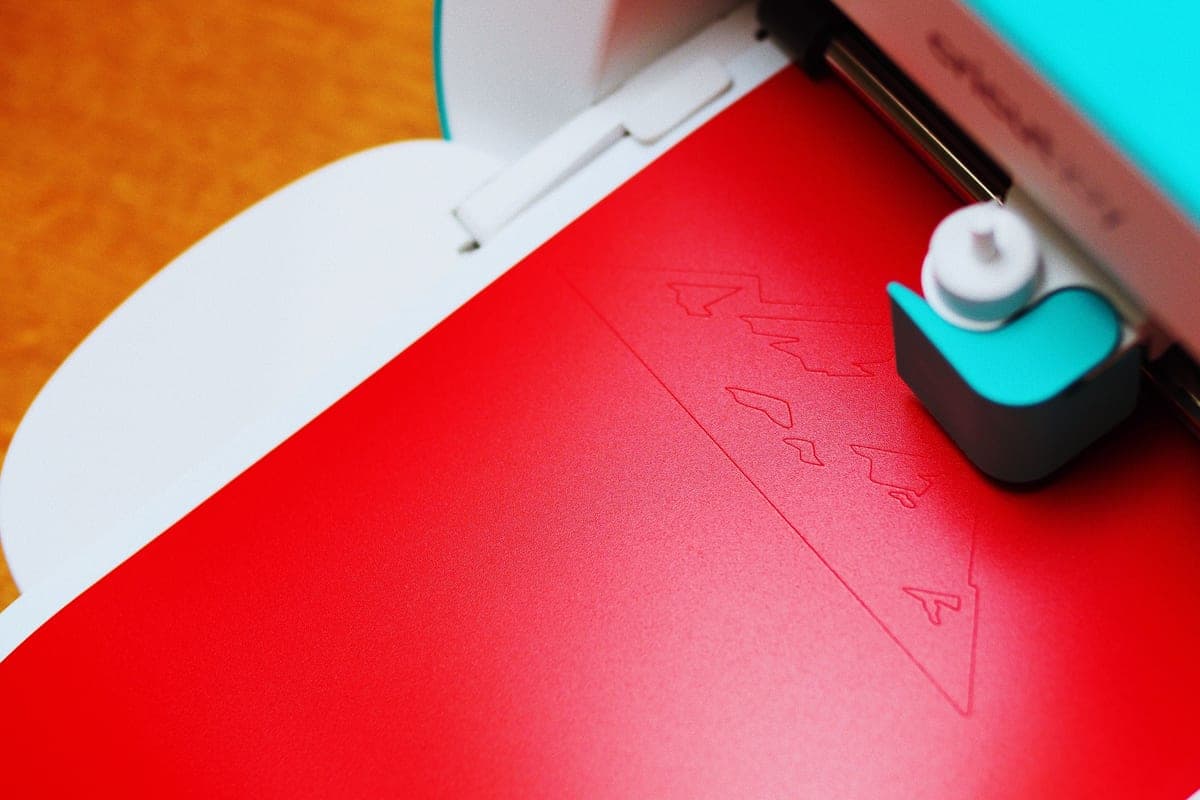 Silhouette CAMEO 5The real alternative to a Cricut, and the better pick if the idea of a cloud-only design app with a subscri... | Working offline and owning your files | Check price on Amazon #ad · affiliate link · we never show a price we cannot verify |
| 3 | Brother ScanNCutThe machine for people who do not want to design on a laptop — it has a built-in scanner and touchscreen, s... | Cutting without a computer at all | Check price on Amazon #ad · affiliate link · we never show a price we cannot verify |
Tap any row to jump to the full write-up. We do not publish prices — they move constantly, and a stale number is worse than none.
The comparison table
The specifications converge. The workflow does not, and that is where the decision actually sits.
| Cricut | Silhouette | Brother ScanNCut | |
|---|---|---|---|
| Software | Design Space — cloud | Silhouette Studio — local, offline | Canvas Workspace plus on-machine editing |
| Works with no internet | No | Yes | Yes |
| Needs a computer to cut | Yes | Yes | No |
| Built-in scanner | No | No | Yes |
| SVG import | Yes | Paid Studio tier | Yes, via Canvas Workspace |
| Max cut width (mainstream model) | 12 in material | 12 in | 12 in on the mat |
| Matless cutting from a roll | Yes, Smart Materials | Yes, roll feeder materials | No |
| Named material settings | Extensive | Good | Good |
| Tutorials and project library | Largest by far | Moderate | Smallest |
| Subscription offered | Cricut Access | Design store credits | None required |
Cricut: the ecosystem is the product
Cricut's advantage is not its hardware. It is that when a cut goes wrong at 10pm, somebody has already filmed the fix. Design Space knows Cricut's own materials by name, so the common jobs need no test cut and no settings research, and every craft blog, YouTube channel and Facebook group in this hobby is built around it.
The cost is the software model. Design Space is cloud-based and will not let you cut without a connection, which is a genuine limitation if your craft space has poor wifi. There is also a subscription in the picture, though it is optional and buys design content rather than machine function — is Cricut Access worth it is the honest version of that question.
Silhouette: offline, and your files are yours
Silhouette Studio installs on your computer and cuts with no internet connection. For some buyers that single fact ends the comparison, and it is a reasonable place to end it.
The thing to understand before you buy is the software tiering. Studio Basic ships free and is deliberately limited — notably, SVG import sits behind a paid upgrade. That is not a hidden cost if you know about it and budget for it, and it is irritating if you discover it after unboxing. The CAMEO 5 takes the same 12 inch material as an Explore, cuts fabric with a backing in much the way an Explore does, and has a dual carriage with automatic tool detection. The full Cricut versus Silhouette comparison goes deeper on this pair.
Brother ScanNCut: the one with a scanner
The ScanNCut has a flatbed scanner inside it and a touchscreen on the front. Put a hand-drawn shape or a printed image on the mat, scan it, and the machine cuts it out. No computer, no software, no account.
That is a narrow feature that completely solves a real problem. If you want to cut out your child's drawing, digitise a shape you already have on paper, or run a machine in a room with no computer in it, nothing from Cricut or Silhouette does this. The honest cost is the ecosystem: fewer tutorials, fewer ready-made designs, fewer people to ask. It also does not do matless roll cutting the way the current Cricut line does.
Our picks in full
1. Best for getting to a finished project fastest
Cricut Explore 5
Cricut · Currently sold · Verified 2026-09-27
The machine to buy if you want the shortest path from idea to finished shirt, and the reason Cricut dominates this category despite the complaints. Design Space knows Cricut's own materials by name, so there is no test cut and no settings research for the common jobs. The project library and the tutorial ecosystem are far larger than either rival's, which matters more than any specification when you are stuck at 10pm. The trade is real: the software is cloud-based, so it needs an internet connection to do anything.
What works
- Cuts every material a beginner's first ten projects will use
- Matless Smart Material cutting means long banners and decals without a mat
- Cheapest current machine that still handles full 12 in wide vinyl
- Huge community of tutorials aimed at exactly this machine
What does not
- No rotary blade, so unbacked fabric is out
- No knife blade for basswood or thick leather
- Still needs Design Space, which needs an internet connection to set up
Not for you if
You already know you want to cut quilting fabric or thick leather. That is the Maker line's rotary and knife blades, and no accessory adds them to an Explore.
Key specs
- Cuts
- Vinyl, heat transfer vinyl, cardstock, paper, iron-on, faux leather
- Max material width
- 12 in (11.5 in cut width)
- Matless cutting
- Yes, with Smart Materials
- Tool slots
- Two — blade plus pen or scoring tool
- Rotary / knife blade
- No — Maker line only
#ad · affiliate link · we never show a price we cannot verify
2. Best for working offline and owning your files
Silhouette CAMEO 5
Silhouette · Currently sold · Verified 2026-09-27
The right machine if the Cricut software model is the thing putting you off. Silhouette Studio installs locally and cuts with no internet connection at all, which is the single biggest functional difference between the brands. It takes the same 12 inch material width as an Explore and has a dual carriage with auto tool detection. The catch is the software tiers: the free Basic edition is deliberately limited, and SVG import sits behind a paid upgrade, so budget for that rather than discovering it later.
What works
- Silhouette Studio runs on your computer and does not need to be online to cut
- No subscription is required to use the machine
- Cuts the same everyday materials a beginner uses
- Strong choice if you already own or buy SVG files from third parties
What does not
- Studio is more capable but noticeably harder to learn than Design Space
- SVG import is gated behind a paid Studio upgrade on the basic edition
- Smaller tutorial ecosystem than Cricut for absolute beginners
Not for you if
You want the shortest possible path from unboxing to a finished shirt. Design Space is the friendlier first app, even with its downsides.
Key specs
- Cuts
- Vinyl, heat transfer vinyl, cardstock, paper, fabric with backing
- Max cut width
- 12 in
- Software
- Silhouette Studio — installs locally, works offline
- File handling
- Imports SVG in the paid Studio tiers; basic edition is more limited
- Tool system
- Dual carriage with auto tool detection
#ad · affiliate link · we never show a price we cannot verify
3. Best for cutting without a computer at all
Brother ScanNCut
Brother · Currently sold · Verified 2026-09-27
The option almost nobody shortlists, and the only one that solves a specific problem completely. It has a built-in scanner and an on-machine touchscreen, so it will scan a hand-drawn shape or a printed image and cut it out with no computer and no software in the loop. If you want to trace your child's drawing, or you simply do not want another cloud account, nothing from Cricut or Silhouette does this. The design ecosystem around it is much smaller, and that is the honest cost.
What works
- The only mainstream machine that genuinely works without a computer or tablet
- The scanner turns a hand-drawn shape into a cut file directly
- No subscription anywhere in the workflow
What does not
- Canvas Workspace is the weakest of the three design apps
- Much smaller beginner tutorial ecosystem
- Accessory and blade availability is thinner than Cricut's
Not for you if
You are comfortable designing on a computer. The scanner is the main reason to choose this, and you will not use it.
Key specs
- Built-in scanner
- Yes — scans a drawing or printed image and cuts it out
- Standalone operation
- Yes — on-machine touchscreen, no computer required
- Max cut width
- 12 in on the mat
- Software
- Canvas Workspace, plus on-machine editing
- Wireless
- Yes on current models
#ad · affiliate link · we never show a price we cannot verify
What should decide it
- How much help you will need. If this is your first machine and you have no crafting friends, the Cricut ecosystem is worth more than any feature on the other two.
- Whether you can rely on an internet connection. No connection in your craft space is a hard argument for Silhouette or Brother.
- Whether you care about file portability. Designers who already own an SVG library should price the Silhouette paid tier in from the start.
- Whether scanning is a real need or a nice idea. Be honest. It is the ScanNCut's whole reason to exist, and a feature you will not use is not worth a smaller ecosystem.
If you have landed here still undecided, which Cricut should I buy handles the within-brand decision, Cricut alternatives is the wider roundup including xTool, and the best craft cutting machines for beginners is the brand-neutral starting point.
Common questions
Is Cricut or Silhouette better for beginners?
What makes the Brother ScanNCut different?
Can Silhouette machines work without internet?
Do I need a subscription for any of these?
Does one of them cut better than the others?
Can I use Oracal or Siser vinyl in all three?
Sources
- Cricut official product catalog — Current machine line and Design Space requirements, verified 6 October 2026
- Silhouette America — CAMEO 5 specifications and Silhouette Studio edition feature tiers, verified 6 October 2026
- Brother ScanNCut product information — Built-in scanner and standalone on-machine operation, verified 6 October 2026
How we picked
We verify every product is currently sold by reading the manufacturer's own catalog, compare published specifications rather than marketing copy, and rank on what a first-time buyer has to decide. We do not run lab tests and we do not claim to, and commission never affects the order.
Read this next
Cricut vs Silhouette
The brand decision settled fairly: ecosystem and ease against offline software and no subscriptions.
Cricut vs Brother ScanNCut
The standalone machine compared to the ecosystem leader — who each one genuinely suits.

Cricut Alternatives Worth Considering
The machines that genuinely compete with Cricut, organized by the reason you want to avoid one.
Cricut vs xTool
Blade cutter or laser engraver? They make different things, and buying the wrong one is expensive.
Best Craft Cutting Machines for Beginners
Every brand worth considering, ranked honestly — including the cases where Cricut is not the answer.

Cricut vs Laser Cutter
Why a laser is not an upgraded Cricut, which materials belong to each, and the safety limit that settles it.
Back to Cutting Machines.