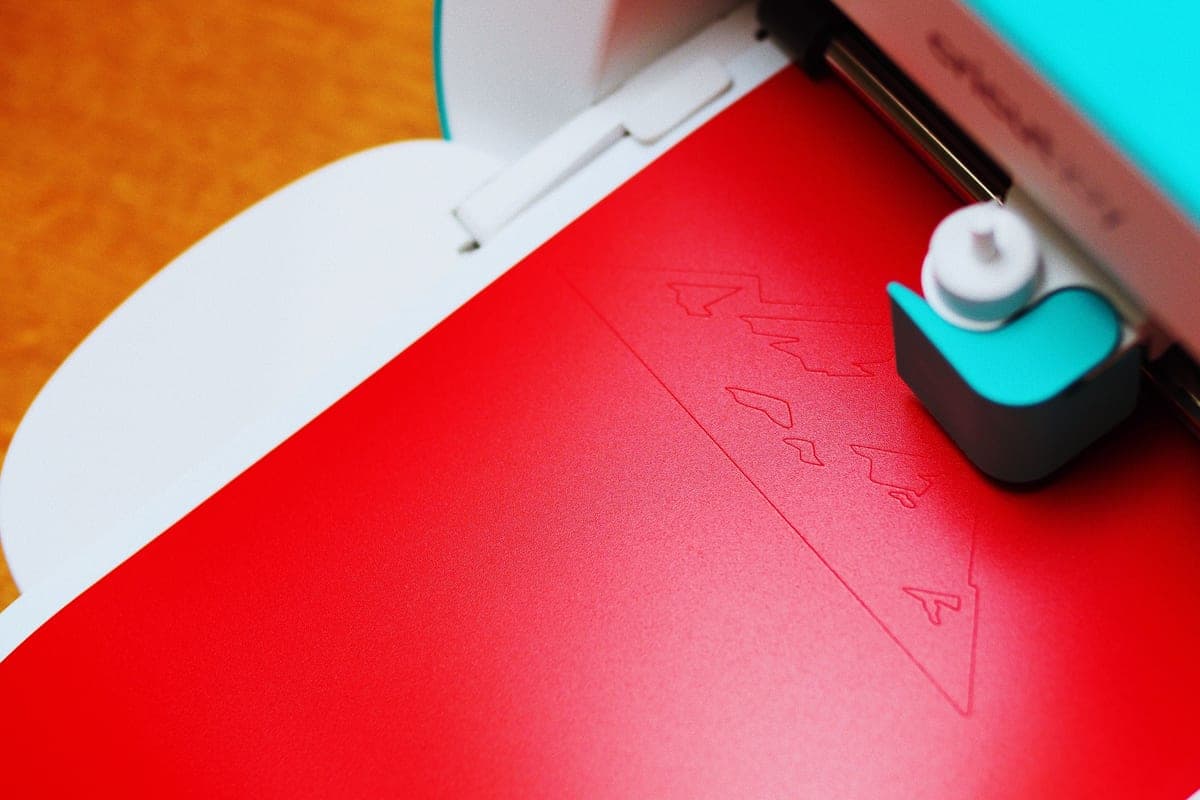
The Best Cricut for Signs
Sign work is decided by one number almost no buying guide leads with: how wide the machine can cut. Everything else — wood, vinyl, stencils, banners — follows from it.
Heads up: Mat & Blade earns a commission from qualifying purchases made through the links on this page, at no extra cost to you. It never changes which products we recommend or how we rank them. Read the full disclosure.
The Cricut Explore 5 is the best Cricut for signs for most people — 11.5 in of cut width off a roll covers the lettering for a yard sign, a door hanger or a wood sign at the lowest sensible price, and it is also the budget pick on this page. If your signs are wider than a foot, the Cricut Venture is the only machine here that cuts them in one piece at 25 in wide. Buy the Maker 5 instead only if you want to cut the sign itself out of basswood or chipboard rather than decorate a board you bought.
Quick picks
| # | Product | Best for | Price |
|---|---|---|---|
| 1 | 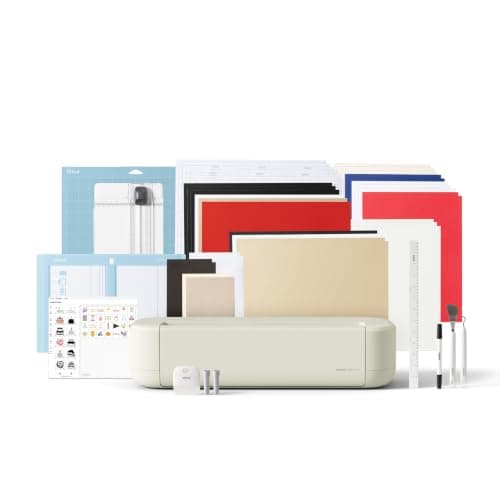 Cricut Explore 5The sensible default for a first machine: it cuts everything a beginner actually uses, and the money you sa... | The overall pick — enough width for most signs at the lowest sensible price | $199.00 · View on Amazon Price as of November 28, 2026 #ad · affiliate link · we never show a price we cannot verify |
| 2 | Cricut VentureA production machine, not a beginner machine — the width and speed only pay for themselves if you are cutti... | Wide signs in one piece, and selling them at volume | Check price on Amazon #ad · affiliate link · we never show a price we cannot verify |
| 3 | 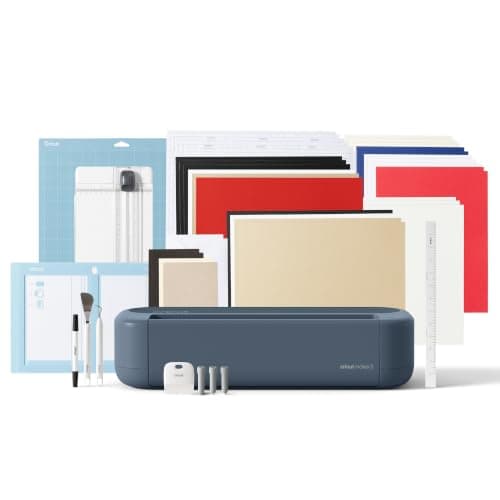 Cricut Maker 5The machine to buy only if you have a specific material in mind that an Explore cannot cut — rotary-blade f... | Signs where the sign itself is cut, not just the lettering | $399.00 · View on Amazon Price as of November 28, 2026 #ad · affiliate link · we never show a price we cannot verify |
| 4 | 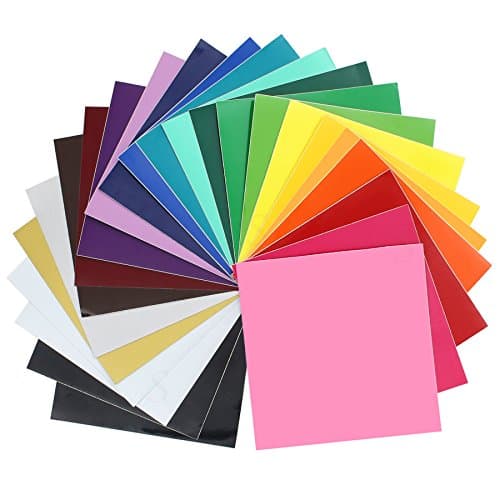 Oracal 651 Permanent VinylThe industry-standard permanent adhesive vinyl, and the one to use for anything that has to survive weather... | The vinyl that actually survives on an outdoor sign | $25.49 · View on Amazon Price as of November 28, 2026 #ad · affiliate link · we never show a price we cannot verify |
| 5 | 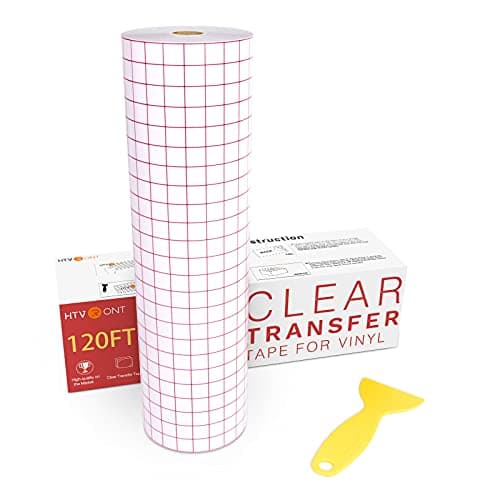 HTVRONT Transfer Tape for VinylNot optional. Without transfer tape you cannot move a weeded multi-piece decal onto a surface with the spac... | Getting a wide piece of lettering onto the sign straight | $19.99 · View on Amazon Price as of November 28, 2026 #ad · affiliate link · we never show a price we cannot verify |
Tap any row to jump to the full write-up. Prices come from Amazon on the date stamped on each button and can change after that — check the listing before you buy.
The four kinds of sign, and what each one needs
"Sign making" covers four different jobs with four different material requirements, and the machine you want depends on which of them you are doing.
| Sign type | What the machine cuts | Width you need | Machine |
|---|---|---|---|
| Painted wood sign | A removable vinyl stencil, weeded in reverse | The width of the longest word | Explore 5 — stencil vinyl needs no special blade |
| Vinyl lettering on a board or window | Permanent adhesive vinyl | The width of the lettering | Explore 5, or Venture if wider than 11 in |
| Banner or long storefront decal | Permanent vinyl, several feet long | Up to 25 in | Venture — the only one that does it in a piece |
| Cut-out letters and wood plaques | Basswood, chipboard, faux leather | 11.5 in | Maker 5 — knife blade required |
1. Best for the overall pick — enough width for most signs at the lowest sensible price
Cricut Explore 5
Cricut · Currently sold · Verified 2026-09-27
The best Cricut for sign making for most people, because sign work is mostly vinyl lettering and this machine cuts an 11.5 in wide path of it matlessly off a roll, at a length limited by the roll rather than by a 12 in mat. That covers the lettering for a standard yard sign, a door hanger, a pub-style wood sign and almost every craft-fair product, and it does it on the two materials signs actually use: adhesive vinyl for the finished decal and removable vinyl as a paint stencil. Two tool slots mean you can score a fold for a sandwich board in the same pass as the cut. Honest cons: no rotary or knife blade, so basswood and thick chipboard are off the table and a wood sign has to be a painted or stencilled board rather than a cut one; 11.5 in is the ceiling, so wider lettering must be tiled; and matless cutting needs Cricut's own Smart Materials rather than any roll you own.
What works
- Cuts every material a beginner's first ten projects will use
- Matless Smart Material cutting means long banners and decals without a mat
- Cheapest current machine that still handles full 12 in wide vinyl
- Huge community of tutorials aimed at exactly this machine
What does not
- No rotary blade, so unbacked fabric is out
- No knife blade for basswood or thick leather
- Still needs Design Space, which needs an internet connection to set up
Not for you if
You already know you want to cut quilting fabric or thick leather. That is the Maker line's rotary and knife blades, and no accessory adds them to an Explore.
Key specs
- Cuts
- Vinyl, heat transfer vinyl, cardstock, paper, iron-on, faux leather
- Max material width
- 12 in (11.5 in cut width)
- Matless cutting
- Yes, with Smart Materials
- Tool slots
- Two — blade plus pen or scoring tool
- Rotary / knife blade
- No — Maker line only
Price as of November 28, 2026
#ad · affiliate link · we never show a price we cannot verify
2. Best for wide signs in one piece, and selling them at volume
Cricut Venture
Cricut · Currently sold · Verified 2026-09-27
The pick when width is the problem rather than the budget. At 25 in of material width and up to 75 ft of length on Smart Materials, the Venture cuts a banner or a full-width sign face as one piece, which removes the single most tedious part of sign work: tiling a design across several passes and then aligning the tiles on the substrate without a visible step. It is also the fastest machine in the Cricut line, which is the difference between a market stall being worth the Saturday and not. Honest cons: it is physically large and needs a dedicated table, so it is a workshop machine rather than a craft-room one; there is no rotary blade, so it is a vinyl and paper machine at scale rather than a fabric one; and for a hobbyist making the occasional 12 in sign it is a great deal of capability to pay for.
What works
- 25 in width handles full-size signs and large-format decals in one pass
- Fast enough to batch production runs without babysitting
- Long matless cuts are a genuine time-saver at volume
What does not
- By far the most expensive machine in the line
- Takes a permanent table's worth of space
- No rotary blade, so it is not a fabric machine despite the price
Not for you if
This is your first machine. Nothing about the Venture makes a beginner's first shirt easier, and it costs several times an Explore.
Key specs
- Max material width
- 25 in
- Max cut length
- Up to 75 ft with Smart Materials
- Speed
- The fastest machine in the Cricut line
- Footprint
- Large — needs a dedicated table
- Rotary blade
- No
#ad · affiliate link · we never show a price we cannot verify
3. Best for signs where the sign itself is cut, not just the lettering
Cricut Maker 5
Cricut · Currently sold · Verified 2026-09-27
The pick if your signs are shapes rather than boards — cut basswood plaques, layered chipboard letters, faux-leather tags. The knife blade cuts dense material a fine-point blade cannot touch, and the rotary blade handles the felt and fabric a mixed-media sign often uses, so this is the only machine here that makes the substrate as well as the decal. It cuts the same 11.5 in width as the Explore, so it is a capability upgrade rather than a size one. Honest cons: the knife blade is sold separately and is slow — a thick cut is many passes and real minutes; 11.5 in is still the width ceiling; and if every sign you make is vinyl lettering on a bought board, the Maker's extra abilities sit unused.
What works
- Rotary blade cuts quilting cotton with no backing, which no Explore can do
- Knife blade opens basswood, chipboard and thick leather
- Adaptive tool system takes every Cricut blade and tip
- Same matless Smart Material workflow as the Explore line
What does not
- Materially more expensive than an Explore for capability most beginners never use
- The knife blade is a separate purchase on top of the machine
- Knife-blade cuts are slow — a thick basswood cut can run well over an hour
Not for you if
Your project list is shirts, decals, stickers and cards. Every one of those cuts identically on an Explore 5, and the difference in price is roughly a full starter set of materials.
Key specs
- Cuts
- 300+ materials including unbacked fabric, leather, basswood
- Max material width
- 12 in (11.5 in cut width)
- Matless cutting
- Yes, with Smart Materials
- Rotary blade
- Yes — cuts fabric without a stabilizer backing
- Knife blade
- Yes — sold separately
Price as of November 28, 2026
#ad · affiliate link · we never show a price we cannot verify
4. Best for the vinyl that actually survives on an outdoor sign
Oracal 651 Permanent Vinyl
Oracal · Currently sold · Verified 2026-09-27
Named because the machine is the cheap half of the decision and the film is the half that fails. Oracal rates 651 for up to six years outdoors with a permanent solvent adhesive, which is the specification that matters on anything facing weather — a yard sign, a window decal, a mailbox number, a trailer panel. Craft-store vinyl with an indoor rating looks identical on the roll and then curls at the edges after one wet season. Honest cons: the permanent adhesive is unforgiving of a crooked placement and will take paint off a surface it was never meant for; it is gloss, so a matte sign needs a different line; and it is sold by the color rather than in multipacks.
What works
- The reference permanent vinyl — settings and behavior are documented everywhere
- Genuinely weather-resistant, which most craft-store vinyl is not
- Wide color range and readily available by the roll
What does not
- Permanent means permanent — removing it from paint or a wall can take finish with it
- Gloss finish is not what you want on a wall quote
- Not for fabric under any circumstances
Not for you if
You are decorating a rented wall. Use removable 631 instead and keep your deposit.
Key specs
- Type
- Adhesive vinyl — for hard surfaces, not fabric
- Adhesive
- Permanent, solvent-based
- Outdoor durability
- Oracal rates 651 for up to six years outdoors
- Finish
- Gloss (matte available in some colors)
- Typical use
- Car decals, window signs, tumblers, outdoor labels
Price as of November 28, 2026
#ad · affiliate link · we never show a price we cannot verify
5. Best for getting a wide piece of lettering onto the sign straight
HTVRONT Transfer Tape for Vinyl
HTVRONT · Currently sold · Verified 2026-09-27
Named because large lettering is where transfer tape stops being optional. A word cut as separate letters has to arrive on the substrate with the spacing it had on the mat, and the only way to do that is to lift the whole weeded design as one sheet. A gridded medium-tack tape gives you alignment lines to square the design against the sign edge, which is the difference between professional and homemade on a sign people read from ten feet away. Honest cons: tack that suits thin craft vinyl can struggle with heavier or glitter films; very large pieces need two people or a hinge method; and tape is a consumable, though a sheet usually survives several uses.
What works
- Turns an impossible alignment job into a single motion
- Gridded versions make straight application genuinely easy
- Cheap relative to how much frustration it removes
What does not
- High-tack tape can pull thin vinyl off its backing and tear it
- Not used for heat transfer vinyl, which has its own carrier sheet
Not for you if
You are only making shirts. HTV comes with its own carrier and needs no transfer tape.
Key specs
- Purpose
- Lifts a weeded decal off its backing and places it as one piece
- Tack
- Medium tack suits most craft vinyl
- Format
- Rolls, usually 12 in wide; gridded versions help alignment
- Reusable
- A sheet can usually be reused several times
Price as of November 28, 2026
#ad · affiliate link · we never show a price we cannot verify
Why the stencil route beats cutting wood for most signs
The sign people picture when they search for this is usually a painted wood sign with crisp lettering, and the instinct is that the machine must cut the wood. It does not. The standard workshop method is to cut the lettering out of removable vinyl, stick that down as a mask, paint over it and peel — which means an entry-level machine with no special blade produces the same sign as the expensive one. The best Cricut for stencils covers the method in detail, and the best vinyl for wood signs covers which film seals against a grainy surface instead of letting paint bleed under the edges.
Cutting the substrate itself — basswood plaques, layered chipboard letters — is a genuine Maker-only capability and worth having if that is your style. It is also slow, loud and hard on blades, and a 1/16 in basswood cut is many passes rather than one. Decide which sign you are actually making before paying for the blade that cuts wood.
Tiling wide lettering without a visible seam
If you buy an 11.5 in machine and then want a 20 in sign, this is the technique that bridges the gap, and it is worth knowing before you conclude you need a Venture.
1Split the design on a letter boundary, never through a letter
Cut the word in two groups of whole letters. A seam between letters is invisible; a seam through the middle of an O is not.
2Keep one long reference line
Draw a pencil line on the substrate, or snap a chalk line on a large one, and align the baseline of both tiles to it rather than to each other.
3Use gridded transfer tape and the hinge method
Tape the whole tile in place, lift half, cut the backing, squeegee from the centre out. This is what stops the big bubbles that make a sign look homemade.
4Place the tile with the tightest spacing first
Letters inside a word have less tolerance than the gap between words. Place the hardest group while the substrate is still clear, then work outwards.
What else a sign setup needs
Signs are one of the cheapest crafts to start because the substrate is often bought rather than cut. Beyond the machine you need outdoor-rated permanent vinyl, gridded transfer tape, a weeding hook for the counters inside letters, and a squeegee or brayer to burnish the edges. Permanent vs removable vinyl is the single most important thing to understand before you buy film: get it the wrong way round and you either peel a wall's paint off or watch a mailbox decal curl in a month. For the broader film comparison see the best permanent vinyl and Siser vs Oracal.
Still unsure which machine line fits? Which Cricut should I buy walks the whole range by use, the best Cricut machine 2026 ranks the current line, and the Cricut Venture review goes deeper on the wide machine if sign width is your constraint. Prices on this page come from an automatic Amazon read with the date shown under each button — we never type one into the copy.
Common questions
Which Cricut is best for making signs?
Can a Cricut cut wood for signs?
How wide a sign can a Cricut make?
What vinyl should I use for an outdoor sign?
Do I need a heat press for sign making?
How we picked
We verify every product is currently sold by reading the manufacturer's own catalog, compare published specifications rather than marketing copy, and rank on what a first-time buyer has to decide. We do not run lab tests and we do not claim to, and commission never affects the order.
Read this next
The Best Vinyl for Wood Signs
Vinyl applied to wood versus vinyl used as a paint stencil, which film suits each, and why sealing or sanding the wood first decides the result.
The Best Cricut for Making Stencils
Which Cricut suits stencil work, why cut width matters more than cutting force, and the removable vinyl that makes a clean paint line.
Cricut Venture Review
Wide-format, fast, and built for filling orders — what it buys you and who should not be looking at it.
The Best Permanent Vinyl
Permanent vinyl that genuinely lasts outdoors, plus the surfaces where it is the wrong answer.
Which Cricut Should I Buy?
A four-question decision flow that ends on one specific model — no hedging, no feature lists.
Back to Cutting Machines.