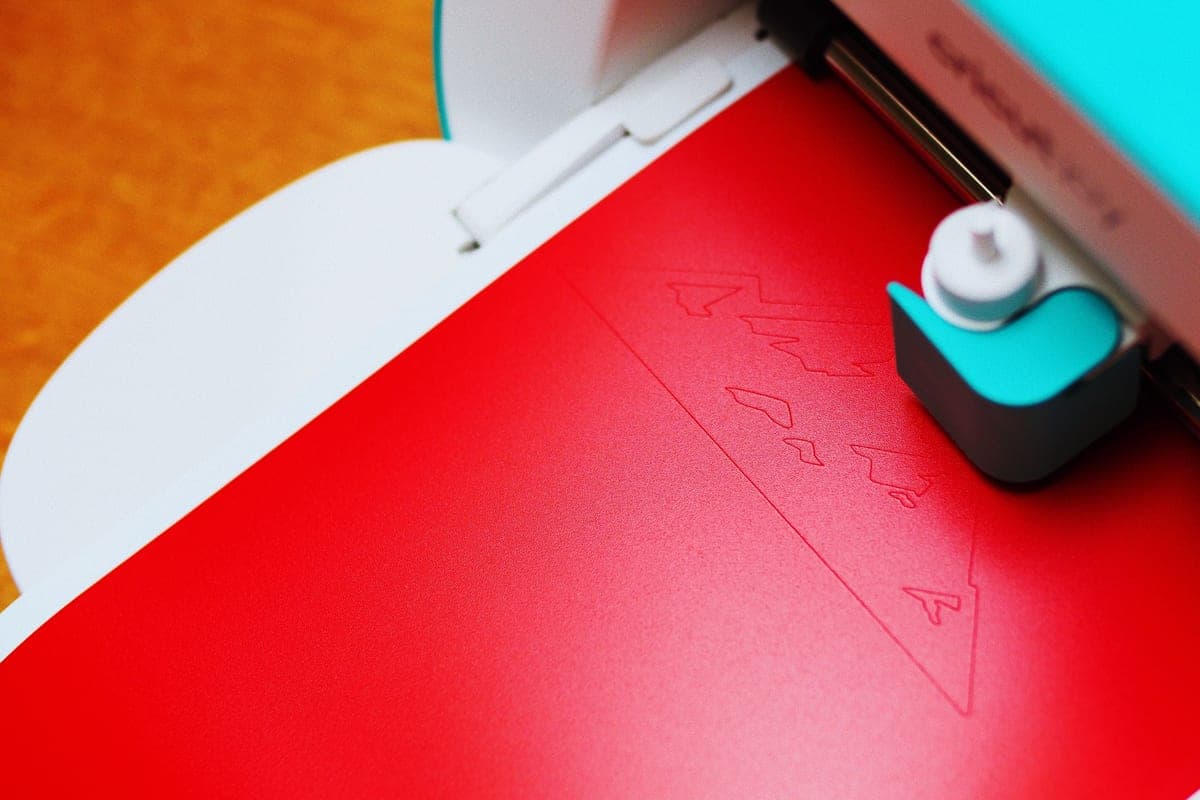
The Best Cricut for Making Stencils
Every current Cricut cuts stencil material easily. What separates them is how wide a stencil you can cut in one piece.
Heads up: Mat & Blade earns a commission from qualifying purchases made through the links on this page, at no extra cost to you. It never changes which products we recommend or how we rank them. Read the full disclosure.
Buy the Cricut Explore 5 for stencil work, and spend the saving on removable vinyl. Stencils are among the easiest things a cutting machine does — thin, flexible, low-force material — so cutting power is not the differentiator. Width is. The Explore 5 takes 12-inch material with an 11.5-inch cut width, which covers a sign board or a cushion front in one piece; the Joy Xtra tops out at 8.5 inches, which is fine for mugs and tiles and not for signs. The Maker 5 is only the right answer if you want thick reusable stencil film, chipboard or basswood templates, which need its knife blade.
How we picked
Stencil work changes which machine specifications matter. Three of the usual criteria become irrelevant and one becomes decisive. All specifications below are the manufacturers' published figures.
- Cut width. The deciding criterion. A stencil you have to cut in two pieces and align by hand is a worse stencil, and width is the only thing you cannot work around.
- Matless cutting length. Long stencils — stair risers, plank signs, borders — are much easier on a machine that cuts Smart Materials without a mat.
- Cutting force. Almost irrelevant. Stencil vinyl is thin and flexible, and every current Cricut cuts it comfortably. This only matters if you want rigid reusable film.
- Knife blade availability. Relevant only for thick reusable stencil sheet, chipboard and wood templates. That is a Maker-only feature.
- Footprint. Genuinely important if the machine lives on a table that also gets used for meals, which is more common than product pages assume.
Why stencils are a width problem
The two questions people ask about a stencil machine are "can it cut the material" and "how big a stencil can it make". The first has the same answer for every current Cricut: yes, easily. The second is where the machines genuinely differ, and it is worth being concrete about what each width actually gets you.
| Machine | Max cut width | Matless with Smart Materials | Knife blade | Typical stencil ceiling |
|---|---|---|---|---|
| Cricut Explore 5 | 11.5 in (12 in material) | Yes | No | Sign board, cushion front, door panel |
| Cricut Maker 5 | 11.5 in (12 in material) | Yes | Yes | Same, plus thick film and chipboard templates |
| Cricut Joy Xtra | 8.5 in | Yes | No | Mug, tile, cookie stencil, small sign lettering |
| Cricut Joy 2 | 4.5 in | Yes | No | Labels and very small lettering only |
Our picks in full
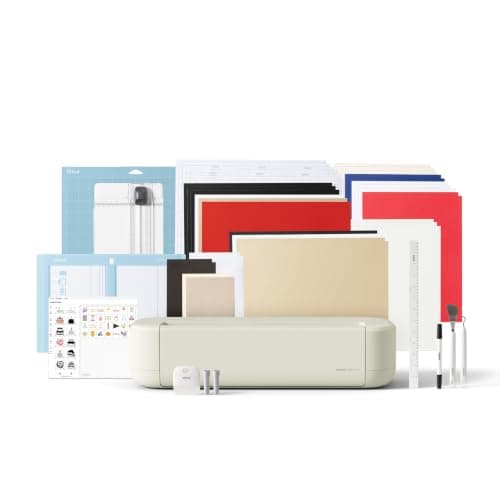
1. Best for most stencil work, at the width stencils actually need
Cricut Explore 5
Cricut · Currently sold · Verified 2026-09-27
Stencils are usually wider than they are complicated, and the Explore 5 takes 12-inch material with an 11.5-inch cut width — which covers a standard sign board, a cushion front, a door panel and most furniture work in a single piece. It cuts vinyl, cardstock and faux leather without difficulty, and stencil material is at the easy end of that range. Matless cutting with Smart Materials also means long stencils for stair risers or a plank sign without taping sheets together. It has no rotary or knife blade, which stencil work does not need.
What works
- Cuts every material a beginner's first ten projects will use
- Matless Smart Material cutting means long banners and decals without a mat
- Cheapest current machine that still handles full 12 in wide vinyl
- Huge community of tutorials aimed at exactly this machine
What does not
- No rotary blade, so unbacked fabric is out
- No knife blade for basswood or thick leather
- Still needs Design Space, which needs an internet connection to set up
Not for you if
You already know you want to cut quilting fabric or thick leather. That is the Maker line's rotary and knife blades, and no accessory adds them to an Explore.
Key specs
- Cuts
- Vinyl, heat transfer vinyl, cardstock, paper, iron-on, faux leather
- Max material width
- 12 in (11.5 in cut width)
- Matless cutting
- Yes, with Smart Materials
- Tool slots
- Two — blade plus pen or scoring tool
- Rotary / knife blade
- No — Maker line only
Price as of November 12, 2026
#ad · affiliate link · we never show a price we cannot verify
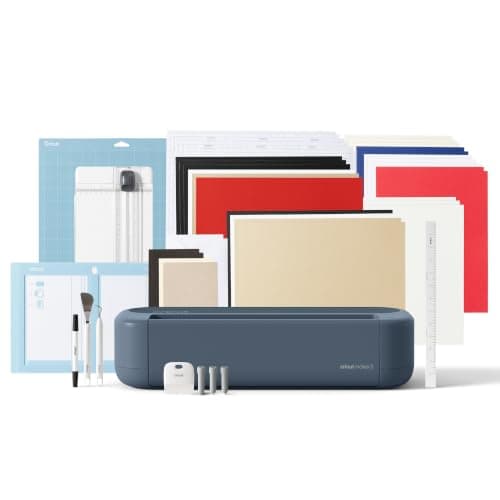
2. Best for stencils plus thick reusable stencil film
Cricut Maker 5
Cricut · Currently sold · Verified 2026-09-27
The upgrade is only worth it if you want a specific material the Explore cannot handle. Thicker reusable stencil sheet, chipboard templates and basswood jigs are knife-blade territory, and the Maker line is the only Cricut with one. If your stencil work is a repeatable template you will reuse hundreds of times rather than a one-off vinyl mask, that is a genuine reason to buy the Maker. For ordinary vinyl stencils it is money spent on capability that stays in the box.
What works
- Rotary blade cuts quilting cotton with no backing, which no Explore can do
- Knife blade opens basswood, chipboard and thick leather
- Adaptive tool system takes every Cricut blade and tip
- Same matless Smart Material workflow as the Explore line
What does not
- Materially more expensive than an Explore for capability most beginners never use
- The knife blade is a separate purchase on top of the machine
- Knife-blade cuts are slow — a thick basswood cut can run well over an hour
Not for you if
Your project list is shirts, decals, stickers and cards. Every one of those cuts identically on an Explore 5, and the difference in price is roughly a full starter set of materials.
Key specs
- Cuts
- 300+ materials including unbacked fabric, leather, basswood
- Max material width
- 12 in (11.5 in cut width)
- Matless cutting
- Yes, with Smart Materials
- Rotary blade
- Yes — cuts fabric without a stabilizer backing
- Knife blade
- Yes — sold separately
Price as of November 12, 2026
#ad · affiliate link · we never show a price we cannot verify
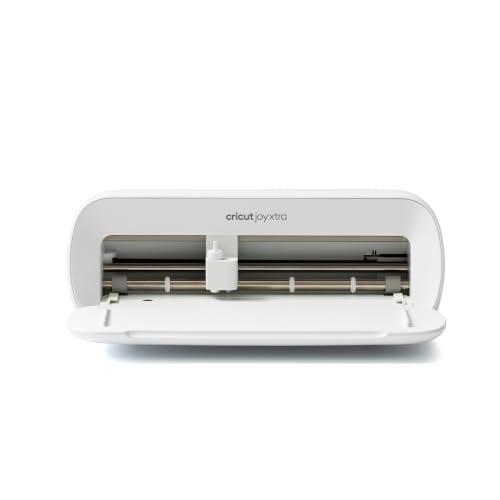
3. Best for small stencils in a small space
Cricut Joy Xtra
Cricut · Currently sold · Verified 2026-09-27
The 8.5-inch cut width is the whole decision here: it is enough for mug stencils, small sign lettering, cookie stencils, tile designs and craft projects, and not enough for a sign board or a cushion front. In exchange you get a machine with a noticeably smaller footprint that cuts matless with Smart Materials, which is a real advantage if your work surface is a kitchen table that has to be cleared. Measure your typical stencil before deciding the width is sufficient.
What works
- 8.5 in cut width handles most youth and many adult shirt designs
- Print-then-cut means printed sticker sheets, which the Joy 2 cannot do
- Still small and light enough to put away between projects
- Uses the same Design Space workflow as the bigger machines
What does not
- Still narrower than the 11.5 in the Explore and Maker lines cut
- Costs enough that the Explore 5 becomes a fair comparison
- Smaller mat sizes limit how much you can gang up on one cut
Not for you if
You want full-width 12 in vinyl for large signs or full-front shirt prints. Step up to an Explore 5 instead.
Key specs
- Cuts
- Vinyl, heat transfer vinyl, cardstock, sticker paper, faux leather
- Max cut width
- 8.5 in
- Print then cut
- Yes — printed stickers work
- Matless cutting
- Yes, with Smart Materials
- Footprint
- Noticeably smaller than an Explore
Price as of November 12, 2026
#ad · affiliate link · we never show a price we cannot verify
4. Best for the stencil material itself
Oracal 631 Removable Vinyl
Oracal · Currently sold · Verified 2026-09-27
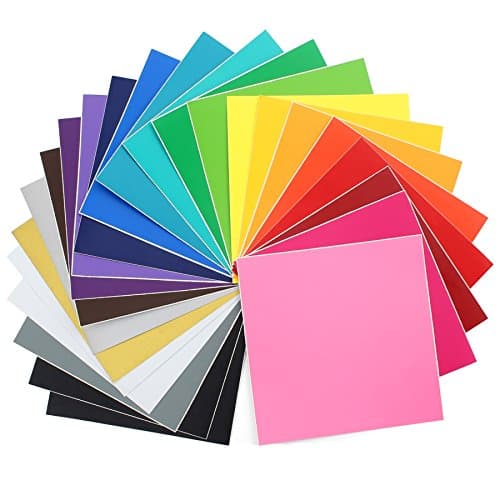
ORAFOL explicitly lists stencils among the uses for 631, and the reason is the adhesive: a water-based removable adhesive holds a crisp paint edge and then releases cleanly from most smooth sealed surfaces without tearing or pulling fresh paint with it. That is exactly what a single-use stencil needs. It is a 3-mil matte film available in 76 colors, which is irrelevant for a stencil except that a contrasting color makes weeding easier. It is the wrong material for anything permanent.
What works
- Comes off walls cleanly, which permanent vinyl does not
- Matte finish looks far better than gloss on interior decor
- Makes excellent painting stencils
What does not
- Will not survive outdoors or repeated washing
- Low tack means it can lift on textured surfaces
Not for you if
The decal is going on a car, a tumbler, or anything that gets wet. That is a job for 651.
Key specs
- Type
- Adhesive vinyl — removable
- Adhesive
- Removable, low-tack
- Outdoor durability
- Oracal rates 631 for indoor use, up to around three years
- Finish
- Matte
- Typical use
- Wall quotes, temporary signage, stencils
Price as of November 12, 2026
#ad · affiliate link · we never show a price we cannot verify
5. Best for moving a multi-piece stencil onto the surface intact
HTVRONT Transfer Tape for Vinyl
HTVRONT · Currently sold · Verified 2026-09-27
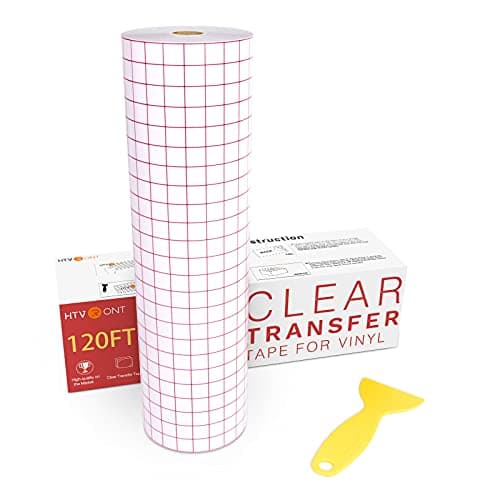
A stencil for lettering is a collection of separate islands — the inside of every O, the dot of every i — and all of them have to land in the right place relative to each other. Transfer tape lifts the weeded stencil off its backing with that spacing preserved and lets you position the whole thing as one unit. Without it a lettered stencil is placed letter by letter, which is slow and reliably crooked.
What works
- Turns an impossible alignment job into a single motion
- Gridded versions make straight application genuinely easy
- Cheap relative to how much frustration it removes
What does not
- High-tack tape can pull thin vinyl off its backing and tear it
- Not used for heat transfer vinyl, which has its own carrier sheet
Not for you if
You are only making shirts. HTV comes with its own carrier and needs no transfer tape.
Key specs
- Purpose
- Lifts a weeded decal off its backing and places it as one piece
- Tack
- Medium tack suits most craft vinyl
- Format
- Rolls, usually 12 in wide; gridded versions help alignment
- Reusable
- A sheet can usually be reused several times
Price as of November 12, 2026
#ad · affiliate link · we never show a price we cannot verify
Single-use vinyl stencils versus reusable film
These are two different products and the machine recommendation changes between them.
Single-use adhesive vinyl
Cut removable vinyl, weed it, apply it, paint over it, peel it away. The vinyl sticks down against the surface so paint cannot creep under the edge, which gives the crispest possible line. It is used once. This is the right approach for lettering, for anything detailed, and for anything where the edge quality matters — and it is what the Explore 5 and Joy Xtra do well.
Reusable stencil film
Cut a thicker, non-adhesive sheet, hold it against the surface, and paint through it repeatedly. The advantage is obvious if you make the same design fifty times. The costs are a softer paint edge, because nothing holds the film flat against the surface, and a thicker material that may need the Maker's knife blade. Choose this when repetition matters more than edge quality.
Cutting and applying a stencil that gives a clean line
1Cut on removable vinyl, in a color that contrasts with the backing
Weeding a stencil means removing the parts you want painted, which is the opposite of a normal decal. A contrasting color makes it far easier to see what you have already taken out.
2Weed the design, remembering it is inverted
For a stencil you keep the surround and remove the letters. Letter islands — the middle of an O, the dot of an i — stay behind and need to end up in exactly the right place.
3Apply transfer tape and burnish properly
This is what keeps the islands positioned. Work the tape down with a squeegee so the stencil releases from its backing rather than from the tape.
4Make sure the surface is smooth, sealed and cured
Paint that is dry to the touch but not cured will lift when you peel the stencil. Sand, seal and wait the manufacturer's full cure time, which is usually days.
5Burnish the stencil hard, then seal the edges
Paint a thin coat of the surface's existing base color or a clear sealer over the stencil edges and let it dry. Any bleed then happens in a color that does not show. This single step is the difference between crisp and fuzzy.
6Paint thin coats, and peel while the paint is dry but fresh
Thick paint builds a ridge against the stencil edge and can pull a chunk off with it. Several thin coats, then peel at a shallow angle rather than straight up.
What else you need
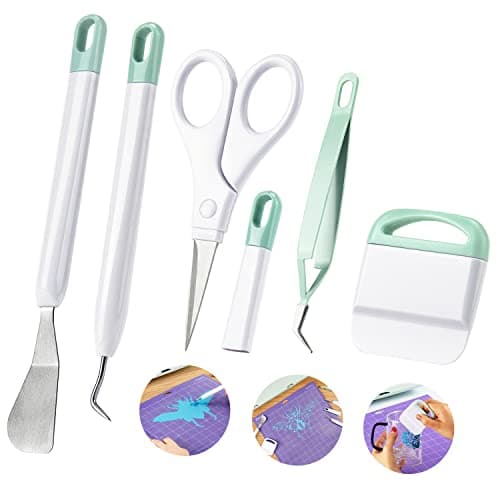
Beyond the machine: removable vinyl, transfer tape, a weeding hook set, and a squeegee or old card to burnish with. A weeding hook matters more on stencils than on decals because stencil weeding has more pieces and smaller islands — how to weed vinyl and the best weeding tools for vinyl both cover it.
If the stencil is for a wood sign, the best vinyl for wood signs covers the applied-versus-stencil decision and the surface prep that decides the result. If you are still choosing a first machine generally rather than for stencils specifically, the best Cricut for beginners is the main roundup.
Common questions
What is the best Cricut for making stencils?
Can a Cricut Joy make stencils?
What vinyl do you use for stencils?
How do you stop paint bleeding under a Cricut stencil?
Do you need a Maker to cut stencils?
Sources
- ORAFOL — ORACAL 631 Exhibition Cal product page — 3-mil matte film, clear water-based removable adhesive, clean removal from most smooth sealed surfaces within three years, and stencils listed among stated applications alongside craft and home decor graphics - checked 10 October 2026
- Cricut Heat Guide — Used to confirm the current Cricut machine and press line-up referenced on this page - checked 10 October 2026
How we picked
We verify every product is currently sold by reading the manufacturer's own catalog, compare published specifications rather than marketing copy, and rank on what a first-time buyer has to decide. We do not run lab tests and we do not claim to, and commission never affects the order.
Read this next
The Best Cricut for Beginners
One safe default pick, plus the specific cases where a different Cricut — or no Cricut — is the better buy.
Which Cricut Should I Buy?
A four-question decision flow that ends on one specific model — no hedging, no feature lists.
The Best Vinyl for Wood Signs
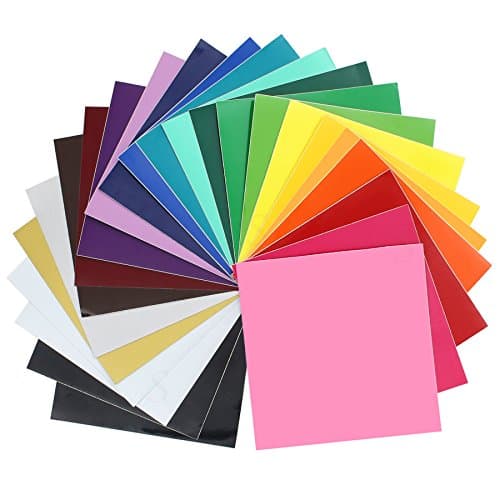
Vinyl applied to wood versus vinyl used as a paint stencil, which film suits each, and why sealing or sanding the wood first decides the result.
The Best Cutting Machine for Vinyl
Why vinyl is the easiest material any of these machines cut, and what to use instead of cut quality to choose between them.
How to Weed Vinyl
Technique, tools and the reverse-weed trick that makes fine script designs manageable.
The Best Cricut for Wedding DIY
Which Cricut suits invitations, place cards, glassware and welcome signs, the projects worth doing yourself, and the ones to buy instead.
Back to Cutting Machines.