The Best Cricut for Wedding DIY
Wedding crafting is a volume problem with a fixed date attached. The machine that wins is the one that handles cardstock and 12-inch signage without drama.
Heads up: Mat & Blade earns a commission from qualifying purchases made through the links on this page, at no extra cost to you. It never changes which products we recommend or how we rank them. Read the full disclosure.
Buy the Cricut Explore 5 for wedding DIY. A wedding list spans cardstock stationery, adhesive vinyl on glass and acrylic, iron-on for robes and totes, and 12-inch signage — and the Explore 5 is rated for all of it with an 11.5-inch cut width, which is exactly the size limit welcome signs and seating charts run into. The Maker 5 is worth the upgrade only if you are also cutting fabric, where its rotary blade does something no Explore can. The Joy 2 is a legitimate cheap option if your list is genuinely place cards, labels and tags, and a frustrating one if it is not.
How we picked
Wedding projects change the criteria. Deadline pressure and volume matter as much as capability, and one specification quietly decides a lot. All figures below are Cricut's published specifications.
- Material breadth. A wedding list touches paper, vinyl, iron-on and often fabric. A machine that covers three of four means buying the fourth thing ready-made.
- Cut width against signage. Welcome signs, seating charts and table plans are the biggest things you will cut, and 11.5 inches is the realistic ceiling on any Cricut.
- Cardstock handling. Most of a wedding is paper, in quantity. That means mat wear and the reliability of a hundred identical cuts, not peak cutting force.
- Print-then-cut. Needed for printed stickers, watercolour-printed invitations and anything with photographic artwork. Available across the Explore, Maker and Joy Xtra lines but not the narrow Joy.
- Volume comfort. A hundred place cards is a different activity from one shirt. Matless cutting and a machine you do not have to re-mat constantly both save real hours.
What people actually make
Worth setting out plainly, because the list is longer than most people expect and the material spread is what drives the machine choice.
| Project | Material | Width needed | Worth doing yourself? |
|---|---|---|---|
| Save the dates and invitations | Cardstock, specialty paper | Up to 12 in sheet | Yes, if you enjoy the process — volume is high |
| Place cards and escort cards | Cardstock | Small | Yes — fast, high impact, any machine |
| Favour tags and jar labels | Cardstock, sticker paper | Small | Yes — the clearest win on the list |
| Table numbers | Adhesive vinyl on glass or acrylic | Small to medium | Yes, with transfer tape |
| Welcome sign and seating chart | Adhesive vinyl on acrylic, mirror or board | Up to 11.5 in per panel | Yes, but design in panels |
| Champagne flutes and glassware | Permanent adhesive vinyl | Small | Yes — permanent vinyl, not removable |
| Bridesmaid robes and totes | Heat transfer vinyl | Up to 11.5 in | Yes, and you need a heat source |
| Cake toppers | Cardstock, acrylic, faux leather | Small | Cardstock yes; acrylic needs a laser, not a Cricut |
| Bunting and fabric elements | Fabric | Varies | Only on a Maker, for unbacked fabric |
Our picks in full
1. Best for the whole wedding list, start to finish
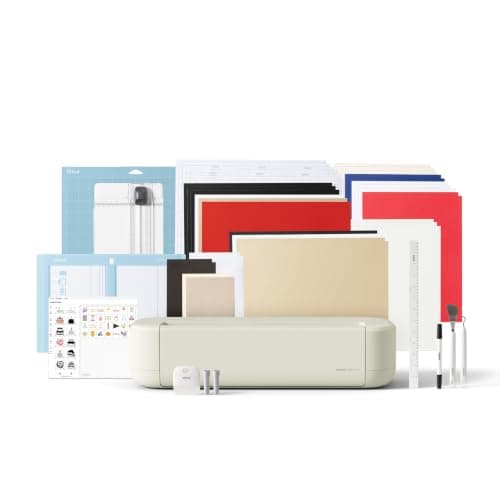
Cricut Explore 5
Cricut · Currently sold · Verified 2026-09-27
Wedding DIY spans four material families — cardstock for stationery, adhesive vinyl for glassware and signage, iron-on for robes and totes, and faux leather or specialty paper for the fancy bits — and the Explore 5 is rated for all of them. Its 11.5-inch cut width handles a 12-inch welcome sign or seating chart panel, which is the single most common size limit people hit. Matless cutting with Smart Materials matters more than it sounds for a wedding, because long table runners and banners stop needing taped sheets. It has no rotary or knife blade, which this list does not need.
What works
- Cuts every material a beginner's first ten projects will use
- Matless Smart Material cutting means long banners and decals without a mat
- Cheapest current machine that still handles full 12 in wide vinyl
- Huge community of tutorials aimed at exactly this machine
What does not
- No rotary blade, so unbacked fabric is out
- No knife blade for basswood or thick leather
- Still needs Design Space, which needs an internet connection to set up
Not for you if
You already know you want to cut quilting fabric or thick leather. That is the Maker line's rotary and knife blades, and no accessory adds them to an Explore.
Key specs
- Cuts
- Vinyl, heat transfer vinyl, cardstock, paper, iron-on, faux leather
- Max material width
- 12 in (11.5 in cut width)
- Matless cutting
- Yes, with Smart Materials
- Tool slots
- Two — blade plus pen or scoring tool
- Rotary / knife blade
- No — Maker line only
Price as of November 12, 2026
#ad · affiliate link · we never show a price we cannot verify
2. Best for fabric elements as well as paper and vinyl
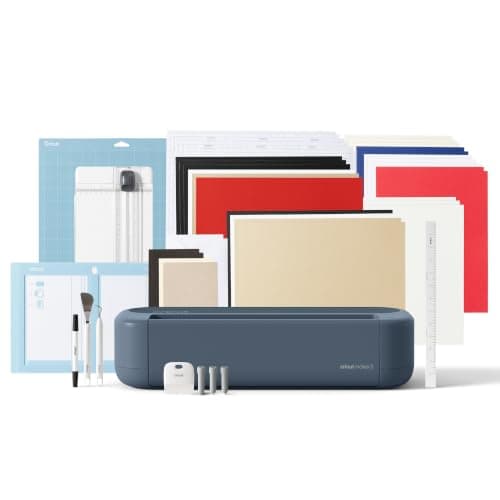
Cricut Maker 5
Cricut · Currently sold · Verified 2026-09-27
Worth the upgrade only for a specific material. If the plan includes cutting fabric — bunting, ring-bearer pillows, fabric table numbers, bridesmaid robe appliqué — the Maker's rotary blade cuts quilting cotton with no stabiliser backing, which no Explore can do. The knife blade also opens basswood for signage and chipboard for structural stationery. If your wedding list is paper, vinyl and glass, the Maker's extra capability will sit unused and the money is better spent on materials.
What works
- Rotary blade cuts quilting cotton with no backing, which no Explore can do
- Knife blade opens basswood, chipboard and thick leather
- Adaptive tool system takes every Cricut blade and tip
- Same matless Smart Material workflow as the Explore line
What does not
- Materially more expensive than an Explore for capability most beginners never use
- The knife blade is a separate purchase on top of the machine
- Knife-blade cuts are slow — a thick basswood cut can run well over an hour
Not for you if
Your project list is shirts, decals, stickers and cards. Every one of those cuts identically on an Explore 5, and the difference in price is roughly a full starter set of materials.
Key specs
- Cuts
- 300+ materials including unbacked fabric, leather, basswood
- Max material width
- 12 in (11.5 in cut width)
- Matless cutting
- Yes, with Smart Materials
- Rotary blade
- Yes — cuts fabric without a stabilizer backing
- Knife blade
- Yes — sold separately
Price as of November 12, 2026
#ad · affiliate link · we never show a price we cannot verify
3. Best for place cards, labels and favor tags only
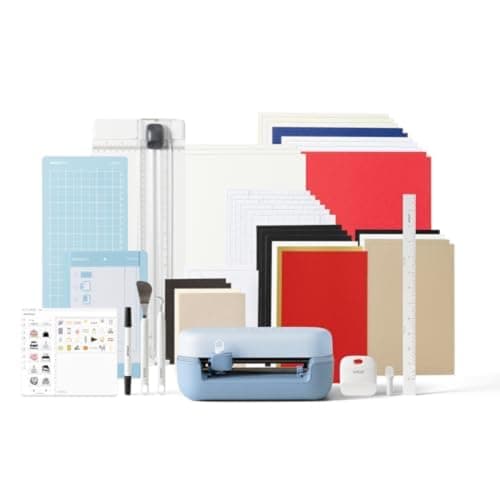
Cricut Joy 2
Cricut · Currently sold · Verified 2026-09-27
Honest about its limits. The Joy 2 cuts 4.5 inches wide, which is genuinely enough for place cards, favor tags, jar labels, bottle labels and small vinyl monograms — and those are real wedding jobs that come in quantities of a hundred. It is cheap, stores in a drawer, and cuts up to 20 feet long with Smart Materials, which covers a long banner. What it cannot do is an invitation at a standard size, a welcome sign, or anything that needs a full 12-inch sheet.
What works
- The lowest cost of entry in the current Cricut line
- Genuinely portable and storable, which matters if you have no dedicated craft space
- Long matless cuts make it excellent for labels and long decals
- Simple enough that the learning curve is close to flat
What does not
- 4.5 in cut width is the hard limit — most adult shirt designs will not fit
- No print-then-cut, so printed stickers are out
- Takes the narrow Joy-format materials, which are less widely stocked
Not for you if
You want to make shirts. A 4.5 in design reads as a small chest logo, not a front print, and there is no workaround.
Key specs
- Cuts
- Vinyl, heat transfer vinyl, cardstock, paper, Smart Label material
- Max cut width
- 4.5 in
- Max cut length
- Up to 20 ft with Smart Materials
- Footprint
- Small enough to store in a drawer
- Mat required
- Optional — cuts matless with Smart Materials
Price as of November 12, 2026
#ad · affiliate link · we never show a price we cannot verify
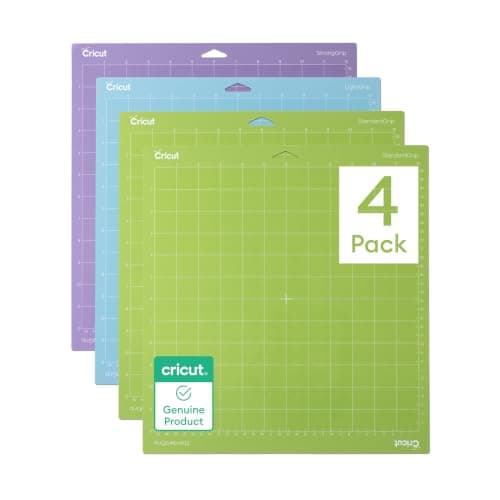
4. Best for cardstock, which is most of a wedding
Cricut Cutting Mat Variety Pack
Cricut · Currently sold · Verified 2026-09-27
Wedding stationery is the one project type where mats are a consumable rather than an accessory. Cardstock sheds fibers that clog a mat's adhesive, so a mat that cuts a hundred invitations is noticeably less sticky than it was — and a mat that does not hold cardstock produces torn cuts and shifted designs. Having spares is the difference between a steady evening of cutting and a frustrating one. Buy more than one before you start a large run.
What works
- Correct grip prevents both torn material and material sliding mid-cut
- Third-party mats cost noticeably less than brand mats
- Tack can be partly restored with gentle washing
What does not
- They wear out, and a tired mat causes cuts people blame on the machine
- Strong grip can shred thin paper
Not for you if
You only ever cut Smart Materials matless. Even then, keep one standard mat for the day you buy ordinary vinyl.
Key specs
- Grip levels
- Light, standard, strong, and fabric-specific
- Standard grip
- Vinyl, iron-on, cardstock — the everyday mat
- Strong grip
- Thick cardstock, chipboard, glitter materials
- Light grip
- Thin paper and vellum that would tear on a standard mat
- Lifespan
- Consumable — tack declines with use and is partly restorable
Price as of November 12, 2026
#ad · affiliate link · we never show a price we cannot verify
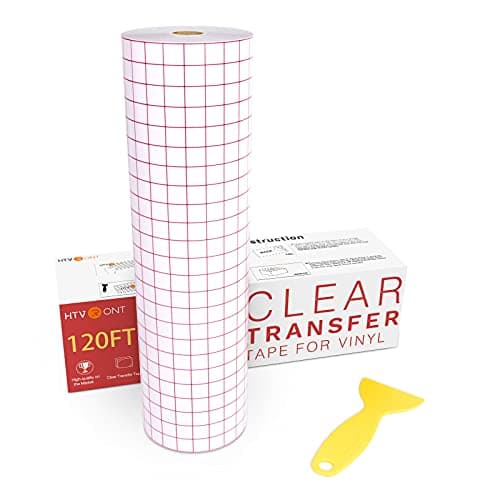
5. Best for glassware, mirrors and signage
HTVRONT Transfer Tape for Vinyl
HTVRONT · Currently sold · Verified 2026-09-27
The wedding projects that use adhesive vinyl are almost all multi-piece lettering on glass or acrylic — table numbers, a welcome sign, mirror seating charts, champagne flutes. Those need transfer tape to land as one unit with the spacing intact, and there is rarely a spare to practice on. Buy a width that covers your largest design in one strip; joining strips on a long seating chart is where alignment goes wrong.
What works
- Turns an impossible alignment job into a single motion
- Gridded versions make straight application genuinely easy
- Cheap relative to how much frustration it removes
What does not
- High-tack tape can pull thin vinyl off its backing and tear it
- Not used for heat transfer vinyl, which has its own carrier sheet
Not for you if
You are only making shirts. HTV comes with its own carrier and needs no transfer tape.
Key specs
- Purpose
- Lifts a weeded decal off its backing and places it as one piece
- Tack
- Medium tack suits most craft vinyl
- Format
- Rolls, usually 12 in wide; gridded versions help alignment
- Reusable
- A sheet can usually be reused several times
Price as of November 12, 2026
#ad · affiliate link · we never show a price we cannot verify
Which machine, decided by your actual list
1Are you cutting fabric?
Bunting, ring pillows, fabric numbers, appliqué. If yes, the Maker 5 and its rotary blade is the only Cricut that cuts unbacked fabric cleanly. If no, continue — this is the only reason to buy the Maker for a wedding.
2Do you need anything wider than 8.5 inches?
A standard invitation, a welcome sign panel, a seating chart, a tote design. If yes, you need an Explore or a Maker. If genuinely no, continue.
3Is your list only place cards, tags and labels?
Then the Joy 2 at 4.5 inches is a cheap, capable answer and it stores in a drawer afterwards. If you are hesitating, assume the list will grow — it usually does.
4Do you need printed designs as well as cut ones?
Watercolour invitations, printed stickers, photographic favor labels. Print-then-cut is on the Explore, Maker and Joy Xtra lines and not on the narrow Joy.
What you will spend beyond the machine
Wedding DIY is materials-heavy and the machine is often not the largest line. Expect cardstock in quantity, several cutting mats because cardstock wears them out, adhesive vinyl plus transfer tape for the glass and signage work, heat transfer vinyl and a heat source if robes or totes are on the list, and acrylic or mirror blanks for the signage. The Cricut cost guide sets out the full component list, and the accessories that earn their space covers which small tools genuinely help.
The one place to be realistic: DIY saves money per item and costs time in bulk. A hundred invitations is a week of evenings. Choosing two or three high-impact projects — signage, place cards, glassware — and buying the rest is usually a better trade than doing everything. What to make and sell is written for the commercial case but the volume arithmetic is the same.
Common questions
What is the best Cricut for wedding projects?
Can a Cricut make wedding invitations?
How big a welcome sign can a Cricut cut?
Can a Cricut cut acrylic for cake toppers or signs?
Is a Cricut Joy enough for a wedding?
Sources
- Cricut Heat Guide — Used to confirm the current Cricut machine and heat-source line-up and the per-material settings referenced for iron-on projects - checked 10 October 2026
- ORAFOL — ORACAL 651 Intermediate Cal product page — 2.5-mil permanent film with a solvent-based permanent adhesive, stated applications including window graphics and craft and home decor - referenced for the glassware and signage projects, checked 10 October 2026
How we picked
We verify every product is currently sold by reading the manufacturer's own catalog, compare published specifications rather than marketing copy, and rank on what a first-time buyer has to decide. We do not run lab tests and we do not claim to, and commission never affects the order.
Read this next
The Best Cricut for Beginners
One safe default pick, plus the specific cases where a different Cricut — or no Cricut — is the better buy.
The Best Cricut for Scrapbooking
Which machine suits paper crafting, why scoring matters, and the mat that stops thin paper tearing.
Which Cricut Should I Buy?
A four-question decision flow that ends on one specific model — no hedging, no feature lists.
What a Cricut Really Costs
Every component a working setup needs, what recurs, and the costs people meet one at a time.
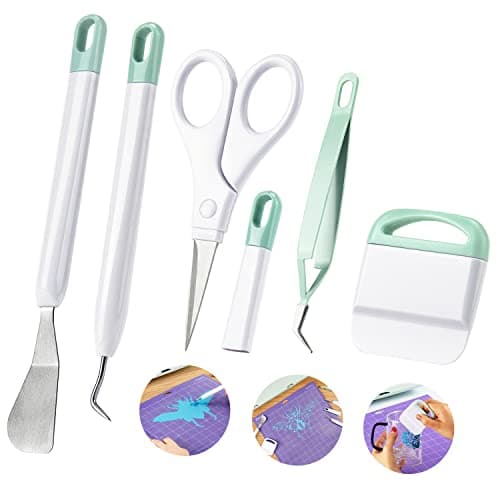
The Cricut Accessories You Actually Need
The short list that genuinely earns its space, the longer list that does not, and the buying order.
The Best Cricut for Making Stencils
Which Cricut suits stencil work, why cut width matters more than cutting force, and the removable vinyl that makes a clean paint line.
Back to Cutting Machines.