The Best Cricut for Cake Toppers
A topper has to be wide enough to read across a cake and stiff enough to stand up on a stick. Those two requirements, not the machine's feature list, decide which Cricut to buy.
Heads up: Mat & Blade earns a commission from qualifying purchases made through the links on this page, at no extra cost to you. It never changes which products we recommend or how we rank them. Read the full disclosure.
The Cricut Explore 5 is the best Cricut for cake toppers: 11.5 in of cut width spans a topper for a standard round cake, it cuts cardstock and glitter cardstock, and Print Then Cut covers printed-image toppers. The budget pick is the Cricut Joy Xtra, the cheapest Cricut whose 8.5 in width still cuts a topper you can read across a cake. Choose the Maker 5 only if you want rigid chipboard or basswood toppers rather than layered cardstock.
Quick picks
| # | Product | Best for | Price |
|---|---|---|---|
| 1 | 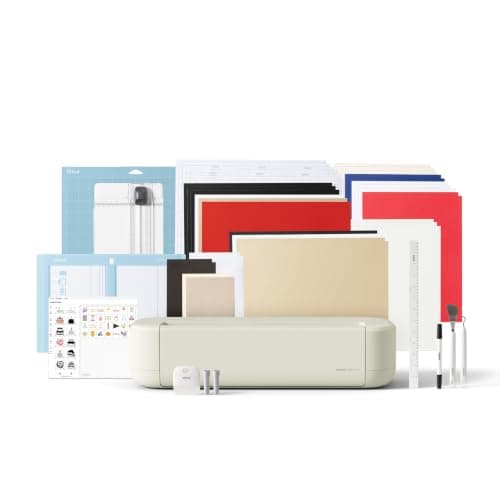 Cricut Explore 5The sensible default for a first machine: it cuts everything a beginner actually uses, and the money you sa... | The overall pick — full topper width and printed toppers in one machine | $199.00 · View on Amazon Price as of November 28, 2026 #ad · affiliate link · we never show a price we cannot verify |
| 2 | 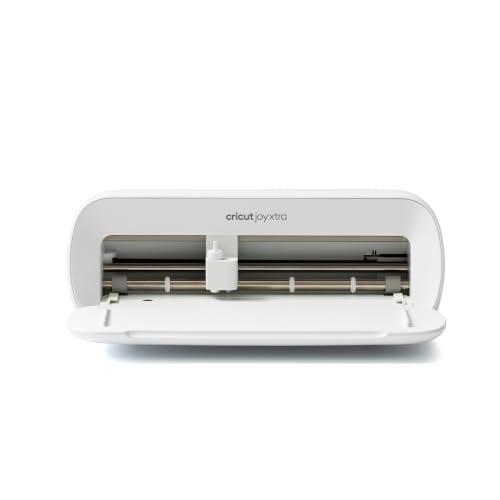 Cricut Joy XtraThe Joy that fixes the Joy's biggest limitation — a wider cut and print-then-cut — without growing into a f... | The budget pick — the cheapest machine that still cuts a usable topper | $129.00 · View on Amazon Price as of November 28, 2026 #ad · affiliate link · we never show a price we cannot verify |
| 3 | 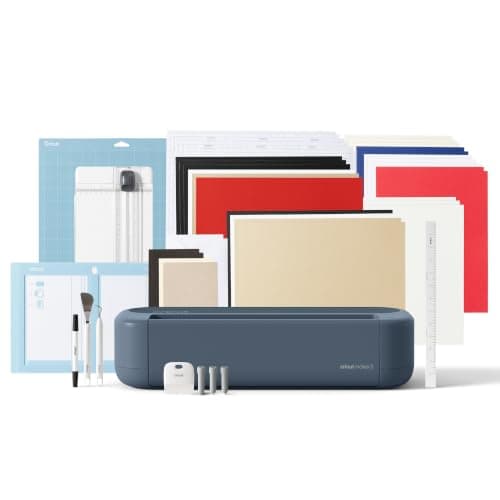 Cricut Maker 5The machine to buy only if you have a specific material in mind that an Explore cannot cut — rotary-blade f... | Rigid toppers — chipboard, basswood and thick layered stock | $399.00 · View on Amazon Price as of November 28, 2026 #ad · affiliate link · we never show a price we cannot verify |
| 4 | 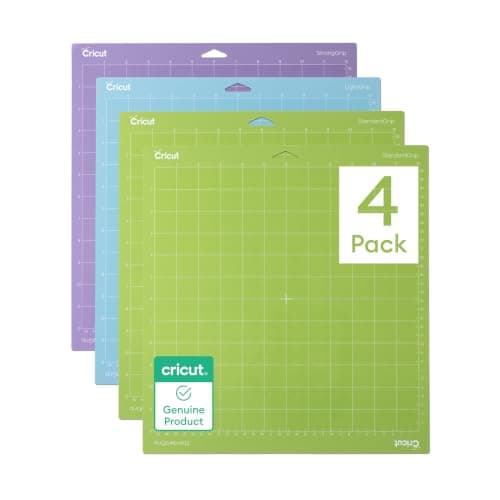 Cricut Cutting Mat Variety PackMats are consumable, not permanent — plan on replacing them, and match the grip to the material rather than... | The thing that makes glitter cardstock cut cleanly | $14.39 · View on Amazon Price as of November 28, 2026 #ad · affiliate link · we never show a price we cannot verify |
| 5 | 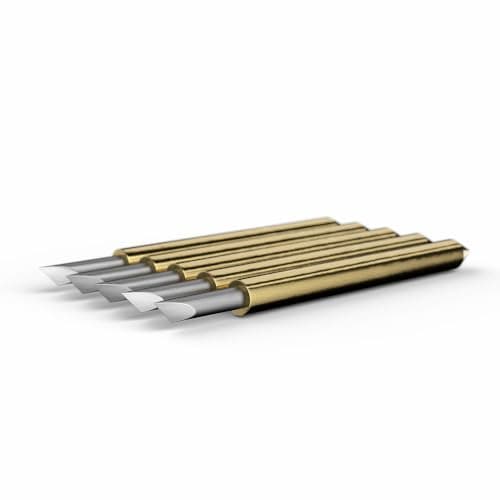 Cricut Premium Fine-Point Replacement BladesA dull blade is the most common cause of a machine that has apparently 'stopped cutting properly' — and the... | The cheap fix when intricate script stops cutting cleanly | $39.00 · View on Amazon Price as of November 28, 2026 #ad · affiliate link · we never show a price we cannot verify |
Tap any row to jump to the full write-up. Prices come from Amazon on the date stamped on each button and can change after that — check the listing before you buy.
Width is the spec that decides this
A topper has to be read from across a room, which means it has to be nearly as wide as the cake. That turns cut width into the first filter.
| Machine | Cut width | Fits a topper for | Print Then Cut |
|---|---|---|---|
| Joy 2 | 4.5 in | Cupcake picks and single short words | No |
| Joy Xtra | 8.5 in | A 6 to 8 in cake — most name toppers | Yes |
| Explore 5 | 11.5 in | An 8 to 10 in cake with flourishes | Yes |
| Maker 5 | 11.5 in | The same, plus rigid board and wood | Yes |
| Venture | 25 in | Tiered-cake banners in one piece | Yes |
1. Best for the overall pick — full topper width and printed toppers in one machine
Cricut Explore 5
Cricut · Currently sold · Verified 2026-09-27
The best Cricut for cake toppers because it clears both of the job's real constraints at the lowest sensible price. Its 11.5 in cut width spans a topper sized for an 8 in round cake with the flourishes either side, which is the width most name-and-age toppers actually need, and it cuts cardstock, glitter cardstock and faux leather — the three materials toppers are made from. Print Then Cut handles the printed-image toppers that are a large share of what people are asked for, and the second tool slot lets you score a fold for a standing base in the same pass. Honest cons: no knife blade, so a rigid 2 mm chipboard or basswood topper is out and a stiff topper has to be layered cardstock instead; glitter cardstock dulls blades fast and this machine has no special provision for that; and the 11.5 in ceiling means a tiered-cake banner needs tiling.
What works
- Cuts every material a beginner's first ten projects will use
- Matless Smart Material cutting means long banners and decals without a mat
- Cheapest current machine that still handles full 12 in wide vinyl
- Huge community of tutorials aimed at exactly this machine
What does not
- No rotary blade, so unbacked fabric is out
- No knife blade for basswood or thick leather
- Still needs Design Space, which needs an internet connection to set up
Not for you if
You already know you want to cut quilting fabric or thick leather. That is the Maker line's rotary and knife blades, and no accessory adds them to an Explore.
Key specs
- Cuts
- Vinyl, heat transfer vinyl, cardstock, paper, iron-on, faux leather
- Max material width
- 12 in (11.5 in cut width)
- Matless cutting
- Yes, with Smart Materials
- Tool slots
- Two — blade plus pen or scoring tool
- Rotary / knife blade
- No — Maker line only
Price as of November 28, 2026
#ad · affiliate link · we never show a price we cannot verify
2. Best for the budget pick — the cheapest machine that still cuts a usable topper
Cricut Joy Xtra
Cricut · Currently sold · Verified 2026-09-27
Named the budget pick deliberately, and with a specific threshold behind it: at 8.5 in of cut width it is the cheapest Cricut that can cut a topper wide enough to read across a standard cake, and it has Print Then Cut for printed toppers. For name toppers, single words, cupcake picks and small motifs it does the whole job for noticeably less than the Explore. Honest cons: 8.5 in rules out wide multi-word toppers and anything spanning a tiered cake; it cuts cardstock but not the heaviest specialty stocks; and it has one tool slot, so scoring a base is a separate pass rather than part of the cut.
What works
- 8.5 in cut width handles most youth and many adult shirt designs
- Print-then-cut means printed sticker sheets, which the Joy 2 cannot do
- Still small and light enough to put away between projects
- Uses the same Design Space workflow as the bigger machines
What does not
- Still narrower than the 11.5 in the Explore and Maker lines cut
- Costs enough that the Explore 5 becomes a fair comparison
- Smaller mat sizes limit how much you can gang up on one cut
Not for you if
You want full-width 12 in vinyl for large signs or full-front shirt prints. Step up to an Explore 5 instead.
Key specs
- Cuts
- Vinyl, heat transfer vinyl, cardstock, sticker paper, faux leather
- Max cut width
- 8.5 in
- Print then cut
- Yes — printed stickers work
- Matless cutting
- Yes, with Smart Materials
- Footprint
- Noticeably smaller than an Explore
Price as of November 28, 2026
#ad · affiliate link · we never show a price we cannot verify
3. Best for rigid toppers — chipboard, basswood and thick layered stock
Cricut Maker 5
Cricut · Currently sold · Verified 2026-09-27
The pick if you want a topper that is genuinely rigid rather than stiffened by layering. The knife blade cuts chipboard and thin basswood, which gives you a topper that holds its own weight on a long stick without curling in a warm room — the single most common complaint about cardstock toppers at a summer party. The rotary blade also opens up felt and fabric toppers. It cuts the same 11.5 in width as the Explore, so this is a materials upgrade, not a size one. Honest cons: the knife blade is sold separately and slow; a cut wood topper still needs sealing before it goes anywhere near food, which is extra work rather than a free upgrade; and if your toppers are cardstock this capability sits idle.
What works
- Rotary blade cuts quilting cotton with no backing, which no Explore can do
- Knife blade opens basswood, chipboard and thick leather
- Adaptive tool system takes every Cricut blade and tip
- Same matless Smart Material workflow as the Explore line
What does not
- Materially more expensive than an Explore for capability most beginners never use
- The knife blade is a separate purchase on top of the machine
- Knife-blade cuts are slow — a thick basswood cut can run well over an hour
Not for you if
Your project list is shirts, decals, stickers and cards. Every one of those cuts identically on an Explore 5, and the difference in price is roughly a full starter set of materials.
Key specs
- Cuts
- 300+ materials including unbacked fabric, leather, basswood
- Max material width
- 12 in (11.5 in cut width)
- Matless cutting
- Yes, with Smart Materials
- Rotary blade
- Yes — cuts fabric without a stabilizer backing
- Knife blade
- Yes — sold separately
Price as of November 28, 2026
#ad · affiliate link · we never show a price we cannot verify
4. Best for the thing that makes glitter cardstock cut cleanly
Cricut Cutting Mat Variety Pack
Cricut · Currently sold · Verified 2026-09-27
Named because topper stock is exactly the material that exposes a worn or wrong mat. Glitter and heavy cardstock need a strong-grip mat to stop the sheet lifting mid-cut, which is what produces the torn corner on the one letter you needed; thin specialty papers need light grip or they tear on removal. A variety pack covers both without buying mats one at a time, and mats are consumables whose tack declines — if your toppers suddenly stopped cutting cleanly, this is the first thing to check. Honest cons: strong grip can damage delicate stock on removal; mats cap a topper at 12 in; and no mat compensates for a dull blade.
What works
- Correct grip prevents both torn material and material sliding mid-cut
- Third-party mats cost noticeably less than brand mats
- Tack can be partly restored with gentle washing
What does not
- They wear out, and a tired mat causes cuts people blame on the machine
- Strong grip can shred thin paper
Not for you if
You only ever cut Smart Materials matless. Even then, keep one standard mat for the day you buy ordinary vinyl.
Key specs
- Grip levels
- Light, standard, strong, and fabric-specific
- Standard grip
- Vinyl, iron-on, cardstock — the everyday mat
- Strong grip
- Thick cardstock, chipboard, glitter materials
- Light grip
- Thin paper and vellum that would tear on a standard mat
- Lifespan
- Consumable — tack declines with use and is partly restorable
Price as of November 28, 2026
#ad · affiliate link · we never show a price we cannot verify
5. Best for the cheap fix when intricate script stops cutting cleanly
Cricut Premium Fine-Point Replacement Blades
Cricut · Currently sold · Verified 2026-09-27
Named because glitter cardstock is one of the fastest blade-killers in the whole craft, and toppers are mostly glitter cardstock cut as fine script. The symptom is specific: the machine still cuts, but tight curves tear and letter counters come out ragged, which on a topper is the difference between a sellable item and a scrapped sheet. Blades drop into the existing housing, so this is the cheapest repair in the setup. Honest cons: a fine-point blade is the wrong tool for thick board regardless of how new it is; lifespan varies so much with material that there is no replacement schedule; and a new blade will not rescue a mat that has lost its tack.
What works
- Cheap fix for the single most common cutting complaint
- Swapping takes seconds with no tools
- Third-party blades are far cheaper and generally fine for vinyl
What does not
- Very cheap blades can be inconsistent on fine detail
- Easy to blame the blade when the real problem is the mat or the setting
Not for you if
Your machine is new. Check your material setting and mat tack first.
Key specs
- Type
- Fine-point blade — the everyday blade for vinyl and cardstock
- Lifespan
- Varies hugely with material; glitter and cardstock dull it fastest
- Housing
- Blades swap into the existing housing — you do not rebuy the housing
- Symptom of dullness
- Tearing, incomplete cuts, ragged corners
Price as of November 28, 2026
#ad · affiliate link · we never show a price we cannot verify
Making a cardstock topper that does not flop
The complaint about machine-cut toppers is almost never the cut — it is that the finished piece bends over on its stick an hour into the party. Three habits fix that without buying a more capable machine.
- Layer, do not thicken. Two or three layers of cardstock glued back to back are stiffer than one heavy sheet and cut far more cleanly. A glitter face layer over a plain backing layer also hides the white core edge that heavy glitter stock shows when cut.
- Run the stick up into the design, not just to the bottom edge. Glue the pick along a vertical element of the lettering so the stick supports the piece rather than hanging it. This is the single biggest difference between a topper that stands and one that leans.
- Connect script properly in the design. Fine script with unconnected letters has no structure. Connect the letters along a baseline before cutting; it is a design fix, not a machine one.
Printed toppers and Print Then Cut
A large share of topper requests are an image rather than lettering — a character, a photo, a logo — and that is a Print Then Cut job: a home inkjet prints the design with registration marks and the machine reads those marks and cuts the outline. Every machine on this page except the Joy 2 can do it. The practical limits are the printable area and the fact that printer output is not food-safe either, which is one more reason the topper belongs above the cake rather than in it. If stickers and printed cuts are a big part of your plans, the best cutting machine for stickers covers Print Then Cut in more depth, and is a Cricut a printer clears up the most common misunderstanding about it — the machine does not print.
What else you need, and what you do not
Toppers are a cheap craft to start: a machine, a strong-grip mat, a spare blade, cardstock, glue and picks. You do not need a heat press, vinyl or a sublimation printer for toppers at all — those belong to shirts and tumblers. Where the money actually goes is mats and blades, because glitter cardstock consumes both; which Cricut mat for each material maps the grip levels, and cricut mat not sticky is the fix for the failure that shows up first. If toppers are part of a wider party-and-wedding plan, the best Cricut for wedding DIY and the best Cricut for cards cover the neighbouring jobs.
Every price here comes from an automatic Amazon read, displayed inside the buy button with the date of the read beneath it — including the Joy Xtra against the Explore 5, which is the comparison this page turns on. We never type a price into the copy, and there are no ratings or awards on this page: the ranking follows from cut width, material support and Print Then Cut, all published specifications.
Common questions
Which Cricut is best for cake toppers?
Can a Cricut Joy make cake toppers?
What material should a cake topper be cut from?
Are Cricut cake toppers food safe?
Why do my cardstock toppers bend over?
How we picked
We verify every product is currently sold by reading the manufacturer's own catalog, compare published specifications rather than marketing copy, and rank on what a first-time buyer has to decide. We do not run lab tests and we do not claim to, and commission never affects the order.
Read this next
The Best Cricut for Cardstock
Machines that cut cardstock cleanly, ranked, plus the blade and mat choices that cause most torn-corner problems.
The Best Cricut for Wedding DIY
Which Cricut suits invitations, place cards, glassware and welcome signs, the projects worth doing yourself, and the ones to buy instead.
The Best Cricut for Cards
Why the card mat, not the blade, decides this — plus how many cards each machine cuts per load and what a pack of insert cards really costs per card.
Which Cricut Mat for Each Material
Every common craft material matched to the grip level it needs, plus the ones that need no mat at all.
Cricut Joy Xtra Review
Small footprint, 8.5 inch cutting and print-then-cut — the compact Cricut that still makes real projects.
Back to Cutting Machines.