The Best Cricut for Cards
Every current Cricut can cut a card. The difference is the card mat system, and it is the only spec that changes how card making actually feels.
Heads up: Mat & Blade earns a commission from qualifying purchases made through the links on this page, at no extra cost to you. It never changes which products we recommend or how we rank them. Read the full disclosure.
Buy a Cricut Explore 5 if you want to make cards, and buy the Card Mat 2x2 at the same time. That is the answer for most people, and the reason has almost nothing to do with blades or cut width. Every current Cricut cuts cardstock perfectly well. What separates them for card making is the card mat — the small accessory with a divider that lets the blade cut a window in the front of a folded card without going through the back. Cricut makes a different one for each machine family, and they differ in how many cards they hold. The Explore and Maker mat holds four. The Joy and Joy Xtra mats hold one.
Quick picks
| # | Product | Best for | Price |
|---|---|---|---|
| 1 | 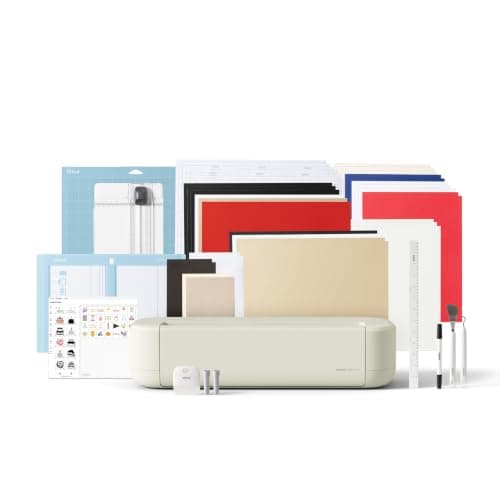 Cricut Explore 5The sensible default for a first machine: it cuts everything a beginner actually uses, and the money you sa... | Most card makers, and anyone who will also cut vinyl | $249.00 · View on Amazon Price as of November 12, 2026 #ad · affiliate link · we never show a price we cannot verify |
| 2 | 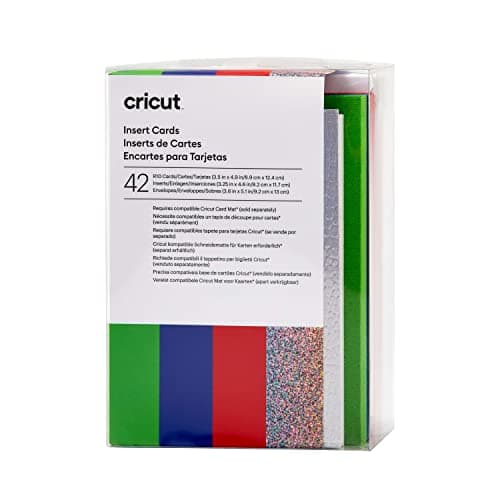 Cricut Insert CardsPre-scored card bases with matching inserts and envelopes in one pack — the reason a Cricut card takes ten ... | Looking like you know what you are doing on day one | $18.40 · View on Amazon Price as of November 12, 2026 #ad · affiliate link · we never show a price we cannot verify |
| 3 | 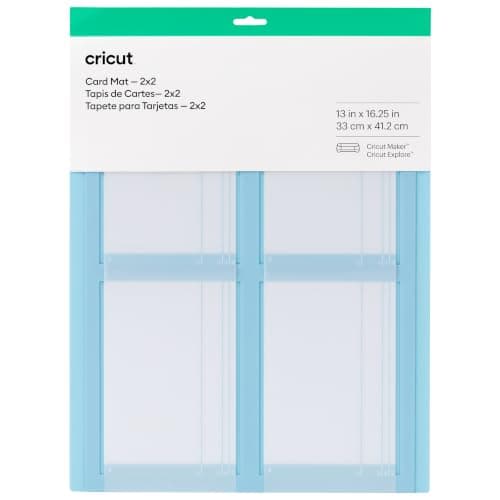 Cricut Card Mat 2x2A mat with a built-in divider that slides under the card front, so the blade cuts a window without going th... | The accessory that is doing the actual work | $8.99 · View on Amazon Price as of November 12, 2026 #ad · affiliate link · we never show a price we cannot verify |
| 4 | 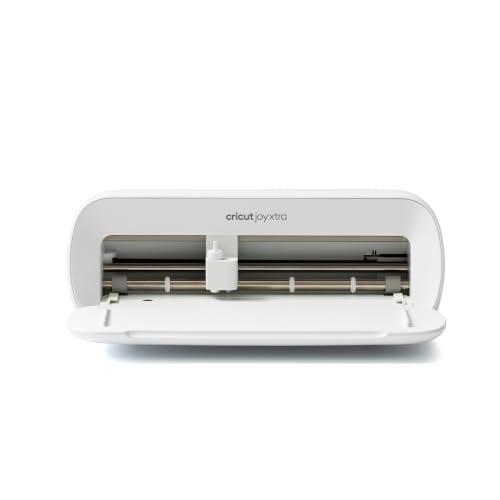 Cricut Joy XtraThe Joy that fixes the Joy's biggest limitation — a wider cut and print-then-cut — without growing into a f... | A card-focused setup in a small space | $149.00 · View on Amazon Price as of November 12, 2026 #ad · affiliate link · we never show a price we cannot verify |
| 5 | 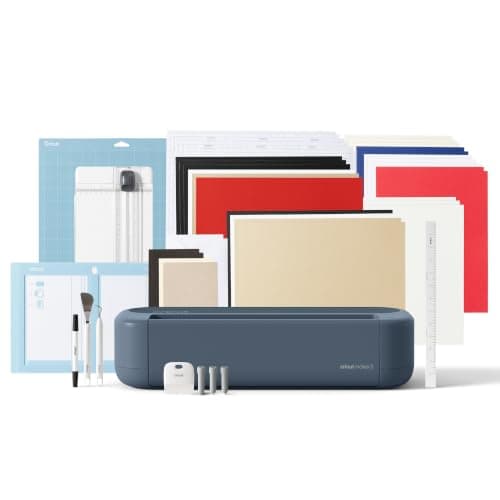 Cricut Maker 5The machine to buy only if you have a specific material in mind that an Explore cannot cut — rotary-blade f... | Cards plus fabric, leather or wood embellishments | $399.00 · View on Amazon Price as of November 12, 2026 #ad · affiliate link · we never show a price we cannot verify |
| 6 | 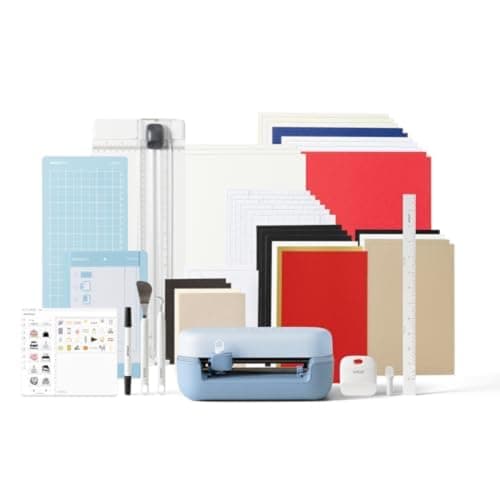 Cricut Joy 2The cheapest way into the hobby and a genuinely good little machine — as long as you accept that its narrow... | The cheapest way to find out whether you enjoy card making | $109.00 · View on Amazon Price as of November 12, 2026 #ad · affiliate link · we never show a price we cannot verify |
Tap any row to jump to the full write-up. Prices come from Amazon on the date stamped on each button and can change after that — check the listing before you buy.
What actually matters for cards
Most machine comparisons are written for people cutting vinyl, where cut width and blade type decide everything. Card making inverts those priorities. Here is the order that matters, and it is worth reading before you look at a single price.
11. Which card mat fits the machine, and how many cards it holds
This is the whole decision. Cricut sells a Card Mat 2x2 for Explore and Maker machines that holds up to four cards at once, a Joy Xtra card mat, and a Joy card mat — and they are not interchangeable. If you plan to make cards in batches, four per load versus one per load is the difference between an afternoon and an evening.
22. Which card sizes the machine supports
Cricut sells insert cards in four sizes: R10 at 3.5 by 4.9 inches, R20 at 4.25 by 5.5 inches, R30 at 4.5 by 6.25 inches and R40 at 4.75 by 6.6 inches. The Joy and Joy Xtra take the smaller sizes, with R40 listed for the Joy Xtra; the Explore and Maker machines work through the Card Mat 2x2. Pick a machine that covers the card size you actually want to send.
33. Whether you want to cut your own card bases
Pre-scored insert cards are convenient and expensive per card. Cutting your own bases from a cardstock pack is a fraction of the cost, and it needs full-width cutting and a scoring tool — which means an Explore or a Maker, not a Joy.
44. Print-then-cut, if you want printed panels
Printed sentiment layers, photo inserts and patterned panels all need print-then-cut. The Explore, Maker and Joy Xtra have it. The Joy 2 does not, and that is a real limit on what a card can look like.
55. Cut width — last, not first
A card is under 7 inches on its longest side. No current Cricut is too narrow to cut a card. Width only matters for cutting your own bases out of 12 inch cardstock, which is reason three, not a separate one.
1. Best for most card makers, and anyone who will also cut vinyl
Cricut Explore 5
Cricut · Currently sold · Verified 2026-09-27
The best balance for cards specifically, because of one thing: the Cricut Card Mat 2x2 is made for Explore and Maker machines and holds up to four cards at a time. Four cards per load is the difference between making a card and making a batch of thank-yous for a party. It also cuts the full 11.5 inch width, which matters if you want to cut your own card bases from 12 inch cardstock rather than buying pre-scored packs, and it takes two tools at once so it can score a fold and cut the design in one pass. Honest con: no rotary or knife blade, so if your card plans involve cutting thin basswood embellishments, this is not the machine.
What works
- Cuts every material a beginner's first ten projects will use
- Matless Smart Material cutting means long banners and decals without a mat
- Cheapest current machine that still handles full 12 in wide vinyl
- Huge community of tutorials aimed at exactly this machine
What does not
- No rotary blade, so unbacked fabric is out
- No knife blade for basswood or thick leather
- Still needs Design Space, which needs an internet connection to set up
Not for you if
You already know you want to cut quilting fabric or thick leather. That is the Maker line's rotary and knife blades, and no accessory adds them to an Explore.
Key specs
- Cuts
- Vinyl, heat transfer vinyl, cardstock, paper, iron-on, faux leather
- Max material width
- 12 in (11.5 in cut width)
- Matless cutting
- Yes, with Smart Materials
- Tool slots
- Two — blade plus pen or scoring tool
- Rotary / knife blade
- No — Maker line only
Price as of November 12, 2026
#ad · affiliate link · we never show a price we cannot verify
2. Best for looking like you know what you are doing on day one
Cricut Insert Cards
Cricut · Currently sold · Verified 2026-10-22
The reason Cricut cards took off. A pack gives you pre-scored bases, coordinating inserts and matching envelopes, so a single cut-out window on the front plus a contrasting insert behind it is a finished card. No scoring, no trimming, no hunting for an envelope that fits. Honest cons: it costs several times what cutting your own bases from a cardstock pack costs per card, you are limited to Cricut's four sizes, and the colors are whatever is in the pack. Buy one sampler first, make four cards, then decide whether you want to keep paying for the convenience.
What works
- The card, the insert and the envelope arrive matched, so nothing has to be trimmed to fit
- Already scored, so no scoring tool and no fold line to get wrong
- A cut-out window plus a contrasting insert is a finished-looking card from one cut
- Sold in small sampler packs, so a first attempt costs very little
What does not
- Costs far more per card than cutting your own bases from a cardstock pack
- You work in Cricut's four sizes, and a non-standard card shape is out
- Needs the matching card mat for your machine, which is a separate purchase
- Color choice is whatever is in the pack you bought
Not for you if
You are making fifty cards for an event. At that volume, plain cardstock and your own scored folds cost a fraction as much.
Key specs
- What you get
- Pre-scored card bases, coordinating inserts and envelopes in one pack
- Sizes
- Cricut lists R10 3.5 x 4.9 in, R20 4.25 x 5.5 in, R30 4.5 x 6.25 in and R40 4.75 x 6.6 in — the linked pack is an R10 sampler
- Machines
- Cricut lists Joy, Joy Xtra, Explore and Maker as compatible
- Mat required
- Yes — a Cricut card mat, sized to the machine
- Scoring
- None needed — the fold is already scored
Price as of November 12, 2026
#ad · affiliate link · we never show a price we cannot verify
3. Best for the accessory that is doing the actual work
Cricut Card Mat 2x2
Cricut · Currently sold · Verified 2026-10-22
A folded card has two layers, and a normal mat lets the blade cut straight through both — which ruins the card. This mat has a divider that slides between the front and back panels so the blade only cuts the front, and it holds four cards in position at once. It is the specific piece of kit that makes window cards possible, and it is cheap. If you buy an Explore or a Maker for cards, buy this with it; the machine without the mat is not really set up for the job.
What works
- Four cards per load is the difference between a card hobby and a card production line
- The divider is what makes a cut-out window possible at all on a folded card
- Reusable, so the cost is one-time rather than per card
- Removes the guesswork of positioning a folded card on a standard mat
What does not
- Explore and Maker only — a Joy or Joy Xtra needs its own, different card mat
- Another mat to store, and it loses tack like any adhesive mat
- Only useful if you are cutting Cricut's pre-scored card sizes
Not for you if
You own a Joy or Joy Xtra. Those machines take the Joy or Joy Xtra card mat instead, and this one will not fit.
Key specs
- What it does
- Holds pre-scored cards flat with a divider protecting the back panel
- Capacity
- Cricut states it holds up to 4 cards at once
- Machines
- Cricut lists it for Explore and Maker machines
- Works with
- Cricut Insert Cards and Cutaway Cards
- Reusable
- Yes — an adhesive mat, stored flat
Price as of November 12, 2026
#ad · affiliate link · we never show a price we cannot verify
4. Best for a card-focused setup in a small space
Cricut Joy Xtra
Cricut · Currently sold · Verified 2026-09-27
A genuinely good card machine if cards are most of what you plan to do. Cricut lists insert cards up to R40 at 4.75 by 6.6 inches as compatible with the Joy Xtra, which covers the largest common card size, and the machine's own card mat handles the divider job. It also has print-then-cut, so printed sentiment panels and photo inserts are available to you. Honest cons: its card mat takes one card at a time, so a batch of twelve is twelve loads; the 8.5 inch cut width means you cannot cut your own bases from 12 inch cardstock; and Joy-format materials are less widely stocked.
What works
- 8.5 in cut width handles most youth and many adult shirt designs
- Print-then-cut means printed sticker sheets, which the Joy 2 cannot do
- Still small and light enough to put away between projects
- Uses the same Design Space workflow as the bigger machines
What does not
- Still narrower than the 11.5 in the Explore and Maker lines cut
- Costs enough that the Explore 5 becomes a fair comparison
- Smaller mat sizes limit how much you can gang up on one cut
Not for you if
You want full-width 12 in vinyl for large signs or full-front shirt prints. Step up to an Explore 5 instead.
Key specs
- Cuts
- Vinyl, heat transfer vinyl, cardstock, sticker paper, faux leather
- Max cut width
- 8.5 in
- Print then cut
- Yes — printed stickers work
- Matless cutting
- Yes, with Smart Materials
- Footprint
- Noticeably smaller than an Explore
Price as of November 12, 2026
#ad · affiliate link · we never show a price we cannot verify
5. Best for cards plus fabric, leather or wood embellishments
Cricut Maker 5
Cricut · Currently sold · Verified 2026-09-27
Identical to the Explore 5 for card making — same 11.5 inch cut width, same two tool slots, same Card Mat 2x2 taking four cards per load. Everything in this roundup that applies to the Explore applies here. The only reason to pay the difference is if your cards are going to carry materials an Explore cannot cut: a felt flower, a thin leather tag, a basswood monogram. Honest con, and it is the big one: if your project list is cards, shirts, decals and stickers, you are paying materially more for capability you will never use.
What works
- Rotary blade cuts quilting cotton with no backing, which no Explore can do
- Knife blade opens basswood, chipboard and thick leather
- Adaptive tool system takes every Cricut blade and tip
- Same matless Smart Material workflow as the Explore line
What does not
- Materially more expensive than an Explore for capability most beginners never use
- The knife blade is a separate purchase on top of the machine
- Knife-blade cuts are slow — a thick basswood cut can run well over an hour
Not for you if
Your project list is shirts, decals, stickers and cards. Every one of those cuts identically on an Explore 5, and the difference in price is roughly a full starter set of materials.
Key specs
- Cuts
- 300+ materials including unbacked fabric, leather, basswood
- Max material width
- 12 in (11.5 in cut width)
- Matless cutting
- Yes, with Smart Materials
- Rotary blade
- Yes — cuts fabric without a stabilizer backing
- Knife blade
- Yes — sold separately
Price as of November 12, 2026
#ad · affiliate link · we never show a price we cannot verify
6. Best for the cheapest way to find out whether you enjoy card making
Cricut Joy 2
Cricut · Currently sold · Verified 2026-09-27
Cards are the Joy's home ground and always have been — the machine is small, the setup is almost nothing, and Cricut's smaller insert card sizes were designed around it. If you want to make a dozen cards a year and store the machine in a drawer between times, this is the right purchase and the cheapest in the current line. Honest cons: 4.5 inch cut width rules out the larger card sizes and anything else you might later want, there is no print-then-cut so printed inserts are out, and its card mat is one card per load. Buy it for cards; do not buy it expecting to grow into shirts.
What works
- The lowest cost of entry in the current Cricut line
- Genuinely portable and storable, which matters if you have no dedicated craft space
- Long matless cuts make it excellent for labels and long decals
- Simple enough that the learning curve is close to flat
What does not
- 4.5 in cut width is the hard limit — most adult shirt designs will not fit
- No print-then-cut, so printed stickers are out
- Takes the narrow Joy-format materials, which are less widely stocked
Not for you if
You want to make shirts. A 4.5 in design reads as a small chest logo, not a front print, and there is no workaround.
Key specs
- Cuts
- Vinyl, heat transfer vinyl, cardstock, paper, Smart Label material
- Max cut width
- 4.5 in
- Max cut length
- Up to 20 ft with Smart Materials
- Footprint
- Small enough to store in a drawer
- Mat required
- Optional — cuts matless with Smart Materials
Price as of November 12, 2026
#ad · affiliate link · we never show a price we cannot verify
How the machines compare for cards specifically
| Joy 2 | Joy Xtra | Explore 5 | Maker 5 | |
|---|---|---|---|---|
| Card mat | Joy card mat | Joy Xtra card mat | Card Mat 2x2 | Card Mat 2x2 |
| Cards per load | 1 | 1 | Up to 4 | Up to 4 |
| Insert card sizes | R10, R20, R30 | R10, R20, R30, R40 | Via Card Mat 2x2 | Via Card Mat 2x2 |
| Cut width | 4.5 in | 8.5 in | 11.5 in | 11.5 in |
| Cut your own bases from 12 in cardstock | No | No | Yes | Yes |
| Print then cut | No | Yes | Yes | Yes |
| Scoring tool while cutting | No second tool slot | No second tool slot | Yes | Yes |
| Footprint | Drawer-sized | Small | Full-size | Full-size |
Read down the "cards per load" row and you have the practical shape of this decision. Everything else on the table is a secondary consideration you may or may not care about, but one card per load versus four is felt on every single project. If cards are a Christmas-and-birthdays thing, one per load is fine. If you are making place cards for a wedding, it is not.
Insert cards, or cut your own?
This is the second real decision, and it is about money rather than machines. A pack of Cricut insert cards gives you pre-scored bases, coordinating inserts and matching envelopes in sizes the software already knows about. The convenience is genuine: you cut one window, slide an insert behind it, and you have a card that looks deliberate. The cost per card is several times what the same card costs if you cut the base yourself from a pack of cardstock.
The honest advice is to do both, in that order. Buy one sampler pack with your machine so your first four cards work and you learn the workflow without fighting anything. Then, once you know you enjoy this, start cutting your own bases from cardstock — which is where the full 11.5 inch cut width and the scoring tool on an Explore or a Maker stop being theoretical and start saving you real money. The Cricut cost guide covers how consumables add up across the whole hobby.
- Insert cards win when you want a finished look immediately, you want matched envelopes, or you are making a handful of cards for a specific occasion.
- Cutting your own wins when volume goes up, you want a size or color Cricut does not sell, or you already have a cardstock stash.
- Envelopes are the hidden cost of cutting your own. You can cut those too, but a non-standard envelope size means buying envelopes separately or cutting and gluing each one.
Scoring: what the second tool slot is for
If you cut your own card bases, the fold needs a score line. You can crease a card by hand against a ruler, and it will look like you creased it by hand against a ruler — cardstock cracks along an unscored fold, especially the heavier weights that make a card feel substantial. A scoring stylus or scoring wheel presses a channel into the card so the fibers bend instead of breaking.
The Explore and Maker machines have two tool slots, which means the machine can score the fold and cut the design in a single pass with no reload. The Joy machines have one tool carriage, so scoring means a separate operation if it is available at all for your project. This is a small thing that becomes a large thing at volume, and it is the main mechanical argument for a full-size machine if you intend to cut your own bases. The Cricut blade guide covers which tool does what across the range.
Cards versus scrapbooking — not the same project
These two get conflated constantly, and the requirements genuinely differ. Scrapbooking is built around 12 by 12 inch album pages, so full cut width and a mat that does not shred thin paper are the priorities, and cards barely feature. Card making is built around small pre-scored folded stock, so the card mat and card sizes are the priorities, and 12 inch width is almost irrelevant. If you want both, an Explore 5 covers both; if you want only cards, a Joy Xtra covers cards better than it covers album pages. The best Cricut for scrapbooking is the other half of this question.
What you will get wrong the first time
- Cutting a folded card on a standard mat. The blade goes through both layers. Use the card mat, every time, with the divider slid between the panels.
- Choosing a card size the machine does not support. Check the size against your machine before you buy a pack — an R40 card on a Joy 2 is wasted money.
- Buying the wrong card mat. The Card Mat 2x2 is for Explore and Maker machines. A Joy or Joy Xtra needs its own, and it will not fit the other way around.
- Not scoring a hand-cut base. Heavy cardstock cracks along an unscored fold. Score it, or buy pre-scored.
- Letting the mat lose its tack. Card mats are adhesive and they pick up paper fibers. Keep the protective film, store them flat, and lift cards rather than peeling them sideways.
- Forgetting the envelope. Pre-scored packs include matching envelopes. A base you cut yourself at a custom size may not fit anything you own.
The verdict
Card making is the rare project in this hobby where the cheap machine is genuinely competitive, because a card is small and a Joy cuts small things beautifully. If cards are what you want, and a dozen a year is the volume, a Joy 2 and a pack of insert cards is a complete and sensible setup for very little money.
For everyone else — and that is most people, because almost nobody buys a cutting machine for cards and nothing else — the Explore 5 with the Card Mat 2x2 is the right call. Four cards per load, the full width to cut your own bases once the pre-scored packs start feeling expensive, a second tool slot to score the folds, and print-then-cut for printed panels. The Maker 5 does all of that identically and only earns its premium if felt, leather or basswood are going on your cards. Which Cricut should I buy walks the same decision across every project type.
If card weight rather than card making is your question, the best Cricut for cardstock covers the blade, mat and force side of cutting paper cleanly.
Common questions
Which Cricut is best for making cards?
Do you need a special mat to cut cards on a Cricut?
How many cards can a Cricut cut at once?
What sizes do Cricut insert cards come in?
Can the Cricut Joy make cards?
Is it cheaper to cut your own card bases than buy insert cards?
Do I need a scoring tool for cards?
Sources
- Cricut Card Mat 2x2 — Cricut product page — Cricut's own listing confirming the Card Mat 2x2 holds up to 4 cards at once, is reusable, and is for Cricut Explore and Cricut Maker machines, working with Insert Cards and Cutaway Cards - checked 22 October 2026
- Cricut Joy Xtra Card Mat — Cricut product page — Confirming the Joy Xtra card mat is a separate 4.7 x 6.6 in product sized to the R40 card, and is not interchangeable with the Explore and Maker mat - checked 22 October 2026
- Cricut Insert Cards — help article on sizes and compatibility — Cricut's published card size list — R10 3.5 x 4.9 in, R20 4.25 x 5.5 in, R30 4.5 x 6.25 in, R40 4.75 x 6.6 in — and the machine and card mat compatibility by size - referenced 22 October 2026
- Cricut Insert Cards — current retail listing — Confirmed insert cards are currently sold, and the listing's own statement of compatibility with Cricut Joy, Maker and Explore machines - checked 22 October 2026
How we picked
We verify every product is currently sold by reading the manufacturer's own catalog, compare published specifications rather than marketing copy, and rank on what a first-time buyer has to decide. We do not run lab tests and we do not claim to, and commission never affects the order.
Read this next
The Best Cricut for Scrapbooking
Which machine suits paper crafting, why scoring matters, and the mat that stops thin paper tearing.
Which Cricut Should I Buy?
A four-question decision flow that ends on one specific model — no hedging, no feature lists.
Cricut Joy 2 vs Joy Xtra
The compact Cricuts compared: what the extra four inches and print-then-cut are actually worth.
The Best Cricut for Beginners
One safe default pick, plus the specific cases where a different Cricut — or no Cricut — is the better buy.
What a Cricut Really Costs
Every component a working setup needs, what recurs, and the costs people meet one at a time.
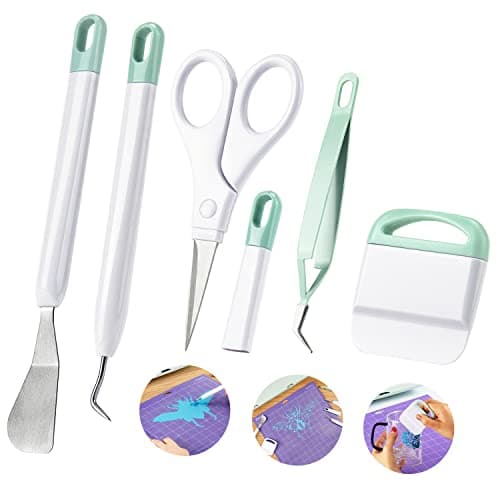
The Cricut Accessories You Actually Need
The short list that genuinely earns its space, the longer list that does not, and the buying order.
Back to Cutting Machines.