The Best Cricut for Bookbinding
A binder needs board cut square, cloth cut without fraying and a score line in exactly the right place. Only one line of Cricut does all three — and no Cricut binds the book.
Heads up: Mat & Blade earns a commission from qualifying purchases made through the links on this page, at no extra cost to you. It never changes which products we recommend or how we rank them. Read the full disclosure.
The Cricut Maker 5 is the best Cricut for bookbinding, because only the Maker line takes the knife blade that cuts bookboard and the rotary blade that cuts bookcloth without fraying. The budget pick is the Cricut Explore 5, which is genuinely enough if your books are soft-cover — cardstock journals, zines and pamphlet bindings — since it scores and cuts paper in one pass. Before buying either, be clear about what no Cricut does: it cuts the parts, it does not bind the book.
Quick picks
| # | Product | Best for | Price |
|---|---|---|---|
| 1 | 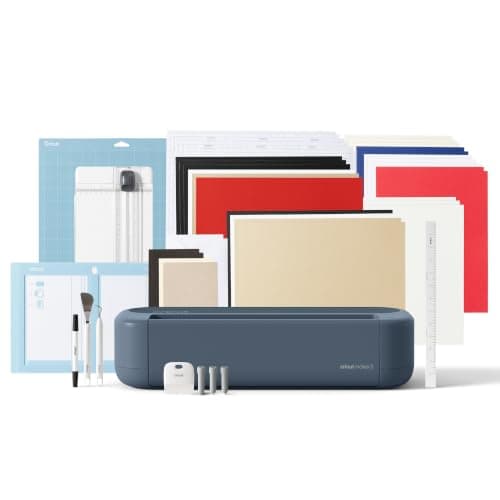 Cricut Maker 5The machine to buy only if you have a specific material in mind that an Explore cannot cut — rotary-blade f... | The overall pick — the only line that cuts board and cloth | $399.00 · View on Amazon Price as of November 28, 2026 #ad · affiliate link · we never show a price we cannot verify |
| 2 | 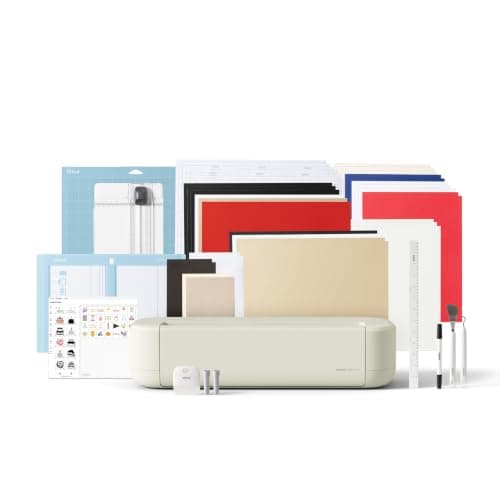 Cricut Explore 5The sensible default for a first machine: it cuts everything a beginner actually uses, and the money you sa... | The budget pick — soft covers, cardstock journals and scored folds | $199.00 · View on Amazon Price as of November 28, 2026 #ad · affiliate link · we never show a price we cannot verify |
| 3 | 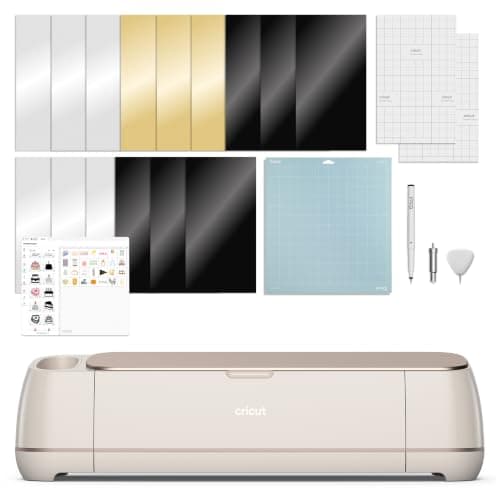 Cricut Maker 4Still sold alongside the Maker 5 and still fully supported — worth a look purely because the older model in... | Maker capability when the Maker 5 is not on offer | $349.00 · View on Amazon Price as of November 28, 2026 #ad · affiliate link · we never show a price we cannot verify |
| 4 | 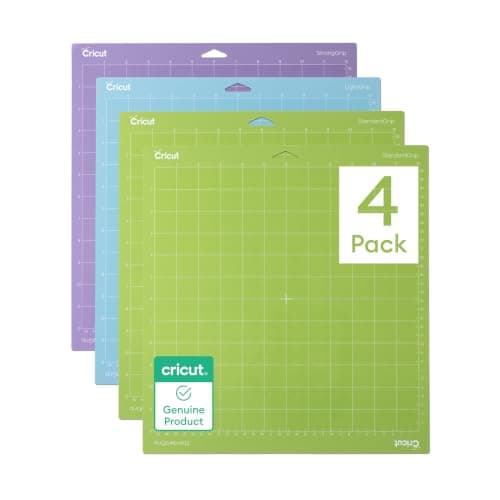 Cricut Cutting Mat Variety PackMats are consumable, not permanent — plan on replacing them, and match the grip to the material rather than... | The consumable that board work eats fastest | $14.39 · View on Amazon Price as of November 28, 2026 #ad · affiliate link · we never show a price we cannot verify |
| 5 | 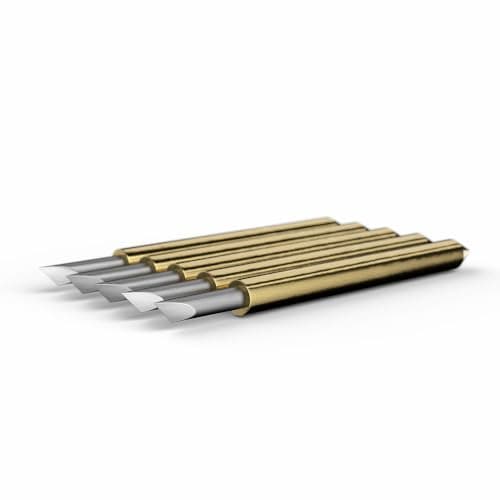 Cricut Premium Fine-Point Replacement BladesA dull blade is the most common cause of a machine that has apparently 'stopped cutting properly' — and the... | The cheapest fix for cuts that have started tearing | $39.00 · View on Amazon Price as of November 28, 2026 #ad · affiliate link · we never show a price we cannot verify |
Tap any row to jump to the full write-up. Prices come from Amazon on the date stamped on each button and can change after that — check the listing before you buy.
The three materials that decide the machine
- Bookboard and chipboard. Dense, thick and the reason the knife blade exists. A fine-point blade will not cut it at any setting, and forcing it damages the mat and the blade. Maker line only, sold separately, slow.
- Bookcloth and fabric. A drag blade pushes woven material rather than slicing it, leaving a frayed edge and lifted threads. The rotary blade slices it, which is why the Maker handles unbacked cloth and the Explore needs the cloth backed with a stabiliser first.
- Cardstock and faux leather. Both machines are fine here, which is exactly why the Explore is a real answer for soft-cover work rather than a consolation prize.
- A score line, not a fold. A scored spine hinge opens cleanly and does not crack the covering material. The Explore takes a scoring stylus; the Maker takes a scoring wheel that presses a deeper line into heavier stock.
1. Best for the overall pick — the only line that cuts board and cloth
Cricut Maker 5
Cricut · Currently sold · Verified 2026-09-27
The best Cricut for bookbinding, and the gap to the rest of the line is unusually wide here because binding needs two blades the other machines do not have. The knife blade cuts dense chipboard, which is what a hard cover is; the rotary blade cuts bookcloth and fabric without a stabiliser backing and without the fraying edge a drag blade leaves, which is what covers that board. Add a scoring wheel for a crisp spine hinge and the machine covers three of the four cutting jobs in a case binding, cut square and repeatable in a way a craft knife and a steel rule are not after the twentieth journal. Honest cons: the knife blade is sold separately and is slow, with thick board taking many passes; 11.5 in of cut width caps the cover size, so a large-format book is a hand-cut job; and heavy board cutting wears mats and blades noticeably faster than paper.
What works
- Rotary blade cuts quilting cotton with no backing, which no Explore can do
- Knife blade opens basswood, chipboard and thick leather
- Adaptive tool system takes every Cricut blade and tip
- Same matless Smart Material workflow as the Explore line
What does not
- Materially more expensive than an Explore for capability most beginners never use
- The knife blade is a separate purchase on top of the machine
- Knife-blade cuts are slow — a thick basswood cut can run well over an hour
Not for you if
Your project list is shirts, decals, stickers and cards. Every one of those cuts identically on an Explore 5, and the difference in price is roughly a full starter set of materials.
Key specs
- Cuts
- 300+ materials including unbacked fabric, leather, basswood
- Max material width
- 12 in (11.5 in cut width)
- Matless cutting
- Yes, with Smart Materials
- Rotary blade
- Yes — cuts fabric without a stabilizer backing
- Knife blade
- Yes — sold separately
Price as of November 28, 2026
#ad · affiliate link · we never show a price we cannot verify
2. Best for the budget pick — soft covers, cardstock journals and scored folds
Cricut Explore 5
Cricut · Currently sold · Verified 2026-09-27
The budget pick and the right machine if your books are soft-cover: notebooks, zines, pamphlet-stitched journals, folded cards and cardstock covers. It cuts cardstock cleanly, takes a scoring stylus in the second tool slot so a fold can be scored and cut in the same pass, and handles faux leather for a flexible cover. What it cannot do is the hard part of hard covers — chipboard and unbacked cloth both need Maker-only blades. Honest cons: no knife blade, so no bookboard; no rotary blade, so bookcloth frays unless you back it; and the 11.5 in width is the same ceiling as the Maker without the capability.
What works
- Cuts every material a beginner's first ten projects will use
- Matless Smart Material cutting means long banners and decals without a mat
- Cheapest current machine that still handles full 12 in wide vinyl
- Huge community of tutorials aimed at exactly this machine
What does not
- No rotary blade, so unbacked fabric is out
- No knife blade for basswood or thick leather
- Still needs Design Space, which needs an internet connection to set up
Not for you if
You already know you want to cut quilting fabric or thick leather. That is the Maker line's rotary and knife blades, and no accessory adds them to an Explore.
Key specs
- Cuts
- Vinyl, heat transfer vinyl, cardstock, paper, iron-on, faux leather
- Max material width
- 12 in (11.5 in cut width)
- Matless cutting
- Yes, with Smart Materials
- Tool slots
- Two — blade plus pen or scoring tool
- Rotary / knife blade
- No — Maker line only
Price as of November 28, 2026
#ad · affiliate link · we never show a price we cannot verify
3. Best for maker capability when the maker 5 is not on offer
Cricut Maker 4
Cricut · Currently sold · Verified 2026-09-27
Worth naming because it is the same answer to the same problem at whatever the two machines are priced at on the day. The Maker 4 is a current machine sold alongside the Maker 5, it takes the same knife and rotary blades, and for bookbinding — where you are buying access to those two blades rather than to speed — the practical difference between the two generations is small. Check both prices in the table before deciding; the live numbers move. Honest cons: it is the older of the two current Makers, so resale and software focus will shift away from it first; the knife blade is still sold separately; and it shares the same 11.5 in width ceiling.
What works
- Rotary and knife blade capability, the same reason anyone buys a Maker
- Frequently the cheaper route into the Maker line
- Fully supported in Design Space — this is not a discontinued model
What does not
- Slower than the Maker 5 on long cuts
- Being the older model in the line, stock can be patchy
- Same caveat as every Maker: most beginners never use the rotary blade
Not for you if
You are buying your first machine and have no fabric or wood project in mind. The Explore 5 does your projects for less.
Key specs
- Cuts
- 300+ materials including unbacked fabric, leather, basswood
- Max material width
- 12 in (11.5 in cut width)
- Rotary blade
- Yes
- Knife blade
- Yes — sold separately
- Status
- Current line, sold alongside the Maker 5
Price as of November 28, 2026
#ad · affiliate link · we never show a price we cannot verify
4. Best for the consumable that board work eats fastest
Cricut Cutting Mat Variety Pack
Cricut · Currently sold · Verified 2026-09-27
Named because a bookbinding project is the fastest way to discover that mats are consumables. Thick chipboard needs a strong-grip mat or it shifts mid-cut and ruins both the board and the mat, while bookcloth needs the fabric mat, and cardstock sits happily on standard grip — three jobs, three surfaces, and a variety pack is how you get them without buying three separate mats. Honest cons: tack declines with use and board work accelerates that; the strong-grip mat can tear thin paper on removal, so it is the wrong mat for the endpapers; and a mat caps your cover at its own 12 in dimension.
What works
- Correct grip prevents both torn material and material sliding mid-cut
- Third-party mats cost noticeably less than brand mats
- Tack can be partly restored with gentle washing
What does not
- They wear out, and a tired mat causes cuts people blame on the machine
- Strong grip can shred thin paper
Not for you if
You only ever cut Smart Materials matless. Even then, keep one standard mat for the day you buy ordinary vinyl.
Key specs
- Grip levels
- Light, standard, strong, and fabric-specific
- Standard grip
- Vinyl, iron-on, cardstock — the everyday mat
- Strong grip
- Thick cardstock, chipboard, glitter materials
- Light grip
- Thin paper and vellum that would tear on a standard mat
- Lifespan
- Consumable — tack declines with use and is partly restorable
Price as of November 28, 2026
#ad · affiliate link · we never show a price we cannot verify
5. Best for the cheapest fix for cuts that have started tearing
Cricut Premium Fine-Point Replacement Blades
Cricut · Currently sold · Verified 2026-09-27
Named because board and cloth dull a fine-point blade quickly, and the symptom is easy to misread as a machine fault: ragged corners, incomplete cuts, a tear at the end of a long straight line. On a book cover that tear is the visible edge of the finished object, so the blade is not a detail. Blades swap into the existing housing, which makes this one of the cheapest maintenance items in the whole setup. Honest cons: a fine-point blade is not a substitute for the knife blade on thick board; the lifespan varies enormously with material, so there is no schedule to follow; and buying blades does not fix a mat that has lost its grip.
What works
- Cheap fix for the single most common cutting complaint
- Swapping takes seconds with no tools
- Third-party blades are far cheaper and generally fine for vinyl
What does not
- Very cheap blades can be inconsistent on fine detail
- Easy to blame the blade when the real problem is the mat or the setting
Not for you if
Your machine is new. Check your material setting and mat tack first.
Key specs
- Type
- Fine-point blade — the everyday blade for vinyl and cardstock
- Lifespan
- Varies hugely with material; glitter and cardstock dull it fastest
- Housing
- Blades swap into the existing housing — you do not rebuy the housing
- Symptom of dullness
- Tearing, incomplete cuts, ragged corners
Price as of November 28, 2026
#ad · affiliate link · we never show a price we cannot verify
Which machines to rule out, and why
This is a page where the small machines genuinely do not fit, and it is worth saying so plainly rather than listing them for completeness. The Joy 2 cuts a 4.5 in path and the Joy Xtra 8.5 in — both narrower than the cover of an A5 journal, so a cover becomes a tiled job before you have started. They are excellent for labels and cards, and is Cricut Joy worth it makes that case, but a book cover is the wrong project for them. The Venture is wide enough for anything but has no rotary or knife blade, so it is a vinyl-and-paper machine at scale rather than a binder's machine.
| Machine | Cuts bookboard | Cuts unbacked cloth | Max cover width |
|---|---|---|---|
| Maker 5 | Yes — knife blade, sold separately | Yes — rotary blade | 11.5 in |
| Maker 4 | Yes — knife blade, sold separately | Yes — rotary blade | 11.5 in |
| Explore 5 | No | No — back it with stabiliser | 11.5 in |
| Joy Xtra | No | No | 8.5 in |
| Joy 2 | No | No | 4.5 in |
How to get square covers out of a machine, not a craft knife
1Cut a test board before the real one
Board varies between suppliers and even between sheets. Run one small rectangle, check the cut went all the way through, and adjust passes before committing a full cover.
2Expect multiple passes and let them finish
A knife blade cut is designed as a series of progressively deeper passes. Lifting the mat early to check is the most common way a cover gets ruined.
3Cut cloth with the rotary blade on a fabric mat
Any other combination frays the edge, and a frayed edge shows through the turn-in at the corners of a finished cover.
4Score the hinge, do not fold it
A hinge gap scored to a measured width is what lets a hard cover open flat. Measure from the board edge rather than from the spine of the finished book, since the covering material adds thickness.
5Change the blade when corners get ragged
On a book the cut edge is the visible edge of the object. Ragged corners are a dull blade, not a design problem — the blade guide covers which blade does what.
Is a cutting machine worth it for binding at all?
If you bind occasionally, no: a steel rule, a sharp knife and a cutting mat do the same job for a fraction of the money, and hand-cutting one cover is faster than setting up a machine for it. The machine earns its place when you bind repeatedly and want identical results — a run of journals for a market, class sets, matching volumes — because a stored design cuts the same cover on the twentieth attempt as on the first. That is the same argument as everywhere else on this site: see is a Cricut worth it for the general version, the best Cricut for cardstock if your work is paper-weight rather than board-weight, and the best Cricut machine that does everything if binding is one of several things you want it for.
Prices in the table are read automatically from Amazon with the date of the read under each button, so the Maker 4 and Maker 5 can be compared on the day rather than on publication. There are no scores or awards on this page — the ranking follows from which blades each machine accepts, which is a published specification you can check.
Common questions
Which Cricut is best for bookbinding?
Can a Cricut cut bookboard or chipboard?
Can a Cricut cut bookcloth?
How big a book cover can a Cricut cut?
Do I need the scoring wheel or is the stylus enough?
How we picked
We verify every product is currently sold by reading the manufacturer's own catalog, compare published specifications rather than marketing copy, and rank on what a first-time buyer has to decide. We do not run lab tests and we do not claim to, and commission never affects the order.
Read this next
The Best Cricut for Cardstock
Machines that cut cardstock cleanly, ranked, plus the blade and mat choices that cause most torn-corner problems.
The Cricut Machine That Does Everything
The Maker 5 is the only Cricut rated for the full material list — here is exactly what that adds, and when it is wasted.
Cricut Blade Guide
Which blade cuts what, when to replace, and why a dull blade masquerades as a broken machine.
Cricut Maker 5 Review
The top of the mainstream line: what the extra blades do, and why most beginners will not use them.
The Best Cricut for Cards
Why the card mat, not the blade, decides this — plus how many cards each machine cuts per load and what a pack of insert cards really costs per card.
Back to Cutting Machines.