Cricut Joy Alternatives
The Joy is a genuinely good compact machine. Almost everyone who outgrows it outgrows one specific thing — its width — and that points at a different answer.
Heads up: Mat & Blade earns a commission from qualifying purchases made through the links on this page, at no extra cost to you. It never changes which products we recommend or how we rank them. Read the full disclosure.
If your reason for looking is that your designs do not fit, the Cricut Joy Xtra is the alternative — same simplicity, more width. If you want the full 12 inches and are done working around a size limit, buy the Explore 5. If what bothers you is the cloud-only app and the subscription, the Silhouette Portrait 4 is the genuine ecosystem alternative. And the budget answer, if your real frustration is weeding tiny designs, is a weeding tool set that costs a tiny fraction of any machine here. Start with what the Joy is actually good at.
Quick picks
| # | Product | Best for | Price |
|---|---|---|---|
| 1 | 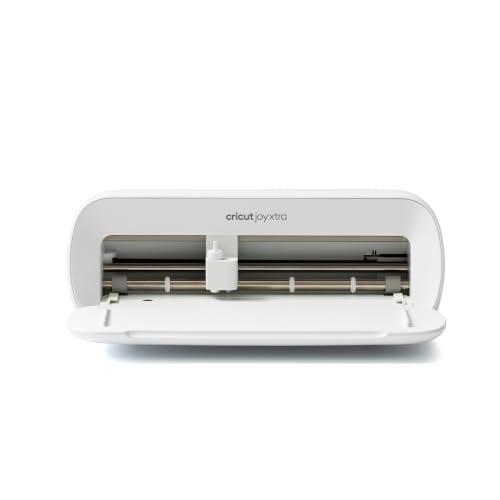 Cricut Joy XtraThe Joy that fixes the Joy's biggest limitation — a wider cut and print-then-cut — without growing into a f... | The straight upgrade — same simplicity, more width | $149.00 · View on Amazon Price as of November 12, 2026 #ad · affiliate link · we never show a price we cannot verify |
| 2 | 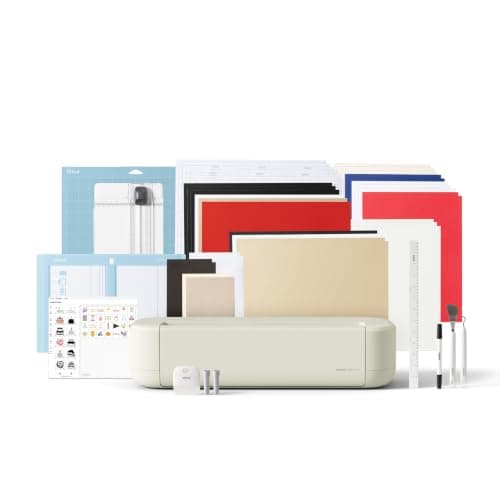 Cricut Explore 5The sensible default for a first machine: it cuts everything a beginner actually uses, and the money you sa... | Leaving because you want the full 12 inches | $249.00 · View on Amazon Price as of November 12, 2026 #ad · affiliate link · we never show a price we cannot verify |
| 3 | 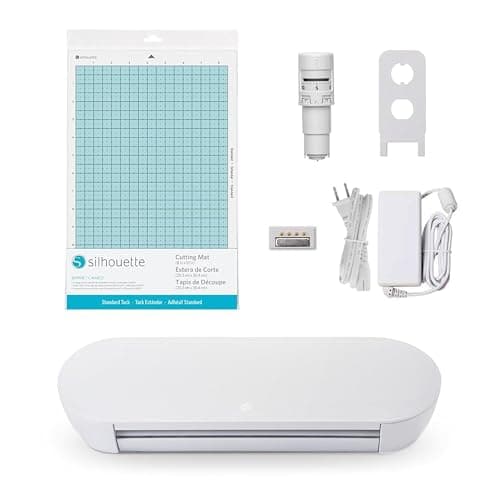 Silhouette Portrait 4Silhouette's answer to the Joy Xtra — a narrower, cheaper machine that still runs the full offline Studio s... | Leaving the Cricut ecosystem, not just the machine | $199.99 · View on Amazon Price as of November 12, 2026 #ad · affiliate link · we never show a price we cannot verify |
| 4 | 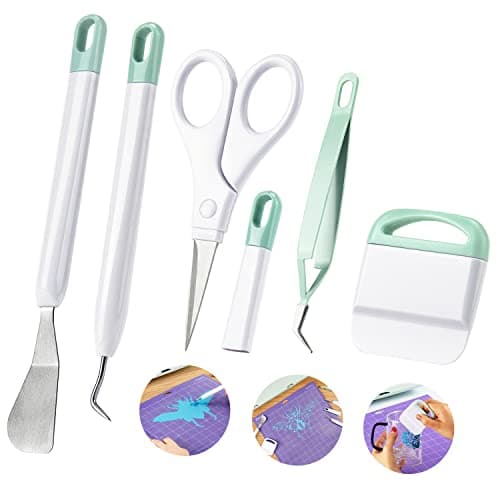 Ecraft Vinyl Weeding Tool SetThe single accessory that changes a beginner's experience most — weeding with a pin is miserable, and a hoo... | The budget pick — if your real problem is weeding | $7.99 · View on Amazon Price as of November 12, 2026 #ad · affiliate link · we never show a price we cannot verify |
Tap any row to jump to the full write-up. Prices come from Amazon on the date stamped on each button and can change after that — check the listing before you buy.
Pick by your reason for leaving
| Your reason | The alternative | What changes |
|---|---|---|
| My designs do not fit | Cricut Joy Xtra | Wider cuts, same app, still compact |
| I want full-size shirt designs | Cricut Explore 5 | Full 12 inches, more desk space, higher price |
| I dislike the cloud app and subscription | Silhouette Portrait 4 | Offline software, steeper learning curve |
| Weeding small designs frustrates me | A weeding tool set | Nothing about the machine — it was never the problem |
| I want to cut fabric or leather | A Maker-class machine | A different tool system entirely — see our leather and fabric pages |
1. Best for the straight upgrade — same simplicity, more width
Cricut Joy Xtra
Cricut · Currently sold · Verified 2026-09-27
The alternative that keeps everything people like about the Joy and removes the one thing they do not. It stays compact and simple, runs the same Design Space workflow, and widens the cutting area enough to put an adult shirt design or a standard sticker sheet within reach. If your reason for looking past the Joy is 'my designs do not fit', this is the shortest possible move and the one we would make first.
What works
- 8.5 in cut width handles most youth and many adult shirt designs
- Print-then-cut means printed sticker sheets, which the Joy 2 cannot do
- Still small and light enough to put away between projects
- Uses the same Design Space workflow as the bigger machines
What does not
- Still narrower than the 11.5 in the Explore and Maker lines cut
- Costs enough that the Explore 5 becomes a fair comparison
- Smaller mat sizes limit how much you can gang up on one cut
Not for you if
You want full-width 12 in vinyl for large signs or full-front shirt prints. Step up to an Explore 5 instead.
Key specs
- Cuts
- Vinyl, heat transfer vinyl, cardstock, sticker paper, faux leather
- Max cut width
- 8.5 in
- Print then cut
- Yes — printed stickers work
- Matless cutting
- Yes, with Smart Materials
- Footprint
- Noticeably smaller than an Explore
Price as of November 12, 2026
#ad · affiliate link · we never show a price we cannot verify
2. Best for leaving because you want the full 12 inches
Cricut Explore 5
Cricut · Currently sold · Verified 2026-09-27
The alternative if you have decided to stop working around a size limit permanently. Full 12-inch cutting width, more material compatibility, and the same Design Space app you already know, so nothing about the software is new. It costs meaningfully more than a compact machine and takes real desk space, which are the two reasons to buy a Joy in the first place — be honest about whether those still apply before you step up.
What works
- Cuts every material a beginner's first ten projects will use
- Matless Smart Material cutting means long banners and decals without a mat
- Cheapest current machine that still handles full 12 in wide vinyl
- Huge community of tutorials aimed at exactly this machine
What does not
- No rotary blade, so unbacked fabric is out
- No knife blade for basswood or thick leather
- Still needs Design Space, which needs an internet connection to set up
Not for you if
You already know you want to cut quilting fabric or thick leather. That is the Maker line's rotary and knife blades, and no accessory adds them to an Explore.
Key specs
- Cuts
- Vinyl, heat transfer vinyl, cardstock, paper, iron-on, faux leather
- Max material width
- 12 in (11.5 in cut width)
- Matless cutting
- Yes, with Smart Materials
- Tool slots
- Two — blade plus pen or scoring tool
- Rotary / knife blade
- No — Maker line only
Price as of November 12, 2026
#ad · affiliate link · we never show a price we cannot verify
3. Best for leaving the cricut ecosystem, not just the machine
Silhouette Portrait 4
Silhouette · Currently sold · Verified 2026-09-27
The alternative for a different reason for leaving: if what bothers you is the cloud-only design app and the subscription upsell rather than the cutting width. Silhouette Studio installs on your computer and works offline, and no subscription is required to use the machine. It is a compact machine like the Joy, so you keep the small footprint. Honest cons: Studio is harder to learn than Design Space, SVG import is gated behind a paid Studio tier on the basic edition, and the beginner tutorial ecosystem is much smaller.
What works
- Cheapest route into the Silhouette ecosystem
- Offline software with no subscription requirement
- Small footprint for a machine that still cuts 8 in wide
What does not
- 8 in width limits large shirt designs
- Same Studio learning curve as the CAMEO
- Fewer beginner tutorials than the equivalent Cricut
Not for you if
You need 12 in wide cuts. The CAMEO 5 is the Silhouette that does that.
Key specs
- Max cut width
- 8 in
- Software
- Silhouette Studio — local, offline capable
- Matless cutting
- Yes, with Silhouette's roll feeder materials
- Footprint
- Compact
- Tool system
- Auto blade
Price as of November 12, 2026
#ad · affiliate link · we never show a price we cannot verify
4. Best for the budget pick — if your real problem is weeding
Ecraft Vinyl Weeding Tool Set
ecraft · Currently sold · Verified 2026-09-27
Named as the cheap answer because it is sometimes the right one. A fair number of people shopping for a Joy alternative are not actually limited by the machine — they are frustrated by peeling tiny interior pieces out of small designs, which is what a compact machine is mostly used for. A hook and tweezers set costs a fraction of any machine and fixes that specific frustration. Try it before you spend hundreds.
What works
- Turns the most tedious step into a manageable one
- The scraper doubles as your transfer-tape burnishing tool
- Cheap, and a set lasts years
What does not
- Cheap sets have soft points that dull quickly
- More pieces than you will actually use
Not for you if
Nothing — if you cut vinyl, you need at least a hook.
Key specs
- Typical set
- Weeding hook, fine tweezers, scraper, spatula, scissors
- Used for
- Removing the vinyl you did not cut out of the design
- Also fits
- Every brand of machine — nothing here is Cricut-specific
Price as of November 12, 2026
#ad · affiliate link · we never show a price we cannot verify
The case for staying
If you make cards, labels, tags and small decals, the Joy is the correct machine and every alternative here is more machine than you need. Footprint is a real constraint, and a compact cutter that lives on a shelf gets used more than a full-size one that has to be set up. Best vinyl for Cricut Joy is the page for getting more out of the one you have.
If you are comparing the compact machines directly
We have run the head-to-heads: Joy 2 vs Joy Xtra is the closest comparison, Joy Xtra vs Explore 5 is the step-up question, and Joy vs Explore vs Maker covers the whole line in one page.
Prices in the table are read from Amazon automatically, with the date under each button — useful here, because the gap between a compact machine and a full-width one moves around.
Common questions
Is there a cheaper alternative to the Cricut Joy?
What is the main limitation of the Cricut Joy?
Can I leave the Cricut ecosystem without relearning everything?
How we picked
We verify every product is currently sold by reading the manufacturer's own catalog, compare published specifications rather than marketing copy, and rank on what a first-time buyer has to decide. We do not run lab tests and we do not claim to, and commission never affects the order.
Read this next
Cricut Joy 2 vs Joy Xtra
The compact Cricuts compared: what the extra four inches and print-then-cut are actually worth.
Is a Cricut Joy Worth It?
When the smallest Cricut is the right machine, when it is the wrong one, and the 4.5 inch limit that decides it.
Cricut Alternatives Worth Considering
The machines that genuinely compete with Cricut, organized by the reason you want to avoid one.
The Best Cricut Under $300
Every Cricut in our registry currently priced under $300, ranked by what the width buys you, plus what to spend the rest of the budget on.
The Best Vinyl for a Cricut Joy
Which vinyl suits a 4.5 inch machine, when Smart formats are worth it, and when a trimmed standard roll is the better buy.
Back to Cutting Machines.