Cricut Joy Xtra vs Explore 5
Same tool list, same software, same five things they can do. The Explore 5 is wider, longer and twice as fast; the Joy Xtra is half the weight and fits where the Explore will not.
Heads up: Mat & Blade earns a commission from qualifying purchases made through the links on this page, at no extra cost to you. It never changes which products we recommend or how we rank them. Read the full disclosure.
These two machines do the same jobs. Cricut's own comparison chart gives both of them cut, write, draw, foil and score, and neither of them engraves, debosses or perforates. What differs is size and speed: the Explore 5 cuts 29.7 cm wide against the Joy Xtra's 21.6 cm (8.5 in), runs 3.7 m long against 1.2 m, and is published at 28.7 cm per second against 5.6 inches per second — almost exactly twice as fast. So buy the Explore 5 unless you have a space problem, and buy the Joy Xtra if you do. That is unusually simple for a Cricut decision, and it is simple because capability is not on the table.
Quick picks
| # | Product | Best for | Price |
|---|---|---|---|
| 1 | 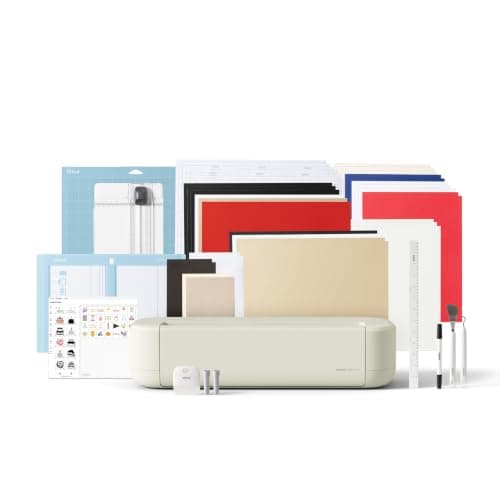 Cricut Explore 5The sensible default for a first machine: it cuts everything a beginner actually uses, and the money you sa... | Anyone who is not short of desk space | $249.00 · View on Amazon Price as of November 12, 2026 #ad · affiliate link · we never show a price we cannot verify |
| 2 | 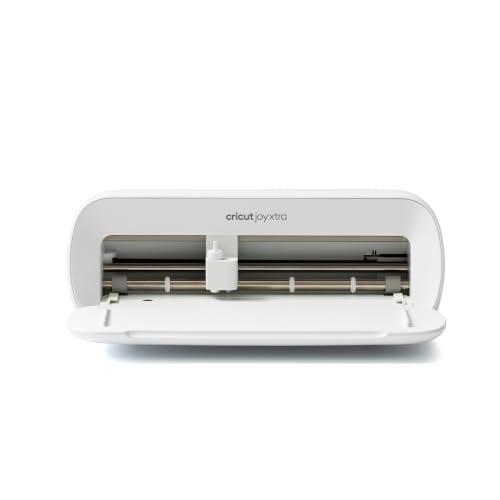 Cricut Joy XtraThe Joy that fixes the Joy's biggest limitation — a wider cut and print-then-cut — without growing into a f... | A small space, and still wanting shirts | $149.00 · View on Amazon Price as of November 12, 2026 #ad · affiliate link · we never show a price we cannot verify |
| 3 | 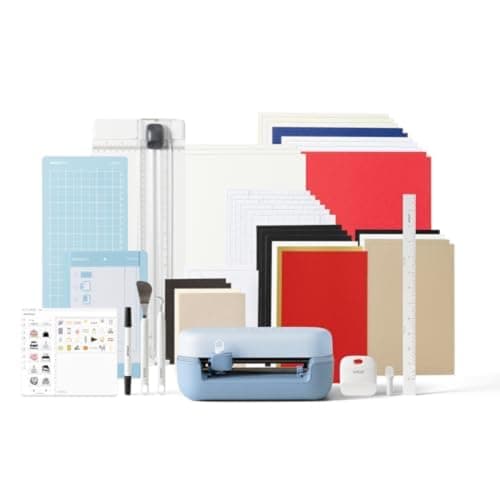 Cricut Joy 2The cheapest way into the hobby and a genuinely good little machine — as long as you accept that its narrow... | If small is genuinely the whole point | $109.00 · View on Amazon Price as of November 12, 2026 #ad · affiliate link · we never show a price we cannot verify |
| 4 | 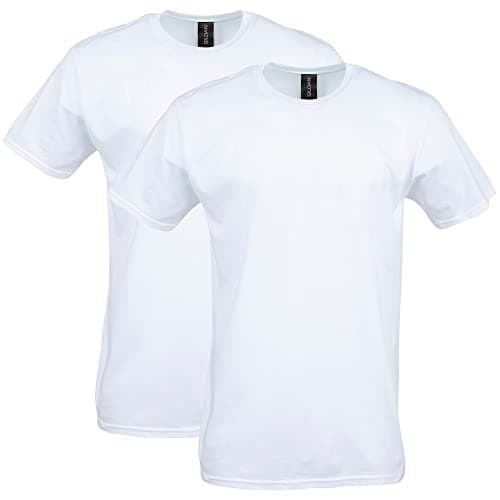 Gildan Softstyle Cotton T-ShirtsHeat transfer vinyl is happiest on cotton or a cotton blend, and a mid-weight ring-spun tee presses better ... | The object that actually settles this | $12.66 · View on Amazon Price as of November 12, 2026 #ad · affiliate link · we never show a price we cannot verify |
| 5 | 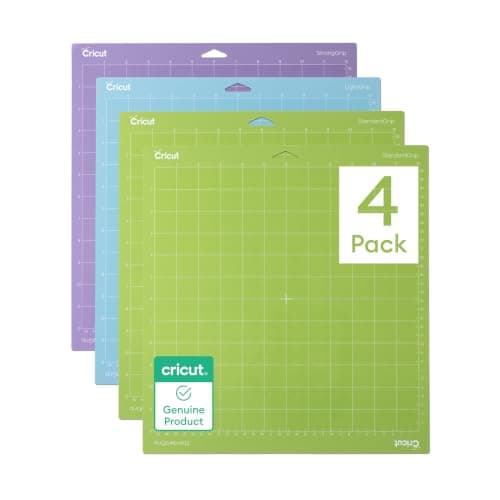 Cricut Cutting Mat Variety PackMats are consumable, not permanent — plan on replacing them, and match the grip to the material rather than... | The spec row with the biggest hidden cost | $17.99 · View on Amazon Price as of November 12, 2026 #ad · affiliate link · we never show a price we cannot verify |
Tap any row to jump to the full write-up. Prices come from Amazon on the date stamped on each button and can change after that — check the listing before you buy.
What Cricut publishes for both
Every figure below is from Cricut's own published comparison chart rather than a retailer listing, which matters here because third-party listings for the Joy Xtra disagree with each other on cut width. Where Cricut publishes a figure in centimeters we have kept it in centimeters rather than converting and implying a precision Cricut did not state.
| Cricut Joy Xtra | Cricut Explore 5 | |
|---|---|---|
| Max cut width | 21.6 cm (8.5 in) | 29.7 cm — a shade under 12 in |
| Max cut length | 1.2 m (4 ft) | 3.7 m |
| Machine mat sizes | 8.5 x 12 in | 12 x 12 in and 12 x 24 in |
| Smart Materials, no mat | Up to 4 ft long | Up to 12 ft long |
| Max cut speed | 5.6 inches per second | 28.7 cm per second |
| Cut | Yes | Yes |
| Write | Yes | Yes |
| Draw | Yes | Yes |
| Foil | Yes | Yes |
| Score | Yes | Yes |
| Engrave / deboss / perforate | No | No |
| Dimensions | 31.7 x 14.9 x 11.3 cm (12.5 x 6 x 5.5 in) | 50.5 x 19 x 12 cm |
| Weight | 2.7 kg (6 lb) | 4.5 kg (10 lb) |
| Operating systems | iOS, Mac, Windows, Android | iOS, Mac, Windows, Android |
Look at the middle of that table and notice what is not there: a single capability the Explore 5 has and the Joy Xtra does not. Five tool rows, identical. Three advanced rows, both no. Same four operating systems, same Design Space, same learning curve, same tutorials. People shopping these two usually assume they are choosing between a limited machine and a full one, and on Cricut's own numbers they are not. They are choosing between a small fast-enough machine and a bigger faster one.
The width question, settled with a tape measure
8.5 inches against a shade under 12 is the headline difference, and the way to resolve it is not to think about it — it is to go and measure a shirt. Lay flat an adult tee in the size you actually print and measure how wide your designs want to be across the chest. Most people find the honest answer is somewhere between 9 and 11 inches, which falls precisely in the gap between these two machines. If your number is under 8.5, the width argument for the Explore 5 evaporates. If it is over, no amount of clever design work gets a Joy Xtra there.
Two clarifications worth making because they trip people up. First, 8.5 inches is genuinely fine for a great deal of work: youth shirts, left-chest logos, tote bags, tumbler wraps, cards, labels, and the kind of centered text design that most beginners make for the first six months. The Joy Xtra is not a toy. Second, the Explore's width advantage is not only about shirts — a 12 inch sheet of cardstock, a car window decal and a full-size stencil all want the wider machine, and those are projects people find their way to later rather than planning for at purchase. Which Cricut should I buy walks the whole line if you are not sure these two are even the right pair.
Length is the difference nobody plans for
The length rows do more work than they look like they will. Cricut publishes a 3.7 m maximum cut length for the Explore 5 against 1.2 m for the Joy Xtra, and Smart Material runs of up to 12 ft without a mat against 4 ft. Most first projects never approach either number, so it is easy to dismiss — right up to the first time you want a long banner, a run of lettering down a wall, a full-length decal for a car door or a strip of repeated labels cut in one pass.
That last case is the practical one. Cutting ten small decals as one 3 ft run and walking away is a different experience from cutting them in three batches with a reload between each, and it is the same labor difference as the mat sizes: a 12 x 24 in mat holds roughly twice what an 8.5 x 12 in mat holds. If you ever expect to make the same thing more than a few times, the bigger machine saves you more time in handling than in cutting.
1. Best for anyone who is not short of desk space
Cricut Explore 5
Cricut · Currently sold · Verified 2026-09-27
Buy this one unless you have a specific reason not to, and the reason is almost always space. Cricut publishes a 29.7 cm maximum cut width against the Joy Xtra's 21.6 cm (8.5 in), a 3.7 m maximum cut length against 1.2 m, Smart Material runs up to 12 ft without a mat against 4 ft, mats at 12 x 12 and 12 x 24 in against a single 8.5 x 12 in, and a maximum cut speed of 28.7 cm per second against 5.6 inches per second — close to double. It also costs meaningfully more and takes up meaningfully more bench. Honest cons: Cricut publishes it at 50.5 cm wide and 4.5 kg, so this is a machine that lives on the desk rather than in a drawer; it has no rotary or knife blade, so unbacked fabric and basswood are still out; and the extra width does nothing at all for you if everything you make is small.
What works
- Cuts every material a beginner's first ten projects will use
- Matless Smart Material cutting means long banners and decals without a mat
- Cheapest current machine that still handles full 12 in wide vinyl
- Huge community of tutorials aimed at exactly this machine
What does not
- No rotary blade, so unbacked fabric is out
- No knife blade for basswood or thick leather
- Still needs Design Space, which needs an internet connection to set up
Not for you if
You already know you want to cut quilting fabric or thick leather. That is the Maker line's rotary and knife blades, and no accessory adds them to an Explore.
Key specs
- Cuts
- Vinyl, heat transfer vinyl, cardstock, paper, iron-on, faux leather
- Max material width
- 12 in (11.5 in cut width)
- Matless cutting
- Yes, with Smart Materials
- Tool slots
- Two — blade plus pen or scoring tool
- Rotary / knife blade
- No — Maker line only
Price as of November 12, 2026
#ad · affiliate link · we never show a price we cannot verify
2. Best for a small space, and still wanting shirts
Cricut Joy Xtra
Cricut · Currently sold · Verified 2026-09-27
The right answer when the constraint is physical rather than financial. Cricut publishes it at 31.7 x 14.9 x 11.3 cm and 2.7 kg — small enough to put away between projects, which is the entire point — and at 8.5 inches of cut width it clears the limitation that makes the smaller Joy format frustrating: a shirt design wide enough to look deliberate. Cricut's own chart gives it the same five tool capabilities as the Explore 5: cut, write, draw, foil and score. Honest cons: 8.5 inches is comfortable on youth sizes and tight on an adult shirt front; its single 8.5 x 12 in mat means you cannot gang up a sheet of small pieces the way a 12 x 24 in mat lets you; Smart Material runs stop at 4 ft against the Explore's 12; and at a published 5.6 inches per second it is roughly half the Explore's cut speed, which you feel on any batch.
What works
- 8.5 in cut width handles most youth and many adult shirt designs
- Print-then-cut means printed sticker sheets, which the Joy 2 cannot do
- Still small and light enough to put away between projects
- Uses the same Design Space workflow as the bigger machines
What does not
- Still narrower than the 11.5 in the Explore and Maker lines cut
- Costs enough that the Explore 5 becomes a fair comparison
- Smaller mat sizes limit how much you can gang up on one cut
Not for you if
You want full-width 12 in vinyl for large signs or full-front shirt prints. Step up to an Explore 5 instead.
Key specs
- Cuts
- Vinyl, heat transfer vinyl, cardstock, sticker paper, faux leather
- Max cut width
- 8.5 in
- Print then cut
- Yes — printed stickers work
- Matless cutting
- Yes, with Smart Materials
- Footprint
- Noticeably smaller than an Explore
Price as of November 12, 2026
#ad · affiliate link · we never show a price we cannot verify
3. Best for if small is genuinely the whole point
Cricut Joy 2
Cricut · Currently sold · Verified 2026-09-27
Named because a lot of people arrive at this comparison having talked themselves up from the smallest machine, and should check that they needed to. If your honest project list is labels, cards, organizing a pantry and putting a name on a water bottle, the 4.5 inch format does all of it, stores in a drawer, sets up in seconds with no mat and costs considerably less than either machine above. The moment a shirt front appears on the list it is the wrong machine, but a shirt front is not on everyone's list. Honest cons: 4.5 inches rules out a full shirt design permanently, there is no print-then-cut so printed sticker sheets are out, and it is a poor choice as the only machine you own if your interests are still forming.
What works
- The lowest cost of entry in the current Cricut line
- Genuinely portable and storable, which matters if you have no dedicated craft space
- Long matless cuts make it excellent for labels and long decals
- Simple enough that the learning curve is close to flat
What does not
- 4.5 in cut width is the hard limit — most adult shirt designs will not fit
- No print-then-cut, so printed stickers are out
- Takes the narrow Joy-format materials, which are less widely stocked
Not for you if
You want to make shirts. A 4.5 in design reads as a small chest logo, not a front print, and there is no workaround.
Key specs
- Cuts
- Vinyl, heat transfer vinyl, cardstock, paper, Smart Label material
- Max cut width
- 4.5 in
- Max cut length
- Up to 20 ft with Smart Materials
- Footprint
- Small enough to store in a drawer
- Mat required
- Optional — cuts matless with Smart Materials
Price as of November 12, 2026
#ad · affiliate link · we never show a price we cannot verify
4. Best for the object that actually settles this
Gildan Softstyle Cotton T-Shirts
Gildan · Currently sold · Verified 2026-09-27
Worth a line because this decision is usually made from a specification sheet when it should be made with a tape measure. Take an adult tee in the size you actually print, lay it flat, and measure the width your designs sit inside — most people find the answer is 9 to 11 inches, which lands right in the gap between these two machines. That measurement is more decisive than any spec row, and a multipack of blanks is something you were going to need anyway. Honest cons: 100% cotton is the wrong base if you ever want to move to sublimation, dark colors want a test press because cheap dyes can scorch, and blank weights vary between batches so your press settings will not transfer perfectly.
What works
- Any color works, which sublimation cannot claim
- Soft and familiar to wear
- Cheap in multi-packs, so practice is affordable
What does not
- Cotton will not take sublimation ink at all
- Very heavy or textured cotton gives uneven HTV adhesion
- Needs a pre-press to drive out moisture before the design goes on
Not for you if
You are sublimating. Sublimation needs polyester, and cotton simply will not hold the ink.
Key specs
- Fabric
- Cotton or cotton/poly blend
- Works with
- Heat transfer vinyl — not sublimation
- Weight
- Softstyle G64000 is 4.5 oz ring-spun — it presses flatter than heavy open-weave cotton
- Color
- Any color, including dark — unlike sublimation
Price as of November 12, 2026
#ad · affiliate link · we never show a price we cannot verify
5. Best for the spec row with the biggest hidden cost
Cricut Cutting Mat Variety Pack
Cricut · Currently sold · Verified 2026-09-27
Included because mat size is where the width difference turns into wasted material, and nobody notices until they are a few projects in. The Explore 5 takes 12 x 12 and 12 x 24 in mats; the Joy Xtra takes a single 8.5 x 12 in. On a 12 x 24 mat you can lay out a dozen small decals in one cut and walk away. On an 8.5 x 12 you reload. Mats also wear out and the replacement cost is a real running expense on either machine, so buying a spare early is sensible rather than indulgent. Honest cons: mats lose grip faster than people expect and need cleaning rather than replacing most of the time, grip levels are not interchangeable between materials, and a cheap third-party mat can leave residue on vinyl.
What works
- Correct grip prevents both torn material and material sliding mid-cut
- Third-party mats cost noticeably less than brand mats
- Tack can be partly restored with gentle washing
What does not
- They wear out, and a tired mat causes cuts people blame on the machine
- Strong grip can shred thin paper
Not for you if
You only ever cut Smart Materials matless. Even then, keep one standard mat for the day you buy ordinary vinyl.
Key specs
- Grip levels
- Light, standard, strong, and fabric-specific
- Standard grip
- Vinyl, iron-on, cardstock — the everyday mat
- Strong grip
- Thick cardstock, chipboard, glitter materials
- Light grip
- Thin paper and vellum that would tear on a standard mat
- Lifespan
- Consumable — tack declines with use and is partly restorable
Price as of November 12, 2026
#ad · affiliate link · we never show a price we cannot verify
Speed: the row the three-way comparison skips
Our Joy versus Explore versus Maker page says that nothing in the three-family decision is about speed, and across those families that is true — the Explore and the Maker cut at the same rate, so speed cannot separate them. Between these two specific machines it is a different story. Cricut publishes 5.6 inches per second for the Joy Xtra and 28.7 cm per second for the Explore 5. Those units are annoyingly mismatched, which is Cricut's choice rather than ours, but the ratio is close to two to one.
Whether that matters depends entirely on batch size, and it is worth being honest about how little it matters at first. On a single greeting card or a one-off name decal, half the speed is a few extra seconds and you will never notice. On twenty party favors, thirty classroom labels or a run of shirts for a team, it is the difference between a machine that keeps up with you and one you end up waiting on. Cricut also footnotes both figures with the obvious caveat that actual speed depends on factors including material type, so treat the ratio as the useful part rather than either absolute number.
What neither of them does
Cricut's chart is clear on this and it is worth stating before anyone spends money: neither machine engraves, debosses or perforates, and neither takes a rotary or knife blade. That means unbacked quilting fabric, jersey off the bolt, basswood and thick chipboard are outside both of them — not a setting away, not an accessory away, genuinely outside. If any of those are on your list, the comparison you want is Explore 5 versus Maker 5 rather than this one, and the extra money buys a capability rather than a size.
Both machines do handle the materials that make up the overwhelming majority of beginner projects: adhesive vinyl, heat transfer vinyl, cardstock, paper, printable sticker paper and faux leather. If you are still deciding what to make first, the best Cricut for beginners covers the full lineup against a beginner's actual project list, and the Joy Xtra review goes deeper on living with the smaller machine day to day.
Cost, honestly
We do not print prices in prose on this site, because they move and a frozen number is worse than no number — every buy button here carries the price read from the retailer with the date it was read. What is worth saying is the shape of the gap: the Explore 5 is the more expensive machine, but not by the margin people expect from the specification difference, and the Joy Xtra is close enough that its own registry entry on this site has flagged for a while that the Explore 5 becomes a fair comparison at that price.
That is the real trap in this decision. Buying the smaller machine to save money, discovering within three months that adult shirt fronts and 12 inch cardstock are what you actually want to make, and then buying the bigger one anyway is the most expensive route through this comparison. If the reason you are leaning toward the Joy Xtra is price rather than space, look hard at the Joy 2 instead — if small is really the point, go properly small and properly cheap — or stretch to the Explore and stop. Our Cricut cost guide has the full first-year basket, which is where most of the money goes regardless of which machine you pick.
The verdict
Buy the Explore 5. On Cricut's published figures it is wider by about three and a half inches, three times longer, roughly twice as fast, and takes mats that hold twice as much, for no loss of capability anywhere on the chart. For a machine that will sit out on a desk and be used regularly, there is no argument on the other side.
Buy the Joy Xtra when space is a real constraint rather than a preference — a shared table, a small apartment, a machine that genuinely has to go back in a cupboard after every project. At 2.7 kg and 31.7 cm it is a machine you will actually get out, and that is worth more than any spec row to someone who would otherwise leave a bigger machine boxed. It gives up width, length, mat capacity and half the cut speed, and it gives up nothing else. Measure your shirt, measure your desk, and the answer will pick itself. If you are still weighing the small machines against each other rather than against a full-size one, Joy 2 versus Joy Xtra is the comparison one step down.
Common questions
What is the difference between the Cricut Joy Xtra and the Explore 5?
Can the Cricut Joy Xtra make adult t-shirts?
Is the Cricut Explore 5 worth the extra money over the Joy Xtra?
How much faster is the Explore 5 than the Joy Xtra?
Do the Joy Xtra and Explore 5 use the same software?
Can either machine cut fabric or wood?
Does the Cricut Joy Xtra need a mat?
Should I just get the Cricut Joy 2 instead?
Sources
- Cricut machine comparison chart — Cricut's own published figures — Every figure used above — Joy Xtra 21.6 cm (8.5 in) cut width, 1.2 m (4 ft) cut length, 8.5 x 12 in mat, 4 ft matless Smart Material runs, 5.6 inches per second, 31.7 x 14.9 x 11.3 cm, 2.7 kg; Explore 5 29.7 cm cut width, 3.7 m cut length, 12 x 12 and 12 x 24 in mats, 12 ft matless runs, 28.7 cm per second, 50.5 x 19 x 12 cm, 4.5 kg; both yes on cut/write/draw/foil/score and both no on engrave/deboss/perforate; both iOS, Mac, Windows and Android. Cricut footnotes that actual speed depends on factors including material type - checked 5 November 2026
- Cricut Joy Xtra — current retail listing — Listing confirmed live and title-checked against the Cricut model name on 5 November 2026. Note that third-party listings for this machine disagree on cut width — one major retailer states 9.5 in — which is why every figure above comes from Cricut's own chart
- Cricut Explore 5 — current retail listing — Listing confirmed live and title-checked against the Cricut model name on 5 November 2026
How we picked
We verify every product is currently sold by reading the manufacturer's own catalog, compare published specifications rather than marketing copy, and rank on what a first-time buyer has to decide. We do not run lab tests and we do not claim to, and commission never affects the order.
Read this next
Cricut Joy vs Explore vs Maker
How the three Cricut families actually differ, and the two questions that put you in the right one first time.
Cricut Joy 2 vs Joy Xtra
The compact Cricuts compared: what the extra four inches and print-then-cut are actually worth.
Cricut Joy Xtra Review
Small footprint, 8.5 inch cutting and print-then-cut — the compact Cricut that still makes real projects.
Cricut Explore 5 Review
The mainstream Cricut: what it cuts, what it cannot, and who should buy something else instead.
Cricut Explore 5 vs Maker 5
The Explore-versus-Maker question settled: what the extra blades do, and who will never use them.
Which Cricut Should I Buy?
A four-question decision flow that ends on one specific model — no hedging, no feature lists.
The Best Cricut for Beginners
One safe default pick, plus the specific cases where a different Cricut — or no Cricut — is the better buy.
Back to Cutting Machines.