
Cricut Design Space Not Working
Most of these are connection problems wearing a software costume. Work through them in order and stop when it cuts.
Heads up: Mat & Blade earns a commission from qualifying purchases made through the links on this page, at no extra cost to you. It never changes which products we recommend or how we rank them. Read the full disclosure.
Work through it in this order: reload Design Space, check the machine connection, restart the machine, then check the blade and the mat. Most "Design Space not working" reports fall into three groups — the app will not load or log in, the app loads but will not see the machine, or the machine cuts but cuts badly — and the fixes are different for each. The important thing to know upfront is that the third group is usually not a software problem at all: a dull blade or a mat that has lost its tack produces symptoms that look exactly like a software fault, and an evening of reinstalling will not touch them.
Group one: it will not load, or will not log you in
Design Space runs as a desktop app and in a browser, and both depend on your connection and on cached data that can go stale. Work down this list.
- Reload the page or fully quit and reopen the app. Not minimize — quit. A surprising share of problems end here.
- Check your internet connection properly. Design Space needs a live connection to load your projects and to send a cut. A connection that is technically up but unusably slow produces hangs that look like crashes.
- Clear the browser cache, or sign out and back in on the app. Stale cached data is the classic cause of a login that spins forever or a canvas that will not render.
- Try a different browser. If it works in one browser and not another, the problem is local to that browser's cache or an extension, which is useful to know rather than something to fight.
- Disable extensions, particularly ad and script blockers. These interfere with the canvas more often than anything else on a desktop.
- Restart the computer. Unglamorous, and it resolves a category of problems that nothing else on this list touches.
Group two: it loads but will not see the machine
This is a connection problem in almost every case, and the fastest diagnostic is to change how the machine is connected.
- Use a USB cable, even if you normally use Bluetooth. If it works on USB, the problem is Bluetooth rather than the machine or the software, and you have halved the search space in one step.
- Try a different USB cable and a different port. Cables fail, and they fail intermittently before they fail completely. Avoid hubs while diagnosing.
- Power the machine off and on at the switch. Not standby — off. Machines can get into a state where they are powered but not responsive to a new connection.
- Unpair and re-pair Bluetooth. A stale pairing is common after an operating system update. Remove the device entirely, then pair fresh.
- Check nothing else is connected to it. A machine already paired to a phone or tablet may not accept a second connection from your laptop.
- Make sure only one Design Space session is open. Two tabs or a tab plus the app competing for the machine produces exactly this symptom.
Group three: it cuts, but the cut is wrong
This is the group most often reported as a software fault and least often caused by one. If the machine moves and cuts, Design Space is doing its job — something physical is wrong.
| Symptom | Most likely cause | What to do |
|---|---|---|
| Tears vinyl instead of cutting it | Dull blade | Change the blade before anything else |
| Thin letters and fine detail do not cut through | Dull blade, or a material setting that is too light | New blade, then check the material setting |
| Cuts too deep and scores the mat | Material setting too aggressive, or a doubled cut | Set the correct material; do not add pressure by default |
| Design shifts partway through a cut | Mat has lost tack, or material was not rolled down | Fresh mat, and use a brayer every time |
| Cuts in the wrong place entirely | Material placed differently from the canvas, or the wrong mat size selected | Check the mat size in the project matches the mat in the machine |
| Machine pauses mid-cut | Connection dropped, or a sleep setting on the computer | Use USB and stop the computer sleeping during a cut |
The consumables that are usually at fault
1. Best for cuts that suddenly stopped working
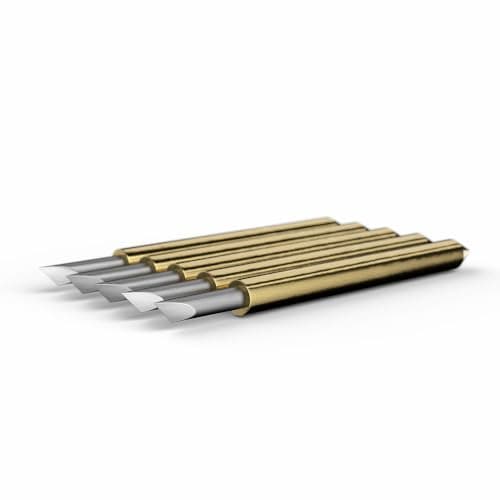
Cricut Premium Fine-Point Replacement Blades
Cricut · Currently sold · Verified 2026-09-27
The most frequently misdiagnosed fault on this page. A blade that has gone dull does not announce itself — it tears vinyl instead of cutting it, skips thin letters, and leaves cuts that look like a pressure setting problem or a software fault. People spend an evening reinstalling Design Space when the answer was a two-minute part swap. Blades are consumables with a finite life measured in material, not time, and having a spare in the drawer is the single cheapest insurance against a lost evening.
What works
- Cheap fix for the single most common cutting complaint
- Swapping takes seconds with no tools
- Third-party blades are far cheaper and generally fine for vinyl
What does not
- Very cheap blades can be inconsistent on fine detail
- Easy to blame the blade when the real problem is the mat or the setting
Not for you if
Your machine is new. Check your material setting and mat tack first.
Key specs
- Type
- Fine-point blade — the everyday blade for vinyl and cardstock
- Lifespan
- Varies hugely with material; glitter and cardstock dull it fastest
- Housing
- Blades swap into the existing housing — you do not rebuy the housing
- Symptom of dullness
- Tearing, incomplete cuts, ragged corners
Price as of November 12, 2026
#ad · affiliate link · we never show a price we cannot verify
2. Best for material shifting, double-cuts and wandering designs
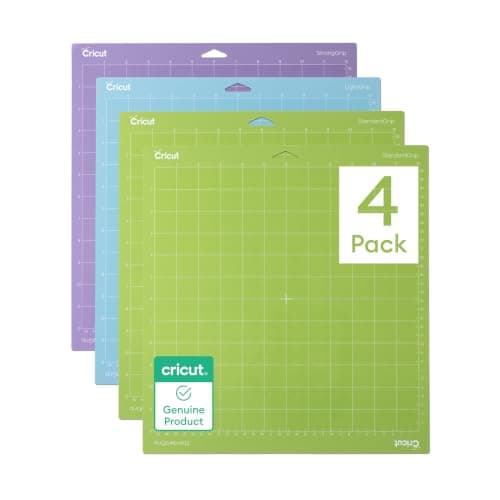
Cricut Cutting Mat Variety Pack
Cricut · Currently sold · Verified 2026-09-27
The second most misdiagnosed fault. When a mat loses its tack, material lifts mid-cut, the design shifts, and the result looks like a machine or software error — the machine is doing exactly what it was told and the material is not staying put. Mats have a working life and cardstock in particular shortens it fast by shedding fibers into the adhesive. A fresh mat eliminates a whole category of symptoms in one move.
What works
- Correct grip prevents both torn material and material sliding mid-cut
- Third-party mats cost noticeably less than brand mats
- Tack can be partly restored with gentle washing
What does not
- They wear out, and a tired mat causes cuts people blame on the machine
- Strong grip can shred thin paper
Not for you if
You only ever cut Smart Materials matless. Even then, keep one standard mat for the day you buy ordinary vinyl.
Key specs
- Grip levels
- Light, standard, strong, and fabric-specific
- Standard grip
- Vinyl, iron-on, cardstock — the everyday mat
- Strong grip
- Thick cardstock, chipboard, glitter materials
- Light grip
- Thin paper and vellum that would tear on a standard mat
- Lifespan
- Consumable — tack declines with use and is partly restorable
Price as of November 12, 2026
#ad · affiliate link · we never show a price we cannot verify
3. Best for getting material properly stuck down before the cut
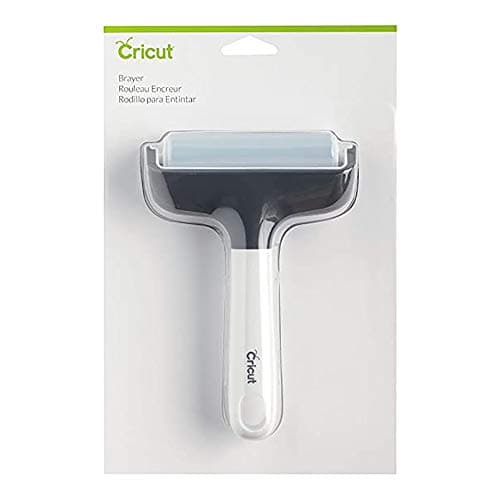
Cricut Brayer
Cricut · Currently sold · Verified 2026-09-27
Half of the mat problems above are really application problems. Material pressed down by hand holds air pockets and lifts at the edges; a brayer rolls it flat so the whole sheet is in contact with the adhesive. It costs very little, takes five seconds to use, and prevents the shifted-design symptom that sends people to the support forums. Use it every time with vinyl and cardstock and a surprising number of mysterious faults stop occurring.
What works
- Fixes lifted-corner cutting failures before they happen
- Doubles as a burnishing tool for transfer tape
- Very cheap
What does not
- A scraper does most of the same job
- One more tool to lose
Not for you if
You cut only matless Smart Materials. There is no mat to roll onto.
Key specs
- Purpose
- Rolls material flat onto the mat so it cannot lift mid-cut
- Also useful for
- Burnishing transfer tape onto a decal
- Size
- Small hand roller, usually rubber
Price as of November 12, 2026
#ad · affiliate link · we never show a price we cannot verify
Problems that are not faults
Some things people report as Design Space being broken are the software working as designed, and recognizing them saves a lot of time.
- A font or image you bought is not available. Cricut Access licensing covers specific content, and purchased content is tied to the account that bought it. Is Cricut Access worth it covers what the subscription does and does not include.
- An uploaded image cuts as a solid blob. A photographic upload has no cut lines until it is converted, and the conversion is a step you perform. Design Space basics walks through it.
- Text will not weld or will not cut as one piece. Welding, attaching and grouping do different things, and using the wrong one gives a result that looks like a bug.
- No offline mode. Design Space needs a connection to load projects and send cuts. If working offline is a requirement, that is an argument for a different brand — Cricut versus Silhouette covers it directly.
- Print-then-cut cannot find the registration marks. That is a printing and lighting problem: a faint print, colored paper or a glossy sheet all defeat the sensor.
When it is worth stopping
If you have worked through all three groups, replaced the blade and the mat, and the machine still will not cut, the next step is Cricut's own support rather than another hour of your evening — a machine that fails on USB with a fresh blade and a fresh mat may genuinely be faulty, and that is a warranty conversation. Keep a note of what you have already eliminated; it makes the conversation much shorter.
And if the underlying frustration is with Design Space as a product rather than with a specific fault, that is a legitimate position and worth knowing before your next machine purchase. Cricut versus Silhouette and Cricut alternatives both cover the software question honestly, because it is the thing people most often cite when they switch.
Common questions
Why is Cricut Design Space not working?
Why will Design Space not connect to my Cricut?
Why is my Cricut tearing vinyl instead of cutting it?
Why does my Cricut cut in the wrong place?
Does Cricut Design Space work offline?
Sources
- Cricut Heat Guide — Used to confirm the current Cricut machine and press line-up referenced on this page - checked 10 October 2026
How we picked
We verify every product is currently sold by reading the manufacturer's own catalog, compare published specifications rather than marketing copy, and rank on what a first-time buyer has to decide. We do not run lab tests and we do not claim to, and commission never affects the order.
Read this next
Cricut Design Space Basics
The six Design Space functions that cover almost everything, and what each one actually does.
Is Cricut Access Worth It?
What the subscription includes, who benefits, and how to use a Cricut perfectly well without it.
Cricut Blade Guide
Which blade cuts what, when to replace, and why a dull blade masquerades as a broken machine.
Cricut Mat Guide
Grip levels, sizes, and how to restore tack — plus why mats cause faults that look like machine faults.
Cricut Mat Not Sticky Any More?
How to restore a mat that has lost its grip, what to never put on one, and the point at which it really is finished.
Cricut vs Silhouette
The brand decision settled fairly: ecosystem and ease against offline software and no subscriptions.
Back to Cutting Machines.