Cricut Iron-On Alternatives
Your machine does not care whose film you feed it. The only thing you actually lose by switching is the settings lookup — and the best alternatives replace it with a published spec sheet.
Heads up: Mat & Blade earns a commission from qualifying purchases made through the links on this page, at no extra cost to you. It never changes which products we recommend or how we rank them. Read the full disclosure.
If you want a direct swap, buy Siser EasyWeed: it replaces Cricut's settings lookup with a published datasheet that works on any press. If what you press is stretchy, EcoStretch applies at 250°F, which is the lowest figure on this page and the gentlest on thin synthetics. If you are switching for cost, HTVRONT by the roll is the budget pick and the honest answer to why most people switch at all. Nothing about your machine, your software or your press has to change.
Quick picks
| # | Product | Best for | Price |
|---|---|---|---|
| 1 |  Siser EasyWeed HTVThe default heat transfer vinyl for beginners: it weeds cleanly, presses at a forgiving temperature, and is... | The straight swap for everyday pressing | $35.00 · View on Amazon Price as of November 28, 2026 #ad · affiliate link · we never show a price we cannot verify |
| 2 | 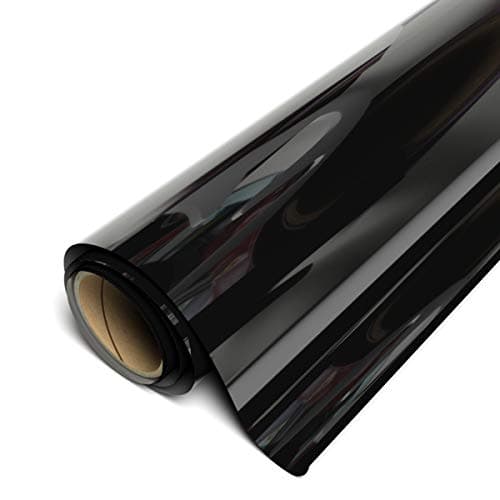 Siser EasyWeed EcoStretchSiser's current stretch heat transfer vinyl and the stated replacement for the discontinued EasyWeed Stretc... | Anything stretchy, and the lowest press temperature here | $17.99 · View on Amazon Price as of November 28, 2026 #ad · affiliate link · we never show a price we cannot verify |
| 3 | 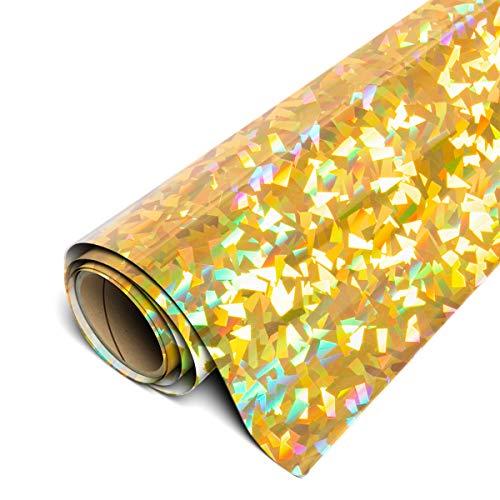 Siser Holographic HTVThe only holographic film here whose maker publishes a thickness, a temperature, a press time, a peel and a... | Replacing Cricut's specialty finishes with a published one | $13.99 · View on Amazon Price as of November 28, 2026 #ad · affiliate link · we never show a price we cannot verify |
| 4 |  Siser Glitter HTVThe glitter film to buy if you buy one: Siser publishes real numbers for it, the flakes are sealed into the... | Glitter with numbers behind it | $9.48 · View on Amazon Price as of November 28, 2026 #ad · affiliate link · we never show a price we cannot verify |
| 5 | 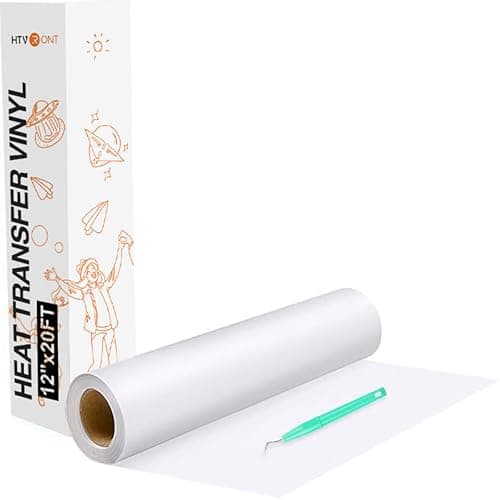 HTVRONT HTV RollsThe budget HTV that most people move to once they stop making one shirt at a time — noticeably cheaper by t... | The budget pick — cost per shirt | $12.74 · View on Amazon Price as of November 28, 2026 #ad · affiliate link · we never show a price we cannot verify |
Tap any row to jump to the full write-up. Prices come from Amazon on the date stamped on each button and can change after that — check the listing before you buy.
What you keep, and what actually changes
This is the part that stops most people switching, and it is mostly a misunderstanding. Nothing is locked.
| What you might worry about | What actually happens |
|---|---|
| Will my Cricut cut third-party HTV? | Yes. Every Cricut cuts any brand of heat transfer vinyl. You pick a similar material preset or set a custom one from a test cut. |
| Do I need different software? | No. Design Space is unchanged. Only the material you select on the mat screen changes. |
| Can I still use my EasyPress? | Yes. A press is a hot flat plate with a timer — it does not know or care which brand of film is under it. |
| Will the Heat Guide still help? | Not for third-party film, and this is the real loss. You use the film maker's published setting instead, which is why a film that publishes one matters. |
| Does my warranty change? | No. Pressing third-party heat transfer vinyl is ordinary use of the hardware. |
| What about Smart Iron-On? | That is a format question, not a brand one — mat-free rolls need Cricut's own Smart material. Third-party film goes on a mat, exactly as it always did. |
1. Best for the straight swap for everyday pressing
Siser EasyWeed HTV
Siser · Currently sold · Verified 2026-09-27
The alternative to reach for first, because it replaces the one thing Cricut's film gives you with something arguably better. Cricut's advantage is the Heat Guide: a named setting for a named material on a named press. Siser's advantage is a published datasheet — 90 microns, 305°F for 10 to 15 seconds at medium pressure, a pressure-sensitive carrier — which is the same information in a form that works on any press you ever own, including the one you upgrade to. It is also 305°F rather than the higher end of the range, which is kinder to thin fabric, and it weeds more cleanly on fine detail than almost anything at the price. Honest cons: it is sold per sheet more often than by the roll, so cost per square inch is higher than budget film; the base line is semi-gloss and offers no specialty finish; and it still needs real heat and pressure, so it does not rescue a household iron.
What works
- Weeds more cleanly than almost anything else at this price
- Thin enough that a layered design does not feel like a plastic patch
- Siser publishes clear time and temperature guidance for it
- Sold in single sheets, so you can try three colors without buying three rolls
What does not
- Matte only — no gloss, glitter or specialty finish in the base line
- Sheets cost more per square inch than buying a roll
- Still needs real heat and pressure; a household iron gives mixed results
Not for you if
You want a glitter or holographic finish. That is a different Siser product line, not EasyWeed.
Key specs
- Type
- Heat transfer vinyl (HTV) — for fabric
- Fabric compatibility
- Siser rates it for cotton, polyester and cotton/poly blends
- Thickness
- Siser published 90 microns / 3.5 mils
- Application
- Siser lists 305°F for 10-15 seconds at medium pressure
- Carrier
- Pressure-sensitive clear carrier sheet
- Finish
- Semi-gloss — EasyWeed Matte is a separate Siser line
Price as of November 28, 2026
#ad · affiliate link · we never show a price we cannot verify
2. Best for anything stretchy, and the lowest press temperature here
Siser EasyWeed EcoStretch
Siser · Currently sold · Verified 2026-10-29
The alternative with a capability Cricut's everyday line does not advertise at all: a published 250°F application. Cricut rates Everyday Iron-On for cotton, polyester, blends and canvas, which covers most garments — but a thin performance tee, a knit tank or anything with spandex in it is a different problem, and 250°F for 10 to 15 seconds at medium pressure is markedly kinder to synthetics than a 305-to-320°F film. Siser rates it for cotton, polyester, blends, leather, spandex and Lycra, states CPSIA certification, and says the film and liner are recyclable. Honest cons: hot peel only, so there is no cold-peel latitude; it costs more per square inch than standard EasyWeed; a low application temperature makes an under-set press a real failure mode rather than a theoretical one; and fewer colors are stocked than the standard line.
What works
- 250°F is genuinely kinder to thin polyester and spandex than any 320°F film
- The thinnest stretch film Siser currently makes, so a tank top does not feel patched
- Water-based and recyclable, which is the reason the line exists
- Siser's current line, so colors and stock are not sell-through leftovers
What does not
- Hot peel only — there is no cold-peel latitude to fall back on
- Costs more per square inch than standard EasyWeed
- A low application temperature means an under-set press is a real failure mode
- Fewer colors stocked on Amazon than standard EasyWeed
Not for you if
Everything you press is rigid cotton. Standard EasyWeed is cheaper and the stretch buys you nothing there.
Key specs
- Type
- Heat transfer vinyl (HTV) — water-based stretch formulation
- Thickness
- Published at 80 microns / 3.15 mils
- Application
- 250°F for 10-15 seconds at medium pressure, hot peel
- Fabric compatibility
- Rated for 100% cotton, 100% polyester, poly/cotton blends, spandex and Lycra
- Certification
- CPSIA certified; film and liner stated as 100% recyclable
Price as of November 28, 2026
#ad · affiliate link · we never show a price we cannot verify
3. Best for replacing cricut's specialty finishes with a published one
Siser Holographic HTV
Siser · Currently sold · Verified 2026-11-26
The alternative for the part of the Cricut range people miss most when they switch: the finishes. Cricut sells holographic, glitter and sparkle iron-on, and all of them are bought on the picture rather than on a specification, because Cricut publishes no thickness, temperature or peel for them. Siser Holographic publishes all three — 110 microns, 320°F for 15 to 20 seconds at medium pressure, cold peel — plus a leather rating and a machine-wash care instruction where Cricut's holographic listing asks for hand washing. Honest cons: cold peel means waiting at the press; 320°F is hotter than most plain film and too hot for some thin synthetics; Siser publishes no layering guidance for it; and it costs more per square foot than a budget holographic roll.
What works
- Siser publishes an exact thickness, temperature, time, pressure and peel for it
- At 110 microns it is far thinner than glitter, so a large design does not stiffen the garment
- Rated for leather as well as cotton and polyester, which most decorative films are not
- Machine washable per Siser's own care instruction, not hand wash only
- CPSIA certified, which is the certification that matters for kids' clothing
What does not
- Cold peel only — you cannot rush the carrier off and move to the next shirt
- 320°F is hotter than standard HTV and too hot for some thin synthetics
- Siser's own holographic page publishes no layering guidance, so stacking it is unverified territory
- Costs more per square foot than the budget holographic rolls
Not for you if
You are decorating a hard surface. This is heat transfer vinyl for fabric — a tumbler or a car window needs adhesive holographic vinyl instead.
Key specs
- Type
- Holographic heat transfer vinyl — Siser states a polyester composition
- Thickness
- Siser published 110 microns — about a third the thickness of Siser Glitter
- Application
- Siser lists 320°F / 160°C, medium pressure, 15-20 seconds after a 2-3 second preheat
- Peel
- Cold — Siser says peel the carrier cold
- Fabric compatibility
- Siser rates it for 100% cotton, 100% polyester, cotton/poly blends and leather
- Cut settings
- Siser publishes force 25-32 with a 45° blade, 30-35 with a 60°
- Certification
- CPSIA certified, VeganOK, REACH compliant, CA Prop 65, recyclable
- Care
- Siser states machine wash cold with mild detergent, dry on a normal dryer setting
Price as of November 28, 2026
#ad · affiliate link · we never show a price we cannot verify
4. Best for glitter with numbers behind it
Siser Glitter HTV
Siser · Currently sold · Verified 2026-11-05
The same argument as above for the other popular finish, and here the published numbers change a buying decision rather than just informing it. Siser publishes Glitter at 325 microns, which is roughly three and a half times standard EasyWeed, and that single figure tells you what a large glitter design will feel like on a shirt long before you press one. It is applied at 320°F for 15 to 20 seconds at medium pressure with a warm peel, rated for cotton, polyester, blends and leather, and carries CPSIA, OEKO-TEX Standard 100, VeganOK and REACH. Siser also states white Glitter can be sublimated directly onto. Honest cons: at 325 microns it is thick, and a big design feels like a panel; Siser does not recommend layering it on itself or on other materials, so multi-color glitter is out; and 320°F is too hot for some thin synthetics.
What works
- Siser publishes an exact thickness, temperature, time and pressure for it
- Glitter is bonded into the film, so it does not shed flakes into your mat or press
- CPSIA certified, which is the certification that matters for kids' clothing
- Siser states white Glitter can be sublimated directly onto
- Sold per sheet, so you can try a color without committing to a roll
What does not
- At 325 microns it is thick — a large design feels like a panel on the shirt
- Siser does not recommend layering it, so a multi-color glitter design is out
- 320°F is hotter than standard HTV and too hot for some thin synthetics
- Sheets are sold by the color, so a multi-color project means several listings
Not for you if
You want to stack glitter over another color. Siser explicitly does not recommend layering Glitter, and no press setting changes that.
Key specs
- Type
- Glitter heat transfer vinyl — PU composition
- Thickness
- Siser published 325 microns — roughly 3.6x standard EasyWeed
- Application
- Siser lists 320°F / 160°C, medium pressure, 15-20 seconds
- Peel
- Warm — Siser says at least 15 seconds off the press
- Fabric compatibility
- Siser rates it for cotton, polyester, poly/cotton blends and leather
- Layering
- Siser does not recommend layering Glitter on itself or other materials
- Certification
- CPSIA certified, OEKO-TEX Standard 100, VeganOK, REACH compliant
Price as of November 28, 2026
#ad · affiliate link · we never show a price we cannot verify
5. Best for the budget pick — cost per shirt
HTVRONT HTV Rolls
HTVRONT · Currently sold · Verified 2026-09-27
The alternative people are usually actually looking for when they search this, because the honest driver behind switching away from Cricut film is price per shirt. Buying by the roll rather than the sheet is the single biggest cost lever in this hobby, and a roll also changes behavior: you stop rationing material and start practicing, which improves results faster than any film upgrade. It is rated for cotton, polyester and blends and cuts on the same settings as any standard HTV. Honest cons: fine detail weeds less cleanly than EasyWeed, so a delicate script design is the wrong first project for it; HTVRONT publishes less specification than Siser and points you to the packaging for the authoritative setting; batch-to-batch consistency is less predictable; and a roll commits you to one color.
What works
- Far cheaper by area than sheet-format premium HTV
- Wide color and finish range including glitter and holographic
- Rolls mean you stop rationing material and start practicing
What does not
- Fine detail weeds less cleanly than Siser EasyWeed
- Batch-to-batch consistency is less predictable
- You are committing to a whole roll of one color
Not for you if
Your first project is a very fine script design. Learn to weed on EasyWeed first, then switch to save money.
Key specs
- Type
- Heat transfer vinyl (HTV)
- Format
- Rolls, typically 12 in wide
- Fabric compatibility
- Rated for cotton, polyester and blends
- Finish
- Matte, plus glitter and specialty lines
- Value
- Lowest cost per square inch of the three HTVs here
Price as of November 28, 2026
#ad · affiliate link · we never show a price we cannot verify
The Heat Guide gap, and how to close it
When you press a film Cricut does not sell, the Heat Guide has nothing to tell you — and that is the whole of what you give up. The replacement is the manufacturer's own published setting, which is better in one specific way: it is tied to the film rather than to the press, so it is still correct when you upgrade from an EasyPress to a clamshell, and it is still correct if you borrow a friend's machine.
- Find the maker's figure before you cut. Siser publishes temperature, time, pressure and peel per material line. Budget brands often print the figure on the packaging instead, which is worth knowing is the arrangement before you rely on it.
- Translate for a handheld press. Flat handheld plates behave slightly differently from clamshells because you are the pressure. Published figures assume real, even pressure — if a corner lifts on your first test, the answer is usually pressure or dwell, not temperature.
- Write the setting on the roll. One line in marker on the core saves you looking it up every time, and it survives the packaging going in the bin.
- Test on a scrap of the actual garment. Fabric matters more than brand: the same film behaves differently on a heavyweight cotton tee and a thin poly blend. How to use HTV covers the full sequence.
What switching actually saves
We do not print prices in prose, because they move — the live figures sit in the comparison table above with the date each was read. What is stable is the shape of the saving, and it comes from format rather than brand. Cricut sells iron-on mostly in sheets and short rolls sized for one or two projects. Third-party HTV is sold in long rolls and multi-color sheet packs. Per square foot, long rolls win by a wide margin, and the margin grows with every shirt you make. That is the entire economic case, and it is why the answer to "should I switch" is usually "not for your first shirt, yes by your tenth".
The second saving is less obvious and probably larger: people who buy by the roll practice more. Expensive sheet film makes beginners cautious, and caution produces fewer attempts and slower learning. A roll you can afford to waste twice is what gets you to a clean weed and a confident press.
When staying with Cricut's own film is the right call
- You are making your first few shirts. The Heat Guide genuinely removes a variable at the point where you have too many. Make three or four, then reconsider.
- You press rarely and in small quantities. If you make four shirts a year, the per-square-foot saving on a roll is theoretical and the roll will outlive your interest in it.
- You want the ecosystem to match. There is a real, non-silly value in having the machine, the press, the film and the app all speak the same language when something goes wrong.
- You need mat-free cutting for a long design. Smart Iron-On is a format third-party film does not offer — the same argument covered in Cricut Smart Vinyl alternatives for the adhesive side.
- You are buying a gift. A roll of Cricut film and a Cricut machine is a coherent present; a roll of industrial-looking HTV is a more confusing one.
Matching the alternative to what you press
| What you are pressing | The alternative to buy | Why |
|---|---|---|
| Cotton tees, everyday designs | Siser EasyWeed | 305°F published, cleanest weed, works on any press |
| Performance fabric, knit, spandex | Siser EasyWeed EcoStretch | 250°F published, stretches with the garment |
| A shiny finish | Siser Holographic | A decorative film with a published spec sheet and machine-wash care |
| Obvious close-up sparkle | Siser Glitter | 325 microns published, so you know what it will feel like |
| Volume, practice, big designs | HTVRONT by the roll | Lowest cost per square foot of anything here |
Prices in the table above are read from Amazon automatically with the date each was read beneath the button, which is the only sensible way to compare a sheet pack against a six-foot roll. For the wider category, the best HTV vinyl is the general roundup, HTV brands compared covers exactly who publishes what, and Siser vs Oracal covers the other brand question beginners ask. If the finish is what you are after, the best holographic vinyl and the best glitter HTV go deeper on those two lines.
Common questions
What can I use instead of Cricut Iron-On?
Does third-party HTV work with a Cricut?
Is Siser EasyWeed better than Cricut Iron-On?
Will the Cricut Heat Guide give me settings for other brands?
Is there an alternative to Cricut Smart Iron-On specifically?
Sources
- Cricut Heat Guide — The settings lookup described above — it returns a temperature and time for a named Cricut material on a named Cricut press and base material. Checked 26 November 2026
- Siser Holographic — Siser's own material page — Source for the Holographic figures quoted above: 110 microns, polyester composition, 320°F/160°C, medium pressure, 15-20 seconds, cold peel, rated for cotton, polyester, blends and leather, machine wash cold - checked 26 November 2026
- Siser Glitter — Siser's own material page — Source for the Glitter figures quoted above: 325 microns, PU, 320°F/160°C with medium pressure for 15-20 seconds, warm peel, CPSIA / OEKO-TEX Standard 100 / VeganOK / REACH, "not recommended to layer Glitter on itself or other materials", white Glitter can be sublimated onto directly
How we picked
We verify every product is currently sold by reading the manufacturer's own catalog, compare published specifications rather than marketing copy, and rank on what a first-time buyer has to decide. We do not run lab tests and we do not claim to, and commission never affects the order.
Read this next
The Best HTV Vinyl for Beginners
Which heat transfer vinyl weeds cleanly and presses forgivingly — and which to switch to later.
The Best HTV Vinyl Brands
Siser, Cricut, HTVRONT and Oracal compared on published specs, weeding behaviour and what each brand is actually for.
Cricut Smart Vinyl Alternatives
What Cricut Smart Vinyl is known for, when the mat-free format is worth its premium, and the registry vinyls that do the same job with a mat.
The Best Holographic Vinyl
The holographic films worth buying for fabric and for hard surfaces, what each maker actually publishes, and the cold-peel rule that catches everyone once.
How to Use HTV
The full HTV process from cut to peel, plus a troubleshooting section for when it does not stick.
Back to Vinyl & Materials.