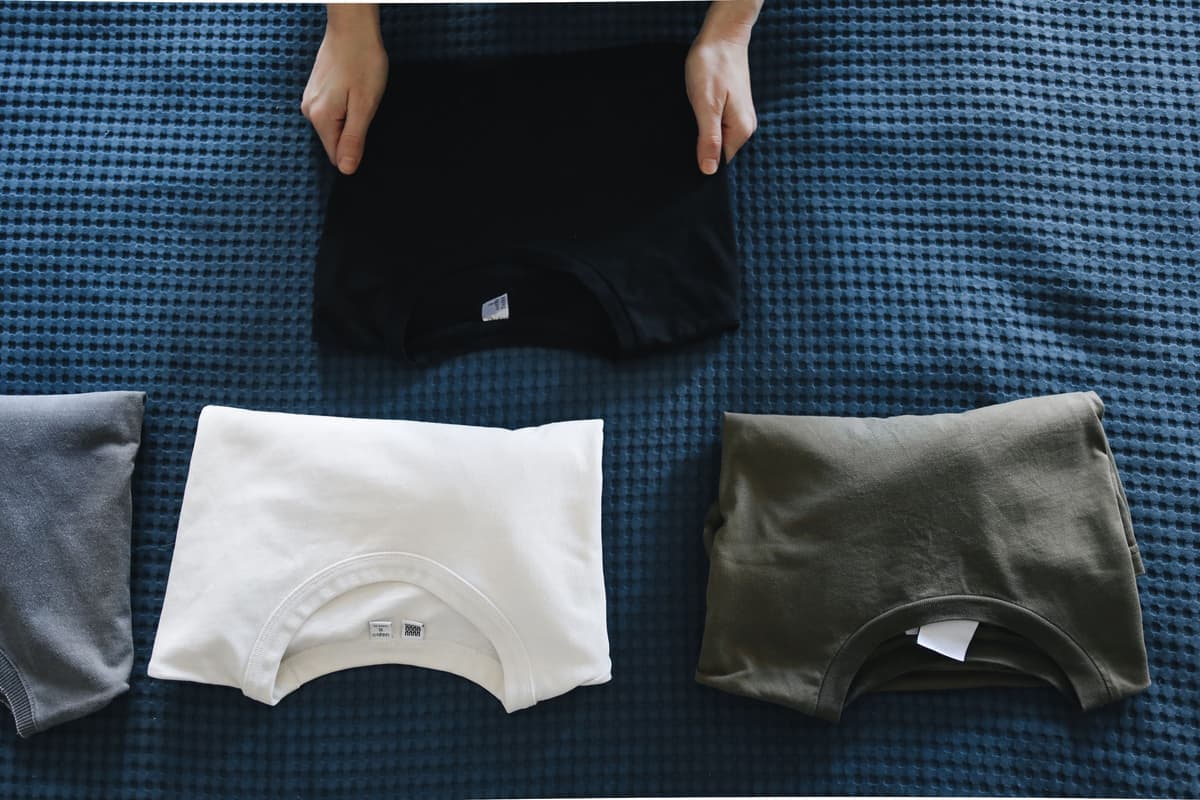
The Best Cricut Starter Kit With a Heat Press
If the plan is shirts, the press is not an accessory — it is half the kit. This is the six-part list and the order of priority when the budget runs out.
Heads up: Mat & Blade earns a commission from qualifying purchases made through the links on this page, at no extra cost to you. It never changes which products we recommend or how we rank them. Read the full disclosure.
Buy the Cricut Explore 5 and the Cricut EasyPress SE as the two halves of the kit — the machine needs the full 12-inch width for shirt designs, and the press is what decides whether the design survives the wash. Add a documented heat transfer film, more blank shirts than you think you need, and a press mat. The budget pick, and the cheapest thing here that improves your results, is a weeding tool set. The reason to buy these together is that neither half makes a shirt alone.
Quick picks
| # | Product | Best for | Price |
|---|---|---|---|
| 1 | 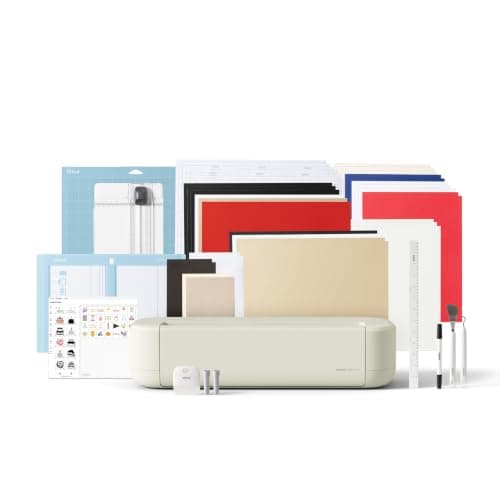 Cricut Explore 5The sensible default for a first machine: it cuts everything a beginner actually uses, and the money you sa... | The machine — full-width cuts for shirt designs | $249.00 · View on Amazon Price as of November 12, 2026 #ad · affiliate link · we never show a price we cannot verify |
| 2 | 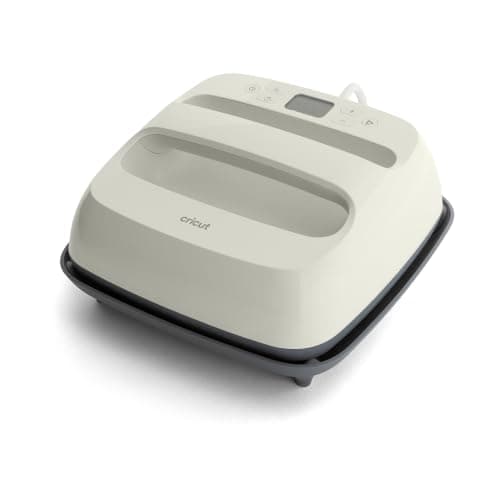 Cricut EasyPress SEThe current EasyPress and the easiest first heat source: controlled temperature, a flat even plate, and it ... | The press — the half of the kit people under-buy | $79.00 · View on Amazon Price as of November 12, 2026 #ad · affiliate link · we never show a price we cannot verify |
| 3 | 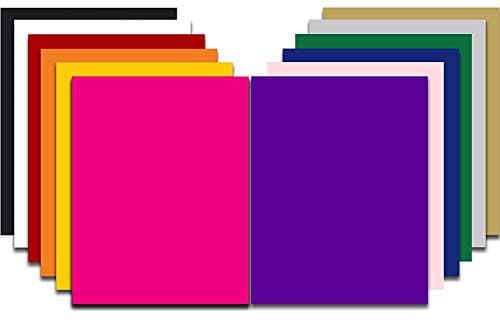 Siser EasyWeed HTVThe default heat transfer vinyl for beginners: it weeds cleanly, presses at a forgiving temperature, and is... | The film — the one to learn on | $39.99 · View on Amazon Price as of November 12, 2026 #ad · affiliate link · we never show a price we cannot verify |
| 4 | 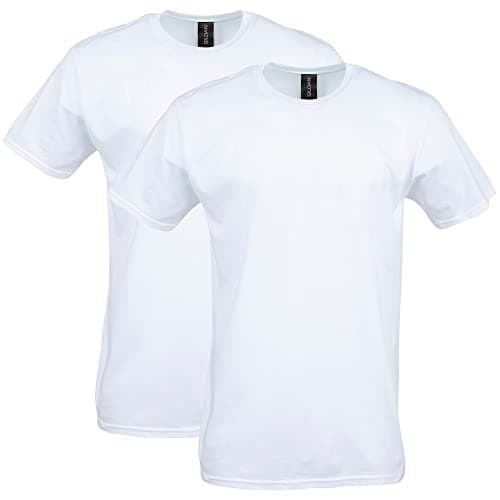 Gildan Softstyle Cotton T-ShirtsHeat transfer vinyl is happiest on cotton or a cotton blend, and a mid-weight ring-spun tee presses better ... | The blanks — buy more than you think | $12.66 · View on Amazon Price as of November 12, 2026 #ad · affiliate link · we never show a price we cannot verify |
| 5 | 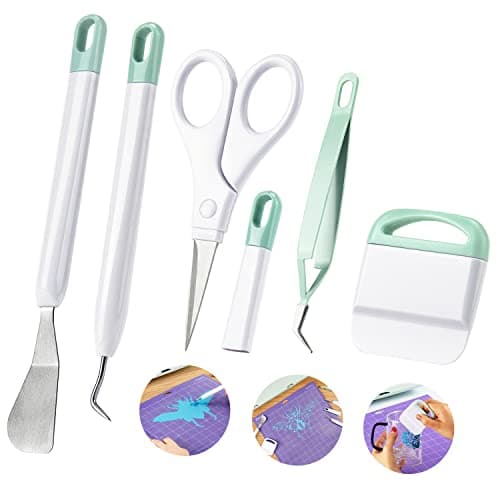 Ecraft Vinyl Weeding Tool SetThe single accessory that changes a beginner's experience most — weeding with a pin is miserable, and a hoo... | The budget pick — the cheapest thing that improves results | $7.99 · View on Amazon Price as of November 12, 2026 #ad · affiliate link · we never show a price we cannot verify |
| 6 | 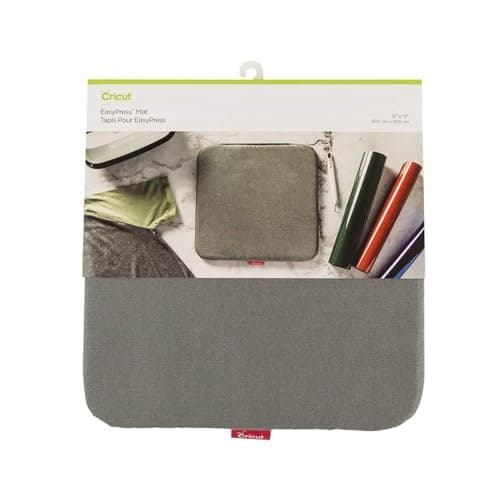 Cricut EasyPress MatThe cheap accessory that fixes most failed presses: it gives you a firm, even, heat-safe surface instead of... | The accessory that fixes uneven pressure | $9.99 · View on Amazon Price as of November 12, 2026 #ad · affiliate link · we never show a price we cannot verify |
Tap any row to jump to the full write-up. Prices come from Amazon on the date stamped on each button and can change after that — check the listing before you buy.
Where to spend, and what to cut first
If the budget does not reach all six parts, the order of sacrifice matters more than the brand names. This is the order we would cut in, from the most to the least expendable.
- Cut the premium film first. A value multipack cuts and presses perfectly well for learning, and you are going to waste some.
- Cut the press mat second. A folded towel is a poor substitute but it is a substitute. The mat is a few dollars, though — it is usually the wrong saving.
- Cut machine width third, with eyes open. A compact machine is much cheaper and genuinely good, but it will not cut a shirt-front design. If shirts are the plan, this is a real compromise rather than a saving.
- Never cut the press. This is the component that decides durability, and an iron cannot hold a stated temperature across a design. A cheaper machine plus a real press beats an expensive machine plus an iron every time.
- Never cut the weeding tools. They cost almost nothing and they are the difference between enjoying the first project and abandoning it.
1. Best for the machine — full-width cuts for shirt designs
Cricut Explore 5
Cricut · Currently sold · Verified 2026-09-27
The machine to buy for shirts specifically, because a shirt design needs the full 12-inch cutting width and the compact machines do not have it. It cuts every heat transfer film a beginner uses, runs the same app as the rest of the line, and costs meaningfully less than a Maker whose fabric tools you will not touch if your output is vinyl on shirts. Honest cons: it needs permanent desk space, and it does not take the rotary or knife blades, so quilting fabric and real leather are out.
What works
- Cuts every material a beginner's first ten projects will use
- Matless Smart Material cutting means long banners and decals without a mat
- Cheapest current machine that still handles full 12 in wide vinyl
- Huge community of tutorials aimed at exactly this machine
What does not
- No rotary blade, so unbacked fabric is out
- No knife blade for basswood or thick leather
- Still needs Design Space, which needs an internet connection to set up
Not for you if
You already know you want to cut quilting fabric or thick leather. That is the Maker line's rotary and knife blades, and no accessory adds them to an Explore.
Key specs
- Cuts
- Vinyl, heat transfer vinyl, cardstock, paper, iron-on, faux leather
- Max material width
- 12 in (11.5 in cut width)
- Matless cutting
- Yes, with Smart Materials
- Tool slots
- Two — blade plus pen or scoring tool
- Rotary / knife blade
- No — Maker line only
Price as of November 12, 2026
#ad · affiliate link · we never show a price we cannot verify
2. Best for the press — the half of the kit people under-buy
Cricut EasyPress SE
Cricut · Currently sold · Verified 2026-09-27
The press is what decides whether your shirt survives the wash, and a controlled flat plate that reaches and holds a set temperature is the minimum that does the job properly. The SE plate covers most adult designs in one press, and Cricut's Heat Guide supplies named settings for its own materials, which removes most early guesswork. It also stores in a cupboard, which is why it is the right press for a first kit rather than a clamshell. Honest cons: you supply the pressure by leaning on it, so consistency tracks your technique, and it will not press a curved blank.
What works
- Holds a set temperature, which a household iron does not
- Even plate contact across the whole design
- Cricut's Heat Guide gives exact settings for it by material
- Stores away, which matters more than people expect
What does not
- You supply the pressure by leaning on it, so results depend on your technique
- Costs more than a comparably sized clamshell press
- Small plates mean multi-press passes on a big design
Not for you if
You are pressing more than a handful of shirts a week. Leaning on a handheld press twenty times an evening gets old fast — buy a clamshell.
Key specs
- Type
- Handheld heat press
- Plate sizes
- 12 x 10 in and 9 x 9 in in the SE line
- Temperature
- Set precisely; holds it, unlike a household iron
- Timer
- Built in, with an audible finish
- Storage
- Shelf or drawer — no permanent bench space
Price as of November 12, 2026
#ad · affiliate link · we never show a price we cannot verify
3. Best for the film — the one to learn on
Siser EasyWeed HTV
Siser · Currently sold · Verified 2026-09-27
In the kit because it is the easiest heat transfer film to learn with and the brand publishes its numbers: a stated thickness, application temperature, press time and peel type, so when a transfer lifts you can check your settings against something real. It also weeds cleanly, which is the step beginners find hardest. Honest cons: it costs more per square inch than the value brands, and it is sold mostly by the colour rather than in mixed multipacks — so pair it with a cheap pack to practise on.
What works
- Weeds more cleanly than almost anything else at this price
- Thin enough that a layered design does not feel like a plastic patch
- Siser publishes clear time and temperature guidance for it
- Sold in single sheets, so you can try three colors without buying three rolls
What does not
- Matte only — no gloss, glitter or specialty finish in the base line
- Sheets cost more per square inch than buying a roll
- Still needs real heat and pressure; a household iron gives mixed results
Not for you if
You want a glitter or holographic finish. That is a different Siser product line, not EasyWeed.
Key specs
- Type
- Heat transfer vinyl (HTV) — for fabric
- Fabric compatibility
- Siser rates it for cotton, polyester and cotton/poly blends
- Thickness
- Siser published 90 microns / 3.5 mils
- Application
- Siser lists 305°F for 10-15 seconds at medium pressure
- Carrier
- Pressure-sensitive clear carrier sheet
- Finish
- Semi-gloss — EasyWeed Matte is a separate Siser line
Price as of November 12, 2026
#ad · affiliate link · we never show a price we cannot verify
4. Best for the blanks — buy more than you think
Gildan Softstyle Cotton T-Shirts
Gildan · Currently sold · Verified 2026-09-27
In the list because the most common first-kit mistake is buying one shirt. Your first press will teach you something, and the second will be the good one. Cotton is the right fabric for heat transfer vinyl: it tolerates the temperatures standard films want and it does not fight a rigid film the way a stretchy knit does. Honest cons: cotton rules out sublimation entirely if you ever want to mix techniques, and dark dyes are worth a test press before you commit a batch.
What works
- Any color works, which sublimation cannot claim
- Soft and familiar to wear
- Cheap in multi-packs, so practice is affordable
What does not
- Cotton will not take sublimation ink at all
- Very heavy or textured cotton gives uneven HTV adhesion
- Needs a pre-press to drive out moisture before the design goes on
Not for you if
You are sublimating. Sublimation needs polyester, and cotton simply will not hold the ink.
Key specs
- Fabric
- Cotton or cotton/poly blend
- Works with
- Heat transfer vinyl — not sublimation
- Weight
- Softstyle G64000 is 4.5 oz ring-spun — it presses flatter than heavy open-weave cotton
- Color
- Any color, including dark — unlike sublimation
Price as of November 12, 2026
#ad · affiliate link · we never show a price we cannot verify
5. Best for the budget pick — the cheapest thing that improves results
Ecraft Vinyl Weeding Tool Set
ecraft · Currently sold · Verified 2026-09-27
The cheapest item in the kit and the one that changes the experience most, which is why it is named as the budget pick: a hook to start the lift on interior pieces and tweezers to pull them clear. Weeding is where beginners decide whether they enjoy this craft, and doing it with a fingernail is why some decide they do not. Honest cons: every multi-tool set contains a couple of tools you will never use, and no tool rescues a cut that was too shallow to begin with.
What works
- Turns the most tedious step into a manageable one
- The scraper doubles as your transfer-tape burnishing tool
- Cheap, and a set lasts years
What does not
- Cheap sets have soft points that dull quickly
- More pieces than you will actually use
Not for you if
Nothing — if you cut vinyl, you need at least a hook.
Key specs
- Typical set
- Weeding hook, fine tweezers, scraper, spatula, scissors
- Used for
- Removing the vinyl you did not cut out of the design
- Also fits
- Every brand of machine — nothing here is Cricut-specific
Price as of November 12, 2026
#ad · affiliate link · we never show a price we cannot verify
6. Best for the accessory that fixes uneven pressure
Cricut EasyPress Mat
Cricut · Currently sold · Verified 2026-09-27
Worth including because it solves a specific, common problem: seams, collars and the thickness of a folded garment steal pressure from the middle of a design. A firm mat lets the high spots sink so the design area presses flat, and it protects your table from the heat coming through. It costs very little and it is the difference between a design that bonds across its whole area and one that lifts at a corner.
What works
- Turns an uneven surface into an even one, which is most of a good press
- Protects the table underneath
- Costs very little relative to the failures it prevents
What does not
- One more thing to store
- Does not fix pressure that is simply too light
Not for you if
You have a clamshell press with a proper lower platen. The platen already does this job.
Key specs
- Purpose
- Firm heat-resistant base that concentrates pressure into the design
- Why it matters
- Absorbs seams and zips so the design sits flat
- Sizes
- 12 in x 12 in; Cricut also lists a 16 in x 20 in mat
Price as of November 12, 2026
#ad · affiliate link · we never show a price we cannot verify
Why not a boxed bundle?
Bundles are built to a price, and the component they economise on is almost always the press — which is the one that matters. A bundle with a small iron-style press and a single blank shirt looks like a complete kit and is not. Buying the six parts separately costs similar money, lets you see where it went, and means each piece is the one you would have chosen. We cover the machine bundles specifically in best Cricut bundles.
If you are not sure shirts are the plan
Then buy the machine first and the press later — decals, stickers and cards need no press at all, and you will find out quickly whether shirts are what you actually want to make. Do you need a heat press answers that honestly, what you need to start is the no-press version of this list, and the starter kit page covers the machine-side accessories in more detail.
Your first shirt
Once the kit arrives, the sequence is cut, weed, place, press, peel — and the two places people go wrong are the pressure and the peel timing. First Cricut shirt walks it through step by step, how to use HTV covers the film handling, and the temperature guide has the published settings.
Prices in the table are read from Amazon automatically, each stamped with the date it was read. Assembling the kit from parts is also the only way to see how the total divides — which is the point of doing it this way rather than buying a box.
Common questions
Do I need a heat press to use a Cricut?
Which Cricut and press should I buy together for shirts?
Is it cheaper to buy a Cricut bundle or the parts separately?
How we picked
We verify every product is currently sold by reading the manufacturer's own catalog, compare published specifications rather than marketing copy, and rank on what a first-time buyer has to decide. We do not run lab tests and we do not claim to, and commission never affects the order.
Read this next
The Cricut Starter Kit Worth Buying
A starter kit built from components worth owning, and why most bundles are not the value they look.
What You Need to Start
The genuine beginner checklist — what you need for a first project and what can wait.
Your First Cricut Shirt
A complete first-shirt walkthrough, with the three common mistakes flagged before you make them.
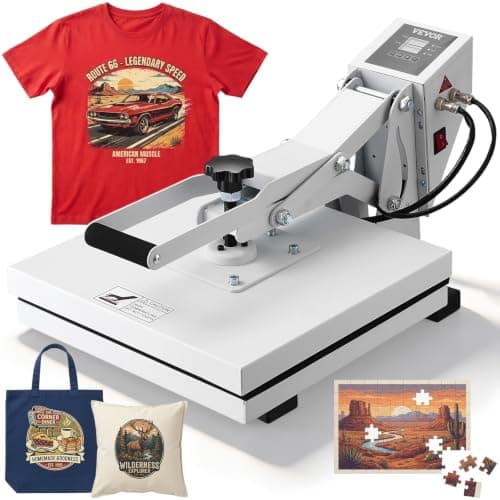
The Best Heat Press Under $200
Every press in our registry currently priced under $200, sorted by the job it does, with live prices and the date each was read.
The Best Cricut Under $300
Every Cricut in our registry currently priced under $300, ranked by what the width buys you, plus what to spend the rest of the budget on.
Back to Start Here.