
The Best Cricut for Making Shirts
One specification decides this, and it is not the one the marketing leads with.
Heads up: Mat & Blade earns a commission from qualifying purchases made through the links on this page, at no extra cost to you. It never changes which products we recommend or how we rank them. Read the full disclosure.
Buy the Explore 5. Shirt making is decided by cut width, and 11.5 inches covers a full adult front design with room to spare. The Joy Xtra works if space is tight. The Joy 2 does not — its 4.5 inch cut makes chest logos, not shirt fronts. And the heat source matters at least as much as the machine.
Quick picks
| # | Product | Best for | Price |
|---|---|---|---|
| 1 |  Cricut Explore 5The sensible default for a first machine: it cuts everything a beginner actually uses, and the money you sa... | Shirts, without qualification | Check price on Amazon #ad · affiliate link · we never show a price we cannot verify |
| 2 |  Cricut Joy XtraThe Joy that fixes the Joy's biggest limitation — a wider cut and print-then-cut — without growing into a f... | Shirts in a small space | Check price on Amazon #ad · affiliate link · we never show a price we cannot verify |
| 3 |  Cricut Maker 5The machine to buy only if you have a specific material in mind that an Explore cannot cut — rotary-blade f... | Shirts plus sewing projects | Check price on Amazon #ad · affiliate link · we never show a price we cannot verify |
| 4 |  Siser EasyWeed HTVThe default heat transfer vinyl for beginners: it weeds cleanly, presses at a forgiving temperature, and is... | The material that decides the result | Check price on Amazon #ad · affiliate link · we never show a price we cannot verify |
| 5 | 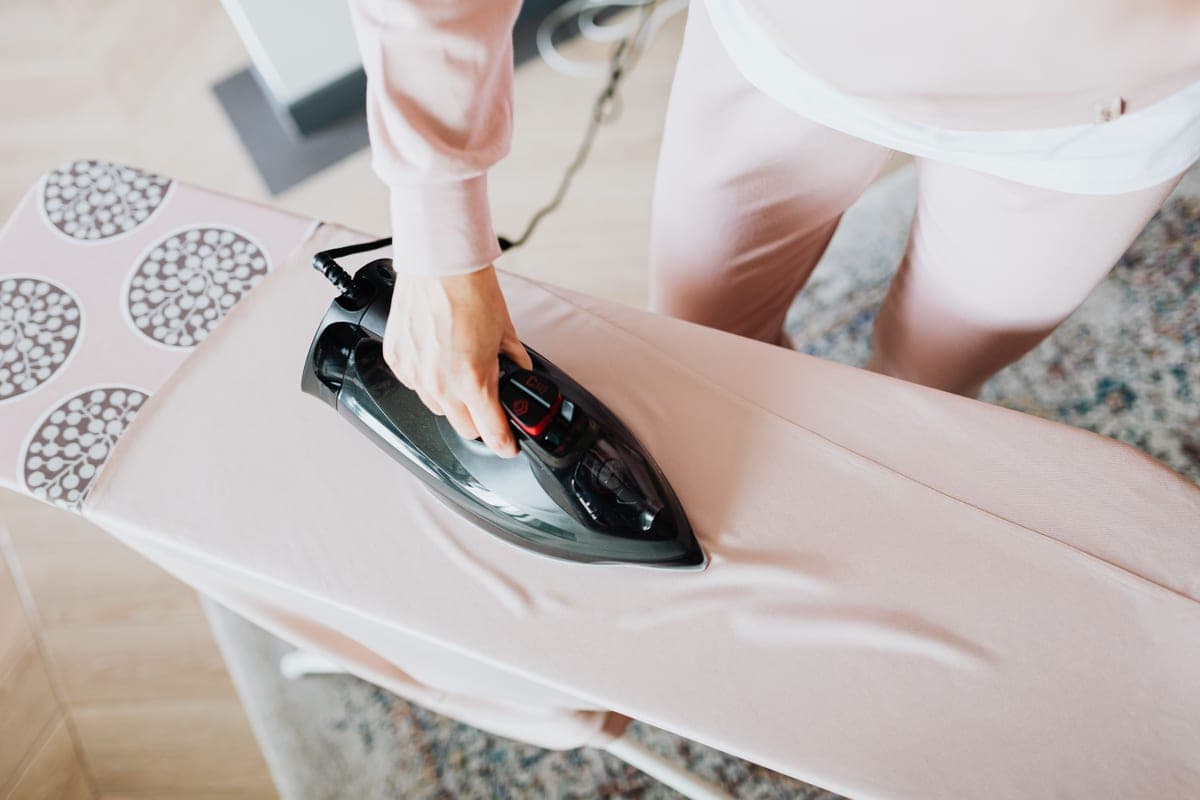 Cricut EasyPress SEThe current EasyPress and the easiest first heat source: controlled temperature, a flat even plate, and it ... | The heat source the job requires | Check price on Amazon #ad · affiliate link · we never show a price we cannot verify |
Tap any row to jump to the full write-up. We do not publish prices — they move constantly, and a stale number is worse than none.
Why cut width is the whole decision
A full adult chest design typically lands somewhere around 10 to 11 inches wide. That single number rules machines in and out more decisively than any feature comparison.
| Machine | Cut width | What that means on a shirt |
|---|---|---|
| Cricut Joy 2 | 4.5 in | Chest logo or pocket print only |
| Cricut Joy Xtra | 8.5 in | Most youth designs at full size, many adult designs |
| Cricut Explore 5 | 11.5 in | Full adult front design with room to spare |
| Cricut Maker 4 / 5 | 11.5 in | Identical to the Explore for this job |
| Cricut Venture | 24 in | Full front plus oversized and all-over prints |
You can split a wide design across two cuts and align them on the shirt, and people do. It is fiddly, the alignment is unforgiving, and doing it on every shirt gets old quickly. If shirts are your main plan, buy the width.
How we picked
We ranked against what shirt making specifically demands — cut width against real design sizes, heat transfer vinyl handling, and the settings support that keeps a first attempt from becoming a wasted shirt. We included the material and the heat source in the picks because leaving them out would misrepresent the job: the machine is one of three things you need. Lineup verified against the manufacturer's catalog on the date in the byline. Our methodology.
The picks in full
1. Best for shirts, without qualification
Cricut Explore 5
Cricut · Currently sold · Verified 2026-09-27
The right machine for shirt making and the one we would point almost anyone at. Its 11.5 inch cut width comfortably covers a full adult front design, which is the thing that actually matters here — a typical adult chest print runs 10 to 11 inches wide, and anything narrower means designing around the machine instead of the shirt. It cuts every heat transfer vinyl you are likely to buy, handles Smart Materials matless for long runs, and Design Space's material presets mean you are not guessing at settings on your first attempt.
What works
- Cuts every material a beginner's first ten projects will use
- Matless Smart Material cutting means long banners and decals without a mat
- Cheapest current machine that still handles full 12 in wide vinyl
- Huge community of tutorials aimed at exactly this machine
What does not
- No rotary blade, so unbacked fabric is out
- No knife blade for basswood or thick leather
- Still needs Design Space, which needs an internet connection to set up
Not for you if
You already know you want to cut quilting fabric or thick leather. That is the Maker line's rotary and knife blades, and no accessory adds them to an Explore.
Key specs
- Cuts
- Vinyl, heat transfer vinyl, cardstock, paper, iron-on, faux leather
- Max material width
- 12 in (11.5 in cut width)
- Matless cutting
- Yes, with Smart Materials
- Tool slots
- Two — blade plus pen or scoring tool
- Rotary / knife blade
- No — Maker line only
#ad · affiliate link · we never show a price we cannot verify
2. Best for shirts in a small space
Cricut Joy Xtra
Cricut · Currently sold · Verified 2026-09-27
The compact option that still makes real shirts. At 8.5 inches you can do most youth designs at full size and plenty of adult designs, provided you are comfortable working slightly smaller than a full chest print. Worth choosing when storage genuinely constrains you. Worth skipping if it does not, since the Explore's extra three inches removes a limit you will otherwise keep bumping into.
What works
- 8.5 in cut width handles most youth and many adult shirt designs
- Print-then-cut means printed sticker sheets, which the Joy 2 cannot do
- Still small and light enough to put away between projects
- Uses the same Design Space workflow as the bigger machines
What does not
- Still narrower than the 11.5 in the Explore and Maker lines cut
- Costs enough that the Explore 5 becomes a fair comparison
- Smaller mat sizes limit how much you can gang up on one cut
Not for you if
You want full-width 12 in vinyl for large signs or full-front shirt prints. Step up to an Explore 5 instead.
Key specs
- Cuts
- Vinyl, heat transfer vinyl, cardstock, sticker paper, faux leather
- Max cut width
- 8.5 in
- Print then cut
- Yes — printed stickers work
- Matless cutting
- Yes, with Smart Materials
- Footprint
- Noticeably smaller than an Explore
#ad · affiliate link · we never show a price we cannot verify
3. Best for shirts plus sewing projects
Cricut Maker 5
Cricut · Currently sold · Verified 2026-09-27
For heat transfer vinyl on a shirt, this cuts identically to an Explore — same width, same result, no advantage. It earns its place only if you also sew, because the rotary blade cuts unbacked fabric and that is genuinely useful for making the garment as well as decorating it. Buying it purely to make shirts is spending more for nothing.
What works
- Rotary blade cuts quilting cotton with no backing, which no Explore can do
- Knife blade opens basswood, chipboard and thick leather
- Adaptive tool system takes every Cricut blade and tip
- Same matless Smart Material workflow as the Explore line
What does not
- Materially more expensive than an Explore for capability most beginners never use
- The knife blade is a separate purchase on top of the machine
- Knife-blade cuts are slow — a thick basswood cut can run well over an hour
Not for you if
Your project list is shirts, decals, stickers and cards. Every one of those cuts identically on an Explore 5, and the difference in price is roughly a full starter set of materials.
Key specs
- Cuts
- 300+ materials including unbacked fabric, leather, basswood
- Max material width
- 12 in (11.5 in cut width)
- Matless cutting
- Yes, with Smart Materials
- Rotary blade
- Yes — cuts fabric without a stabilizer backing
- Knife blade
- Yes — sold separately
#ad · affiliate link · we never show a price we cannot verify
4. Best for the material that decides the result
Siser EasyWeed HTV
Siser · Currently sold · Verified 2026-09-27
Worth saying plainly: the vinyl matters more than the machine. Every Cricut cuts heat transfer vinyl to the same standard, but a forgiving HTV weeds cleanly and presses at a temperature that tolerates small errors, while a cheap one tears during weeding and lifts after two washes. Start here, learn what a good weed feels like, and move to cheaper material by the roll once your technique makes the difference irrelevant.
What works
- Weeds more cleanly than almost anything else at this price
- Thin enough that a layered design does not feel like a plastic patch
- Siser publishes clear time and temperature guidance for it
- Sold in single sheets, so you can try three colors without buying three rolls
What does not
- Matte only — no gloss, glitter or specialty finish in the base line
- Sheets cost more per square inch than buying a roll
- Still needs real heat and pressure; a household iron gives mixed results
Not for you if
You want a glitter or holographic finish. That is a different Siser product line, not EasyWeed.
Key specs
- Type
- Heat transfer vinyl (HTV) — for fabric
- Fabric compatibility
- Siser rates it for cotton, polyester and cotton/poly blends
- Thickness
- Thin — around 90 microns
- Carrier
- Pressure-sensitive clear carrier sheet
- Finish
- Matte
#ad · affiliate link · we never show a price we cannot verify
5. Best for the heat source the job requires
Cricut EasyPress SE
Cricut · Currently sold · Verified 2026-09-27
A cutting machine cannot make a shirt on its own. What makes a design survive the wash is a known temperature held steadily and even pressure across the whole design for a known time — and a household iron does neither, because its thermostat cycles and its soleplate has steam holes. The EasyPress SE holds a set temperature, gives even plate contact, and stores in a cupboard, which is the right trade for anyone making a handful of shirts a month rather than filling orders.
What works
- Holds a set temperature, which a household iron does not
- Even plate contact across the whole design
- Cricut's Heat Guide gives exact settings for it by material
- Stores away, which matters more than people expect
What does not
- You supply the pressure by leaning on it, so results depend on your technique
- Costs more than a comparably sized clamshell press
- Small plates mean multi-press passes on a big design
Not for you if
You are pressing more than a handful of shirts a week. Leaning on a handheld press twenty times an evening gets old fast — buy a clamshell.
Key specs
- Type
- Handheld heat press
- Plate sizes
- 12 x 10 in and 9 x 9 in in the SE line
- Temperature
- Set precisely; holds it, unlike a household iron
- Timer
- Built in, with an audible finish
- Storage
- Shelf or drawer — no permanent bench space
#ad · affiliate link · we never show a price we cannot verify
The three things that decide whether a shirt survives
Once the design is cut and weeded, the machine's job is over and the failure modes are all downstream. In order of how often they go wrong:
- Pressure. Firm and even, across the whole design. Pressing on a padded ironing board lets seams and the collar absorb pressure meant for the design, which is why one corner lifts and the rest holds. A firm heat press mat fixes it for very little money.
- Temperature and time. Every HTV has a published figure from its maker, and approximately right is not right. Our temperature guide collects the published numbers with sources.
- Moisture. Cotton holds humidity, and steam trapped under a transfer stops it bonding. A five-second pre-press on the bare shirt before the design goes on costs nothing and prevents a surprising share of failures.
What about sublimation instead?
Sublimation produces a shirt with no hand feel at all and colors vinyl cannot match, and it is the wrong answer for most people making their first shirt. It only bonds to polyester, so cotton shirts are out entirely, and the ink is translucent, so dark shirts are out too. If your plan involves a cotton tee or any color other than white, heat transfer vinyl is the technology that does it. The full comparison.
When you are ready to make one, your first shirt, step by step walks the whole process, and how to use HTV covers the application detail.
Common questions
Which Cricut is best for making t-shirts?
Can a Cricut Joy make t-shirts?
Do I need a heat press to make shirts with a Cricut?
Why did my shirt design peel after washing?
Do I have to mirror heat transfer vinyl?
Sources
- Cricut official product catalog — Cut widths by model, verified 27 September 2026
- Siser product and application guidance — EasyWeed fabric compatibility and application guidance, verified 27 September 2026
How we picked
We verify every product is currently sold by reading the manufacturer's own catalog, compare published specifications rather than marketing copy, and rank on what a first-time buyer has to decide. We do not run lab tests and we do not claim to, and commission never affects the order.
Read this next
The Best HTV Vinyl for Beginners
Which heat transfer vinyl weeds cleanly and presses forgivingly — and which to switch to later.
The Best Heat Press for Beginners
Handheld or clamshell, which suits your volume and space, and when you need no press at all.
Your First Cricut Shirt
A complete first-shirt walkthrough, with the three common mistakes flagged before you make them.
How to Use HTV
The full HTV process from cut to peel, plus a troubleshooting section for when it does not stick.
The Best Cricut for Beginners
One safe default pick, plus the specific cases where a different Cricut — or no Cricut — is the better buy.
Sublimation vs HTV
The category-defining comparison: what each technology can and cannot do, and which to start with.
Back to Cutting Machines.